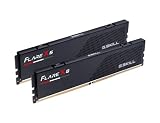
4 Best RAM Kits for Gaming and PC Builds (October 2026) Reviews & Picks
The best RAM kits for gaming in 2026 are 32GB DDR5-6000 kits with low latency...
We research everything we recommend. When you buy through our links, we may earn a commission. As an Amazon Associate we earn from qualifying purchases.
Memory covers RAM kits and buying guidance for gaming builds, from capacity planning to the speed and timing specs that determine how much a kit actually helps frame rates once installed. The two questions that come up most are how much capacity is enough for current games without overspending, and whether paying extra for higher-rated DDR5 speeds delivers a measurable gain over a mid-range kit. Capacity matters less than most buyers assume past a certain point, since 16GB still covers most titles while 32GB mainly benefits heavy multitasking or background streaming rather than the game itself. Speed and CAS latency interact in ways that make the headline MHz number misleading on its own, since a faster kit with loose timings can perform similarly to a slower kit with tight timings, and motherboard memory controller support caps how much of a rated speed a system can actually use without manual tuning. Dual-channel configuration is a factor buyers overlook entirely, since running a single stick instead of a matched pair can cost several percent of performance regardless of capacity or speed rating. Start by confirming the motherboard’s supported speed ceiling, then pick a matched dual-channel kit sized for the games and background tasks actually run. How Much RAM Do You Need For Gaming settles the capacity question, and Best DDR5 RAM For Gaming covers current kit recommendations.
The best RAM kits for gaming in 2026 are 32GB DDR5-6000 kits with low latency...
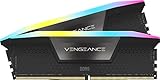
The best RAM kit for gaming in 2026 is a 32GB DDR5 kit running at...
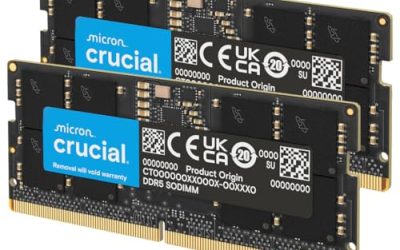
Specification-based review of Crucial’s CT2K16G56C46S5 32GB DDR5 laptop kit, covering SODIMM fit, supported speeds and upgrade checks.
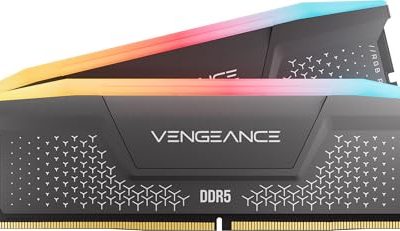
A specification-based review of Corsair’s Vengeance RGB RS DDR5 16GB kit, covering advertised 6000MHz speed, memory profiles and installation unknowns.

Opening up a graphics card to replace its cooling materials feels like a big step,...

RAM speed and timings explained: what CL36 vs CL30 and 6000MT/s vs 5600MT/s mean for gaming FPS, and how to pick a kit that boots first try.

16GB covers most gaming today, 32GB adds streaming headroom — this guide breaks RAM needs down by use case with real speed numbers.

Best RAM for gaming across DDR4 and DDR5, 8 kits compared on speed, CL timing and capacity, tested for stable XMP/EXPO boot.

Best DDR5 RAM for gaming ranked by CL timing, EXPO/XMP support and price per GB, tested across 8 kits from 16GB to 32GB.