The best CPU cooler for the Ryzen 5 7600X3D is a mid-priced dual-tower air cooler such as the Thermalright Peerless Assassin 120 SE, because AMD rates this chip at 65W and sells it without a cooler in the box. Any tower with a rated capacity above roughly 150W keeps it quiet, and a 240mm or 360mm liquid cooler only makes sense if you want the look or have a case that cannot fit a tall heatsink.
That is the short answer for anyone searching “7600x3d” and wondering which cooler to buy. Below are eight picks across budget, silence, size and liquid options, a worked headroom calculation, a situation matrix, fan-curve settings and an AM5 installation checklist. Everything is based on manufacturer specifications and published reviews; we did not use these coolers ourselves.
Our Top Picks
 ID-COOLING FROZN A620 PRO SE Dual-Tower CPU Cooler5.59 x 4.72 x 6.18 inches2.6 poundsCheck on Amazon



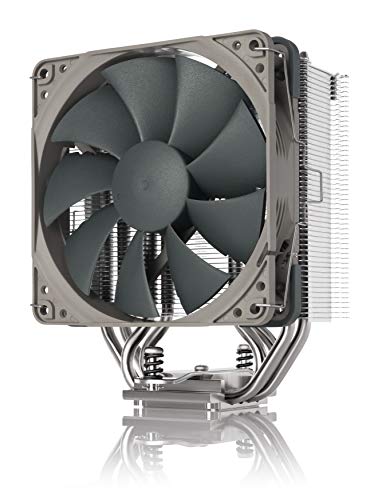

Top 3 picks at a glance
What the Ryzen 5 7600X3D asks of a cooler
The 7600X3D is a six-core, 12-thread Zen 4 processor for the AM5 socket with a 4.1 GHz base clock and a 4.7 GHz maximum boost clock, according to published specifications. AMD lists a default TDP of 65W, and the retail version is sold with the heatsink not included. It launched on August 30, 2024, as a Micro Center exclusive at about $300, and it uses AMD’s 3D V-Cache design, which gives it a large L3 cache (listed at 96 MB).
Two numbers matter for cooling. First, the package power limit: published spec summaries put the maximum at around 88W, with a maximum operating temperature of 89 degrees C. Second, real gaming draw: GamersNexus reported roughly 43W in Baldur’s Gate 3 and around 34W in Final Fantasy XIV, and called the chip one of the most efficient processors it has benchmarked. This is a low-heat processor, so the cooler decision is mostly about noise, case fit and appearance rather than survival.
AMD’s own product page recommends liquid cooling for best performance, but that is a conservative blanket statement for a 65W part. Reviewers generally found that a budget tower cooler was enough, and a Micro Center customer comment described a dual-tower air cooler holding gaming peaks near 70 degrees C. Treat those as anecdotes rather than guarantees, because case airflow and room temperature change the result.
Quick comparison of the eight picks
| Pick | Type | Best for | Key spec from the listing | Cost tier |
|---|---|---|---|---|
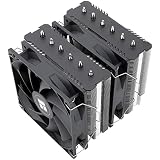
| Thermalright Peerless Assassin 120 SE | Dual-tower air | Best overall | 6 heat pipes, dual 120mm PWM fans | Budget |
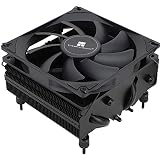
| Thermalright Assassin X120 Refined SE | Single-tower air | Cheapest sensible upgrade | 4 heat pipes, 120mm PWM fan | Very low |
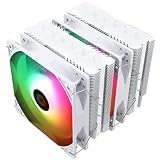
| ID-COOLING FROZN A620 PRO SE | Dual-tower air | Quiet value | 260W rating, 157mm height, 27.2 dB fans | Budget |
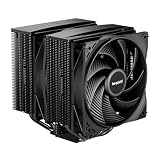
| be quiet! Pure Rock Pro 3 | Dual-tower air | Silent builds | 250W TDP rating, two silent 120mm PWM fans | Mid |
| Noctua NH-U12S Redux | Single-tower air | Tall RAM, smooth sound | 158mm height, 5 heat pipes | Mid |
| Noctua NH-D12L | Dual-tower air | Smaller cases | 145mm height, 5 heat pipes | Upper mid |
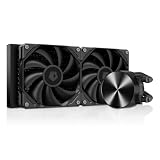
| Cooler Master Elite Liquid 240 | 240mm AIO | Budget liquid | 240mm radiator, AM5 and AM4 support | Mid |
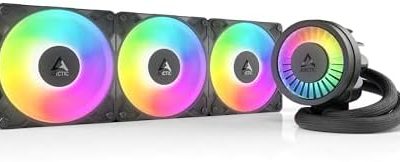
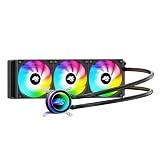
| ARCTIC Liquid Freezer III Pro 360 | 360mm AIO | Maximum headroom | 3x 120mm fans, AM5 support | Upper mid |
Cost tiers are relative: “very low” is the cheapest air tower class, “budget” sits around the cost of a single game, and “upper mid” is where premium air and 360mm liquid sit. Prices move constantly, so check the current listing before you buy.
Worked example: how much cooler headroom do you need?
Cooler capacity ratings are manufacturer claims measured under their own conditions, but they are still useful for a rough headroom comparison. Take the 88W maximum package power as the worst case and divide the rating by it. Then divide by the roughly 43W gaming draw GamersNexus reported to see the everyday margin.
| Cooler class | Rated capacity | Headroom vs 88W worst case | Headroom vs ~43W gaming draw |
|---|---|---|---|
| ID-COOLING FROZN A620 PRO SE | 260W | about 3.0x | about 6.0x |
| be quiet! Pure Rock Pro 3 | 250W | about 2.8x | about 5.8x |
| Typical 120mm single tower | around 150W (class rating, varies) | about 1.7x | about 3.5x |
| Stock-style 65W cooler | 65W | about 0.7x | about 1.5x |
What this tells you: a 65W-class cooler has no margin when the chip reaches its worst-case package power, so its fan would run hard. Any proper tower with a 150W or higher rating gives a comfortable multiple, so fans can sit at low RPM while gaming. Above about 3x headroom you are paying for silence and looks, not lower temperatures. That is why a 360mm radiator on a six-core 65W chip is usually a style decision.
Best overall: Thermalright Peerless Assassin 120 SE
The Peerless Assassin 120 SE is the default recommendation for most AM5 builds because it combines a dual-tower heatsink with two 120mm PWM fans at a low cost. Its listing describes six heat pipes and dual fans, which is more surface area than the 7600X3D needs, so the fans can run slowly and stay near silent in games.
The trade-off is size. The twin-tower design is wide and tall, so check your case’s CPU cooler height limit and make sure the front fan does not collide with tall memory modules on the nearest slot.
As an Amazon Associate we earn from qualifying purchases at no extra cost to you.

- Best for: first AM5 builds and anyone who wants a no-regrets air cooler.
- Skip if: your case has a tight height limit or you want a small, clean look.
- Pros: strong cooling per dollar, two fans included, simple mounting.
- Cons: bulky, plain looks, can crowd the first RAM slot on some boards.
Best cheap upgrade: Thermalright Assassin X120 Refined SE
If your budget is already stretched by the 7600X3D, an AM5 board and DDR5 memory, the Assassin X120 Refined SE costs very little and still gives a four-heat-pipe tower with a 120mm PWM fan. For a chip that draws around 40W in games it is a sensible choice, and you can step up later without touching anything else in the build.

- Best for: tight budgets and micro-ATX builds with moderate airflow.
- Skip if: you plan to tune for lower voltage, run long all-core workloads or want the quietest possible build.
- Pros: very low cost, compact single tower, easy install.
- Cons: one fan and less headroom than the dual towers.
Best quiet value: ID-COOLING FROZN A620 PRO SE
The FROZN A620 PRO SE is a dual-tower cooler rated by its maker at 260W, with a listed height of 157mm and fans quoted at 27.2 dB. These are manufacturer claims, but a high rating paired with a low noise figure suggests plenty of slow-fan headroom for a 65W chip.

- Best for: budget builds that still want dual-tower cooling and low noise.
- Skip if: you need a short cooler for a small case or want a premium finish.
- Pros: high rating for the cost, dual fans, quiet figures on paper.
- Cons: less known brand, and 157mm height needs a mid-tower.
Best for a silent build: be quiet! Pure Rock Pro 3
be quiet! sells this as a compact double-tower with a 250W TDP rating and two silent 120mm PWM fans. Because the 7600X3D produces so little heat, the fans can idle near their lowest speed during gaming, which is exactly what a silence-focused brand is for.

- Best for: bedroom, living-room or recording-room PCs where noise matters.
- Skip if: you just want the lowest cost, since cheaper towers cool this chip nearly as well.
- Pros: strong rating, dual silent fans, plain black look that suits most cases.
- Cons: costs more than similar-capacity budget coolers.
Best for tall RAM and a smooth fan sound: Noctua NH-U12S Redux
The NH-U12S Redux is a single-tower cooler with five heat pipes and a listed height of 158mm. A single tower leaves more room beside the RAM slots, which helps with tall DDR5 kits, and Noctua fans are known for a steady, low-pitched sound.
- Best for: builds with tall memory or anyone who wants an easy-to-service cooler for years.
- Skip if: you want maximum cooling per dollar; cheaper dual towers cool as well.
- Pros: reputable brand, quiet design, manageable width.
- Cons: higher price for its performance class, and the Redux color scheme is not for everyone.
Best for smaller cases: Noctua NH-D12L
The NH-D12L is a dual-tower design with a compact 145mm listed height, aimed at cases where a standard 160mm tower will not fit. Its low profile also helps keep the first RAM slot usable on many boards.

- Best for: compact mid-towers and some small-form-factor cases.
- Skip if: your case is roomy and cost matters more than height.
- Pros: compact for a dual tower, quiet fan, quality mounting hardware.
- Cons: premium price compared with the budget towers above.
Best budget liquid: Cooler Master Elite Liquid 240
The Elite Liquid 240 is a 240mm all-in-one with ARGB lighting and support for AM5 and AM4. It leaves the area around the socket free of a large heatsink and moves the heat to a front or top radiator.

- Best for: showcase builds and cases with limited cooler height but a 240mm radiator mount.
- Skip if: you want the lowest-risk cooler; air has no pump to fail.
- Pros: tidy look, AM5 support, flexible radiator placement.
- Cons: a pump adds a noise source, and the advantage over a good tower is small for this chip.
Best maximum headroom: ARCTIC Liquid Freezer III Pro 360
The Liquid Freezer III Pro 360 uses a 360mm radiator with three 120mm fans and lists AM5 support. It is overkill for a 65W processor, but it makes sense if you plan to move to a higher-power chip later or want fans that barely spin.

- Best for: cases that already have a 360mm mount and owners who may upgrade the CPU.
- Skip if: your budget is tight or your case cannot hold a 360mm radiator.
- Pros: huge headroom, quiet at low speed, fits a later CPU upgrade.
- Cons: more cost and installation effort than this chip needs.
The processor itself
If you are still shopping for the CPU, the store lists the 7600X3D as a boxed processor with the heatsink not included, so the cooler is a mandatory second purchase. Check that the listing is the plain retail chip and not a bundle with a board you do not want.

Which cooler fits your situation?
| Your situation | Pick this | Why |
|---|---|---|
| Tight total budget | Assassin X120 Refined SE | Cheapest tower that still clearly beats a 65W-class cooler |
| Standard mid-tower, best value | Peerless Assassin 120 SE | Dual tower, two fans, lots of headroom |
| Quiet room or microphone nearby | Pure Rock Pro 3 or NH-U12S Redux | Low fan speed is enough, smooth sound profile |
| Case with under 150mm cooler clearance | NH-D12L | 145mm dual tower |
| Glass-panel showcase build | Elite Liquid 240 | Clean look, ARGB, easy radiator mount |
| Plan to move to a higher-power chip later | Liquid Freezer III Pro 360 or a 250W+ dual tower | Extra headroom without replacing the cooler |
Fan-curve settings that make sense for a 65W chip
Because the 7600X3D runs cool, the best tuning is to keep fans slow until the chip is really working. These are starting values to adjust in your motherboard’s BIOS, not measured results.
| CPU temperature | Suggested fan speed | Reason |
|---|---|---|
| Below 45 degrees C | 20 to 30 percent | Idle and desktop use; near silent |
| 45 to 60 degrees C | 30 to 45 percent | Light gaming and browsing |
| 60 to 75 degrees C | 45 to 70 percent | Typical gaming peaks on a decent air cooler |
| Above 75 degrees C | 70 to 100 percent | Rare; check airflow and mounting if you see it often |
Add a few seconds of response delay (often called step-up time) so the fans do not ramp up and down every time a game loads a new area. Spikes of a few seconds in temperature are normal on modern Ryzen chips.
Installing a cooler on AM5: a short checklist
- Update the motherboard BIOS first if the board was not shipped ready for the chip; it is much easier before the cooler covers the socket.
- Seat the CPU and close the socket lever or plate carefully; AM5 has pins on the board side, so never force the chip.
- Fit the memory before a large tower cooler, or lift the front fan so you can reach the slots.
- Apply a pea-sized amount of paste in the center if the cooler does not come with it pre-applied.
- Tighten mounting screws in an X pattern, a little at a time, until the cooler is snug and level.
- Plug the fan into the CPU_FAN header and the second fan on a splitter or a header set to follow CPU temperature.
- Check temperatures in the first boot; if idle is above about 55 degrees C, remount the cooler.
Does a better cooler make the 7600X3D faster?
Only a little, and only in the worst case. The 7600X3D already runs near its boost ceiling in games because it draws so little power, so moving from a cheap tower to a 360mm AIO will not add frames in most titles. A cooler that is too weak can cause the chip to hit its temperature limit and lower its clocks, but with a 65W part that only happens with a very small or badly mounted cooler, or in a case with almost no airflow.
For 3D V-Cache chips, the more useful habit is keeping temperatures steady rather than chasing a lower number. Stacked cache is more sensitive to heat than a regular die, which is one reason AMD rates the parts for lower maximum temperatures, but a 65W workload leaves a large margin. Spend the saved money on a faster graphics card, since the GPU almost always decides frame rates at 1440p.
Case airflow matters as much as the cooler
A tower cooler pulls air from the front of the case and pushes it toward the rear exhaust fan. If the case has a solid front panel with no intake, the best cooler in this list will still recirculate hot air. As a rule of thumb, one 120mm intake fan at the front and one exhaust fan at the rear or top is enough for a 65W CPU paired with a mid-range GPU. If the GPU is a high-power card, add a second intake fan so the CPU cooler is not breathing GPU exhaust.
| Case type | Minimum fans suggested | Good cooler match |
|---|---|---|
| Mesh-front mid-tower | 2 intake + 1 exhaust | Any dual tower or 240mm AIO |
| Solid-front glass case | Add at least 1 side or bottom intake | 240mm or 360mm AIO with top exhaust |
| Compact micro-ATX case | 1 intake + 1 exhaust | NH-D12L or a single tower |
| Small-form-factor case | Depends on the design | Low-profile cooler within the case’s height limit |
Common mistakes when picking a cooler for this chip
- Buying by looks alone: a cooler with RGB and a small block can cool worse than a plain tower for the same cost.
- Forgetting the box has no cooler: the 7600X3D is sold without one, so ordering only the chip leaves you unable to boot safely.
- Ignoring height: a 157mm tower will not fit a case with a 155mm limit, and the side panel will not close.
- Overspending on liquid: a 360mm AIO costs two or three times a good tower and delivers little extra benefit at 65W.
- Blocking the RAM slot: check the tower’s fan overhang and your memory height before ordering.
- Skipping the BIOS update: if the board does not recognize the chip on first boot, you will need to remove the cooler to update, so update early.
How We Chose
This guide is research-based. We compared manufacturer specifications, published cooler ratings, AM5 compatibility notes and review coverage of the 7600X3D’s power draw and thermals. We did not use the products ourselves, and no temperatures in this article come from our own measurements. We favored coolers that list AM5 support, have a widely available retail version, and show a healthy ratio of rated capacity to the 88W worst case. We also made sure the picks spread across height, noise and budget so there is a match for most cases.
Buying guide: thresholds that matter
- Rated capacity: aim for at least 150W on an air cooler and treat 250W or more as a silence investment, not a necessity.
- Height: measure your case’s CPU cooler clearance. A 157 to 158mm tower needs about 160mm of room; the NH-D12L needs about 145mm.
- AM5 mounting: AM5 kept the AM4 mounting hole spacing, so many older brackets work, but confirm AM5 support in the listing and check what hardware is in the box.
- RAM clearance: if your memory has tall heat spreaders, choose a single tower or raise the front fan.
- Radiator mounts: a 240mm AIO needs a front or top slot and a 360mm needs a larger case. Check the GPU and tubing path.
- Noise: prefer PWM fans with a quoted noise figure under about 30 dB at the lower speeds if you will game in a quiet room.
Frequently Asked Questions
Does the Ryzen 5 7600X3D come with a cooler?
No. The retail 7600X3D is sold as a boxed processor with the heatsink not included, so you must buy a cooler separately. Make sure it supports the AM5 socket.
Is air cooling enough for the 7600X3D?
Yes, for stock use. AMD lists a 65W TDP and reviewers reported gaming draw near 35 to 45W, so a decent dual-tower air cooler is enough. AMD itself recommends liquid cooling for best performance, but that is a cautious general statement.
Do I need a 360mm AIO for the 7600X3D?
No. A 360mm radiator adds cost and installation effort without a noticeable benefit for a six-core 65W chip. Choose it only for looks or a future higher-power upgrade.
Will my old AM4 cooler fit?
Often, yes. AM5 uses the same mounting hole spacing as AM4, so many AM4 coolers work with their original brackets, but check the manufacturer’s compatibility list before reusing one.
What temperatures should I expect?
It varies with case airflow and room temperature. One customer comment reported gaming peaks around 70 degrees C with a dual-tower air cooler, well below the 89 degrees C maximum, but treat that as a single anecdote.
Is thermal paste included?
Most aftermarket coolers include a small tube or pre-applied paste. The processor box does not include any, so check the cooler’s contents or buy a small tube separately.
Sources
AMD Ryzen 5 7600X3D product page; GamersNexus 7600X3D review; Micro Center 7600X3D product listing and benchmark article; manufacturer product listings for the coolers named above.
Last updated: October 2026