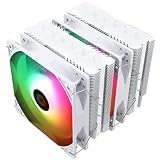
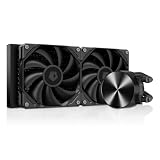
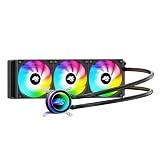
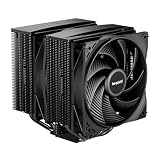
The best AIO cooler for LGA 1700 processors in this set is the ARCTIC Liquid Freezer III Pro 360, because ARCTIC supplies a dedicated contact frame for Intel LGA1700 and LGA1851 sockets, fits a 360 mm radiator, and adds a small fan over the voltage regulators. LGA 1700 is the socket behind Intel’s 12th, 13th and 14th generation Core desktop chips, whose rectangular package can flex under uneven mounting pressure. Quiet-first builders should look at the Noctua NL-LC1-36, while the Thermalright Peerless Vision adds an LCD screen to the pump head.
Our Top Picks
 ARCTIC Liquid Freezer III Pro 360 A-RGBLiquid Freezer III Pro 360 A-RGB15.7 x 4.7 x 2.9 Inches4.5 PoundsCheck on Amazon


Top 3 picks at a glance
Quick List
- ARCTIC Liquid Freezer III Pro 360 A-RGB (first listing) – best overall for LGA 1700 with lighting
- ARCTIC Liquid Freezer III Pro 360 (non-RGB) – best for the same cooler without lighting
- ARCTIC Liquid Freezer III Pro 360 A-RGB (second listing) – best for buyers who want a second purchase option for the same model
- Thermalright Peerless Vision 360 ARGB – best for an LCD screen on the pump head
- Antec Ultra 360 ARGB – best for a straightforward 360 mm ARGB cooler (confirm LGA 1700 support on the listing)
- Noctua NL-LC1-36 – best for low noise and a slim 30 mm radiator
Which One Is Right for You?
| If you… | Choose |
|---|---|
| want a cooler engineered around the LGA 1700 socket | ARCTIC Liquid Freezer III Pro 360 (A-RGB or non-RGB) |
| dislike RGB lighting and want a plain black cooler | ARCTIC Liquid Freezer III Pro 360 (non-RGB) |
| want the quietest design and a thin radiator | Noctua NL-LC1-36 |
| want a status display on the pump head | Thermalright Peerless Vision 360 ARGB |
| want addressable lighting with a simple spec sheet | Antec Ultra 360 ARGB |
| see two matching ARCTIC A-RGB listings and want to know the difference | Either; compare the color and seller before buying |
Three of the six listings are the same ARCTIC model, so this is effectively a four-cooler comparison. We treat the ARCTIC entries honestly as variants rather than as three different products.
All 6 Picks in Detail
1. ARCTIC Liquid Freezer III Pro 360 A-RGB – Best overall for LGA 1700
As an Amazon Associate we earn from qualifying purchases at no extra cost to you.

The Liquid Freezer III Pro is built around modern Intel and AMD sockets. For LGA 1700, ARCTIC supplies a contact frame designed to spread mounting pressure over the processor, and offset mounting that shifts the cold plate toward the hotspot. It suits a builder with a hot, high-power 12th to 14th generation Intel chip who wants a robust 360 mm cooler with a long warranty. This listing is the A-RGB version, so the pump cover and fans carry addressable lighting.
- Radiator: aluminum, about 398 x 120 x 38 mm, with about 450 mm tubing, per ARCTIC
- Fans: three P12 Pro, 600 to 3,000 rpm, PWM controlled, per ARCTIC’s specification sheet
- Pump: PWM controlled, about 800 to 2,800 rpm, copper cold plate with micro skived fins
- VRM fan: a 60 mm fan in the pump cover to keep the voltage regulators cooler
- Sockets: Intel LGA1851 and LGA1700, AMD AM5 and AM4; six-year warranty, per ARCTIC
Pros
- Purpose-made LGA 1700 contact frame
- Built-in VRM fan helps near the socket
- Long warranty for the category
Cons
- 38 mm radiator is thicker than some rivals, so check case and memory clearance
- Fans at full speed are audible
- The listing title does not state the color, so confirm it
The VRM fan deserves a note. Air coolers incidentally blow air across the motherboard’s power-delivery heatsinks, and a liquid cooler removes that airflow. By putting a small fan in the pump cover, ARCTIC keeps some air moving over that area, which can matter on a compact board with a high-power processor. It is a thoughtful touch, but it is one more fan to hear, so set its curve in your motherboard software rather than leaving it at maximum.
Compared with the Noctua, it is the stronger fit for hot Intel chips, while the Noctua is the quieter and thinner choice.
2. ARCTIC Liquid Freezer III Pro 360 (non-RGB) – Best for the same cooler without lighting

This listing is the same cooler family without the A-RGB lighting. ARCTIC’s specification page for the non-RGB model lists no lighting, and the listing title names three 120 mm fans. It suits a builder with a solid-panel case or a clean, understated look who would rather spend nothing on LEDs and avoid extra lighting cables. For LGA 1700 the mounting hardware, contact frame and cooling design are the same as on the lit version.
- Lighting: none, per ARCTIC’s non-RGB specification
- Radiator: 360 mm aluminum, about 38 mm thick
- Fans: three 120 mm fans in the P12 Pro family; confirm on the listing
- Pump and VRM fan: same design as the A-RGB model
- Sockets: Intel LGA1700 and LGA1851, AMD AM5 and AM4
Pros
- Same cooling hardware without lighting
- Simpler cabling since there is no RGB header to wire
- Fits quiet, minimal builds
Cons
- No lighting at all if you later want it
- Same thick radiator as its lit sibling
- Listing title is brief, so check the box contents
Because the lighting is the only difference, this is the version to pick when you want the exact thermal hardware with fewer cables and no software to configure. Builders who run a fan hub or a single PWM header for everything usually appreciate the simplicity. If you later decide you want lighting, you cannot add it to this model, so decide early. Check the box contents on arrival, including the socket hardware, the contact frame and the fan cables.
Compare it to the A-RGB entries: you get the same cooling, so the choice is purely about lighting and appearance.
3. ARCTIC Liquid Freezer III Pro 360 A-RGB (second listing) – Best for a second purchase option of the same model

This listing carries the same name as the first ARCTIC A-RGB entry, so treat it as a variant of one product rather than a different cooler. The difference is likely a color, packaging or seller option, but the listing title does not say. ARCTIC sells both black and white A-RGB versions, so check the product image and description before you order. For LGA 1700 builders, the more useful point is how the contact frame goes on, which is the same for either listing.
- Installation: fit the supplied backplate and contact frame for LGA1700, then mount the cold plate
- Offset: ARCTIC mounts the cold plate toward the processor hotspot, and no extra settings are needed
- Fans: three P12 Pro on the radiator, plus a 60 mm VRM fan in the pump cover
- Lighting: addressable A-RGB; connect to a 5 V three-pin header
- Check: the color, the included sockets and the warranty with the seller
Pros
- Same strong LGA 1700 design as the first listing
- Gives you a fallback if one listing is unavailable
- Same warranty and spare-parts approach from ARCTIC
Cons
- Near-duplicate listing makes comparison harder
- Color and variant details missing from the title
- Same thick radiator and case-fit questions
A good habit with any LGA 1700 installation is to do a dry fit first. Place the cooler on the socket without paste, confirm that the tubing reaches your chosen radiator position and that the pump head clears your memory and the first PCIe slot, then remove it and apply paste. Spreading thermal paste in a thin layer or a pea-sized dot at the center works for the long, narrow LGA 1700 package. Re-check the screws evenly once the system has warmed up and cooled down.
In short, choose between this and the first listing on color and availability, not on performance.
4. Thermalright Peerless Vision 360 ARGB – Best for an LCD screen on the pump head

The Peerless Vision puts a 3.95-inch, 480 x 480 IPS display on the pump head, which can show temperatures, animations or images. It suits a builder with a glass-sided case who wants a status display and a 360 mm radiator in one part. Thermalright lists LGA1700 among supported sockets. The display is the headline feature: if you do not care about visuals, the plainer coolers here give you the same core cooling for less fuss.
- Display: 3.95-inch IPS, 480 x 480, 60 Hz, magnetic design
- Radiator: 360 mm, about 397 x 120 x 27 mm, per retailer listings
- Fans: three TL-M12Q, about 2,000 rpm, up to 68.9 CFM, ARGB, per retailer listings
- Pump: about 3,000 rpm, 4-pin PWM
- Sockets: Intel LGA1700 and LGA1851, AMD AM4 and AM5; AMD installs on the motherboard backplate
Pros
- Display adds function and visual impact
- Thin 27 mm radiator is easier to fit
- Fans connect without a tangle of cables, per the listing
Cons
- Display software adds setup effort
- Pump head is large
- Variants exist (including a V2 and a UB version), so confirm the exact model
Setup takes a little longer than a plain cooler because the display needs its own USB connection and software to set what it shows. Think about whether you will really watch it: in a case without a window, or one where the pump head faces the side, the screen is wasted. If you do want it, the thinner 27 mm radiator makes the cooler easier to fit in many cases than the thicker ARCTIC option.
Next to the Noctua, the Thermalright is more about presentation, while the Noctua is about quiet operation.
5. Antec Ultra 360 ARGB – Best for a straightforward ARGB 360 mm cooler

The Antec Ultra 360 ARGB is a no-frills 360 mm cooler with three 120 mm PWM ARGB fans and a high-performance pump. A caution is needed for this article: the listing title names Intel LGA 1200, 1851 and 20XX plus AMD AM4 and AM5, and does not name LGA 1700. Retailer bullet points and another store’s listing do show 1700 support, but we could not confirm it on a manufacturer page, so verify before buying.
- Radiator: 360 mm with three 120 mm PWM ARGB fans
- Pump: a 2,600 rpm pump is listed by one retailer; confirm on the listing
- Noise and airflow: retailer fields list about 33 dB and 67.6 CFM; treat as approximate
- Sockets: title names LGA 1200, 1851, 20XX, AM4 and AM5; bullets mention 1700
- Warranty and radiator thickness: confirm on the listing
Pros
- Simple three-fan ARGB design
- Large copper cold plate, per the listing
- Straightforward feature set
Cons
- LGA 1700 support not stated in the title
- Fewer verified specifications than the ARCTIC or Noctua
- No dedicated Intel contact frame mentioned
If you decide to try it, request the socket list from the seller or the manufacturer’s page before ordering, and keep the packaging until you have confirmed that the Intel LGA 1700 bracket is included. A cooler that cannot be mounted on your board is the most frustrating kind of mistake. Where the specifications matter, such as radiator thickness and warranty length, the listing does not state them, so we leave them as items to confirm.
Compared with the ARCTIC, it is a plainer cooler with less LGA 1700-specific engineering; buy it only after confirming socket support.
6. Noctua NL-LC1-36 – Best for low noise and a slim radiator

The Noctua NL-LC1-36 is a 360 mm cooler with a slim 30 mm radiator, three NF-A12x25 G2 fans and a pump noise absorber. It suits someone who wants a quiet PC and a cooler that works inside tighter cases. Noctua lists LGA1700 as supported, along with LGA1851 and AMD sockets, and includes offset mounting for both Intel and AMD platforms. It is the pick for builders who care about noise first and flashy lighting not at all.
- Radiator: about 399.5 x 120 x 30 mm aluminum, with about 410 mm tubing, per Noctua
- Fans: three NF-A12x25 G2, up to about 1,800 rpm
- Pump: three speed profiles, with a default quiet profile of about 750 to 2,100 rpm
- Mounting: SecuFirm2+ with offset options; sockets include LGA1700, LGA1851, AM4 and AM5
- Warranty: six years, per Noctua
Pros
- Slim radiator eases case and memory clearance
- Quiet-focused fans and a pump noise absorber
- Strong documentation and a long warranty
Cons
- No lighting and a brown-and-black look that does not suit every build
- Higher-end cooler with a modest radiator thickness
- Check that the thin radiator meets your cooling target for a very hot CPU
Fitting is more forgiving than with a thick radiator. At about 30 mm plus fan thickness, the assembly leaves more room above memory modules and is easier to place in a roof mount. Noctua’s mounting system includes offset positions, which can move the cold plate toward the CPU’s hot area, and the three pump profiles let you choose a quieter or stronger setting. Expect the look to be understated rather than showy.
Versus the ARCTIC, the Noctua trades some outright cooling thickness for quiet and fit, which is usually the right call for mainstream Intel chips.
Specs Compared
| Product | Radiator | Fans | Lighting | LGA 1700 support | Notable feature | Warranty |
|---|---|---|---|---|---|---|
| ARCTIC Liquid Freezer III Pro 360 A-RGB (first) | 360 mm, about 38 mm thick | Three P12 Pro | A-RGB | Yes, contact frame | 60 mm VRM fan | Six years, per ARCTIC |
| ARCTIC Liquid Freezer III Pro 360 (non-RGB) | 360 mm, about 38 mm thick | Three 120 mm | None | Yes, contact frame | 60 mm VRM fan | Six years, per ARCTIC |
| ARCTIC Liquid Freezer III Pro 360 A-RGB (second) | 360 mm, about 38 mm thick | Three P12 Pro | A-RGB | Yes, contact frame | Variant of first listing | Six years, per ARCTIC |
| Thermalright Peerless Vision 360 ARGB | 360 mm, about 27 mm thick | Three TL-M12Q, about 2,000 rpm | ARGB | Yes, per retailer listings | 3.95-inch LCD | Confirm on listing |
| Antec Ultra 360 ARGB | 360 mm, thickness confirm on listing | Three 120 mm PWM | ARGB | Confirm on listing | Simple ARGB design | Confirm on listing |
| Noctua NL-LC1-36 | 360 mm, about 30 mm thick | Three NF-A12x25 G2 | None | Yes, per Noctua | Pump noise absorber | Six years, per Noctua |
How We Chose These
This guide is based on research of manufacturer pages, specification sheets and published independent reviews. For each listed cooler we checked three things: whether LGA 1700 is explicitly supported, how the mounting hardware handles the socket, and what the radiator size, fans and pump promise. We weighed the clarity of each listing too, since an LGA 1700 buyer needs a clear compatibility statement. This is a specification comparison, so we make no temperature or performance claims. Where a listing was vague, we recommend confirming details on the product page before buying.
What to Look For
Why LGA 1700 needs special attention
The LGA 1700 socket holds a larger, thinner processor package than earlier Intel sockets. The standard retention bracket can bow the package slightly, which leaves a gap at the center or edges where the cold plate does not touch evenly. Some coolers ship with a contact frame or pressure-balancing bracket to compensate. ARCTIC’s frame is one example. Whatever the cooler, tighten the mounting screws evenly in a cross pattern and stop when the springs bottom out. Check that your cooler lists the 1700 socket by name, because older hardware might not match the hole spacing.
Radiator size, thickness and heat load
A 360 mm radiator offers more surface area than a 240 mm one, which lets the fans run slower for the same temperature. Intel’s higher-end 12th to 14th generation Core i9 chips list a maximum turbo power in the region of 240 to 253 W, so a 360 mm radiator is a sensible match for them. For a 65 W or 125 W Core i5 or i7 chip, a 240 mm unit or good air cooler is usually enough. Thickness matters too: a 38 mm radiator with fans can be tight above tall memory or inside a case with a top fan mount, while a 27 mm or 30 mm unit is easier to fit. Always check your case’s maximum radiator thickness.
Fans, pump and noise
Noise in an AIO comes from two sources: the fans and the pump. Fans dominate at high speed, so a cooler with large, efficient fans and a good PWM curve will be quieter under load. The pump produces a constant hum that you can hear at idle, which is why Noctua adds a noise absorber and why many coolers let you lower pump speed. Set your motherboard to link fan speed to CPU temperature with a gentle ramp, and keep the pump at a fixed moderate speed, rather than letting everything spin up on short bursts.
Worked example: matching a cooler to a case
Say your case supports a 360 mm radiator at the top with 55 mm of clearance between the roof and the motherboard’s memory slots. A 38 mm radiator plus 25 mm fans needs about 63 mm, so it will not fit without moving it to the front. A 30 mm radiator plus 25 mm fans needs about 55 mm, which just fits, and a 27 mm radiator needs about 52 mm. Do this arithmetic before ordering, and remember that tubing needs room to bend near the pump head.
Radiator position, tubing and pump placement
Where you put the radiator changes both temperatures and noise. A front-mounted radiator pulls cool room air through the coolant but warms the air that reaches your graphics card. A top-mounted radiator exhausts heat out of the case and is usually better for the graphics card, though it can let warm air rise around the memory. Check that the tubing is long enough to reach: ARCTIC lists about 450 mm and Noctua about 410 mm, which suits most mid-tower cases but may be tight in a full tower. Keep the tubes free of sharp kinks, and leave a little slack at the pump head so the cooler can settle after the first heat cycle.
Reliability, warranty and maintenance
AIO coolers are sealed, so there is nothing to refill, but pumps and tubing do age. Look at the length of the warranty as a signal: six years is long for the category, and both ARCTIC and Noctua state that figure. Mount the radiator so the pump is not the highest point in the loop if you can, because air collects at the top of the loop and can cause pump noise. Dust the radiator fins every few months with compressed air, and replace the cooler if you hear persistent gurgling or see temperatures creep up over time.
Lighting, software and extras
ARGB coolers use a 5 V three-pin addressable header, which is different from the 12 V four-pin RGB header. Mixing them up can damage the lights or the board. Coolers with screens, like the Thermalright, may need extra software and a USB header. If you prefer a clean look and fewer cables, choose a non-lit model. For compatibility, confirm that your case fan headers are PWM and that your motherboard has enough connectors, or use a fan hub.
Questions
Do all 360 mm AIO coolers fit LGA 1700?
No. Most modern ones do, but you should confirm that LGA 1700 is explicitly listed. Some older or generic coolers list only earlier Intel sockets, and the listing for one cooler here names several Intel sockets without naming 1700.
Is a contact frame necessary for LGA 1700?
It is not required, but it can improve contact between the cold plate and the processor by countering socket bending. Manufacturers like ARCTIC include one as part of the design. Without it, careful, even mounting still gives a workable result.
Is a 360 mm cooler overkill for a mainstream Intel chip?
Often it is. A 240 mm or 280 mm unit, or a good air cooler, handles mid-range chips. A 360 mm cooler lets fans run slower, which can make a high-power chip quieter, but it costs more space.
Are the two ARCTIC A-RGB listings different coolers?
They appear to be the same model with differences in color, packaging or seller. Check the listing images and description for color, and confirm the warranty terms with the seller.
Do I need a separate fan for the VRMs?
Not with every cooler. Air coolers push air across the motherboard’s power area, but AIO coolers do not. ARCTIC includes a small VRM fan in the pump cover to address this, which is helpful on boards with warm voltage regulators.
Which cooler is the quietest here?
The Noctua NL-LC1-36 is designed around quiet operation, with low-noise fans and a pump noise absorber. Actual noise depends on your fan curve and case, so we have not measured it ourselves.
Update History
- October 14, 2026 – Initial publication; product set drawn from current catalog listings.
- Check the product page for current specifications and availability before buying.
Sources
- Manufacturer product and specification pages for ARCTIC and Noctua
- Published independent cooler reviews, including TechPowerUp, for ARCTIC and Noctua
- Retailer listing titles and specification fields for Thermalright and Antec