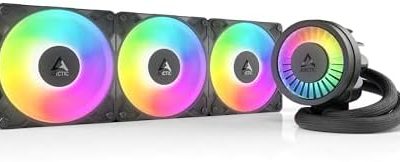
For most mid tower builds, the ID-COOLING FX240 PRO is the best 240mm AIO on this list: it pairs a 300W-rated 240mm radiator with two high-airflow 120mm fans, plain styling and wide Intel and AMD socket coverage. A 240mm all-in-one means a closed-loop liquid cooler with a radiator about 240 mm long that holds two 120mm fans, which is the size most mid tower cases accept at the front or top. The other five picks cover budget white-LED builds, ARGB showpieces, an LCD screen on the pump, and a brand-name option from Cooler Master.
Use the table below to match a cooler to your CPU, case and taste.
Our Top Picks
 Cooler Master Elite Liquid 240 AIO Liquid CPU240mm Radiator4.7 x 4.7 x 1 inches2.87 PoundsCheck on Amazon
 ID-COOLING FROSTFLOW X 240 240mm AIO CPU Cooler240mm Radiator4.72 x 0.98 x 4.72 inchesCheck on Amazon


Top 3 picks at a glance
Quick List
- ID-COOLING FX240 PRO – best for a no-nonsense, high-airflow daily build
- Cooler Master Elite Liquid 240 – best for buyers who want a major-brand AM5 and LGA1851 cooler with ARGB
- ID-COOLING FROSTFLOW X 240 – best for a quiet-leaning, white-LED budget build
- Thermalright Aqua Elite 240 V3 – best for older Intel sockets plus current AM5 and LGA1851 platforms
- MONTECH LightFlow ARGB 240 – best for an infinity-mirror pump head in an all-white case
- ID-COOLING FX240 LCD – best for showing live stats on a small pump-top screen
Which One Is Right for You?
| If you… | Choose |
|---|---|
| Want strong airflow and a 300W capacity figure without extra lighting features | ID-COOLING FX240 PRO |
| Want a screen on the pump block for temperatures or custom images | ID-COOLING FX240 LCD |
| Are building an all-white mid tower with a mirror-style pump head | MONTECH LightFlow ARGB 240 |
| Are reusing an older LGA1150 to LGA1200 Intel board | Thermalright Aqua Elite 240 V3 |
| Want a recognizable brand with ARGB fans on a new AM5 or LGA1851 board | Cooler Master Elite Liquid 240 |
| Prefer lower rated fan speeds and white LED accents on a budget | ID-COOLING FROSTFLOW X 240 |
Read the rows as a starting point, not a verdict. A cooler can be the right answer for one case and the wrong answer for another purely because of how the tubing, pump block and radiator line up with your motherboard and memory. All six share the same basic footprint, so the choice usually comes down to socket support, lighting and the fan and pump behavior you want. If you are unsure, start with the FX240 PRO and add lighting through your case fans instead. Check your CPU socket against the listing before ordering, because the supported sockets differ more than the radiator sizes do.
All 6 Picks in Detail
1. ID-COOLING FX240 PRO – Best for Straightforward High Airflow
As an Amazon Associate we earn from qualifying purchases at no extra cost to you.

The FX240 PRO is the pick for builders who care about airflow and a clean look more than lighting effects. The listing highlights a CD-pattern pump cover and dual 120mm high-efficiency fans, and manufacturer-style specs put the fan range at roughly 500 to 1800 RPM with PWM control. That wide range lets the fans idle quietly and ramp when the CPU heats up, which suits a mid tower with a mesh front panel.
Who it suits: a mid tower owner with a mainstream or upper-mid CPU who wants the radiator to do its job quietly in the background. If your case has a mesh front and you plan to mount the radiator there as intake, the high-airflow fans give the loop room to work without being pushed to their limit. Builders who want a coordinated lighting scheme will need to add lighting elsewhere, since this model is positioned as a plain performer.
- Size: 240mm radiator, about 27 mm thick, with two 120 x 25 mm fans
- Capacity: 300W TDP as stated in published specifications
- Fans: PWM, roughly 500 to 1800 RPM, with airflow quoted around 82.5 CFM
- Sockets: Intel LGA1851/1700/1200/115X and AMD AM5/AM4 per published specs; confirm LGA2066 and 2011 on the listing
- Pump: ceramic bearing; the pump speed is quoted differently between sources, so confirm on the listing
- Lighting: none that we could confirm; check the listing if RGB matters
Pros
- High airflow figure for a 240mm unit
- Broad socket support, including current AM5 and LGA1851 platforms
Cons
- No synced RGB for builders who want it
- Pump and radiator figures vary between retailer pages
Compared with the Cooler Master Elite Liquid 240, it trades ARGB fans for a plainer look and a higher published figure.
2. Cooler Master Elite Liquid 240 – Best for a Familiar Brand With ARGB

Cooler Master’s Elite Liquid 240 targets people who want a recognizable name, ARGB fans and current-socket support in one package. The listing states AMD AM5/AM4 and Intel LGA1851/1700 support, a 240mm radiator, a dual-chamber pump and two ARGB fans. Published specifications for the line show fans in the 600 to 2100 RPM range with a pump around 3200 RPM, so the cooler can push a lot of air when asked.
Who it suits: someone assembling a new AM5 or LGA1851 system who wants warranty coverage from a large manufacturer and does not want to hunt through socket lists. The ARGB fans sync through the motherboard’s 5V header, so the cooler fits a themed build easily. It is less compelling if you plan to run fans slowly and keep the system near silent, because its published top speed is among the highest in this group.
- Size: 240mm aluminum radiator, about 27 mm thick, with two 120mm ARGB fans
- Pump: dual-chamber design as named in the listing
- Fans: published range about 600 to 2100 RPM with a maximum noise figure near 39.5 dBA
- Sockets: AMD AM5/AM4 and Intel LGA1851/1700 per the listing; older Intel sockets may not be covered, so confirm
- Tubing: published at about 400 mm
- Warranty: published as three years; confirm current terms
Pros
- ARGB fans and pump head give a full lighting setup
- Clear AM5 and LGA1851 support
Cons
- Top fan speed is louder than the quietest picks here
- Older Intel sockets are not mentioned in the listing name
Next to the Thermalright Aqua Elite 240 V3, it is better suited to new platforms and worse suited to old boards.
3. ID-COOLING FROSTFLOW X 240 – Best for a White-LED Budget Build

The FROSTFLOW X 240 is an older, simpler design that still makes sense for a white-themed mid tower on a tight parts budget. The listing names white LED lighting and two 120mm PWM fans, and published specifications put the fans at about 700 to 1800 RPM with a gentler airflow figure than the PRO model. The pump runs slower as well, which matters if you are sensitive to pump hum.
Who it suits: a first-time AIO buyer putting together a white or light-colored mid tower on a modest budget. The white LED approach is simple, with no ARGB header required, and the lower rated speeds mean a calmer sound profile under moderate loads. Because the published figure is lower than the newer designs, it is better matched to mid-range processors than to the hottest chips.
- Size: 240mm aluminum radiator, about 27 mm thick, with two 120mm PWM fans
- Capacity: published around 250W TDP, lower than the 300W options here
- Fans: about 700 to 1800 RPM; airflow quoted near 74.5 CFM
- Pump: published near 2100 RPM with a ceramic bearing
- Sockets: Intel LGA1700/1200/115X and AMD per the listing; confirm LGA1851 and AM5 on the page
- Lighting: white LED rather than addressable RGB
Pros
- Lower rated pump and fan speeds suit quiet-leaning builds
- Simple lighting that does not need an RGB header
Cons
- Lower thermal figure than the FX240 PRO and FX240 LCD
- Socket list in the title does not clearly include the newest platforms
Compared with the FX240 PRO from the same brand, it is the gentler, lighter-rated choice rather than the high-airflow one.
4. Thermalright Aqua Elite 240 V3 – Best for Older Intel and Newer Sockets

Thermalright’s Aqua Elite 240 V3 stands out for socket coverage. The listing names Intel LGA1150/1151/1155/1156/1200/1851/1700 plus AMD sockets, which makes it one of the few 240mm coolers here that can move from an older board to a newer one without a new cooler. It includes ARGB PWM fans, and published specs describe a 240mm radiator about 27 mm thick and a pump near 3300 RPM.
Who it suits: upgraders. If you are moving a 240mm AIO from an LGA1200 or LGA115x build to a newer platform, or buying for an older board you intend to keep, this is the safest on-paper match because its listing names the widest Intel range. Check the AMD bracket line in the full listing as well, since the title is cut off in the catalog entry we used.
- Size: 240mm radiator, about 27 mm thick
- Fans: ARGB PWM pair; published speed about 1500 RPM maximum, though fan model details vary between sellers
- Pump: published around 3300 RPM with low stated noise
- Sockets: Intel LGA1150 through LGA1851 as listed, plus AMD; confirm AM4 and AM5 on the page
- Lighting: ARGB on fans and pump, which needs a 5V 3-pin ARGB header
- Airflow: a published figure near 66 CFM, lower than the high-speed rivals
Pros
- Best socket range on the list for older Intel boards
- ARGB lighting with PWM fan control
Cons
- Lower maximum fan speed than the Cooler Master or Montech
- Fan details are inconsistent between retailer pages
It is the sensible alternative to the Cooler Master Elite Liquid 240 when your motherboard is not brand new.
5. MONTECH LightFlow ARGB 240 – Best for an Infinity-Mirror Pump in a White Case

The LightFlow ARGB 240 is the showpiece of the group. The listing highlights an infinity-mirror pump head, white finish, a 3100 RPM pump and two pre-installed ARGB fans. The “3100RPM” figure refers to the pump, not the fans; published fan speed is about 600 to 2000 RPM. Support is listed for Intel LGA1851/1700 and AMD AM5/AM4, so it is aimed at current platforms.
Who it suits: builders who display their machine through a glass side panel and want the pump block to be the focal point. The infinity-mirror pump cap is purely cosmetic, but it pairs well with white cases and white fans. Since support is listed only for LGA1851, LGA1700, AM5 and AM4, it is a poor match for older Intel boards, so double-check your socket before ordering.
- Size: 240mm aluminum radiator, about 27 mm thick, with two 120mm ARGB PWM fans
- Pump: infinity-mirror head with a published speed near 3100 RPM
- Fans: about 600 to 2000 RPM with fluid-dynamic bearings per published specs
- Sockets: Intel LGA1851/1700 and AMD AM5/AM4 as listed; older Intel sockets are not named
- Finish: white, with a black version also reported by the maker
- Warranty: published as six years; confirm on the listing
Pros
- Distinctive pump head that photographs and looks good
- Long stated warranty from the manufacturer
Cons
- Limited to current sockets
- Appearance is the main selling point rather than raw figure
Against the FX240 LCD, it offers a decorative pump instead of an information screen.
6. ID-COOLING FX240 LCD – Best for a Customizable Pump-Top Screen

The FX240 LCD adds a 1.48-inch customizable display to the pump head while keeping the 300W-rated 240mm formula. The listing also names dual low-noise ARGB fans with a 27.2 dB(A) maximum, which is a quieter figure than most coolers here. Published specs describe a 240 x 240 pixel panel and say the display software runs on Windows 10 or 11, so check that before choosing it for a Linux system.
Who it suits: people who like seeing CPU temperature or a custom image on the pump head, and who run Windows. The screen is small, so think of it as a status readout rather than a monitor. The cooling hardware underneath follows the same 240mm formula as its sibling, so you are paying mainly for the display and the quieter stated fan noise rather than for extra rated capacity.
- Size: 240mm radiator, about 27 mm thick, with two 120mm ARGB fans
- Display: 1.48-inch customizable LCD on the pump head
- Capacity: 300W TDP as listed
- Fans: ARGB, quoted near 27.2 dB(A) maximum; published speed about 300 to 2000 RPM
- Sockets: Intel LGA1851/1700/1200/115X and AMD AM5/AM4 per published specs
- Software: display content is set through manufacturer software on Windows
Pros
- Live temperature or custom image display without a separate screen
- Quiet fan noise figure with a 300W cooling figure
Cons
- Display depends on Windows software
- Airflow is lower on paper than the FX240 PRO
It is the feature-rich sibling of the FX240 PRO, so choose it only if the screen is worth the lower airflow figure.
Specs Compared
| Cooler | Radiator | Fans | Lighting | Listed sockets | Stated capacity |
|---|---|---|---|---|---|
| ID-COOLING FX240 PRO | 240mm | 2 x 120mm PWM | Confirm on listing | Intel LGA, AMD AM5/AM4 (confirm exact list) | 300W (published) |
| Cooler Master Elite Liquid 240 | 240mm | 2 x 120mm ARGB | ARGB | AM5/AM4, Intel LGA1851/1700 | Confirm on listing |
| ID-COOLING FROSTFLOW X 240 | 240mm | 2 x 120mm PWM | White LED | Intel LGA1700/1200/115X, AMD (confirm AM5) | 250W (published) |
| Thermalright Aqua Elite 240 V3 | 240mm | 2 x 120mm ARGB PWM | ARGB | Intel LGA1150 to LGA1851, AMD | Confirm on listing |
| MONTECH LightFlow ARGB 240 | 240mm | 2 x 120mm ARGB PWM | ARGB, infinity mirror pump | LGA1851/1700, AM5/AM4 | Confirm on listing |
| ID-COOLING FX240 LCD | 240mm | 2 x 120mm ARGB | ARGB plus 1.48 in LCD | Intel LGA, AMD AM5/AM4 (confirm exact list) | 300W |
How We Chose These
We built this list from the six coolers in the catalog set rather than from lab results. For each one we read the listing title, manufacturer-style specifications and retailer spec fields, then compared radiator size, stated fan and pump behavior, socket support, lighting and any display features. We gave extra weight to current socket coverage, because a cooler that cannot mount on your board is a wasted purchase. Where sources disagreed on a figure, such as pump speed, we described it as approximate or told you to confirm on the product page. Figures quoted here are manufacturer claims, not independent measurements, and we do not claim to have run any cooler on a test bench.
What to Look For
Case fit: radiator mount and clearance
Most mid tower cases accept a 240mm radiator at the front, the top or both, but they are not equal. A front mount is usually the easiest, because it sits clear of the motherboard. A top mount saves airflow for GPU exhaust but can run into tall memory modules or VRM heatsinks. The coolers in this guide use a radiator about 27 mm thick and fans about 25 mm thick, so a radiator-plus-fan stack is around 52 mm. Measure from the top of your tallest RAM module to the case roof; if the gap is not larger than 52 mm plus a few millimeters of slack, mount at the front instead.
Socket support and mounting hardware
Check the exact socket your CPU uses. Current Intel desktop boards use LGA1700 or LGA1851, while AMD uses AM5, and older boards may use LGA1200 or AM4. Several listings name only some of these. The Thermalright Aqua Elite 240 V3 lists the broadest Intel range, while the Montech LightFlow and Cooler Master Elite Liquid 240 focus on newer sockets. If your socket is not named in the listing, ask the maker before buying, because mounting brackets are specific.
TDP figures in context
A 300W figure, such as the one published for the FX240 PRO and FX240 LCD, is a marketing capacity number, not a promise of low temperatures. In practice, a 240mm radiator is sized for mainstream and upper-mid CPUs; very high-power chips run hotter and louder on any 240mm unit. Rule of thumb: treat the figure as a ceiling you should stay well under if you want quiet fans, and consider a 280mm or 360mm radiator for sustained heavy loads when your case allows it.
Radiator thickness and fan thickness
Every cooler in this guide quotes a radiator about 27 mm thick with 25 mm fans, which is the common thickness for 240mm AIOs. That standardization is helpful, because most mid tower cases that advertise 240mm radiator support are designed around it. Where problems appear is when you add a second set of fans in push-pull, which adds another 25 mm; in a tight top mount that extra thickness is often the difference between fitting and not fitting. Keep the stock pair unless you have measured the space.
Noise, pump speed and fan curves
Noise depends on both fans and pump. Pumps listed between roughly 2100 and 3300 RPM generally run at a fixed or lightly controlled speed, so connect them to the dedicated AIO pump header or a fan header set to full 12V output, as the instructions describe. Fans run at varying speeds, and a PWM curve in your BIOS lets you keep them slow until the CPU is loaded. Maximum noise figures such as 27.2 dB(A) or 39.5 dBA are measured by the maker at full speed in specific conditions, so use them to compare, not to predict your room.
Lighting headers and safe wiring
ARGB coolers use a 5V, 3-pin addressable connector. Never plug it into a 12V, 4-pin RGB header, because the higher voltage can damage the lighting and potentially the board. The LCD model adds a USB header connection for its display, so confirm your motherboard has a spare internal USB header. Keep tubing routed so it does not kink and mount the pump block at the same level as, or lower than, the radiator when your case allows, which helps keep air away from the pump.
Questions
Is a 240mm AIO enough for a modern gaming CPU?
For most mainstream and upper-mid gaming CPUs, yes. Games rarely load every core to the maximum, so a 240mm radiator usually keeps temperatures manageable. For the hottest chips running sustained all-core workloads, a larger 280mm or 360mm radiator gives more headroom.
Do I need a 240mm AIO instead of an air cooler?
Not always. Large air coolers can match a 240mm AIO on many CPUs, but an AIO leaves more room around the RAM and often looks tidier. Pick based on case fit, memory height and the noise level you want, because a good air cooler can be quieter at idle while an AIO moves heat to a radiator at the edge of the case.
Where should I mount a 240mm radiator in a mid tower?
The front is the safest mount for coolant orientation and RAM clearance. The top mount works well when the case has enough space above the motherboard components, and it lets the GPU exhaust heat leave the case without passing through the radiator first.
Which fan header should the pump use?
Use the AIO_PUMP header if your board has one, otherwise CPU_FAN. The pump should receive a steady 12V supply, so do not set it to a low fan curve unless the manual allows it.
Will these coolers fit my CPU socket?
That depends on the listing. Read the supported socket line carefully, and for LGA1851 or AM5 confirm they are named. Older Intel sockets are strongest on the Thermalright model.
How long does an AIO last?
Makers publish pump lifetimes in the tens of thousands of hours, but real life varies with heat, orientation and build quality. Warranty length is a practical signal; check each listing for the current term, and inspect the loop for tubing damage, noise changes or rising temperatures every few months.
Update History
- October 20, 2026 – Initial publication; product set drawn from current catalog listings.
- Check the product page for current specifications and availability before buying.
Sources
- Manufacturer product and specification pages for ID-COOLING, Cooler Master, Thermalright and MONTECH
- Retailer listing titles and specification fields for each cooler
- Published spec summaries from PC hardware retailers and parts databases, used to cross-check radiator, fan and pump figures