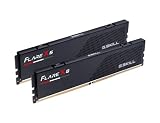
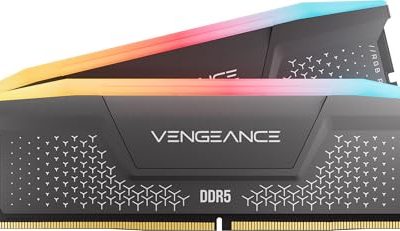
Opening up a graphics card to replace its cooling materials feels like a big step, but it is one of the most effective ways to drop GPU memory temperatures by 10–20°C on an aging card. The catch is that “thermal interface material” is not one thing. Thermal paste and thermal pads behave very differently, and using the wrong one in the wrong spot can leave you with worse cooling than you started with — or, in the case of paste on VRAM, with no cooling contact at all. This guide walks through the real decision a buyer faces: which material belongs where on your graphics card, what each one costs, how long each lasts, and which choice fits your home setup, whether that is a desk in a small apartment or a family PC that everyone shares.
Our Top Picks
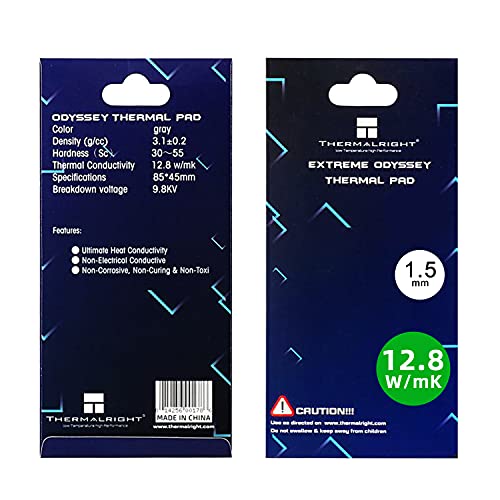 Thermalright Thermal Pad 1.5mm 12.8 W/mK85x45x1.5mm3.35 x 1.77 x 0.06 inches0.1 PoundsCheck on Amazon


Top 3 picks at a glance

Quick Verdict
Use thermal pads for GPU memory (VRAM) and thermal paste for the GPU die. This is not a coin flip — memory chips sit at different heights around the core, and only a compressible pad can bridge that variable gap to the card’s backplate or heatsink. Paste is for the flat, solid, direct contact point in the center. For most home users, pads on memory plus paste on the die is the correct answer in 2026, exactly as it was when these cards were designed.
As an Amazon Associate we earn from qualifying purchases at no extra cost to you.


Side by Side
| Factor | Thermal Paste | Thermal Pad |
|---|---|---|
| Best application | Flat, rigid surfaces — the GPU die itself, CPU IHS | Uneven or gap-spaced parts — VRAM chips, VRM/Power stages, SSDs, console heatsinks |
| Typical cost | Varies | $10–$20 per sheet pack (85×45 mm to 100×100 mm) |
| Thickness needed | Applied in a pea-sized dot or thin spread, roughly 0.1 mm under pressure | 0.5 mm, 1 mm, 1.5 mm, or 2 mm depending on the gap — measure before buying |
| Thermal conductivity (typical consumer grades) | Premium pastes often claim 8+ W/mK class performance; budget pastes sit lower | Common pads range from 6 W/mK (e.g., OwlTree 4-pack) up to 12.8 W/mK (e.g., Thermalright Odyssey) |
| Gap tolerance | None — it cannot fill a physical gap; parts must touch | Excellent — compresses to bridge 0.5–2 mm differences |
| Durability | 3–5 years typical before a repaste is worthwhile; can pump out on hot cycles | 3–5 years; softer pads may ooze or tear on removal |
| Difficulty for beginners | Moderate — over-application is messy and conductive pastes risk shorts | Easier — cut to size, peel, press; almost non-conductive and forgiving |
| Maintenance | Clean and reapply with isopropyl alcohol each service | Peel and replace; residue cleanup is simpler |
| Safety around electronics | Most are non-conductive, but some metal-filled pastes are not | Effectively always non-conductive silicone — safer near open memory chips |
| Best for | The main GPU die, CPU, and console APU contact points | GPU memory, VRMs, laptop heatsinks, PS5/PS4 storage and power areas |
Where Thermal Paste Wins
Paste is unbeatable when two surfaces meet firmly and flatly. The GPU die on the front of the graphics card presses directly against the cold plate of the heatsink with mounting pressure measured in pounds of force, leaving a gap measured in fractions of a millimeter. Paste fills that microscopic roughness far better than any pad can, which is why factory assemblies and every serious rebuild use paste on the core. A syringe lasts for many applications — an 8 g tube like ARCTIC MX-7 is enough for dozens of CPUs and several graphics card dies, which drops the per-service cost to under a dollar. Paste also handles extreme heat cycles without shifting position, and high-durability formulas are rated to keep performance for years without drying out. If your issue is a hot GPU core — the temperature reading most monitoring software shows first — paste is the answer.
Where Thermal Pad for Gpu Memory Wins
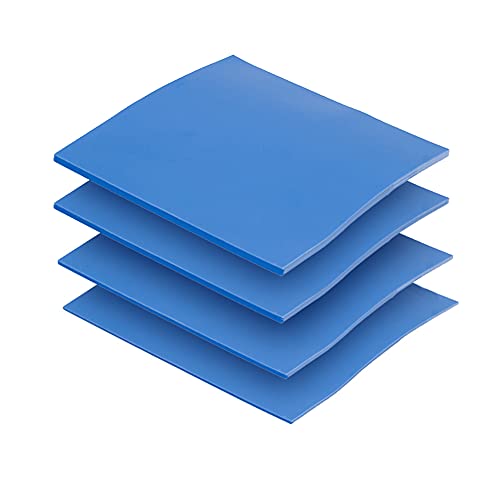
Memory is where pads win by default, and it is not close. The GDDR chips around the GPU die are often different heights — some cards mix manufacturers with 0.5 mm height differences — and the memory contacts the heatsink through raised areas or thermal plates rather than a flat cold plate. A rigid material cannot reach all of them; a soft silicone pad compresses against every chip and fills the air gaps that would otherwise trap heat. Pads are also far safer for a first-timer working near exposed memory: the Thermalright Odyssey pad is explicitly non-conductive, so a slightly oversized piece will not short anything if it touches a neighboring component. Multi-thickness packs like the OwlTree 4-pack (0.5 mm, 1 mm, 1.5 mm, and 2 mm sheets at 100×100 mm, 6.0 W/mK) let you match different gaps on one card without ordering four separate products. Pads also extend beyond graphics cards — they are the standard fix for hot SSDs, laptop heatsinks, and the memory and power areas of PS5 and PS4 consoles, making one pack useful across every device in the house.
Cost Over 5 Years
Assume one full service at the start and one refresh around year three, which is a reasonable cadence for a gaming PC running warm. The practical move many buyers make: buy one combined order of paste plus a mixed-thickness pad pack up front, then you are set for both services without a second shipping wait.
Which One for Your Home
Small Apartment or Starter Setup
Space and budget are tight, and your card probably lives in a compact case with limited airflow. Start with the minimum effective kit: a small paste tube with a tool kit for the die, and one properly sized pad for the memory. Measure your existing pads’ thickness with a ruler before ordering — most consumer cards use 1 mm or 1.5 mm on memory. A single Thermalright 85×45 mm sheet is enough for one card’s worth of memory chips with room for a redo.
Family with Kids or Pets
The family PC gets heavy use and cannot go down for long. Choose the most forgiving path: pads, because they are non-conductive and foolproof to install, and a paste with simple application and long durability so you service the card less often. Keep the work area clear of pets, use isopropyl alcohol and lint-free cloth, and do the whole job in one afternoon between school and dinner.
Rental or Short-Term Home
If you may move or sell the PC within a couple of years, favor reversible work. Pads are fully reversible — peel the old, press the new — and they add value when you sell, since a card with fresh pads and clean paste photographs and runs better. Avoid over-applying paste on a card you plan to resell; a modest, clean application on the die only keeps the card presentable.
Long-Term Home Build
For the PC that will live in the house for a decade and serve multiple upgrades, invest once in quality: a large 8 g tube of durable premium paste and a higher-conductivity pad (the 12.8 W/mK Thermalright grade) for memory and VRMs. Higher-conductivity pads cost a few dollars more per sheet but hold up better over long service intervals. Schedule a check-in around year three — temperatures in monitoring software creeping up 10°C under the same load is your signal to service, no guesswork needed.
FAQ
Can I put thermal paste on GPU memory instead of a pad?
No. Paste cannot bridge the physical gap between memory chips of different heights and the heatsink. Chips that sit slightly lower would get no contact at all and run hotter than before. Always use a pad on GPU memory, matched to the thickness of the pads you removed.
How do I know what pad thickness to buy?
Measure the old pads with a caliper or ruler, or check your card model’s service guide. Common memory pad thicknesses are 1 mm and 1.5 mm; VRM areas often use 0.5 mm or 1 mm. When between sizes, the slightly thicker pad compresses — a pad that is too thin leaves an air gap.
How often should I replace thermal pads and paste?
Every 3–5 years for both, or sooner if memory temperatures climb noticeably under the same workloads. Paste on the die can sometimes go longer with a high-durability formula, but if you have the card open for pads, refreshing the paste at the same time costs nothing extra.
Is thermal paste or a thermal pad safer for a beginner?
Pads are safer and easier: they are non-conductive, require no application technique, and mistakes are visible before you close the card. Paste requires a light touch and careful cleanup, but with a non-conductive paste and a proper spreader, a careful first-timer will do fine on the GPU die.