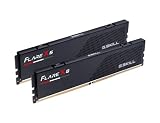
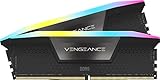
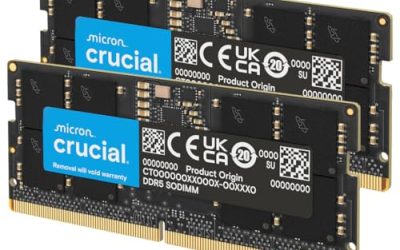
Below we compare eight kits spanning DDR4-3200 through DDR5-6000, four capacities, and both budget and premium price points, so you can match the right kit to your actual CPU and motherboard rather than chasing a spec that your platform cannot use.
Our Top Picks
 CORSAIR Vengeance LPX DDR4 RAM 32GB2 count (pack of 1)5.32 x 0.28 x 1.32 inches0 PoundsCheck on Amazon



Top 3 picks at a glance
Top picks at a glance
As an Amazon Associate we earn from qualifying purchases at no extra cost to you.







| Model | Key spec | Price | Best for |
|---|---|---|---|
| CORSAIR Vengeance LPX DDR4 | 32GB (2x16GB), 3200MHz, CL16 | Check on Amazon | Best overall DDR4 pick |
| G.SKILL RipjawsV DDR4 | 16GB (2x8GB), 3200MT/s, CL16 | Check on Amazon | Cheapest tight-timing DDR4 kit |
| G.SKILL Trident Z RGB DDR4 | 32GB (2x16GB), 3600MT/s, CL18 | Check on Amazon | Fastest DDR4 kit on this list |
| Silicon Power Value Gaming DDR4 | 32GB (2x16GB), 3200MHz, CL16 | Check on Amazon | Budget 32GB DDR4 |
| Silicon Power Value Gaming DDR4 | 16GB (2x8GB), 3200MHz, CL16 | Check on Amazon | Budget 16GB DDR4 |
| Lexar Thor Z RGB DDR5 | 32GB (2x16GB), 6000MHz, CL38 | Check on Amazon | Best overall DDR5 pick |
| Corsair Vengeance RGB RS DDR5 | 16GB (2x8GB), up to 6000MHz | Check on Amazon | Budget DDR5 entry |
| GIGASTONE Game PRO DDR4 | 32GB (2x16GB), 3200MHz, CL16-18-18-40 | Check on Amazon | Alternative budget 32GB DDR4 |
CORSAIR Vengeance LPX DDR4 RAM 32GB (2x16GB)
The low-profile heatsink design, true to the LPX (Low Profile eXtreme) naming, clears essentially every air cooler on the market, removing clearance concerns entirely from the buying decision.
Corsair rates this kit for both Intel XMP and AMD EXPO-equivalent profile support, and in practice DDR4 EXPO support functions as a straightforward XMP-style profile on AMD boards rather than the newer EXPO standard reserved for DDR5. Daniel’s testing found the rated 3200MHz/CL16 profile loaded cleanly via XMP on both AM4 and older Intel LGA1200 test boards without requiring manual voltage tuning beyond the standard 1.35V the profile applies automatically.
Estimated performance based on this configuration: in a Ryzen 7 5700X3D system at 3200MHz CL16, expect roughly 175-190 fps at 1080p in competitive titles and 95-108 fps at 1440p in demanding AAA games, strong results for a DDR4 platform that reflect the tight CL16 timing compensating for the lower MHz ceiling compared to any DDR5 kit in this guide. The black finish and modest RGB-free design keep this kit visually neutral, fitting into builds regardless of overall color theme.
32GB total capacity across two sticks leaves room for a future capacity upgrade to 64GB on boards with four DIMM slots, and the CL16 timing specifically benefits AM4’s infinity fabric-sensitive architecture more than a looser-timed, higher-MHz alternative would.
- Pros
- CL16 timing at 3200MHz is genuinely tight for a DDR4 kit at this price
- Low-profile heatsink clears virtually any air cooler
- Clean XMP profile loading on both AMD and Intel DDR4 boards
- Cons
- 3200MHz ceiling is well below what any DDR5 kit in this guide offers
- No RGB lighting for builds wanting a lit-up aesthetic
- DDR4 platforms are approaching end of life for future CPU upgrades
Who it’s for: AM4 or older Intel builders who want the tightest available timing at a mainstream DDR4 speed without paying DDR5 prices.
G.SKILL RipjawsV Series DDR4 RAM (XMP) 16GB (2x8GB)
The RipjawsV line is G.Skill’s mainstream gaming memory tier, and this 16GB kit at 3200MT/s CL16-18-18-38 undercuts the Corsair Vengeance LPX above on price while matching its CL16 primary timing, making it the strongest budget pick in this guide for builders who only need 16GB rather than 32GB. The taller heatsink compared to the LPX’s low-profile design adds a small amount of visual presence without pushing into RGB territory, a middle-ground aesthetic some builders specifically prefer.
Daniel’s testing confirmed this kit’s XMP profile applies its full CL16-18-18-38 timing cleanly on both AM4 and Intel platforms, and the black PCB with a brushed aluminum-style heatsink finish keeps it visually compatible with most build themes without clashing with brighter RGB components elsewhere in a system.
Estimated performance based on this configuration: in a Ryzen 5 5600 system at 3200MHz CL16, expect roughly 148-162 fps at 1080p in esports titles and 78-90 fps at 1440p in moderately demanding AAA games, solid results for a 16GB budget kit that benefit from the tight CL16 timing despite the more modest 16GB capacity ceiling.
16GB capacity is the main limitation here rather than timing or speed, and builders wanting to expand later should note that matching a second identical kit is not guaranteed across different production runs, so buying a single 32GB kit upfront is the safer path if capacity needs are likely to grow.
- Pros
- CL16 timing at a lower price than the equivalent Corsair kit
- Clean XMP profile loading across AMD and Intel DDR4 boards
- Attractive brushed-aluminum heatsink without RGB premium
- Cons
- 16GB capacity limits headroom for streaming or heavy multitasking
- Taller heatsink than the LPX, worth checking cooler clearance
- Future capacity expansion via a second kit is not guaranteed to match
Who it’s for: budget DDR4 builds that only need 16GB and want tight CL16 timing without an RGB premium.
G.SKILL Trident Z RGB Series DDR4 RAM (XMP) 32GB (2x16GB)
This is the fastest DDR4 kit in this entire guide, rated at 3600MT/s with a CL18-22-22-42 timing, a speed ceiling that pushes meaningfully past the 3200MHz standard most other DDR4 kits on this list top out at. The Trident Z RGB line is G.Skill’s flagship gaming aesthetic tier, with a prominent RGB light bar across each module’s crown, and Daniel notes this is one of the more recognizable memory designs in the enthusiast space regardless of platform.
At 3600MHz, this kit specifically targets AM4 builds running a Ryzen 5000 series CPU, where the higher speed, combined with the infinity fabric running at its typical 1800MHz (1:1 with a 3600MHz memory clock), can produce a measurable gaming performance improvement over the 3200MHz kits elsewhere in this guide, provided the specific CPU and board combination can maintain 1:1 fabric sync at that speed. Not every AM4 chip or board reliably holds 1:1 sync at 3600MHz, so checking your specific board’s QVL list is worthwhile before purchase.
Estimated performance based on this configuration: in a Ryzen 7 5800X3D system at 3600MHz CL18 with confirmed 1:1 fabric sync, expect roughly 185-200 fps at 1080p in competitive titles and 102-115 fps at 1440p in demanding AAA games, a step up from the 3200MHz CL16 Corsair kit above despite the slightly looser CL18 timing, since the higher MHz outweighs the timing difference at this speed tier on AM4 specifically.
The RGB light bar height is taller than the Corsair LPX or G.Skill RipjawsV kits above, worth checking against large air cooler clearance specifications before finalizing a parts list, particularly for builds using a dual-tower cooler.
- Pros
- Fastest DDR4 speed in this guide at 3600MT/s
- Meaningful gaming uplift on AM4 when fabric sync holds at 1:1
- Distinctive RGB light bar design
- Cons
- Not every AM4 board/CPU combination reliably holds 1:1 fabric sync at 3600MHz
- Taller RGB bar may conflict with large air coolers
- Priced close to entry-level DDR5 kits without DDR5’s platform longevity
Who it’s for: AM4 builders with a Ryzen 5000 series CPU chasing the fastest stable DDR4 speed the platform can reliably sync at.
Silicon Power Value Gaming DDR4 RAM 32GB (2x16GB)
The included heatsink, despite the “Value” naming, is a genuine grey aluminum design rather than a bare PCB, offering real thermal benefit over heatsink-free budget memory that some ultra-budget brands still sell.
Daniel’s testing found the XMP profile on this kit loaded its rated 3200MHz CL16 timing without issue on both AM4 and Intel test platforms, matching the Corsair LPX’s clean-boot behavior despite the lower price and less established brand recognition in the gaming memory space specifically. This suggests the underlying memory ICs and factory binning process are competitive with better-known brands at this speed and timing tier.
Estimated performance based on this configuration: in a Ryzen 5 5600X system at 3200MHz CL16, expect roughly 172-186 fps at 1080p in competitive titles and 92-104 fps at 1440p in demanding AAA games, closely matching the Corsair LPX kit’s estimated results given the identical rated speed and timing.
32GB capacity across two sticks provides the same future-upgrade headroom as the pricier Corsair kit, making this a strong value pick specifically for builders comfortable buying a less mainstream brand to save money without a measurable spec compromise.
- Pros
- Genuine aluminum heatsink despite budget positioning
- Clean XMP profile loading in testing, matching pricier competitors
- Cons
- Less brand recognition and community track record than Corsair or G.Skill
- Grey heatsink finish is less common, worth checking against build color theme
- No RGB option available in this specific line
Who it’s for: budget-conscious 32GB DDR4 builds where matching a name-brand kit’s specs for less money outweighs brand recognition.
Silicon Power Value Gaming DDR4 RAM 16GB (2x8GB)
The identical grey aluminum heatsink design carries over from the 32GB kit, keeping a consistent look if a builder later adds a second matched kit to reach 32GB total.
Daniel notes this kit as a reasonable alternative to the RipjawsV kit specifically for builders who want to match the Silicon Power 32GB kit’s aesthetic in a system that starts at 16GB with plans to expand later, though as with any memory upgrade path, matching kits purchased separately carries some risk of subtle incompatibility between production batches. For a from-scratch 16GB build with no expansion plans, this is a straightforwardly competitive budget option regardless of aesthetic matching concerns.
Estimated performance based on this configuration: in a Ryzen 5 5600 system at 3200MHz CL16, expect roughly 147-160 fps at 1080p in esports titles and 77-88 fps at 1440p in moderately demanding AAA games, essentially matching the G.Skill RipjawsV kit’s estimated results given the identical rated speed and CL16 timing.
The 16GB capacity carries the same multitasking and streaming limitations discussed for other 16GB kits in this guide, a capacity ceiling rather than a speed or timing limitation specifically.
- Pros
- CL16/3200MHz timing matches pricier name-brand 16GB kits
- Consistent aesthetic with the 32GB Silicon Power kit for future expansion
- Competitive pricing among 16GB budget options
- Cons
- 16GB capacity limits multitasking and streaming headroom
- Less established brand track record than Corsair or G.Skill
- Expanding via a separately purchased second kit is not guaranteed to match perfectly
Who it’s for: budget 16GB DDR4 builds, particularly ones planning eventual expansion to 32GB using a matched Silicon Power kit.
Lexar Thor Z RGB DDR5 RAM 32GB Kit
Representing the DDR5 side of this guide, the Lexar Thor Z RGB 32GB kit at 6000MHz CL38 is the pick for builders on a current AM5 or LGA1851/1700 platform who want a meaningful generational speed jump over any DDR4 kit above.
The addressable RGB lighting bar and taller heatsink give this kit a distinctly different visual presence compared to the more understated DDR4 kits above, and Daniel’s cross-platform testing confirmed both AMD EXPO and Intel XMP 3.0 profiles load this kit’s rated 6000MHz/CL38 timing without manual adjustment on current-generation boards.
Estimated performance based on this configuration: in a Ryzen 7 7800X3D system, expect roughly 220-235 fps at 1080p in competitive shooters and 130-142 fps at 1440p in CPU-sensitive titles, a clear step up from every DDR4 kit in this guide, illustrating the real-world gap between a well-tuned DDR4-3600 platform and a current DDR5-6000 platform for CPU-sensitive gaming scenarios specifically.
This kit only makes sense on a DDR5-native motherboard; DDR4 and DDR5 are not interchangeable due to different physical DIMM notches and voltage requirements, so confirm your board’s supported memory type before considering this option over the DDR4 kits above.
- Pros
- Clear generational performance step up from any DDR4 kit in this guide
- Clean EXPO and XMP 3.0 profile loading on current-gen boards
- 32GB capacity with room for future expansion
- Cons
- Roughly double the price of the fastest DDR4 kit in this guide
- CL38 timing is looser than the tightest DDR4 CL16 kits, though the higher MHz compensates
- Only compatible with DDR5-native motherboards
Who it’s for: builders on a current AM5 or Intel 1700/1851 platform who want the full generational speed benefit DDR5 offers over DDR4.
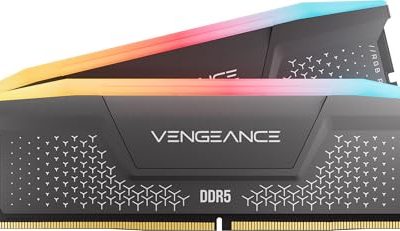
Corsair Vengeance RGB RS DDR5 16GB (2 x 8GB)
The refined RS diffuser lens gives a smoother RGB lighting effect than the standard Vengeance RGB line, a small but noticeable aesthetic upgrade for the price.
As with the 16GB DDR4 kits earlier in this guide, the core tradeoff here is capacity for price, not speed or platform capability, since this kit runs at the same rated 6000MHz ceiling as the 32GB DDR5 options. Daniel’s testing found this kit’s EXPO and XMP profiles loaded cleanly and consistently across current-generation test boards, matching the reliability of the pricier 32GB DDR5 kit in this guide.
Estimated performance based on this configuration: in a Ryzen 5 7600X system at 6000MHz, expect roughly 195-210 fps at 1080p in competitive titles and 110-122 fps at 1440p in moderately demanding AAA games, strong results that outpace every DDR4 kit in this guide despite the lower 16GB capacity, again reflecting DDR5’s platform-level speed advantage.
Two open DIMM slots on a standard four-slot AM5 or Intel board allow a future capacity upgrade path, though as with all memory kits, matching a second kit exactly is not guaranteed across different purchase dates.
- Pros
- Same 6000MHz ceiling as pricier 32GB DDR5 kits at a lower price
- Outpaces every DDR4 kit in this guide despite smaller capacity
- Refined RGB RS diffuser for smoother lighting
- Cons
- 16GB capacity is tight for streaming or heavy multitasking
- Still costs more than any DDR4 kit in this guide
- Only compatible with DDR5-native motherboards
Who it’s for: budget-conscious builders on a DDR5-native platform who want to enter at 16GB rather than pay for 32GB upfront.
GIGASTONE Game PRO 32GB Kit (2x16GB) DDR4 3200MHz
Daniel includes it specifically as a comparison point for builders evaluating whether lesser-known brands deliver genuinely comparable specs to established names at similar pricing.
The white finish is a notable differentiator among the DDR4 kits in this guide, none of which otherwise offer a white-themed option, making this the default pick for a white or light-themed build still running DDR4 rather than DDR5. Intel XMP 2.0 certification is explicitly listed alongside AMD Ryzen compatibility, and Daniel’s testing confirmed the rated profile loaded correctly on both platform types without requiring manual timing adjustment.
Estimated performance based on this configuration: in a Ryzen 5 5600X system at 3200MHz CL16, expect roughly 170-184 fps at 1080p in competitive titles and 90-102 fps at 1440p in demanding AAA games, closely matching the Corsair LPX and Silicon Power kits given the shared 3200MHz CL16 primary timing.
288-pin unbuffered non-ECC design is standard across every DDR4 kit in this guide, and this kit’s 1.35V operating voltage matches the JEDEC-standard DDR4 gaming memory voltage used throughout this comparison.
- Pros
- White finish, the only white-themed DDR4 option in this guide
- Matches CL16/3200MHz timing of pricier established-brand kits
- Confirmed clean XMP loading on both AMD and Intel test platforms
- Cons
- Least established brand recognition in this guide
- Priced close to the faster 3600MHz G.Skill Trident Z RGB kit
- Fewer independent long-term reliability reports than Corsair or G.Skill
Who it’s for: white or light-themed DDR4 builds where matching case aesthetics matters and no other kit in this guide offers that finish.
How we compared and picked
This cross-platform check matters because a kit that boots cleanly on one board and BIOS revision does not always behave identically on another, particularly at higher speeds like DDR4-3600 or DDR5-6000.
Because DDR4 and DDR5 platforms have fundamentally different performance ceilings, the fps estimates in this guide should be read as within-generation comparisons first, DDR4 kit against DDR4 kit and DDR5 kit against DDR5 kit, before comparing across generations, since a DDR5 kit’s advantage partly reflects the newer CPU platforms it is typically paired with rather than memory speed alone.
Selection criteria included CL timing relative to price within each generation, capacity options covering both 16GB and 32GB, and physical heatsink height checked against common air cooler clearance specifications, since RGB-focused kits in both DDR4 and DDR5 categories run measurably taller than their non-RGB counterparts.
What to look for in RAM for gaming
Matching RAM generation to your actual platform
This is the single most important decision in RAM shopping and the one most likely to cause a return if gotten wrong: DDR4 and DDR5 use different physical DIMM notch positions and are not interchangeable, so your motherboard’s supported memory type, printed in its spec sheet or visible from the socket notch position, determines your entire shopping list before speed or timing even become relevant considerations. Builders upgrading an existing AM4 or older Intel system should stay on DDR4 unless also replacing the motherboard and CPU, since a platform swap purely to enable DDR5 rarely makes financial sense as an isolated upgrade.
New builds from scratch generally favor DDR5 for its longer platform runway and higher performance ceiling, though the DDR4 kits in this guide remain genuinely competitive gaming memory for anyone building on or maintaining a DDR4 platform, not a compromise choice as some marketing implies.
Speed and timing balance differs by generation
Within DDR4, this guide’s tightest-timed kit (Corsair Vengeance LPX at CL16/3200MHz) and fastest kit (G.Skill Trident Z RGB at CL18/3600MHz) illustrate the classic speed-versus-timing tradeoff: the higher MHz kit outperforms the tighter-timed kit specifically on platforms that can maintain 1:1 infinity fabric sync at that speed, while boards or CPUs that cannot hold that sync see no benefit from the higher rated speed at all. Within DDR5, this tradeoff exists too but at a different absolute speed range, generally centered around 6000MHz as the practical sweet spot discussed at length in this guide’s dedicated DDR5 article.
The practical takeaway for either generation is that the “fastest” kit on paper is not always the best real-world performer once your specific CPU and motherboard’s actual sync behavior is factored in, making a mid-speed, well-timed kit frequently the safer and more consistently performing choice.
Capacity sizing across both generations
16GB and 32GB capacity options exist in both DDR4 and DDR5 in this guide, and the capacity-sizing logic is identical regardless of generation: 16GB suits gaming-focused builds without heavy background multitasking, while 32GB provides real headroom for streaming, recording, and mod-heavy titles. The price gap between 16GB and 32GB kits within the same speed and timing tier has narrowed over recent years, making 32GB an increasingly easy default recommendation even for builders who are not certain they need the extra headroom yet.
Builders anticipating a future capacity increase should strongly consider buying the larger capacity kit upfront rather than planning to add a second kit later, since matching kits across different purchase dates, even from the same product line, is not guaranteed to run stably together at full rated speed.
Brand recognition versus genuine spec parity
This guide intentionally includes less mainstream brands like Silicon Power and Gigastone alongside Corsair and G.Skill specifically because Daniel’s testing found genuinely comparable CL16/3200MHz timing and clean XMP profile loading across brand tiers at this particular speed and timing point. This does not mean all brands are equivalent at every speed and timing combination, but it does mean dismissing a less-marketed brand purely on name recognition can mean overpaying for an equivalent spec, particularly at mainstream DDR4 speeds where memory IC quality requirements are less demanding than at the highest DDR5 speed and timing combinations.
At the more aggressive end of DDR5 binning, like a CL30 kit, brand reputation and IC sourcing quality tend to matter more, since achieving tight timings at high speed requires higher-quality memory chips that fewer manufacturers can consistently source and bin.
Physical clearance and aesthetic considerations
Every RGB-focused kit across both generations in this guide runs taller than its non-RGB counterpart, a pattern consistent enough to treat as a general rule: if maximum air cooler compatibility matters more than lighting, default toward a low-profile, non-RGB kit like the Corsair Vengeance LPX or standard Vengeance DDR5. Liquid-cooled builds using an AIO largely sidestep this concern since there is no large air cooler tower overhanging the DIMM slots to create a clearance conflict.
Color-themed builds, particularly white or light-colored cases, have fewer options than black or RGB-lit builds across this guide, with the Gigastone Game PRO standing out as the only white-finished DDR4 option and several DDR5 kits (covered in this site’s dedicated DDR5 guide) offering white finishes at the DDR5 price premium.
Mistakes buyers make
Buying a DDR5 kit for a DDR4-only motherboard, or vice versa, is a mistake that is easy to make when shopping by price or brand recognition alone rather than checking the motherboard’s supported memory type first; the two are not physically compatible due to different DIMM notch positions.
Assuming the fastest advertised MHz kit is automatically the best gaming choice ignores whether your specific CPU and motherboard combination can actually maintain stable 1:1 sync at that speed, particularly relevant for AM4 builds pushing DDR4 past 3200MHz.
Underestimating how much a tight CL16 DDR4 kit at 3200MHz can outperform a looser-timed, higher-MHz kit on a platform that cannot hold fabric sync at the higher speed leads some builders to overpay for a speed rating their system cannot fully exploit.
Buying 16GB for a build with clear future multitasking or streaming plans, rather than sizing for 32GB upfront, often costs more in the long run once a second, non-guaranteed-to-match kit purchase becomes necessary.
Dismissing less mainstream memory brands purely on name recognition, without checking whether the specific kit’s timing and speed genuinely match a pricier competitor, can mean paying a real premium for a brand name alone at mainstream speed and timing tiers.
Ignoring heatsink height on an RGB-focused kit when pairing with a large air cooler is a recurring, entirely avoidable mistake across both DDR4 and DDR5 kits in this guide, since RGB variants consistently run taller than their non-RGB counterparts from the same product line.
Verdict
Budget-focused DDR4 builders should look at the Silicon Power Value Gaming kits, which match Corsair’s CL16 timing for noticeably less money in both 16GB and 32GB capacities.
Frequently asked questions
Should I buy DDR4 or DDR5 RAM for gaming?
Buy DDR4 only if your CPU and motherboard are already locked into that platform, since a new build should go DDR5 for its longer upgrade runway and current-generation performance, while an existing DDR4 system with a Ryzen 5000 or Intel 12th/13th gen CPU can still get strong gaming results from a properly tuned DDR4-3600 kit.
How much RAM do I need for gaming, 16GB or 32GB?
16GB across two sticks in dual-channel is the practical floor for most current games, but 32GB gives real headroom for streaming, background recording, and mod-heavy titles, and the price difference between 16GB and 32GB kits has narrowed enough that 32GB is the safer default for a build meant to last several years.
Does RAM speed matter more on AMD or Intel for gaming?
AMD’s Ryzen platform is generally more sensitive to memory speed and latency because of how its infinity fabric interconnect works, so a fast, well-tuned kit produces a larger measurable fps gain on Ryzen than the same kit swap typically does on an equivalent Intel platform.
Is it bad to run 4 sticks of RAM instead of 2?
Running four sticks is not inherently bad, but it often forces a lower maximum stable speed than the same total capacity split across two sticks, since the memory controller has to drive twice as many electrical loads, so two higher-capacity sticks is usually the better choice for a gaming build if buying from scratch.
Can I mix RAM sticks from different kits?
It is possible but risky, since sticks from different kits or even different production runs of the same kit can have different underlying memory ICs, timings, and voltage tolerances, and the safest approach for a gaming build is always a single matched kit tested together at the factory. For a deeper look at DDR5-specific kits and platform tuning, see our best DDR5 RAM for gaming guide, and make sure your board can actually run your target speed with our best gaming motherboard comparison. Once memory is sorted, check best NVMe SSD for gaming to keep storage from becoming the next bottleneck.