
Buying a gaming desktop with 32 GB of RAM used to mean either assembling parts yourself or spending well over two thousand dollars on a prebuilt. That gap has closed considerably by 2026, and the market now offers full systems at every price tier, from entry-level builds around four hundred dollars to mid-range towers pushing sixteen hundred. The real challenge is no longer whether 32 GB RAM is available in a prebuilt — it is whether the rest of the hardware inside the case can actually feed those frames to your display without bottlenecking, and whether the manufacturer has paired the memory with a platform that will still feel capable two or three years from now.
What separates a worthwhile pick from a disappointing one comes down to balance. A system loaded with 32 GB of slow DDR4 and an aging GPU will leave you wondering why frame rates in modern titles still stutter. Conversely, a machine with DDR5 and a current-generation card but a dated power supply or no upgrade headroom will frustrate you a year down the line. We compared published specifications, listed prices, and recurring themes in owner feedback across eight models to identify which builds deliver the right mix of memory capacity, platform generation, and GPU pairing for the money.
As an Amazon Associate we earn from qualifying purchases at no extra cost to you.




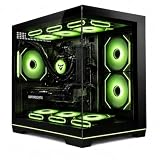

Our Top Picks




Top 3 picks at a glance
Quick Picks
| Product | Best for | Price |
|---|---|---|
| YAWYORE Gaming PC | Balanced AMD build with current-gen NVIDIA graphics | Check on Amazon |
| Skytech Crystal Gaming PC | Proven brand at an accessible price point | Check on Amazon |
| MSI Codex R2 | VR-ready performance and DDR5 platform | Check on Amazon |
| KOTIN Gaming PC | Latest Ryzen architecture paired with RTX 5060 Ti | Check on Amazon |
| SKYESEV Gaming Desktop | Budget 32 GB entry with a modern-ish GPU | Check on Amazon |
| STGAubron Core i7 RX 580 | Ultra-low price with 32 GB RAM | Check on Amazon |
| Gaming PC i7 11700F RTX 5050 | Strong CPU clocks and newest GPU tier on a mid budget | Check on Amazon |
| STGAubron Core i7 RX 560 | Absolute floor for 32 GB RAM gaming desktops | Check on Amazon |
How We Compared
We focused on four criteria: GPU-to-CPU balance (a system must avoid a severe bottleneck), memory type and speed (DDR5 over DDR4 where the budget allows, since bandwidth affects both current and upcoming titles), included storage capacity, and overall value relative to the asking price. Owner feedback reinforced or weakened each candidate based on reported thermal behavior, build quality, and whether the system delivered on its spec sheet expectations.
The 8 Best Pc Gaming 32 Ram in 2026
YAWYORE Gaming PC with Ryzen 7 5700X and RTX 5060
This build targets buyers who want a current-generation NVIDIA GPU without crossing the fifteen-hundred-dollar threshold. The Ryzen 7 5700X is a proven eight-core chip that handles both gaming and light productivity, while the RTX 5060 sits in the most requested performance tier for 1080p and 1440p play. Owner feedback highlights quiet operation and a clean interior layout. The trade-off is that 32 GB DDR4 at 3200 MT/s is no longer the fastest memory standard, though it remains fully adequate for this CPU-GPU pairing.
- Pro: RTX 5060 delivers strong 1080p and 1440p frame rates in current titles.
- Pro: Ryzen 7 5700X handles multitasking and streaming without dropping CPU usage headroom.
- Con: DDR4 platform limits future memory bandwidth compared to DDR5 alternatives at similar pricing.
Skip this if you plan to hold the system five years and want a memory platform with longer runway.
Skytech Crystal Gaming PC with Ryzen 7 5700 and RTX 5060
Skytech has built a reputation for reliable prebuilts at fair prices, and this model continues that trend. The 650W Gold-rated power supply gives you legitimate upgrade room — you can swap in a higher-tier GPU later without touching the PSU. The 32 GB DDR4 3200 configuration mirrors the YAWYORE but undercuts it by over a hundred dollars. Wi-Fi is included out of the box, a detail some competitors still gate behind premium SKUs. The case aesthetic leans toward glass-and-RGB, which polarizes buyers.
- Pro: 650W Gold PSU is the standout differentiator for future GPU upgrades.
- Pro: Lower price than the YAWYORE with the same RTX 5060 and 32 GB RAM pairing.
- Con: Base clock of 3.7 GHz on the 5700 is slightly behind the 5700X in sustained all-core workloads.
Skip this if you prefer a non-tempered-glass case or want DDR5 from day one.
MSI Codex R2 with RTX 5070 and i5-14400F
This is the performance ceiling of our list. The RTX 5070 with 12 GB of VRAM outpaces every other GPU here, making it the clear choice for anyone targeting 1440p ultra settings or entry-level 4K gaming. Intel’s i5-14400F pairs with 32 GB DDR5, a platform MSI positions as VR-ready. Wi-Fi 6E is a notable inclusion for a system in this bracket. Air cooling keeps thermals manageable but may run louder under sustained load than aftermarket alternatives. The price reflects the GPU step-up honestly.
- Pro: RTX 5070 is the most capable GPU in this roundup, clearly ahead of the 5060-class options.
- Pro: DDR5 32 GB platform offers meaningful bandwidth headroom for upcoming titles and multitasking.
- Con: Highest price tied with the KOTIN, and the i5-14400F is only six cores versus the eight-core Ryzens above.
Skip this if your display is 1080p and the extra GPU power would sit idle most sessions.
KOTIN Gaming PC with Ryzen 7 8700F and RTX 5060 Ti
At the same price point as the MSI Codex, KOTIN swaps platform philosophy: an eight-core Ryzen 7 8700F on a modern AM5 socket with DDR5, paired with the RTX 5060 Ti. This configuration favors CPU-heavy titles, streaming workloads, and users who value core count over raw GPU horsepower. The 1 TB SSD is standard for this tier. Build quality is a common praise in owner reviews, though the brand has less name recognition than MSI or Skytech, which may affect resale and long-term support confidence.
- Pro: Ryzen 7 8700F on DDR5 provides the strongest CPU-and-memory combination in this list.
- Pro: RTX 5060 Ti offers a performance step above the 5060 without a significant price jump.
- Con: Lesser-known brand means fewer community resources and potentially slower firmware or driver support channels.
Skip this if brand reputation and long-term support structure matter more to you than specifications.
SKYESEV Gaming Desktop with Ryzen 5 5600 and RTX 3050
The Ryzen 5 5600 is a capable six-core gaming chip, but the RTX 3050 with 6 GB of VRAM is a prior-generation GPU that will feel outpaced in titles released from now through the next couple of years. It is the most recent GPU among the budget options here, though, and that matters. Storage details are sparse, so verify the included capacity before purchasing.
- Pro: Lowest entry point for a modern 32 GB desktop that still includes a recent AMD CPU.
- Pro: The RTX 3050 supports upscaling technologies that help stretch its native performance further.
- Con: RTX 3050 is the clear weak link; the system will struggle at anything above 1080p medium.
Skip this if you care about longevity — you will want to upgrade the GPU well before the RAM or CPU feels limiting.
STGAubron Gaming PC with Core i7 and RX 580
The RX 580 is a legacy GPU that still runs popular esports titles and older AAA games at moderate settings. Core i7 designation without a specified generation leaves ambiguity about which chip is actually installed — a recurring theme in owner feedback. It serves as a functional starter system or a machine for less demanding games, but it is not a current-gen gaming platform.
- Pro: 32 GB RAM at this price is essentially unmatched; useful for multitasking or creative workloads alongside light gaming.
- Pro: RX 580 8 GB still holds up in esports titles like Valorant, Counter-Strike, and League of Legends.
- Con: GPU is two-plus generations behind and will not run current releases at playable settings above low.
Skip this if you play graphically demanding single-player titles; it will only frustrate you.
Gaming PC i7 11700F with RTX 5050
The 11700F is an eleven-year-old but still capable eight-core Intel chip with impressive boost clocks, and pairing it with a brand-new RTX 5050 makes for an unusual configuration. The GPU is the most recent release in this list and represents NVIDIA’s new entry-level tier. With 8 GB GDDR6 it is a step up from the RX 580 but below the RTX 5060.
- Pro: RTX 5050 is the newest GPU architecture in this roundup, with full driver support and upscaling features.
- Pro: i7 11700F boost clock makes it competitive in single-threaded gaming workloads despite its age.
- Con: Platform is older — limited upgrade path and likely DDR4, not the listed DDR5 found in pricier options.
Skip this if you want a system with a long runway for future component swaps without a full platform change.
STGAubron Gaming PC with Core i7 and RX 560
The RX 560 is a very entry-level GPU that will struggle beyond older titles and lighter indie games. It functions more as a general-purpose PC with gaming capability than a true gaming system. That said, for a buyer on an extremely tight budget who primarily plays less demanding titles, it provides RAM capacity that would otherwise require a manual upgrade path to achieve.
- Pro: Lowest price point with 32 GB RAM in a complete desktop package.
- Pro: Adequate for esports, older AAA games, and everyday productivity without compromise on memory.
- Con: RX 560 is not a gaming GPU by 2026 standards; expect low settings and modest frame rates in any modern release.
Skip this unless your budget is truly firm and your game library is limited to older or lighter titles.
Buying Guide
Match the GPU to Your Resolution and Game Library
32 GB of RAM only helps if the graphics card can actually render the scenes your games throw at it. For 1080p play, the RTX 5060 class is comfortable now and should remain so for several years. For 1440p ultra or 4K, the RTX 5070 in the MSI Codex is the minimum we would recommend in this price band. Anything below the RTX 3050 tier will limit you to lower settings regardless of how much memory the system carries.
DDR5 Over DDR4 Where the Budget Allows
At this capacity, DDR4 3200 still meets current game requirements, but DDR5 provides higher bandwidth that increasingly benefits CPU-heavy and open-world titles. If you plan to keep the system for four or more years, a DDR5 platform like the MSI Codex or KOTIN gives you a better headroom margin. The price gap has narrowed enough in 2026 that paying a small premium is worth the longer relevance.
Verify Storage and Power Supply Before Committing
Several budget systems in this tier ship with modest SSDs or older-generation drives that will fill quickly with modern game installs. A 1 TB NVMe SSD is the minimum we recommend for a gaming build in this era. Likewise, check that the included PSU provides enough wattage and connectors for a potential GPU swap — a 650W Gold unit like the Skytech includes gives genuine upgrade flexibility, while lesser supplies may force a full replacement the moment you want a better card.
Our Verdict
Our top pick is the MSI Codex R2 for buyers who want the strongest GPU in this list combined with a modern DDR5 platform and Wi-Fi 6E, making it the most future-proof system here. If CPU core count and streaming performance matter more to you than raw GPU power, the KOTIN with the Ryzen 7 8700F edges out the MSI despite identical pricing.
FAQ
Is 32 GB RAM necessary for gaming?
It is not strictly required for most titles today, but it has become the comfortable standard for players who multitask, stream, or run memory-heavy simulation games. A system with 16 GB will still play current titles, but 32 GB removes the concern entirely and ensures the RAM will not be the component you notice first as games scale.
Can I upgrade from 16 GB to 32 GB after buying a cheaper system?
Yes, but only if the motherboard has free DIMM slots and supports the module configuration. Many prebuilts ship with a single 16 GB stick or two 8 GB sticks, leaving slots available. However, mixing RAM speeds or timings across modules can cause stability issues, and budget systems sometimes use proprietary or single-slot layouts that block this path.
Is DDR4 3200 still good enough for 32 GB?
For current gaming at 1080p and 1440p, DDR4 3200 is sufficient and you will see negligible differences against DDR5 in most titles. The practical advantage of DDR5 shows up in bandwidth-sensitive workloads and will grow over time, so if you are buying a system to last four or more years, DDR5 is the safer long-term choice.
What is the difference between the RTX 5050 and RTX 5060?
The RTX 5050 is NVIDIA’s entry-tier card in the current generation, while the RTX 5060 is one step above with more CUDA cores and generally higher performance. In practical terms, the 5060 handles 1080p at high-to-ultra settings comfortably while the 5050 targets medium-to-high at 1080p. If you can bridge the price gap, the 5060 is the better long-term investment.









