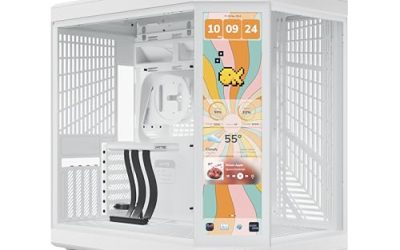
A white PC case under 100 dollars is a narrow target with a lot of competition. Tempered glass, a USB-C port and a handful of ARGB fans have become standard at this level, so the real differences lie in airflow layout, radiator support, graphics card length and how many of the included fans you actually want. The decision is whether you need a bright, fan-packed showpiece, a dual-chamber design that hides cables, or a smaller micro-ATX tower for a modest build.
This guide is for builders who want a white machine in 2026 without paying for a premium chassis. It reviews eight cases, from fan-stuffed budget towers to well-known brand designs, and sticks to what each listing states. A case that sits near the cap can drift above it as listings change, so check the current figure against the 100 dollar limit before ordering.
Our Top Picks
 GAMDIAS White ATX Mid Tower Gaming Computer PCAURA GC2 E WH A15.55 x 7.67 x 17.71 Inches10.8 PoundsCheck on Amazon
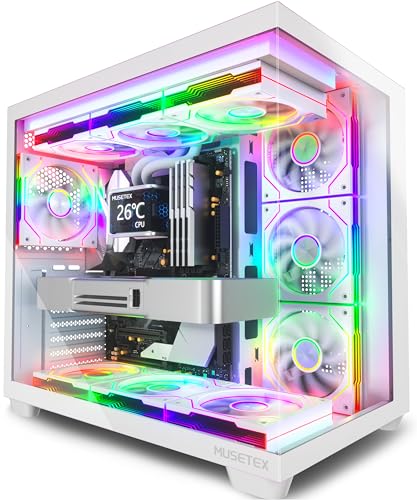 MUSETEX Y6 PC Case16.73"D x 10.83"W x 15.67"H16.73 x 10.83 x 15.67 inches14.64 poundsCheck on Amazon
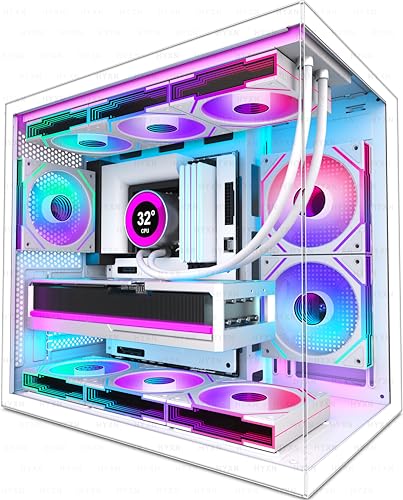


Top 3 picks at a glance
Quick Picks
As an Amazon Associate we earn from qualifying purchases at no extra cost to you.





| Product | Best for | Key spec from the title |
|---|---|---|
| GAMDIAS White ATX Mid Tower | Airflow with fans included | 4x 120mm ARGB fans, up to 6x 120mm, 360mm radiator |
| MUSETEX Y6 | Maximum lighting | 7 infinity mirror PWM ARGB fans, Type-C, 270-degree glass |
| HYXN H3 | Compact dual-cavity layout | 6 ARGB fans, Type-C 3.2, 360mm radiator |
| Lian Li Vector V100 White | Quality brand design | 420mm GPU, 360mm radiator, side USB-C, dust filter |
| RUIX OV502 Pro | Small micro-ATX build | Panoramic glass, 240mm AIO, 340mm GPU |
| NZXT H6 Flow White | Dual-chamber airflow | Compact ATX, panoramic glass, 3 120mm fans |
| ASUS A32 Plus White | Large GPU and radiator room | 360mm radiator, 420mm GPU, dual chamber |
| RUIX OV303 | High-airflow ATX at a lower tier | 4x 120mm Prism ARGB PWM fans, Type-C |
How to Choose
Motherboard size and graphics card length
Choose ATX if you want expansion room and a wide range of boards; micro-ATX saves space but limits slots. Check graphics card clearance, since the listings state figures such as 340mm or 420mm. Many current high-end cards run past 300mm, so measure the card before you pick a case. Leave a few millimeters of margin for power cables at the end of the card, and remember that a front-mounted radiator can reduce the usable length.
Radiator support and airflow design
For liquid cooling, look for 240mm or 360mm radiator support at the front or top. For air cooling, mesh panels and several 120mm intake fans matter more than glass. Dual-chamber layouts place the power supply and cables in a separate area, which improves tidiness and leaves the main chamber open for airflow. Cases with a mesh or ventilated front panel generally breathe better than solid fronts, even when both carry glass on the side.
Fans, ports and filters
Pre-installed fans save money, but quality varies. PWM control lets the motherboard adjust speed, which keeps noise down. USB-C on the front panel is worth having, and dust filters on the intake make cleaning easier, which matters on a white case where dust shows. Count the fan headers on your board before choosing a case that ships with seven fans. Most budget boards have only three or four, and a splitter or hub is often the answer when a case brings more fans than the motherboard can control individually.
What to ignore, and where budget models cut corners
Ignore fan count as a measure of cooling quality, because many budget fans are thin and loud. Cases at this level often use thinner steel, tight cable routing and plain panels, and white paint can scratch. Pay more attention to build quality and filters than to extras such as infinity mirror effects. Check how the glass panel is secured too, because thumbscrews and hinges are easier to live with than tight clips on a case you will open often.
The 8 Best Options
GAMDIAS White ATX Mid Tower
This white ATX mid-tower includes four pre-installed 120mm ARGB fans, a tempered glass side panel and room for up to six 120mm fans and a 360mm AIO. It suits builders who want strong airflow and lighting without buying extra fans, and it leaves two fan positions open for later.
- Strength: four fans included, with space for two more.
- Strength: 360mm radiator support allows a full-size liquid cooler.
- Trade-off: the listing is brief on ports and filters, so confirm those details.
Skip it if you want a premium finish or a subdued look with minimal lighting. It makes the most sense as a first build where fans and airflow capacity are the priority.
MUSETEX Y6
The Y6 ships with seven infinity mirror PWM ARGB fans, an ATX mid-tower body, a Type-C port and a 270-degree full-view glass panel. It is built for the buyer who wants a fully lit showpiece out of the box and does not want to shop for fans separately.
- Strength: seven pre-installed PWM fans cover many mounting positions.
- Strength: panoramic glass shows off the interior.
- Trade-off: seven fans need enough headers or a hub, and cheap fans can add noise together.
Skip it if you prefer a quiet build or a clean, understated look. Plan on a fan hub or a controller, because the motherboard alone rarely has enough headers for seven fans.
HYXN H3
The H3 is a compact dual-cavity ATX mid-tower with six infinity mirror PWM ARGB fans, Type-C 3.2 and 360mm radiator support. The dual-cavity layout separates cables and the power supply from the main chamber, which helps tidy wiring in a smaller body.
- Strength: dual-cavity design keeps wiring tidy.
- Strength: Type-C 3.2 front connectivity and six fans included.
- Trade-off: a compact body can limit room for thick radiators and cable slack.
Skip it if you need extra clearance for large air coolers or heavy cable bundles. Builders who choose it will want to plan cable routing before installing the radiator.
Lian Li Vector V100 White
The Vector V100 is an ATX mid-tower with tempered glass, side USB-C, dust filters and support for 420mm graphics cards and a 360mm radiator. It comes from a brand known for build quality, and it is the most refined design on this list for a standard ATX build.
- Strength: 420mm GPU room and 360mm radiator support.
- Strength: dust filters and a side-mounted USB-C port.
- Trade-off: the visible title does not state the fan count, so confirm what is included.
Skip it if you want many pre-installed lit fans, or if the current listing sits above your cap. Buyers who do not mind adding fans later get a solid frame to build on.
RUIX OV502 Pro
The OV502 Pro is a micro-ATX mini tower with panoramic tempered glass, 240mm AIO support and room for a 340mm graphics card. It targets compact builds with a modern look, such as a desk machine where a full tower would feel oversized.
- Strength: panoramic glass in a small footprint.
- Strength: 240mm AIO and 340mm GPU support suit mid-range builds.
- Trade-off: micro-ATX limits motherboard choice and expansion slots.
Skip it if you need a full ATX board or a 360mm radiator. Compact cases also reward careful part choice, so pick a short power supply and slim cables to keep the interior orderly.
NZXT H6 Flow White
The H6 Flow is a compact dual-chamber ATX case with panoramic glass and three included 120mm fans. The title describes an airflow-optimized layout, and it appeals to builders who want a showcase design from a recognized brand without a huge chassis.
- Strength: dual-chamber design with panoramic glass.
- Strength: three fans included for baseline airflow.
- Trade-off: it may sit near the top of the cap, so verify the current listing against 100 dollars.
Skip it if the listing exceeds your cap or you want more included fans. Its three-fan setup is a sensible baseline, and it leaves room to add more if temperatures demand it.
ASUS A32 Plus White
This ATX gaming case supports 360mm radiators and 420mm graphics cards, with a dual-chamber chassis for independent cooling zones and four pre-installed fans. It is for builders who want space for large components while keeping a clean white look.
- Strength: 420mm GPU support leaves room for big cards.
- Strength: dual-chamber design isolates the cable and power supply area.
- Trade-off: it may exceed the cap depending on the listing, so check the current figure.
Skip it if you only need a small case or the current listing is over your limit. When it does fit the cap, it brings the most generous component room of the group.
RUIX OV303
The OV303 is a white ATX mid-tower with four pre-installed 120mm Prism ARGB PWM fans, USB 3.0 and Type-C ports, and a high-airflow design. It is a straightforward option for a standard ATX build where the goal is a lit, ventilated case at a lower tier.
- Strength: four PWM ARGB fans included.
- Strength: Type-C and USB 3.0 front ports.
- Trade-off: the listing is light on radiator and graphics card clearance details.
Skip it if you need verified clearance numbers for a large card or a thick radiator. It is better matched to mainstream graphics cards than to the longest models on the market.
Which One Fits Your Situation
A bright, fan-heavy gaming build
The MUSETEX Y6 and HYXN H3 come with the most fans, while the GAMDIAS White ATX Mid Tower adds room for more. Choose the Y6 if you want maximum lighting and have enough fan headers.
A clean, quality-focused build
The Lian Li Vector V100 White and NZXT H6 Flow White offer better-known designs and tidier layouts. Verify that the current listing remains under your cap.
A compact desk build
The RUIX OV502 Pro is the micro-ATX choice for a small desk, with support for a 240mm AIO and a 340mm card.
A build with a large graphics card
The ASUS A32 Plus White and Lian Li Vector V100 White list 420mm GPU support, and both can carry a 360mm radiator for an all-in-one cooler.
Common Mistakes
- Counting fans instead of judging airflow design and fan quality.
- Ignoring the graphics card length limit until the card does not fit.
- Buying a micro-ATX case and then wanting an ATX board.
- Forgetting that many pre-installed fans need extra headers or a hub.
- Assuming a case stays under the cap without checking the current listing.
Related guides
- Sustainable Gaming Pc Power Supply Efficiency Guide
- Noctua Nh-D15 Vs Thermalright Peerless Assassin 120
- Thermal Paste Application Method For Lga1851
Frequently Asked Questions
Are white cases harder to keep clean?
They show dust and fingerprints more easily than black cases. Dust filters and regular wiping keep them looking fresh, and removable filters make that job quick.
Do I need a case with many fans?
Not necessarily. Two or three good fans with sensible airflow can outperform seven poor ones, and extra fans also add noise and cables.
Can I fit a 360mm radiator?
Several listed cases support it, including the GAMDIAS, HYXN, Lian Li and ASUS models. The RUIX OV502 Pro lists 240mm support only.
Is micro-ATX enough for a gaming PC?
For a modest build with one graphics card, yes. It limits expansion slots and board choice, so confirm it matches your plans.