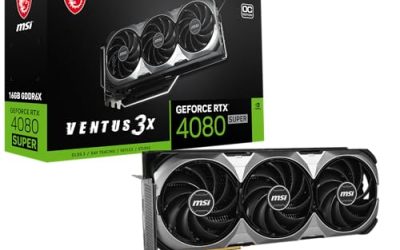
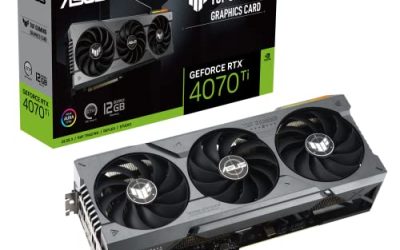
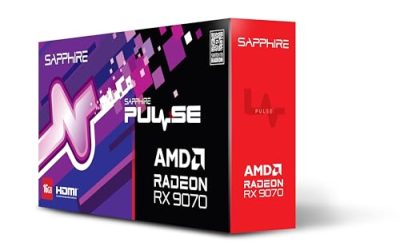
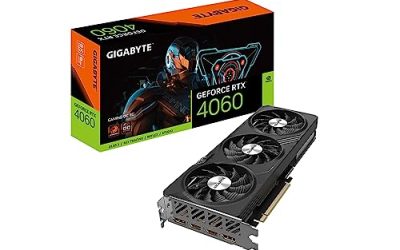
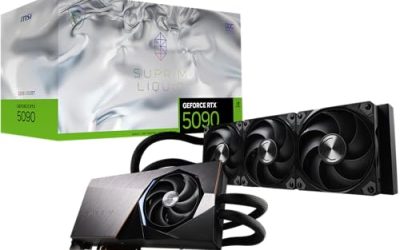
A 1440p monitor asks more of a graphics card than 1080p without demanding the heavy hardware that native 4K requires, which is why this resolution has become the sweet spot for gaming PC builds. The five cards below cover both major GPU makers and several tiers, from the strongest option in this group down to a sensible entry point. Each pick is judged on the facts its listing actually states: memory capacity and type, memory bus width, cooler design, display outputs and interface. Where a listing does not state a figure, this guide says so rather than filling the gap, because small spec differences are exactly what separate near-identical card names. Pay close attention to the exact model codes as you read. Two of these cards share the Sapphire Pulse name, two share the MSI Shadow name, and the differences between each pair matter more than the branding they have in common.
As an Amazon Associate, we earn from qualifying purchases.
Our Top Picks


Top 3 picks at a glance
Quick answer
For most 1440p builds, the Sapphire Pulse RX 9070 XT and the MSI RTX 5070 Ti Shadow 3X OC are the top-tier picks here, each with 16GB of memory. The Sapphire Pulse RX 9070 keeps 16GB at a lower tier, the MSI RTX 5070 Shadow 2X OC suits smaller cases with 12GB, and the Gigabyte RTX 5060 Ti Gaming OC 16G is the entry point.
Sapphire Pulse AMD Radeon RX 9070 XT
The Sapphire Pulse RX 9070 XT, model 11348-03-20G, is the flagship AMD card in this roundup and the natural starting point for a high-refresh 1440p build. It is built on AMD’s RDNA 4 architecture and carries 16GB of GDDR6 memory, a capacity that gives texture-heavy games room to breathe at 1440p with settings turned up. Sapphire fits the card with a triple-fan cooler, which spreads heat across a longer heatsink and suits cases with good front-to-back airflow. Output coverage is generous for a gaming desk: dual HDMI and dual DisplayPort connections let you run a main 1440p monitor alongside secondary displays without adapters. Within the Sapphire pair in this guide, the XT is the higher tier of the two, so it is the one to choose when you want the most headroom the Pulse line offers at this resolution. The listing facts recorded for this card do not include a boost clock figure, so check the product page if that number matters to your decision.
Specs
- Model: 11348-03-20G
- Memory: 16GB GDDR6
- Architecture: AMD RDNA 4
- Cooler: triple-fan
- Outputs: dual HDMI, dual DisplayPort
- Boost clock: not stated
MSI GeForce RTX 5070 Ti 16G Shadow 3X OC
The MSI GeForce RTX 5070 Ti Shadow 3X OC is the high-end NVIDIA pick in this group. Its specification sheet is the most detailed of the five: 16GB of GDDR7 memory on a 256-bit bus, the widest memory bus in this roundup, a PCIe 5.0 interface, and a boost clock of 2482 MHz as stated in the listing. GDDR7 is the newer memory standard, and paired with the wider bus it gives this card the strongest memory configuration here on paper. Display outputs are current-generation as well, with HDMI 2.1b and DisplayPort 2.1b, which suits recent high-refresh 1440p monitors that rely on those standards for their top refresh rates. The Shadow 3X OC naming marks this as the factory-overclocked variant in MSI’s Shadow family, positioned clearly above the smaller Shadow 2X card covered below. Choose this card if you are building around a fast 1440p panel and want the NVIDIA option with the most memory headroom in this guide.
Specs
- Memory: 16GB GDDR7
- Memory bus: 256-bit
- Interface: PCIe 5.0
- Boost clock: 2482 MHz per the listing
- Outputs: HDMI 2.1b, DisplayPort 2.1b
- Cooler: Shadow 3X OC design
Sapphire Pulse AMD Radeon RX 9070
The Sapphire Pulse RX 9070, model 11349-03-20G, sits one tier below the XT version above while keeping the two facts many 1440p buyers care about most: it is also an RDNA 4 card, and it also carries 16GB of GDDR6 memory. That makes it a sensible pick for players who want the same memory capacity as the flagship but do not need the top tier of the line, for example when the monitor is a standard-refresh 1440p panel rather than a high-refresh one. Keep the model codes straight when you shop: 11349-03-20G is this card, while 11348-03-20G is the XT. The two listings are easy to confuse at a glance, and the XT’s cooler and output details recorded above belong to the XT only. The recorded facts for this listing are thinner than for its sibling: boost clock and output configuration are not stated in the material reviewed, so confirm those details on the product page before ordering if they are deciding factors for your build.
Specs
- Model: 11349-03-20G
- Memory: 16GB GDDR6
- Architecture: AMD RDNA 4
- Cooler: not stated
- Outputs: not stated
- Boost clock: not stated
MSI GeForce RTX 5070 12G Shadow 2X OC
The MSI GeForce RTX 5070 12G Shadow 2X OC is the compact option among the NVIDIA picks. It uses a dual-fan cooler built around MSI’s TORX Fan 5.0 design, and a two-fan card is generally the easier fit for smaller mid-tower and compact cases where longer triple-fan cards can crowd the front panel or cable space. Its memory configuration is 12GB of GDDR7 on a 192-bit bus: the GDDR7 memory is the current standard, but the 12GB capacity is the smallest in this roundup, which is worth weighing if you play texture-heavy games at maximum settings. The interface is PCIe 5.0, and outputs match the 5070 Ti above, with HDMI 2.1b and DisplayPort 2.1b for modern 1440p monitors. Do not merge this card’s facts with the Shadow 3X model: the fan design, memory capacity and bus width are all different despite the similar names. The listing material reviewed does not state a boost clock for this card.
Specs
- Memory: 12GB GDDR7
- Memory bus: 192-bit
- Interface: PCIe 5.0
- Cooler: dual-fan, TORX Fan 5.0
- Outputs: HDMI 2.1b, DisplayPort 2.1b
- Boost clock: not stated
GIGABYTE GeForce RTX 5060 Ti Gaming OC 16G

The GIGABYTE GeForce RTX 5060 Ti Gaming OC 16G, model GV-N506TGAMING OC-16GD, is the entry point to this roundup and an interesting one, because it pairs a lower GPU tier with a full 16GB of GDDR7 memory. That memory runs on a 128-bit bus, the narrowest in this group, and the card uses a PCIe 5.0 interface with Gigabyte’s WINDFORCE cooling. For a 1440p build on a tighter budget, the appeal is straightforward: you give up GPU tier compared with the cards above, but you keep the memory capacity that helps with high texture settings at this resolution. One caution matters more here than anywhere else in this guide: buy this exact model code. The 16G in the name is part of the specification, and the facts in this section describe only the 16GB card with model code GV-N506TGAMING OC-16GD. If a listing does not show that code and capacity, it is a different configuration and this summary does not apply to it. Boost clock and output details are not stated in the recorded facts for this listing.
Specs
- Model: GV-N506TGAMING OC-16GD
- Memory: 16GB GDDR7
- Memory bus: 128-bit
- Interface: PCIe 5.0
- Cooler: WINDFORCE
- Boost clock: not stated
How to choose
Start with memory capacity. Four of these five cards carry 16GB, and at 1440p that headroom helps in texture-heavy games at high settings. The 12GB RTX 5070 remains a reasonable choice for players who favour competitive titles or moderate settings, but the capacity gap is the clearest long-term difference in this group. Next, look at memory type and bus width together: GDDR7 on the NVIDIA cards is the newer standard, and the 5070 Ti’s 256-bit bus is the widest here, while the 5060 Ti’s 128-bit bus is the narrowest despite its 16GB capacity. Cooler size is the practical filter. Triple-fan designs such as the Pulse RX 9070 XT need a case with the length and airflow to suit them, while the dual-fan Shadow 2X is the easier fit for compact builds; always compare the card’s stated dimensions on its product page against your case clearance. Check outputs against your monitor as well: the cards with confirmed HDMI 2.1b and DisplayPort 2.1b suit the newest high-refresh 1440p panels, and where a listing does not state its outputs, verify them before buying. Finally, confirm your power supply meets the card maker’s recommendation on the product page, since no wattage figures are stated in the facts recorded here.
Who should skip
Skip this entire tier if you game at 1080p on a standard-refresh monitor, because a lower-tier card will serve that setup and these five are chosen for 1440p. Skip them in the other direction too if your target is native 4K with maximum settings, which calls for a higher class of GPU than any pick here. Owners of a recent mid-range or better card should also think twice, since a same-generation side step rarely changes the experience at this resolution. Builders with very small cases should pass on the longer triple-fan designs and look at the dual-fan option or a different compact card instead. And if your monitor is an older 1440p panel with limited input standards, confirm the connection you need is present before choosing a card whose outputs are not fully stated.
FAQ
Is 12GB of VRAM enough for 1440p gaming?
It depends on the games and settings. The 12GB RTX 5070 in this guide handles 1440p play, but texture-heavy titles at maximum settings are where the 16GB cards earn their place. If you tend to keep a card for several years, the extra capacity is the safer long-term choice.
Does PCIe 5.0 matter for these graphics cards?
All five cards here use a PCIe 5.0 interface. PCIe slots are backwards compatible, so these cards also install in motherboards with PCIe 4.0 slots. The interface generation is rarely the deciding factor at 1440p; memory capacity, bus width and cooler fit matter more for most builds.
What is the difference between the RX 9070 XT and the RX 9070?
The XT is the higher tier of Sapphire’s Pulse pair. Both cards are RDNA 4 models with 16GB of GDDR6 memory, but they are separate products with separate model codes: 11348-03-20G for the XT and 11349-03-20G for the standard card. Check the code on the listing to be sure which one you are buying.
Which of these cards suits a high-refresh 1440p monitor?
In general terms, the top-tier picks: the Sapphire Pulse RX 9070 XT and the MSI RTX 5070 Ti Shadow 3X OC, the latter with the widest memory bus in this group at 256-bit. Both pair their tier with 16GB of memory and current display outputs, which is the combination a fast 1440p panel calls for.
Final verdict
For a high-refresh 1440p build, choose between the Sapphire Pulse RX 9070 XT and the MSI RTX 5070 Ti Shadow 3X OC: the AMD card pairs 16GB of GDDR6 with a triple-fan cooler and four display outputs, while the NVIDIA card counters with 16GB of GDDR7 on a 256-bit bus. The Pulse RX 9070 keeps the 16GB capacity at a lower tier for standard-refresh panels. The RTX 5070 Shadow 2X OC is the pick for compact cases, accepting 12GB of memory, and the Gigabyte RTX 5060 Ti Gaming OC 16G is the budget-conscious route that still delivers 16GB. Whichever you choose, verify the exact model code on the listing, because the near-identical names in this roundup hide real specification differences.
Product and ASIN Reference
| Product | ASIN |
|---|---|
| Sapphire Pulse AMD Radeon RX 9070 XT | B0DTHMPWFR |
| MSI GeForce RTX 5070 Ti 16G Shadow 3X OC | B0DZD6QV9L |
| Sapphire Pulse AMD Radeon RX 9070 | B0DTHN37BP |
| MSI GeForce RTX 5070 12G Shadow 2X OC | B0DZCYPFVT |
| GIGABYTE GeForce RTX 5060 Ti Gaming OC 16G | B0F5BD1X83 |
Related guides
More from Amazon
Programs that pair well with the guide above. Offers and eligibility are set by Amazon and may change.
Free shipping on eligible items, Prime Video and more. Eligible new members can start with a free trial.
Start a Prime free trialAd-free music streaming. Eligible new subscribers can start with a free trial.
Try Music Unlimited freeA Prime membership for ages 18-24 with a trial period. Eligibility is set by Amazon.
See Prime for Young AdultsAudiobooks and podcasts to listen to on the go. Eligible new members can start with a free trial.
Try Audible freeAs an Amazon Associate we earn from qualifying purchases.