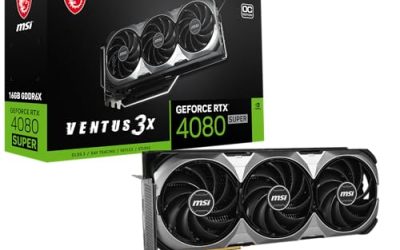
Doom: The Dark Ages is not a game you can brute-force with an old graphics card and a few settings turned down. Unlike its predecessors, it builds ray tracing into the core of its rendering, so hardware ray tracing support is a requirement rather than an optional extra. That single fact shapes this entire shortlist: every card below supports hardware ray tracing, and the real decision is how much video memory you want behind it.
The five picks split into three tiers. At the top sit a 16GB Radeon card and a 12GB GeForce card with comfortable headroom for high texture settings. Below them are three 8GB cards from AMD’s newer RDNA 4 line, which make sensible entry points as long as you know that texture and ray tracing settings will need a little care. Read the VRAM notes before you choose, because memory capacity matters more in this game than small clock differences.
As an Amazon Associate, we earn from qualifying purchases.
Our Top Picks


Top 3 picks at a glance

Quick answer
For most players, the Gigabyte Radeon RX 7800 XT Gaming OC with 16GB is the safest pick here, because Doom: The Dark Ages requires ray tracing and rewards memory headroom. The MSI RTX 4070 Ventus 3X OC is the 12GB NVIDIA alternative. The three 8GB RX 9060 XT cards are entry picks that run the game with texture and ray tracing settings managed carefully.
How to choose
Start with the ray tracing requirement. Doom: The Dark Ages does not offer a non-ray-traced fallback path, so a card without hardware ray tracing acceleration is simply not an option, no matter how strong its raster performance looks on paper. All five cards in this guide clear that bar, which lets you focus on the factors that actually separate them.
Video memory is the second factor, and for this game it is arguably the first. Ray-traced lighting combined with high-resolution textures puts steady pressure on VRAM. A 16GB card gives you the most room to raise texture quality without worry. A 12GB card remains a comfortable middle ground for high settings at common resolutions. An 8GB card can still be a valid choice, but treat it as an entry configuration: expect to balance texture pool size and ray tracing quality rather than pushing every slider to its maximum.
After that, consider the physical card. Check the slot width and length against your case, confirm your power supply meets the card maker’s recommendation on the product page, and look at the display outputs if you run multiple monitors. Triple-fan cards suit larger cases and sustained sessions, while compact dual-fan cards with silent idle modes fit smaller, quieter builds.
MSI Gaming GeForce RTX 4070 12GB GDDR6X Ventus 3X OC
The MSI Ventus 3X OC is the NVIDIA option in this lineup, built around the GeForce RTX 4070 with 12GB of GDDR6X memory. That memory figure is the headline for Doom: The Dark Ages. Twelve gigabytes sits comfortably above the entry tier, giving you more freedom to raise texture settings while the mandatory ray tracing runs, without immediately running into the limits that 8GB cards face.
The Ventus 3X cooler uses three fans, which suits longer sessions in a mid-tower case with reasonable airflow. As an OC edition, the card ships with a factory overclock applied by MSI, although the exact boost clock for this listing is not stated, so treat any specific frequency figure you see elsewhere with caution and check the product page for the current specification. Do not confuse this card with other Ventus variants in MSI’s range, which carry different memory configurations and coolers.
This is the pick for players who prefer NVIDIA’s feature set, including its ray tracing implementation and upscaling ecosystem, and who want more VRAM headroom than the 8GB cards below can offer. If you play at higher resolutions with textures turned up, the 12GB buffer is the practical reason to choose it over the entry tier.
Specs:
– GPU: NVIDIA GeForce RTX 4070
– Memory: 12GB GDDR6X
– Cooler: Ventus 3X triple-fan design
– Edition: OC (factory overclocked)
– Boost clock: not stated
Gigabyte Radeon RX 7800 XT Gaming OC 16G
The Gigabyte RX 7800 XT Gaming OC carries 16GB of GDDR6 memory, the largest buffer in this guide, and that makes it the most relaxed match for a ray-tracing-required game that leans on texture memory. With this much VRAM, you can approach the texture settings with far less compromise than on any other card listed here, which is exactly the quality that matters most in Doom: The Dark Ages.
The card is Gigabyte’s Gaming OC model, carrying the model code GV-R78XTGAMING OC-16GD. One point needs care: this guide references a specific second listing for this model, so when you follow through to the retailer, confirm that the model code on the page matches GV-R78XTGAMING OC-16GD before ordering. Beyond the GPU and memory, detailed specifications for this listing were limited, so clock speeds and outputs are recorded as not stated rather than borrowed from other versions of the same card.
Choose this card if VRAM headroom is your top priority. It is also the natural pick for players planning to keep the same card through several demanding releases, since memory capacity tends to age more gracefully than raw clock speed.
Specs:
– GPU: AMD Radeon RX 7800 XT
– Memory: 16GB GDDR6
– Model: GV-R78XTGAMING OC-16GD (Gaming OC)
– Boost clock: not stated
– Display outputs: not stated
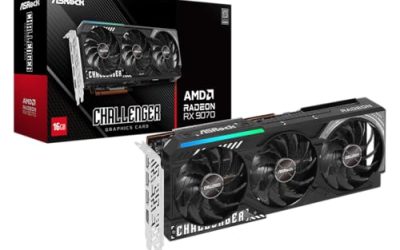
ASRock Radeon RX 9060 XT Challenger 8GB OC
The ASRock Challenger is the most clearly specified of the three RDNA 4 entry cards in this guide. It pairs the Radeon RX 9060 XT with 8GB of GDDR6 memory, a listed boost clock of 3290 MHz, a dual-fan cooler with 0dB silent operation at low load, and a metal backplate. Display connectivity is modern, with DisplayPort 2.1a and HDMI 2.1b over a PCIe 5.0 interface.
The honest framing matters here. Eight gigabytes is the entry tier for Doom: The Dark Ages. The card meets the game’s hardware ray tracing requirement, but you should expect to manage texture quality and ray tracing settings thoughtfully rather than maxing everything out. Players at 1080p who are comfortable tuning a few sliders will find this the natural habitat for a card like this; players chasing high textures at 1440p should look at the 12GB or 16GB picks above instead.
Within the 8GB group, the Challenger stands out because its listing states its key figures openly, including the boost clock and output standards. If you want the entry price point with the fewest unknowns on the specification sheet, this is the one to examine first.
Specs:
– GPU: AMD Radeon RX 9060 XT
– Memory: 8GB GDDR6
– Boost clock: 3290 MHz
– Cooler: dual fan, 0dB cooling, metal backplate
– Interface: PCIe 5.0
– Outputs: DisplayPort 2.1a, HDMI 2.1b
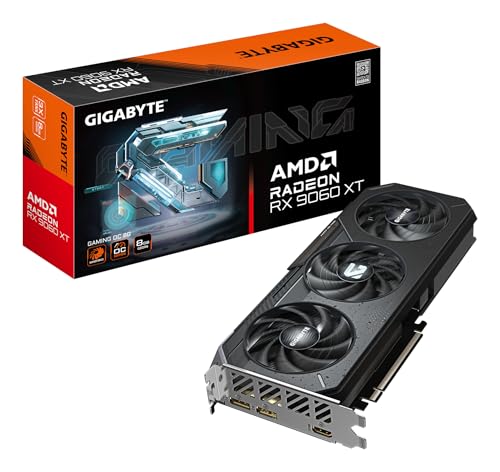
Gigabyte Radeon RX 9060 XT Gaming OC 8G
Gigabyte’s Gaming OC version of the RX 9060 XT offers the same basic recipe as the other RDNA 4 entry cards: the RX 9060 XT GPU, 8GB of GDDR6 memory, and a PCIe 5.0 interface, under model code GV-R9060XTGAMING OC-8GD. As with the 7800 XT above, this guide is tied to one specific listing of this model, so match the model code on the product page before you buy.
The same 8GB guidance applies. This card satisfies the game’s ray tracing requirement and suits players who will run moderated texture settings, particularly at 1080p. What it should not be bought for is a set-and-forget maximum-settings experience; the memory ceiling is a real constraint in a game that combines ray-traced lighting with heavy texture loads, and no cooler design or factory overclock changes that arithmetic. A seller listing for this model name mentions a 3320 MHz core clock, but that figure was not confirmed for this specific listing, so it is recorded here as not stated.
Pick the Gaming OC if you favour Gigabyte’s cooler and board design among the 8GB options, or if this particular listing is the one available to you. The three 8GB cards are close in spirit, so build quality, size, and the exact listing on the page are reasonable tiebreakers.
Specs:
– GPU: AMD Radeon RX 9060 XT
– Memory: 8GB GDDR6
– Model: GV-R9060XTGAMING OC-8GD (Gaming OC)
– Interface: PCIe 5.0
– Core clock: not stated
ASUS Dual Radeon RX 9060 XT 8GB

The ASUS Dual rounds out the 8GB tier with a compact 2.5-slot design built around Axial-tech fans and 0dB technology, which stops the fans at low load for silent idle and light desktop work. It carries the RX 9060 XT with 8GB of GDDR6, a PCIe 5.0 interface, and current display standards in HDMI 2.1b and DisplayPort 2.1a.
The 2.5-slot footprint is the main reason to single this card out. Small-form-factor cases and older builds with limited clearance often rule out longer or thicker coolers, and the Dual line is designed with exactly those constraints in mind. If your case is tight but your motherboard and power supply are ready, this is the entry card most likely to physically fit.
Performance expectations should match the rest of the 8GB group: the ray tracing requirement is met, and the game is playable territory, but texture settings need to be chosen with the memory limit in mind. Take care when browsing listings, because ASUS sells a 16GB Dual variant and a separate Prime variant of this GPU; this guide covers the 8GB Dual model only, so verify the memory figure on the page before ordering.
Specs:
– GPU: AMD Radeon RX 9060 XT
– Memory: 8GB GDDR6
– Design: 2.5-slot, Axial-tech fans, 0dB technology
– Interface: PCIe 5.0
– Outputs: HDMI 2.1b, DisplayPort 2.1a
Who should skip
Skip the 8GB cards if you intend to play at 1440p or higher with texture quality pushed to its top settings; the memory ceiling will force compromises, and the 12GB RTX 4070 or 16GB RX 7800 XT will serve you better. Skip this entire list if your current card already has 12GB or more of memory and hardware ray tracing, since none of these picks would be a meaningful step up. Skip every pick here if your power supply or case cannot support a modern dual- or triple-fan card; check dimensions and power requirements on the product page first. If you do not plan to play ray-tracing-required titles, your money may go further with cards chosen purely for raster performance.
FAQ
Does Doom: The Dark Ages really require ray tracing?
Yes. Ray tracing is built into the game’s rendering rather than offered as an optional toggle, so a graphics card with hardware ray tracing support is a requirement. Every card in this guide meets it. Older cards without ray tracing hardware should not be bought for this game, regardless of their raster performance.
Is 8GB of VRAM enough for Doom: The Dark Ages?
It is enough to be an entry point, with conditions. An 8GB card such as the RX 9060 XT models here meets the ray tracing requirement, but texture quality and ray tracing settings need to be balanced against the memory limit, especially above 1080p. If you want high textures without that juggling, choose the 12GB or 16GB picks.
Which card here has the most headroom for high texture settings?
The Gigabyte RX 7800 XT Gaming OC, with 16GB of GDDR6. Texture-heavy, ray-traced scenes are exactly where memory capacity pays off, and it has the largest buffer in this guide. The MSI RTX 4070 with 12GB is the next step down and still comfortably ahead of the 8GB tier.
Why are there two listings mentioned for the same Gigabyte models?
Popular models often sell through more than one listing, and specifications or sellers can differ between them. This guide is tied to specific listings for the Gigabyte RX 7800 XT and RX 9060 XT, identified by their model codes GV-R78XTGAMING OC-16GD and GV-R9060XTGAMING OC-8GD. Check that the model code on the product page matches before ordering.
Final verdict
Doom: The Dark Ages narrows the market usefully: ray tracing is mandatory, so the choice becomes a question of memory. For the least compromise, take the Gigabyte RX 7800 XT Gaming OC and its 16GB buffer. For NVIDIA’s ecosystem with solid headroom, the MSI RTX 4070 Ventus 3X OC is the balanced pick. The three RX 9060 XT cards are honest entry points — the ASRock Challenger for its openly stated specifications, the Gigabyte Gaming OC for its board design, and the ASUS Dual for tight cases — provided you accept managed texture settings as part of the deal.
Product and ASIN Reference
| Product | ASIN |
|---|---|
| MSI Gaming GeForce RTX 4070 12GB GDDR6X Ventus 3X OC | B0BQTNJNHL |
| Gigabyte Radeon RX 7800 XT Gaming OC 16G | B0CGHQ32S2 |
| ASRock Radeon RX 9060 XT Challenger 8GB OC | B0FBX7FB1T |
| Gigabyte Radeon RX 9060 XT Gaming OC 8G | B0F7HSLY47 |
| ASUS Dual Radeon RX 9060 XT 8GB | B0F8PR76W4 |
Related guides
More from Amazon
Programs that pair well with the guide above. Offers and eligibility are set by Amazon and may change.
Free shipping on eligible items, Prime Video and more. Eligible new members can start with a free trial.
Start a Prime free trialAd-free music streaming. Eligible new subscribers can start with a free trial.
Try Music Unlimited freeA Prime membership for ages 18-24 with a trial period. Eligibility is set by Amazon.
See Prime for Young AdultsAudiobooks and podcasts to listen to on the go. Eligible new members can start with a free trial.
Try Audible freeAs an Amazon Associate we earn from qualifying purchases.