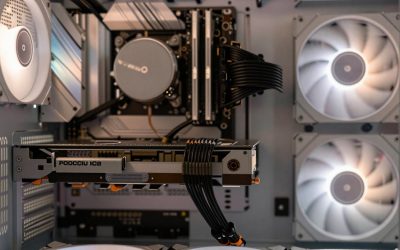
Micro ATX is a motherboard size, not a graphics card size, and that distinction trips up plenty of shoppers. The board itself has an ordinary PCI Express x16 slot, so almost any card plugs in electrically. What actually limits you is the case around it: a slim or small-form-factor chassis may only take a low-profile card with a short bracket, while a roomier micro ATX tower can swallow a dual-fan card without complaint. The real question is which category your case belongs to.
This guide is for people building or upgrading a compact desktop, an office machine, a home theater PC, or a small gaming rig, and it covers a wide spread. Some picks are modest display adapters for multi-monitor desks, while others are real gaming cards. The notes below rely only on the specs the listing titles state, so use them to shortlist, then compare card length, slot thickness, and power connectors against your own case before you commit in 2026.
Our Top Picks





Top 3 picks at a glance
Quick Picks
As an Amazon Associate we earn from qualifying purchases at no extra cost to you.



| Product | Best for | Key spec from the title |
|---|---|---|
| maxsun GeForce RTX 3050 6GB | Slim gaming builds | 6GB GDDR6, low profile, PCI Express 4.0 |
| MOUGOL Radeon RX 580 8GB | Standard-height gaming on a budget | 8GB GDDR5, 256-bit, dual fan |
| msi GeForce GT 1030 4GB | Quiet everyday computing | 4GB DDR4, single fan, DP and HDMI |
| ARDIYES GT 740 4GB | Four-monitor office desks | 4GB GDDR5, 4x HDMI ports, low profile |
| Glorto GeForce GT 730 4G | HTPC and light office use | DDR3, 2x HDMI, DP and VGA, low profile |
| Glorto GeForce GT 210 1024MB | Basic display output only | 1GB DDR3, low profile, HDMI and VGA |
How to Choose
Check the bracket height and slot width first
A low-profile card ships with, or accepts, a short half-height bracket, which is what a slim micro ATX case demands. A standard-height card needs the full opening. Count the expansion slots too: a dual-slot cooler blocks the neighboring slot on a board that has few of them. If the title says low profile, the maker is promising the right bracket shape, but length still needs a tape measure.
Match the card tier to the job
Cards like the GT 210, GT 730, and GT 740 are display-focused parts: they handle office work, video playback, and multiple screens, not modern 3D games. The GT 1030 sits one step above that for light, older titles. For actual gaming, look at cards with 6GB or more of GDDR6 or 8GB of GDDR5, such as the RTX 3050 6GB and RX 580 8GB. Treat anything with 1GB of memory as a display adapter.
Look at the ports you need
HDMI and DisplayPort suit modern monitors, while VGA and DVI help older panels. A card that lists four HDMI outputs is aimed at a multi-screen workstation rather than a gaming build. Make sure the connectors on the card match your displays so you do not have to buy adapters later.
Plan for power and airflow
Smaller cards often draw all their power from the slot, which makes them easy to add to a prebuilt with a modest supply. Larger cards may need a six-pin or eight-pin cable, and the listings here do not state a power figure, so check the manufacturer sheet. In a small case, a card with one fan may run louder at load because its heatsink is compact. Budget cards often cut memory bandwidth, so ignore the headline memory size and read the bus width and memory type too.
It also helps to know whether your processor already has built-in graphics. If it does, an entry-level card only makes sense for extra screens or specific outputs. If it does not, even the simplest card on this list becomes a necessity rather than an upgrade, and that changes which tier is worth buying.
The 6 Best Options
maxsun GeForce RTX 3050 6GB
This is the slim-case gaming choice. The title lists 6GB of GDDR6, a PCI Express 4.0 interface, and marks the card as low profile for small form factor builds.
- Strength: It is the one low-profile card here positioned for actual gaming.
- Strength: GDDR6 memory and a PCIe 4.0 interface are the most modern combination in the group.
- Trade-off: Gaming performance in a small cooler will be more modest than a full-size card.
It suits a builder with a tiny case who still wants to play recent games at sensible settings, for example a compact living-room console-style PC. Pairing it with a modest processor and a quiet case makes sense. Skip it if your case takes a full-size card or you only need office video output.
MOUGOL Radeon RX 580 8GB
The RX 580 is the big memory option for a standard micro ATX tower. The title lists 8GB of GDDR5, a 256-bit interface, a PCIe x16 3.0 connection, and HDMI, DisplayPort, and DVI outputs with dual-fan cooling.
- Strength: 8GB of memory and a 256-bit bus give it the most gaming headroom among the older-style cards here.
- Strength: Three output types cover many monitor setups.
- Trade-off: Dual-fan design means it is not a low-profile card and needs a roomy case.
It fits someone upgrading an older tower for 1080p play on a budget, especially a student rebuilding a hand-me-down desktop. The listing also carries a triple-output panel, which helps when mixing an older monitor with a newer one. Skip it if your chassis is slim or you want a low-power, quiet build.
msi GeForce GT 1030 4GB
The MSI GT 1030 is the quiet, no-fuss pick. The title lists 4GB of DDR4 memory on a 64-bit bus, DirectX 12 support, DP and HDMI outputs, a single-fan design, and an LP OC model name suggesting a low-profile form.
- Strength: Single fan and modest design suit a quiet office or media machine.
- Strength: DisplayPort and HDMI cover modern monitors.
- Trade-off: The 64-bit DDR4 memory limits it to light gaming.
It is a good match for a home office buyer who wants a dependable display output with light entertainment, such as streaming video and casual older games, and who values a quiet case more than frame rates. Skip it if you want to play recent games.
ARDIYES GT 740 4GB
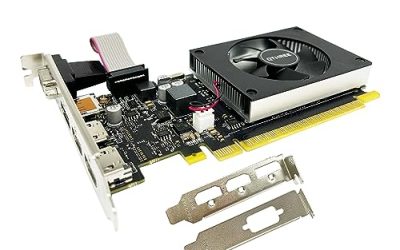
This card is about screen count. The title lists 4GB of GDDR5, four HDMI ports for a quad multi-monitor setup, a PCI Express 3.0 x16 interface, and silent cooling in a low-profile form.
- Strength: Four HDMI outputs suit trading desks, dashboards, and reception screens.
- Strength: Low-profile form fits slim business machines.
- Trade-off: It is an entry-level part, not a gaming card.
It suits an office that wants several screens off one slot, such as a monitoring station, a reception display wall, or a spreadsheet-heavy desk. Check that the monitors all take HDMI before buying. Skip it if you need DisplayPort or any real gaming speed.
Glorto GeForce GT 730 4G
Glorto’s GT 730 is the multi-output generalist. The title lists DDR3 memory, two HDMI ports, DisplayPort, and VGA, a PCI Express 2.0 x8 connection, and a low-profile design aimed at SFF and HTPC builds.
- Strength: A mix of HDMI, DisplayPort, and VGA covers old and new displays together.
- Strength: Low-profile design suits a living-room PC.
- Trade-off: DDR3 memory and a PCIe 2.0 x8 link keep it in light-use territory.
It fits a home theater or retro-monitor setup, or an older office PC that still has a VGA panel plugged in next to a newer HDMI screen. Skip it if you want current gaming or a PCIe 4.0 interface.
Glorto GeForce GT 210 1024MB
The GT 210 is a simple display adapter. The title lists 1GB of DDR3, a PCI Express 1.0 x16 interface, a low-profile form, and HDMI and VGA outputs.
- Strength: A very basic, low-cost way to get a screen working in a spare build.
- Strength: Low-profile bracket suits slim cases.
- Trade-off: Its age and 1GB memory limit it to basic desktop tasks.
It is for a spare machine, a troubleshooting card, or a processor without built-in graphics that just needs something to show a desktop. Skip it if you stream high-resolution video or play games.
Which One Fits Your Situation
You have a slim micro ATX case and want to play games
The maxsun GeForce RTX 3050 6GB is the only low-profile listing aimed at gaming, so it is the clear starting point.
You have a full-size micro ATX tower and a tight budget
The MOUGOL Radeon RX 580 8GB brings the most memory and the widest connector set for entry-level play.
You run a multi-monitor office
The ARDIYES GT 740 4GB gives four HDMI outputs from one low-profile card, which is easier than adding multiple adapters.
You want a quiet media or home office PC
The msi GeForce GT 1030 4GB or the Glorto GT 730 4G suit that role, depending on whether you want DP and HDMI or a broader mix with VGA.
If you are still torn, rank your priorities in this order: case clearance, then the job the card must do, then the ports, then noise. A card that fails the first test is wasted money no matter how well the rest of the listing reads, and the cheapest cards here are the easiest to place in a tight chassis.
Common Mistakes
- Assuming a micro ATX board guarantees a card fits, when case length and slot clearance decide it.
- Buying a full-height card for a slim case that needs a low-profile bracket.
- Paying for large memory numbers on slow DDR3 parts that cannot use them.
- Forgetting to check that the output ports match the monitors you own.
- Skipping the power supply check on cards that need a PCIe power connector.
Related guides
- Noctua Nh-D15 Vs Thermalright Peerless Assassin 120
- Sustainable Gaming Pc Power Supply Efficiency Guide
- Thermal Paste Application Method For Lga1851
Frequently Asked Questions
Will any graphics card fit a micro ATX motherboard?
The PCI Express slot is standard, so most cards fit the motherboard. Case dimensions, slot width, and cable routing decide whether a given card fits, and a small case with a power supply mounted close to the slot is the usual place where a long card runs out of room.
What does low profile mean?
It means a shorter card with a half-height bracket for slim cases. Some cards ship with both brackets, and the title usually states it, but the listing does not always give the card length, so measure the space inside your case before ordering.
Can the entry-level cards run games?
Not modern ones. Cards like the GT 210, GT 730, and GT 740 are for display and video use, while the RTX 3050 and RX 580 are the gaming options. The GT 1030 sits in between and suits older or lightweight titles at modest settings.
Do I need a bigger power supply?
Slot-powered cards rarely do. The RX 580 and larger cards may need a PCIe power cable, so check the manufacturer sheet and make sure your supply has the matching connector, because a small case often ships with a compact supply that offers few cables.