SLI, Nvidia’s technology for running two or more graphics cards together, is a niche topic in 2026. Modern games rarely scale across multiple cards, and current GeForce lineups have moved away from the connector. So when someone searches for the best SLI graphics cards, the intent is usually narrow: they own a compatible board and one card already, want to double up on a classic build, or are assembling a retro gaming machine and need the second card to match the first. In that case the decision is less about raw speed and more about matching, compatibility and cost.
This guide is for builders reviving or extending older systems who need cards whose titles explicitly say SLI. Six listed cards qualify, ranging from a GTS 450 up to an ASUS Dual RTX 2080, with two renewed GTX 1070 models in the middle. Two SLI bridge accessories in the source list are left out of the reviews because they are cables rather than graphics cards. The notes below rely on title specifications only, so confirm bridge type, board slots and power connectors on the product page before ordering.
Our Top Picks


Top 3 picks at a glance
Quick Picks
As an Amazon Associate we earn from qualifying purchases at no extra cost to you.


| Product | Best for | Key spec from the title |
|---|---|---|
| EVGA GeForce GTX 680 2GB | Classic 4-way SLI experiments | 2048MB GDDR5, 4-way SLI ready |
| EVGA GeForce GTS 450 Superclocked | Retro and budget dual-card builds | 1024 MB GDDR5, PCIe 2.0, SLI ready |
| EVGA GeForce GTX 780 Ti Superclocked | High-end legacy pairs | 3GB GDDR5, 384-bit, ACX cooler |
| MSI GTX 1070 Gaming X 8GB (Renewed) | Capable pairs at a lower tier | 8GB GDDR5, SLI, VR Ready |
| ASUS Dual GeForce RTX 2080 | Newest card in the group | 8GB GDDR6, 256-bit, SLI support |
| MSI GTX 1070 AERO 8G OC (Renewed) | Alternate cooler GTX 1070 pairs | 8GB GDDR5, SLI, VR Ready |
How to Choose
Match the cards exactly
A multi-card setup works best with two identical or near-identical GPUs. The two renewed MSI GTX 1070 models use the same chip and memory size, so a pair of either, or one of each, is a more natural fit than mixing a GTX 680 with a GTX 780 Ti. Different generations cannot be combined at all. Pick a model, then plan on two of it, and confirm that your motherboard has two suitable PCIe slots that run at adequate speed when both are populated. Many mainstream boards drop one slot to a lower speed when two cards are installed, so read the manual’s lane layout and pick a board that gives both cards a full-speed connection.
Check the bridge and the slots
Each SLI pair needs a bridge that fits the cards and matches the slot spacing on your board. Bridge types differ between generations, so make sure the one you buy suits your specific model. Also verify that the cards will physically fit side by side with space for airflow, since many coolers are wide and the upper card will run hot if it sits directly against the lower one. A two-slot gap between cards, where the board allows it, helps a lot.
Memory, power and heat
Memory in SLI does not combine: two 8GB cards still behave as 8GB, since each card holds its own copy of the data. The listed memory ranges from 1GB on the GTS 450 to 8GB on the GTX 1070 and RTX 2080. Check your power supply for the needed connectors and total wattage, because two cards draw far more than one. Heat is the other limit, so a case with strong airflow matters more here than it does for a single GPU.
What to ignore and where budget choices cut corners
Ignore claims about doubled frame rates, since many modern games do not use multi-GPU rendering at all and older ones scale unevenly. The budget route is buying older or renewed cards, which saves money but carries risk around wear and limited support. A single faster card often beats two older ones for everyday gaming, so use SLI only if you have a compatible platform and a specific reason, such as a vintage build, a hobbyist project or a collection of period hardware.
It also helps to check what your power supply and case can realistically support before you buy the second card. Two high-end legacy cards can draw a lot of power at once, and their combined heat output can overwhelm a case with weak airflow. Count the connectors, leave room for the bridge cable, and keep the driver version that your chosen cards support in mind, since newer drivers may have dropped features for older models.
Finally, be honest about the goal. If the aim is maximum frame rates in current releases, one modern single card will almost always be the better purchase than any pair here. If the aim is the project itself, such as recreating a classic enthusiast rig, learning how multi-GPU rendering works, or extending a system that already has one card, then the choices below make sense. Knowing which case describes you prevents a purchase that adds heat, cost and complexity without a payoff you can feel.
The 6 Best Options
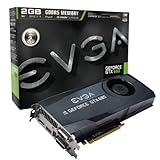
EVGA GeForce GTX 680 2GB
For enthusiasts building a period-correct system or experimenting with several cards at once, this is the most flexible choice. The title lists 2048MB of GDDR5, DVI, DVI-D, HDMI and DisplayPort outputs, and the label 4-way SLI Ready, which is the broadest multi-card claim in the group.
- Strength: 4-way SLI support suits hobby builds with more than two cards.
- Strength: a full set of display outputs covers both legacy and modern monitors.
- Trade-off: 2GB of GDDR5 is small by current standards, and it will struggle with new games.
Skip it if you want to play modern games at high settings or need current-generation features.
EVGA GeForce GTS 450 Superclocked 1024MB
An old budget card for retro systems and tiny experiments. The title lists 1024 MB of GDDR5, PCI Express 2.0, two DVI outputs, a mini-HDMI connector and SLI readiness, so it is aimed at builders who want the lowest tier of entry into a dual-card project.
- Strength: a low-power, low-cost way to try a small SLI setup on an older board.
- Strength: superclocked tuning for the tier, with simple connectors.
- Trade-off: 1GB of memory limits it to older titles and light use.
Skip it if you want any meaningful modern-game performance, or if your monitor needs a full-size HDMI or DisplayPort connection without adapters.
EVGA GeForce GTX 780 Ti Superclocked with ACX Cooler
The high-end legacy option for people who want the strongest older pair. The title lists 3GB of GDDR5 on a 384-bit bus, dual-link DVI-I, DVI-D, HDMI and DisplayPort outputs, the ACX cooler and SLI support.
- Strength: a wide 384-bit bus and 3GB of memory, generous for its generation.
- Strength: the ACX cooler is designed for sustained, heavier loads.
- Trade-off: it is a legacy part, and a pair will draw significant power and make plenty of heat.
Skip it if you have a small power supply or case, or if you want the lowest possible power draw.
MSI Gaming GeForce GTX 1070 8GB (Gaming X, Renewed)
The first of two renewed GTX 1070 models and a sensible middle ground. The title lists 8GB of GDDR5, SLI, DirectX 12 and VR Ready branding, and it is aimed at buyers who want a pair of capable but affordable cards for an older platform.
- Strength: 8GB of memory is generous for a pair of this generation.
- Strength: DirectX 12 and VR Ready support make it more capable than the older cards.
- Trade-off: renewed condition varies, so check the seller’s return terms.
Skip it if you require a brand-new, sealed card with full manufacturer coverage.
ASUS Dual GeForce RTX 2080 8GB
The newest card in the group, with 8GB of GDDR6 on a 256-bit bus, DirectX 12, PCI Express 3.0 and SLI support listed in the title. It is for builders who want the most recent architecture here and are willing to confirm the bridge details.
- Strength: the fastest memory type and the most recent architecture on the list.
- Strength: a 256-bit bus and GDDR6 support higher resolutions better than the older cards.
- Trade-off: dual-card use needs the right bridge and board, so verify before buying two.
Skip it if your motherboard does not support a pair, since a single RTX 2080 is more practical in that case.
MSI Gaming GeForce GTX 1070 8GB (AERO 8G OC, Renewed)
The second renewed GTX 1070, with 8GB of GDDR5, SLI, DirectX 12 and VR Ready branding. It matches the Gaming X on chip and memory size but uses a different cooler design.
- Strength: 8GB of memory and VR Ready branding at a lower tier than the RTX 2080.
- Strength: a different cooler design than the Gaming X, useful if you need a particular case fit.
- Trade-off: renewed status means condition varies, so inspect and test the card on arrival.
Skip it if you want a new card or need extra display outputs spelled out in the title.
Which One Fits Your Situation
You are building a multi-card showpiece
The EVGA GTX 680 is the card listing 4-way SLI, which makes it the natural base for a hobby project with more than two GPUs.
You want the best balance of power and memory
A pair of MSI GTX 1070 cards, Gaming X or AERO, offers 8GB each and DirectX 12 support without moving up to the newest tier.
You want the newest architecture
The ASUS Dual RTX 2080 is the most recent card in the list, though you should confirm the bridge and slot requirements first.
You are on a very tight budget
The EVGA GTS 450 Superclocked is the lowest tier, and it suits small retro experiments where cost matters more than speed. Keep expectations modest and treat it as a learning project, since a single newer budget card will outperform a pair of these in nearly every current game.
Common Mistakes
- Pairing cards from different generations or different chips.
- Buying two cards without a matching bridge for the model.
- Assuming memory doubles across two cards when it does not.
- Skipping a power supply and case airflow check for a dual-card build.
- Expecting every game to benefit from a second card when many do not.
Related guides
- Noctua Nh-D15 Vs Thermalright Peerless Assassin 120
- Sustainable Gaming Pc Power Supply Efficiency Guide
- Thermal Paste Application Method For Lga1851
Frequently Asked Questions
Does SLI double performance?
No. Gains depend on the game, and many modern titles ignore the second card entirely. Older titles with SLI profiles scale better, but never perfectly.
Can I mix different models in SLI?
Generally you need matching chips. Two different models of the same GPU, like the two GTX 1070 listings, are the practical limit, and clock differences will be matched to the slower card.
Is SLI worth it now?
For most gamers a single stronger card is simpler and more reliable. SLI makes sense for hobbyist and retro builds or when you already own one card and a compatible board.
Do renewed cards work in SLI?
Yes, provided they match and function correctly. Check the return window and inspect each card on arrival, since a faulty card can disrupt the whole pair.