A 200 dollar ceiling splits the graphics card market into two very different groups. At the top end of that budget sits a true entry-level gaming card with modern architecture and a healthy amount of video memory. Below it sits a crowd of tiny, low-power cards that mostly exist to add display outputs to an office PC or to rescue a computer whose processor has no integrated graphics. Knowing which group you are shopping in is the whole decision, because a card from the second group will not run modern games well no matter how many ports it has.
This guide is for buyers who have a limit of under 200 dollars and need to decide between real gaming capability and basic display output. Six cards are covered: one RDNA 3 gaming card, one entry-level gaming-era Radeon, and four low-profile cards for small form factor desktops. The checklist below helps you confirm physical fit, power needs and port types before you buy in 2026, so you avoid the common trap of buying a half-height card for a full-size gaming tower or the reverse.
Our Top Picks





Top 3 picks at a glance
Quick Picks
As an Amazon Associate we earn from qualifying purchases at no extra cost to you.





| Product | Best for | Key spec from the title |
|---|---|---|
| XFX Speedster SWFT210 Radeon RX 7600 | Modern gaming within the cap | 8GB GDDR6, RDNA 3, HDMI and 3xDP |
| MAXSUN Radeon RX 550 4GB | Light gaming in a compact PC | 4GB GDDR5, 128-bit, DVI-D, HDMI |
| msi GeForce GT 1030 4GB | Quiet, low-profile office or media PC | 4GB DDR4, 64-bit, DP/HDMI, single fan |
| QTHREE GeForce GT 730 4GB | Multi-display office desktops | 2X HDMI, DP, VGA, low profile |
| MOUGOL Radeon R7 350 4GB | Slim desktop display upgrades | 4GB GDDR3, 128-bit, half-height |
| QTHREE GeForce GT 210 | Basic output for very old PCs | 1024 MB DDR3, HDMI, VGA, low power |
How to Choose
Decide whether you need gaming power or just a display
Look at the memory type and bus width. A card with GDDR6 and a modern architecture is a gaming part. Cards listing DDR3 memory and a 64-bit bus are designed for desktop output, not 3D games. Memory capacity alone can mislead: a 4GB label on a slow DDR3 card does not make it a stronger gaming card than a faster card with less memory.
Check the physical fit and power
Low-profile and half-height cards are made for small cases and slim desktops, and they often include a short bracket. Standard cards need a full-height slot and sometimes a six- or eight-pin power connector. Check your case clearance and power supply wattage first; a card that fits the budget but not the chassis is a wasted purchase. Many tiny cards draw power from the slot alone, which is helpful for older office PCs.
Match ports to your monitors
List the connectors you actually have: HDMI, DisplayPort, DVI or VGA. HDMI and DisplayPort are standard on current monitors, while VGA matters only for older displays. If you plan to run two or more screens, count the outputs on the listing, such as two HDMI ports plus DisplayPort. Also confirm that the output you need works at your monitor’s resolution and refresh rate, because older cards sometimes limit one of the ports.
Ignore the big memory numbers on weak cards
Cheap cards often advertise 4GB of memory because buyers equate size with speed. Look instead at the memory type, bus width and architecture. If a listing lacks those, treat it as a display card. Budget models also usually cut cooling to a small single fan or a passive heatsink, which keeps noise and power low but caps sustained performance. Also note that the premium-class cards that dominate search results sit well above this budget, so ignore them when your cap is firm.
The 6 Best Options
XFX Speedster SWFT210 Radeon RX 7600
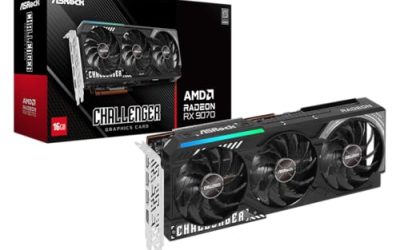
This is the only card here that is clearly aimed at modern gaming. The title lists 8GB of GDDR6 memory, AMD’s RDNA 3 architecture and three DisplayPort outputs alongside HDMI. Together those details place it in the entry-level gaming class rather than in the display-adapter group below it, which is why it anchors this roundup. Anyone with a standard ATX case and a power supply that offers a graphics connector can treat it as the default answer for a build with a real gaming goal, and everything else on the list as a niche choice for particular constraints.
- Strength: 8GB of GDDR6 memory suits current games at moderate settings.
- Strength: HDMI plus three DisplayPort outputs support multi-monitor setups.
- Trade-off: a full-size gaming card needs a roomy case and a capable power supply.
Skip it if you own a slim desktop or only need a card to light up a monitor.
MAXSUN Radeon RX 550 4GB
The RX 550 is a step up from basic display cards, listed with 4GB of GDDR5 memory, a 128-bit bus, DirectX 12 support and a PCI Express x16 3.0 interface. The ITX label points to a compact design that suits small cases, and the output list includes DVI-D, HDMI and DisplayPort. It makes sense for a family PC or a compact media box that should handle esports-style titles and older games without the cost or heat of a larger card.
- Strength: a 128-bit GDDR5 setup is stronger than the 64-bit DDR3 cards on this list.
- Strength: DVI-D, HDMI and DisplayPort cover older and newer monitors.
- Trade-off: it is an older entry-level architecture, so expect light or older games only.
Skip it if you want to play recent titles at high settings.
msi GeForce GT 1030 4GB
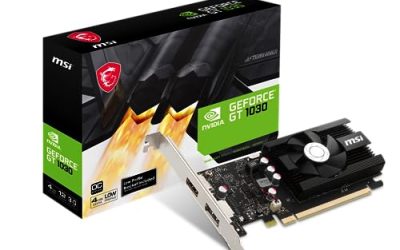
A low-profile card with a single fan, 4GB of DDR4 memory, a 64-bit bus, DirectX 12 and DP/HDMI outputs. The LP in the model name signals the compact form, which makes it a candidate for quiet media and office builds. A home-theater PC or a compact desktop for a spare room is the natural home for this kind of card, where silence and size matter more than frame rates.
- Strength: a single fan and low-profile design suit small, quiet PCs.
- Strength: HDMI and DisplayPort connect to current monitors and TVs.
- Trade-off: the 64-bit DDR4 memory limits it to basic gaming at best.
Skip it if you want to play demanding games or edit video at higher resolutions.
QTHREE GeForce GT 730 4GB
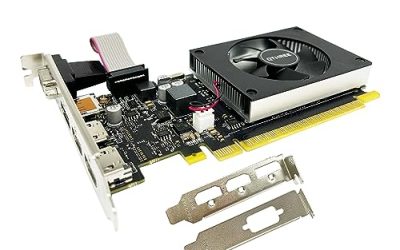
A multi-output low-profile card with two HDMI ports, DisplayPort and VGA, DDR3 memory, a 64-bit bus and a PCI Express x8 interface. It is positioned for small-form-factor desktops that need several screens rather than strong 3D performance. A reception desk, a trading-style workstation with several windows open or a classroom computer is the kind of setup where the extra outputs earn their keep and graphics power is beside the point.
- Strength: the mix of two HDMI ports, DisplayPort and VGA helps with multi-monitor desks.
- Strength: low-profile hardware fits slim cases and older office machines.
- Trade-off: DDR3 and a 64-bit bus mean modern games will be a struggle.
Skip it if gaming is the goal, since the memory spec points to display work.
MOUGOL Radeon R7 350 4GB
A half-height Radeon with 4GB of GDDR3 memory, a 128-bit bus, 512 stream processors and two HDMI ports, aimed at slim desktop PCs. The wider bus is a plus over the 64-bit cards, though the older memory type holds it back. The 512SP figure refers to the number of stream processors, a spec that shows this is an old, small chip, so treat it as an upgrade for a desktop with no graphics hardware rather than as a gaming card.
- Strength: a 128-bit bus is wider than the DDR3 cards at the same tier.
- Strength: half-height design suits slim desktop cases.
- Trade-off: GDDR3 and an older architecture limit it to light workloads.
Skip it if you want current-generation features or newer game support.
QTHREE GeForce GT 210
The most basic card of the group, with 1024 MB of DDR3 memory, a 64-bit bus and HDMI and VGA outputs on a low-profile board with a PCI Express 2.0 x16 interface. It is built as a low-power display adapter for very old or very small desktops. People turn to a card like this when a processor lacks built-in video, or when a spare office PC just needs to show a picture on a monitor, which is a perfectly valid job for a low-cost board.
- Strength: low power draw suits older systems with modest power supplies.
- Strength: HDMI and VGA connect to both modern and legacy displays.
- Trade-off: 1GB of memory and an old architecture limit it to basic desktop tasks.
Skip it for gaming, video editing or any task that stresses graphics.
Which One Fits Your Situation
You want to play current games on a budget
The XFX Speedster SWFT210 Radeon RX 7600 is the sole card here with the memory and architecture for that job. Pair it with a case that has room for a full-size card and a power supply with the right connectors, and the rest of the build can be modest.
You have a slim desktop with a tiny case
The msi GeForce GT 1030 4GB and the MOUGOL Radeon R7 350 4GB both come in low-profile or half-height formats. Measure the slot opening and confirm the bracket height before ordering, since slim desktops from different makers vary.
You need more screens for office work
The QTHREE GeForce GT 730 4GB offers two HDMI ports, DisplayPort and VGA, covering a mixed monitor setup. It suits a desk where one older VGA screen and a newer HDMI display have to run side by side without extra adapters.
You are reviving a very old machine
The QTHREE GeForce GT 210 and the MAXSUN Radeon RX 550 4GB are low-power options that can give an old system a video output or light gaming. Keep expectations realistic: these cards extend the life of a spare computer, not the lifespan of a serious gaming rig.
Common Mistakes
- Choosing a card by memory size alone instead of memory type and bus width.
- Buying a low-profile card for a full-size tower without confirming the bracket.
- Skipping the power supply check for a gaming-class card.
- Forgetting that a monitor may need a DisplayPort or HDMI cable the card lacks.
- Expecting a display-adapter card to run modern games.
Related guides
- Noctua Nh-D15 Vs Thermalright Peerless Assassin 120
- Sustainable Gaming Pc Power Supply Efficiency Guide
- Thermal Paste Application Method For Lga1851
Frequently Asked Questions
Can a card under 200 dollars play modern games?
Yes, but only a true entry-level gaming card such as the RX 7600 in this list. The smaller display-focused cards are better suited to office use.
What does low-profile mean?
It means the card is shorter and fits slim cases, often with a half-height bracket. It is not a measure of performance.
Do I need extra power connectors?
Smaller cards typically draw power from the slot alone, while a gaming card such as the RX 7600 usually needs a connector from the power supply. Check the listing and your power supply before ordering.
Is 4GB enough memory?
For basic tasks, yes. For modern gaming, memory type, bus width and the graphics chip matter more than the capacity number.