
For most gaming PCs, liquid cooling is not worth the extra money. A premium dual-tower air cooler costs less, has no pump that can fail, and keeps a mainstream gaming CPU within safe temperatures in most cases. An all-in-one (AIO) liquid cooler earns its price in three situations: the CPU draws heavy sustained power, the case cannot exhaust heat fast enough, or you want a quieter system during long sessions. This guide walks through those situations so you can decide from your own build rather than from a marketing claim.
Every temperature and noise figure below is an estimate based on component configuration.
As an Amazon Associate we earn from qualifying purchases at no extra cost to you.
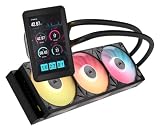


Our Top Picks
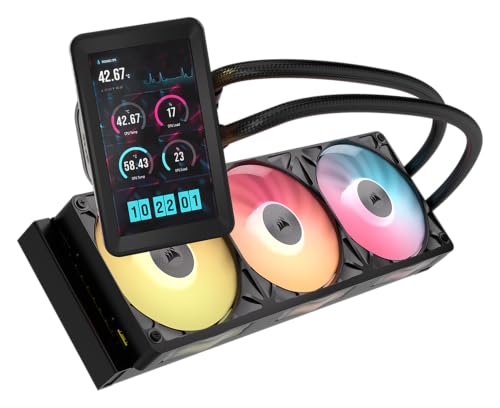
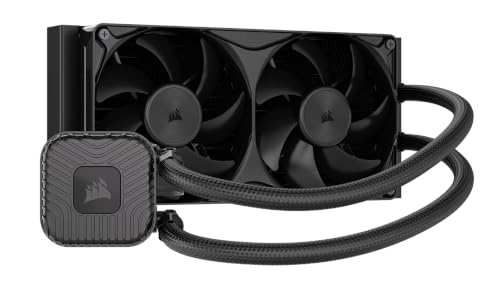

Top 3 picks at a glance
Decision criteria to check before you buy
Start with the CPU’s sustained power, not its model name. Under a long gaming session or a shader compile, a mid-range six-core chip usually settles somewhere around 65W to 105W, while high-core-count desktop processors can exceed 150W when boost behavior is unrestricted. The higher that number, the more a liquid loop helps, because a larger radiator moves heat away from the chip at lower fan speeds. These are estimates from typical boost behavior, and motherboard power limits can push them higher than the spec sheet suggests.
Next, look at your case. Airflow matters as much as the cooler. A mesh front panel with two or three intake fans gives an air cooler plenty of cool air to work with. A closed front panel traps heat, and that is where an AIO with a front-mounted radiator can make a real difference, provided its fans pull cool air through the panel rather than recirculating warm air from inside the case.
Third, check clearance. Tall RAM heatsinks and large GPUs can block a tower cooler, while an AIO needs a free radiator mount and enough room for the tubing. Fourth, decide how much noise you can live with. Air coolers usually reach a given temperature with fewer moving parts, while an AIO can run quieter at the same temperature if the radiator is large and the fans are good. Finally, budget for the full system. For a broader side-by-side view, read air cooling vs liquid cooling compared.
Which CPUs and builds actually need an AIO
An AIO makes the most sense on a high-power chip in a case with restricted airflow. A typical example is a high-core-count processor paired with a closed-front case and a high-end GPU. GPU heat also raises the air temperature inside the case, which makes the CPU cooler’s job harder. In that setup, a 240mm or 280mm AIO usually gives more headroom than a mid-range tower cooler, which is why many builders choose one for a flagship chip.
Mainstream builds are different. A six-core chip in a mesh-front mid-tower usually runs well on a good dual-tower cooler with two fans. Spending on an AIO there rarely changes gaming results, because the limit is usually the GPU. The table below gives a rough guide by build tier. These ranges are planning estimates, not measured results, and prices move with stock and promotions.
| Build tier | Suggested cooler | Rough price range | Not ideal when |
|---|---|---|---|
| Budget 6-core, mesh case | Single-tower or basic dual-tower air | Check on Amazon | Case has almost no intake airflow |
| Mid-range 8-core, mesh case | Dual-tower air | Check on Amazon | Fan slots are blocked by RAM or GPU |
| High-power 12 to 16 core, closed front | 240mm or 280mm AIO | Check on Amazon | Top mount is blocked by tall components |
| Flagship chip, heavy overclock | 360mm AIO or large custom loop | Check on Amazon | Small case or tight budget |
If you want a shortlist of pumps and radiators for the middle rows, start with our best AIO liquid cooler roundup, then compare each option against your case’s radiator support before buying.
When a good air cooler is the smarter buy
A good air cooler is the right answer for most people. Dual-tower designs with two 120mm or 140mm fans commonly keep a mainstream gaming CPU cool, and they cost less than a 240mm AIO while avoiding a pump, coolant and tubing. There is also less to go wrong. An air cooler has no pump that can stop spinning, no radiator to clean in a dusty room, and no leak risk if a mounting bracket shifts over time.
Air coolers also suit compact cases. In a case that holds only a short GPU and a single top fan, a tower cooler fits where a radiator would not fit at all. Check the cooler height against your case’s limit, and remember that tall RAM kits with large heat spreaders can clash with the cooler’s fan. Most builders who are happy with air choose a cooler whose rated height clears the case, then fill the case with good intake fans.
The reasoning comes down to airflow. An air cooler works best when the case moves a lot of air, so its fins and fans receive cool intake air from the front. If your case is already airflow-friendly, you can often reach a comfortable temperature with air and skip the AIO entirely. For a shortlist of tower coolers suited to gaming builds, see our best CPU cooler for gaming guide.
Who should not buy an AIO
Several buyers should skip liquid cooling. First, anyone on a tight budget. A cooler is a poor place to save money if the savings mean cutting the GPU, the power supply or the storage. Second, owners of small form factor cases where the radiator would have to sit on the side or bottom, where it may fit poorly or starve the GPU of intake air. Third, people who want zero maintenance. Pumps are generally reliable, but a failed pump means the whole cooler stops working, and you cannot service it at home.
Fourth, buyers with a low-power chip. A 65W processor in a well-ventilated case rarely needs more than a basic tower cooler, and an AIO adds cost, pump noise and a potential leak point without a clear benefit. Fifth, anyone who expects to move the cooler between PCs often. Mounting brackets vary between cases and sockets, and a radiator that fits one case may not fit the next. Each of these buyers is usually better off with a good air cooler and the money saved spent on a stronger GPU or faster storage.
Noise, maintenance and five-year cost
Total cost of ownership is more than the sticker price. Over five years, an air cooler needs almost no attention beyond dusting the fins. An AIO needs its radiator and fans cleaned periodically. The sealed coolant generally lasts the life of the unit, so you rarely refill a consumer loop, but the pump and fans are wear items you should monitor.
Noise is where AIOs often win on paper, but results depend on fan quality and radiator size. A 360mm radiator running at low RPM can be quieter than a dual-tower air cooler running at high RPM. However, the pump makes a small constant hum, and some units develop a whine as they age. Check whether the pump runs at a fixed speed or responds to a fan header, because a loud pump is hard to fix once the unit is installed and the case is closed.
Warranty matters too. Many AIO manufacturers offer warranties around five to six years, while many air coolers carry a shorter but simpler warranty. Compare the warranty length against your expected upgrade cycle. If you plan to keep the PC for seven years, a cooler with a longer warranty or a simpler design can make more sense than the marginal cooling gain from an AIO. Keep the receipt and register the product on the manufacturer’s site during the first month.
Case and radiator fit checks
Before you buy any AIO, confirm which radiator sizes your case supports and where they mount. Most mid-tower cases list support for 120mm, 240mm, 280mm and 360mm radiators at the top, front or rear. A 240mm radiator usually mounts in the same place as a set of 120mm fans, so check the spec sheet for the exact slot. A 360mm radiator often needs the front panel slot, and some cases only support it with the drive cage removed.
Next, measure your RAM and GPU. Tall RAM heatsinks can collide with the radiator fan on a top-mounted AIO, and a thick GPU can sit close enough to a front radiator to block its intake. Measure the gap from the top of the motherboard to the top of the case, then compare it against the radiator thickness plus the fan thickness. A standard radiator is about 27mm thick and a typical 120mm or 140mm fan adds about 25mm, so plan for roughly 50mm of stacked depth before you add any margin.
Finally, check the pump and tubing position. The pump block sits on the CPU, and the tubes need enough length to reach the radiator without strain. Short tubes can pull on the pump and damage the mounting over time, so look for a kit with comfortable routing. For a broader look at airflow planning, see how to improve PC airflow.
Troubleshooting: what to do if your AIO runs hot
If an AIO runs hotter than expected, start with the basics. Confirm that the pump is spinning in your BIOS or monitoring software. A pump speed of zero or a sudden drop is a sign of a failing pump, and that calls for a warranty claim rather than a fix at home. Next, check the radiator fans. They should spin up under load and push air through the radiator. If the radiator is mounted at the top, make sure warm air is not trapped beneath it, and if it sits at the front, confirm the fans draw cool air from outside the case.
Check the thermal interface as well. A poorly applied thermal compound or a loose mounting bracket can raise CPU temperatures by several degrees, which can exceed the difference between cooler types. Remove the cooler, clean both surfaces with isopropyl alcohol, and reapply a small dot of compound before remounting it evenly. For the full process, see how to apply thermal paste correctly.
If the radiator is dusty, clean the fins with compressed air from the outside, and keep the can away from the pump. Finally, check case airflow. An AIO cannot make up for a case with no exhaust path. Add an exhaust fan at the rear or top if the air inside the case feels warm. Change one variable at a time and recheck temperatures under the same load, so you know which fix actually worked.
Frequently asked questions
Is liquid cooling better than air cooling for gaming?
Not automatically. Liquid cooling helps most when a CPU draws high sustained power, the case has poor airflow, or you want lower noise during long sessions. Case airflow and the CPU’s power limits usually decide gaming temperatures more than the cooler type does, so fix those first.
Does a 360mm AIO always beat a 240mm AIO?
No. A larger radiator helps when the chip runs hot and the fans must stay quiet, because more surface area moves heat at lower RPM. For a CPU in the 65W to 125W range under gaming load, a good 240mm AIO usually captures most of that benefit. A 360mm unit costs more and needs a 360mm mounting slot, which many mid-tower cases lack at the front. Choose the larger size only when your chip’s load and your noise target justify it.
Can an AIO pump fail?
Yes, although it is uncommon. A failing pump usually shows up as a loud whine, a pump speed that drops to zero in monitoring software, or CPU temperatures that climb under load while the fans run normally. Most AIOs ship with warranties of around five to six years. Check that warranty before buying, record the pump speed after installation, and act quickly if it changes, because a stopped pump leaves the CPU without effective cooling.
Does liquid cooling improve gaming FPS?
Usually very little. Most games are limited by the GPU, so a cooler change rarely moves average frame rate. A cooler only matters for FPS when the CPU was throttling before. Based on typical configurations, a cooler swap alone is unlikely to change average frame rate by more than a few percent. These figures are estimates, not measured results. If frame rate is the goal, spend the budget on the GPU first.
Can I install an AIO in any case?
No. Check the case’s radiator support for 120mm, 240mm, 280mm and 360mm sizes, and confirm which mount positions it offers. Measure RAM height if you use tall heatsinks, and make sure the radiator and tubing clear your GPU. Small form factor cases often support only short or thin radiators, so an air cooler is usually the safer pick there. Always confirm the spec sheet’s radiator list before you order.









