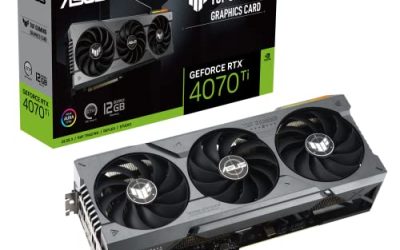
A graphics card in a creator PC does two jobs at once. While you stream or record, dedicated hardware encoders turn your gameplay or camera feed into a compressed video stream without leaning heavily on the CPU. While you edit, the same card accelerates timeline scrubbing, effects previews and exports, and its memory capacity decides how comfortably it handles high-resolution footage and layered projects. Choosing well means weighing encoder support, memory size and display outputs together, not just raw gaming speed.
This guide compares five current cards chosen for creator workflows: two NVIDIA GeForce models from creator and small-form-factor lines, two AMD Radeon RX 9070 XT models from separate XFX ranges, and Intel’s own Arc B580 reference design. The emphasis throughout is on hardware encoding for streaming and recording, including AV1 support, plus the memory and connectivity details that matter at a desk where a camera, capture gear and multiple monitors share one machine.
As an Amazon Associate, we earn from qualifying purchases.
Our Top Picks
 ASUS ProArt GeForce RTX 5070 Ti 16GB GDDR7RTX5070Ti|OC|Black|Standard12 x 5 x 0.1 inches3.1 poundsCheck on Amazon
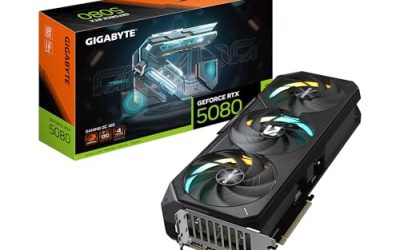
 GIGABYTE GeForce RTX 5080 AERO OC SFF 16GRTX508011.97 x 4.96 x 1.97 inches2.84 poundsCheck on Amazon


Top 3 picks at a glance

Quick answer
For most creators, a 16GB card with hardware encoding is the target, and four of the five picks hit it. The ASUS ProArt RTX 5070 Ti OC Edition adds a USB-C display output, the GIGABYTE RTX 5080 AERO OC is the strongest GPU in a compact design, and the two XFX RX 9070 XT cards add 16GB GDDR6. The Intel Arc B580 is the 12GB option.
ASUS ProArt GeForce RTX 5070 Ti OC Edition
The ProArt line is ASUS’s creator range, and this RTX 5070 Ti OC Edition is built for workstations rather than a gaming showcase build. It carries 16GB of GDDR7 memory, which gives editing timelines and multitrack projects comfortable headroom, and it connects over PCIe 5.0. Because it is a GeForce RTX card, it uses NVIDIA’s NVENC hardware encoder for streaming and recording, including AV1 encode support, so a single-PC stream can be encoded on the GPU while the game or editing application keeps the CPU.
A detail that sets this card apart is its USB Type-C display output, alongside HDMI and DisplayPort 2.1 connections. That port suits creators who run a portable monitor, a drawing display or a USB-C dock from the same machine. The cooler is a 2.5-slot design with Axial-tech fans, a vapor chamber and a phase-change GPU thermal pad, a combination aimed at sustained loads during long renders and streaming sessions. Core clock figures are not stated in the listing information available, so check the product page if exact boost behaviour matters to your build.
Specs
- GPU: GeForce RTX 5070 Ti, OC Edition
- Memory: 16GB GDDR7
- Interface: PCIe 5.0
- Outputs: USB Type-C, HDMI, DisplayPort 2.1
- Design: 2.5-slot, Axial-tech fans, vapor chamber, phase-change GPU thermal pad
- Model: PROART-RTX5070TI-O16G
- Core clocks: not stated
GIGABYTE GeForce RTX 5080 AERO OC SFF 16G
The AERO OC is GIGABYTE’s creator-styled take on the RTX 5080, finished in a clean design that is also SFF-ready, meaning it is sized with small-form-factor cases in mind. It is the most powerful GPU in this guide, and its 16GB of GDDR7 memory sits on a 256-bit bus. For creators, that pairing supports heavy timelines, high-resolution exports and GPU-accelerated effects while still leaving the card fully capable of driving a demanding streaming setup.
Like the ProArt card, it uses NVIDIA’s NVENC encoder with AV1 support for streaming and recording, so OBS and similar tools can hand the encode work to the GPU. Cooling comes from GIGABYTE’s WINDFORCE system. If your workflow mixes 4K editing, 3D previews and live streaming from one compact machine, this is the pick that combines the creator presentation with the highest performance tier here. Exact clock speeds and a full port list are not stated in the listing information available, so confirm those details on the product page before ordering for a specific case or monitor layout.
Specs
- GPU: GeForce RTX 5080, AERO OC
- Memory: 16GB GDDR7, 256-bit bus
- Design: SFF-ready AERO design
- Cooling: WINDFORCE
- Model: GV-N5080AERO OC-16GD
- Core clocks: not stated
XFX Quicksilver AMD Radeon RX 9070 XT Gaming Edition
XFX’s Quicksilver is one of two RX 9070 XT cards in this guide, and it should be treated as its own listing with its own specification. It is built on AMD’s RDNA 4 architecture with 16GB of GDDR6 memory, and the listing states a boost clock of up to 2970 MHz. Display connectivity is a strength for a streaming desk: one HDMI output plus three DisplayPort outputs lets you run a main monitor, a secondary screen for chat and stream controls, and additional displays without adapters.
AMD’s media engines handle hardware encoding for recording and streaming, including AV1 encode support on this generation, which makes the card a practical single-PC streaming option for creators who prefer the Radeon platform. The Quicksilver’s triple-fan Gaming Edition design is aimed at sustained sessions. Keep its facts separate from the Swift card below: they share a GPU and memory capacity, but they are different products with different clock listings and model numbers.
Specs
- GPU: AMD Radeon RX 9070 XT
- Architecture: AMD RDNA 4
- Memory: 16GB GDDR6
- Boost clock: up to 2970 MHz
- Outputs: HDMI plus 3x DisplayPort
- Model: RX-97TQICKBA
XFX Swift AMD Radeon RX 9070 XT Triple Fan Gaming Edition
The Swift is XFX’s other RX 9070 XT in this guide, a separate listing from the Quicksilver with its own recorded specification. It also carries 16GB of GDDR6 memory on the RDNA 4 architecture, so the timeline and streaming headroom story is similar, but its clock listing is more detailed: the card description states a base clock of 1660 MHz, a game clock of 2400 MHz and a boost clock of 2970 MHz. If you are comparing the two XFX cards, those stated figures and the model number are the reliable way to tell them apart.
For creators, the appeal is the same hardware encoding path for streaming and recording, with AV1 support, in what is positioned as the straightforward triple-fan edition of the pair. The listing information available does not state its display output layout, so check the product page if you need a specific combination of HDMI and DisplayPort connections for your monitors and capture setup. Do not assume the Quicksilver’s port layout carries over to this card.
Specs
- GPU: AMD Radeon RX 9070 XT
- Architecture: AMD RDNA 4
- Memory: 16GB GDDR6
- Clocks: base 1660 MHz, game 2400 MHz, boost up to 2970 MHz
- Model: RX-97TSWF3B9
- Display outputs: not stated
Intel Arc B580 Limited Edition
Intel’s own Limited Edition card is the value-oriented route into modern hardware encoding. The Arc B580 carries 12GB of GDDR6 memory, less than the 16GB cards above, and its core clock is stated at 2.67 GHz. What makes it interesting for creators is Intel’s media engine: Arc cards are known for strong hardware encode support, including AV1 encoding, which is exactly the feature a streamer or recorder wants from a dedicated card at this level. The listing also notes XeSS upscaling, ray tracing and XMX AI engines.
The trade-off is memory capacity. Twelve gigabytes is workable for 1080p and 1440p editing timelines and for streaming while gaming, but large 4K projects with many effects layers will feel the ceiling sooner than on the 16GB picks. As Intel’s reference design, it is also the card to choose if you want the platform’s encoder behaviour in its standard form. This is a desktop Arc B580 card; its specification has nothing to do with Intel’s older integrated graphics naming.
Specs
- GPU: Intel Arc B580
- Memory: 12GB GDDR6
- Core clock: 2.67 GHz
- Features: XeSS, ray tracing, XMX AI engines, hardware AV1 encoding
- Model: INT-31P06HB0BA
How to choose
Start with the encoder, because it decides how a card behaves while you stream or record. NVIDIA’s NVENC, AMD’s media engines and Intel’s media engine all offload encoding from the CPU, and all three platforms represented here support AV1, the codec that gives cleaner streams at the same bitrate and is increasingly accepted by streaming platforms. If your audience watches on a service that rewards AV1, any of these cards can supply it; if your software stack is built around one vendor’s tools, let that settle the platform question first.
Memory capacity comes next. Sixteen gigabytes is the comfortable tier for 4K timelines, layered effects and running a game, a browser and streaming software at once. The 12GB Arc B580 suits lighter projects and lower resolutions, and it is the natural pick when encoding quality matters more than timeline headroom.
Then check the physical details. The ProArt card’s USB Type-C output is genuinely useful if you run a USB-C monitor or dock. The AERO OC is the one designed for small-form-factor cases, while the ProArt’s 2.5-slot cooler still needs a case with room for it. Finally, count your displays: the Quicksilver’s HDMI plus three DisplayPort outputs is the clearest multi-monitor answer here, and where a listing does not state its outputs or clocks, confirm them on the product page rather than assuming they match a sibling model.
Who should skip
Skip this entire category if your work is purely CPU-bound, such as long software-only renders that never touch the GPU, or if your current card already encodes your streams cleanly and your timelines run smoothly; a new GPU will not change that workflow. Skip the 12GB Arc B580 if you edit large 4K projects with heavy effects stacks, since memory will limit you before the encoder does. Skip the premium RTX 5080 tier if your creation work is light and your budget is better spent on storage or a capture device. And if you need a manufacturer-stated clock figure or port layout that a listing here records as not stated, skip that specific card rather than guessing.
FAQ
Which encoder is best for streaming, NVENC, AMD or Intel?
All three platforms in this guide offer hardware encoding with AV1 support, and all of them free your CPU during a stream. The practical differences are in software support and workflow fit rather than a single winner. Choose based on the applications you already use, the codec your platform accepts, and the memory capacity you need for editing.
Is 12GB of memory enough for content creation?
For 1080p and 1440p timelines, streaming while gaming, and moderate effects work, 12GB is workable, and the Arc B580 pairs that capacity with strong hardware encoding. For large 4K projects, many layered effects or running several GPU-heavy applications at once, the 16GB cards in this guide give you more headroom and fewer compromises.
Are the two XFX RX 9070 XT cards the same product?
No. The Quicksilver and the Swift are separate listings with different model numbers and different clock listings. The Quicksilver states a boost clock of up to 2970 MHz and an output layout of HDMI plus three DisplayPort connections. The Swift lists base, game and boost clocks of 1660, 2400 and 2970 MHz, and its output layout is not stated in the information available. Treat each card’s specification as its own.
Why does the ProArt card include a USB Type-C output?
The USB Type-C port carries a display signal, so it can drive a USB-C monitor, a portable display or a dock connection directly from the graphics card. That is convenient for creators who use USB-C displays for preview or colour work, or who want a tidier desk setup with fewer adapters between the PC and the screen.
Final verdict
For a creator who wants one card to handle streaming, recording and editing with the least friction, the ASUS ProArt RTX 5070 Ti OC Edition is the most complete package here, thanks to its 16GB of GDDR7, NVENC encoding and USB Type-C output. The GIGABYTE RTX 5080 AERO OC is the step up for heavier projects and compact builds. The two XFX RX 9070 XT cards make the Radeon platform a genuine alternative at 16GB, with the Quicksilver ahead on stated display outputs. The Intel Arc B580 Limited Edition is the budget-conscious encoder pick, as long as 12GB of memory fits your projects.
Product and ASIN Reference
| Product | ASIN |
|---|---|
| ASUS ProArt GeForce RTX 5070 Ti OC Edition | B0FSNPHV7M |
| GIGABYTE GeForce RTX 5080 AERO OC SFF 16G | B0DT7JVPVH |
| XFX Quicksilver AMD Radeon RX 9070 XT Gaming Edition | B0DW4H333L |
| XFX Swift AMD Radeon RX 9070 XT Triple Fan Gaming Edition | B0DXLG4FJ3 |
| Intel Arc B580 Limited Edition | B0DPM9923G |
Related guides
More from Amazon
Programs that pair well with the guide above. Offers and eligibility are set by Amazon and may change.
Free shipping on eligible items, Prime Video and more. Eligible new members can start with a free trial.
Start a Prime free trialAd-free music streaming. Eligible new subscribers can start with a free trial.
Try Music Unlimited freeA Prime membership for ages 18-24 with a trial period. Eligibility is set by Amazon.
See Prime for Young AdultsAudiobooks and podcasts to listen to on the go. Eligible new members can start with a free trial.
Try Audible freeAs an Amazon Associate we earn from qualifying purchases.