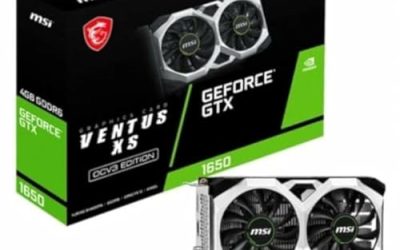
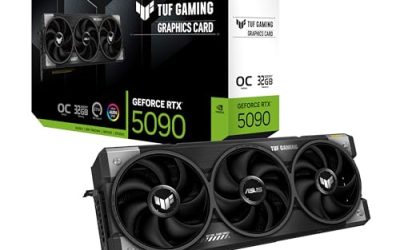
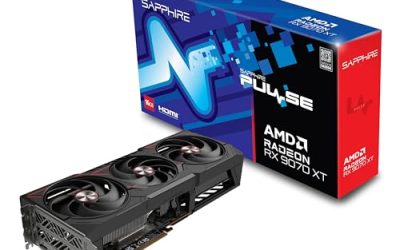
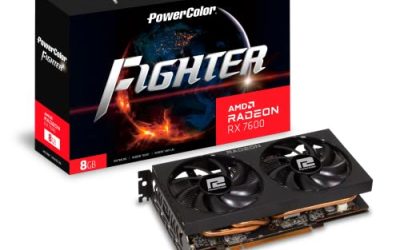
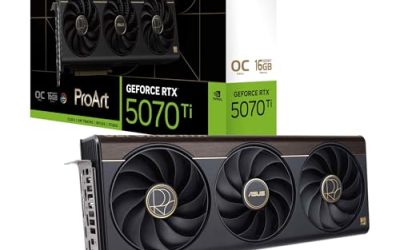
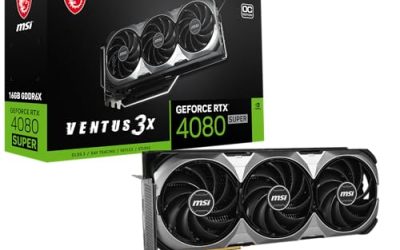
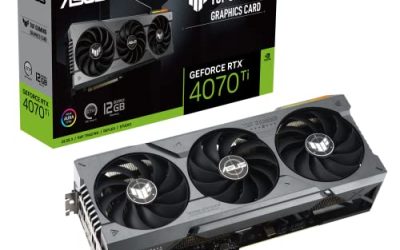
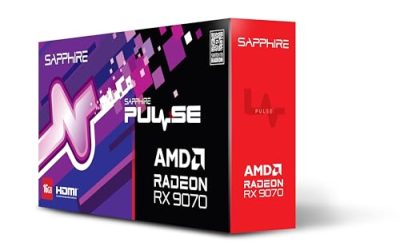
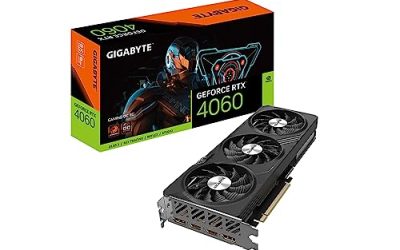
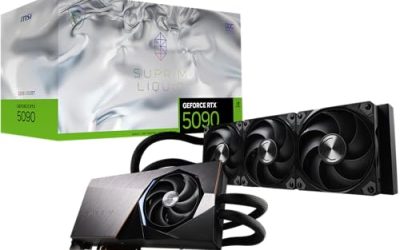
The best graphics card for Fortnite depends on whether you chase competitive frame rates or cinematic visuals: an RTX 5060 or Radeon RX 9060 XT is enough for 1080p at 240 fps with competitive settings, an RTX 5070 or RX 9070 XT suits 1440p at high refresh, and an RTX 5070 Ti or RTX 5080 is the pick if you want Epic-quality settings with Lumen and ray tracing at 1440p or 4K. For pure 240 fps competitive play, the processor and settings often matter as much as the graphics card.
This guide is based on published specifications, Epic Games’ public descriptions of Fortnite’s rendering modes and typical independent reviews. Fortnite is updated frequently, so frame rate figures below are approximate ranges that vary with settings, resolution, CPU, map and patch.
As an Amazon Associate we earn from qualifying purchases at no extra cost to you.


Our Top Picks
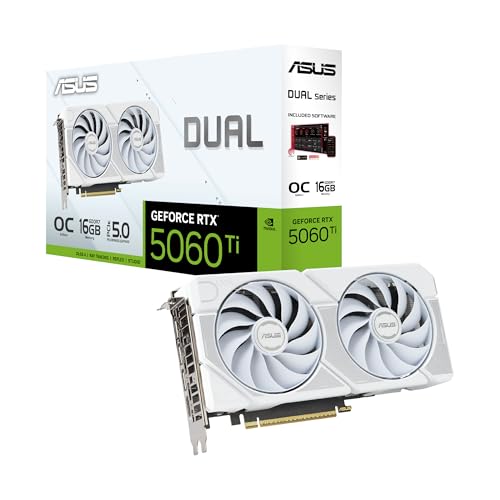 ASUS Dual GeForce RTX 5060 Ti 16GB GDDR7RTX5060Ti|OC|16GB|White9 x 4.7 x 0.1 inches1.4 poundsCheck on Amazon

Top 3 picks at a glance
How Fortnite Uses Your Hardware
Fortnite runs on Unreal Engine and offers several rendering modes, and the mode you pick changes what limits your frame rate. Performance mode uses a lighter renderer that is far less demanding and is the usual choice for competitive players. DirectX 11 and DirectX 12 modes are the standard options, with DirectX 12 required for the most advanced features. The highest visual settings enable Nanite virtualized geometry, Lumen global illumination and reflections, Virtual Shadow Maps and hardware ray tracing, which are GPU-heavy and benefit from more VRAM.
| Rendering mode | Visual quality | GPU load | Best for |
|---|---|---|---|
| Performance mode | Simplified, lower fidelity | Very low | Competitive play, older GPUs, 240Hz to 360Hz displays |
| DirectX 11, low to medium settings | Moderate | Low to moderate | Balanced high-refresh play |
| DirectX 12, high settings | High | Moderate to high | 1440p visual quality with good frame rates |
| DirectX 12, Epic with Nanite and Lumen | Very high | High | Showcase play on strong GPUs |
| Epic with hardware ray tracing | Maximum | Very high | RTX 5070 Ti and above, frame generation helpful |
Worked Example: What 240 fps Really Demands
To hold 240 frames per second, every frame must finish in 1 divided by 240 seconds, or about 4.17 milliseconds. For 360 fps the budget is 2.78 milliseconds, and for 144 fps it is 6.94 milliseconds. Both the CPU and the GPU have to finish their work inside that window every frame, and the slower of the two sets your frame rate.
That is why the same graphics card can produce different results with different processors, and why a faster GPU does not always raise a competitive frame rate. If you are at 1080p with performance settings and your GPU is already waiting on the CPU, a new graphics card adds nothing. If you are at 1440p with Epic settings, the GPU is the limit, and a faster card helps directly. The quickest test is to lower the resolution scale: if the frame rate barely rises, you are CPU-limited.
Quick Comparison of the Best GPUs for Fortnite
| GPU | VRAM | Board power | Best for | Price tier |
|---|---|---|---|---|
| RTX 5060 | 8GB | about 145W | 1080p at 240 fps competitive | Entry |
| Radeon RX 9060 XT | 8GB or 16GB | about 160W to 190W | 1080p to 1440p value | Entry to mid |
| RTX 5070 | 12GB | about 250W | 1440p high refresh, DLSS | Mid |
| Radeon RX 9070 XT | 16GB | about 304W | 1440p max with strong raster performance | Mid to upper |
| RTX 5070 Ti | 16GB | about 300W | 1440p Epic, light ray tracing | Upper |
| RTX 5080 | 16GB | 360W | 4K Epic with upscaling, ray tracing | Premium |
| Intel Arc B580 | 12GB | about 190W | Budget 1080p to 1440p | Entry |
RTX 5060: Best Entry Choice for 1080p Competitive Play
Spec line: 8GB GDDR7, about 145W board power, DLSS 4 support.
Best for: 1080p at 240 fps with Performance mode or low-to-medium settings.
Skip if: you want Epic settings with Lumen at 1440p.
- Pro: low power draw and an easy fit for small power supplies.
- Pro: DLSS and NVIDIA Reflex support help latency in competitive play.
- Pro: enough raster performance for 1080p at high refresh.
- Con: 8GB of VRAM limits Epic textures and ray tracing.
- Con: a weak CPU will hold it back at very high frame rates.
Radeon RX 9060 XT: Best Value Alternative
Spec line: 8GB or 16GB GDDR6 depending on the version, RDNA 4 architecture, FSR 4 support.
Best for: 1080p to 1440p play, particularly the 16GB version for higher texture settings.
Skip if: you rely on NVIDIA features such as Reflex.
- Pro: strong raster performance for the price tier.
- Pro: the 16GB version gives headroom for high textures.
- Pro: AMD’s low-latency feature, Anti-Lag, is available.
- Con: ray tracing performance trails NVIDIA at the same tier.
- Con: choose the version carefully since 8GB and 16GB models share the name.
RTX 5070: Best for 1440p High-Refresh Play
Spec line: 12GB GDDR7, about 250W board power, DLSS 4 with Multi Frame Generation.
Best for: 1440p at 165 to 240 fps with high settings and DLSS in many scenes.
Skip if: you need 16GB of VRAM for Epic settings at 4K.
- Pro: balanced performance for 1440p.
- Pro: low-latency NVIDIA features and frame generation options.
- Pro: moderate power draw.
- Con: 12GB can be tight at 4K with maximum textures.
- Con: a higher tier is needed for heavy ray tracing.
Radeon RX 9070 XT: Best Raster Performance per Tier
Spec line: 16GB GDDR6, about 304W board power, FSR 4 support.
Best for: 1440p at high refresh with Epic-leaning settings and strong raster output.
Skip if: you want the best ray tracing performance.
- Pro: 16GB of VRAM at this tier.
- Pro: strong rasterization in published reviews.
- Pro: FSR 4 improves upscaling quality over older FSR versions.
- Con: ray tracing and frame generation trail NVIDIA’s top options.
- Con: pricing and availability have fluctuated this year.
RTX 5070 Ti: Best for Epic Settings at 1440p
Spec line: 16GB GDDR7, about 300W board power, DLSS 4.
Best for: Epic quality at 1440p with Lumen, and light ray tracing with upscaling.
Skip if: you play only on Performance mode; a cheaper card matches it there.
- Pro: 16GB of VRAM for high textures and ray tracing.
- Pro: strong 1440p performance and some 4K capability.
- Pro: full NVIDIA feature set including Reflex.
- Con: more cost than competitive play needs.
- Con: needs a 750W to 850W power supply.
RTX 5080: Best for 4K Epic Settings
Spec line: 16GB GDDR7, 360W board power, DLSS 4 with Multi Frame Generation.
Best for: 4K at high refresh with upscaling, hardware ray tracing and Epic settings.
Skip if: you play at 1080p or 1440p competitive settings.
- Pro: top-tier performance for visual quality.
- Pro: ample headroom for future updates.
- Pro: strong ray tracing and frame generation.
- Con: premium price tier that does not translate into visible gains in competitive play.
- Con: high power draw and a larger case requirement.
Intel Arc B580: Best Budget Wildcard
Spec line: 12GB GDDR6, about 190W board power, XeSS upscaling.
Best for: budget 1080p to 1440p play.
Skip if: you want the most consistent driver behavior across games.
- Pro: generous 12GB of VRAM in the entry tier.
- Pro: capable 1080p performance in many titles.
- Pro: XeSS upscaling available.
- Con: performance depends more on the CPU than rival cards.
- Con: driver maturity has historically trailed NVIDIA and AMD.
Approximate Frame Rate Ranges
Frame rates in Fortnite vary with map, number of players, build activity, settings, CPU and patch. Treat these ranges as approximate guidance from typical published reviews, not guarantees.
| GPU | 1080p Performance mode | 1440p high settings | 1440p Epic with Lumen | 4K Epic with upscaling |
|---|---|---|---|---|
| RTX 5060 | 300 to 500 fps | 120 to 180 fps | 60 to 90 fps | 40 to 60 fps |
| RX 9060 XT | 300 to 500 fps | 130 to 190 fps | 65 to 95 fps | 40 to 65 fps |
| RTX 5070 | 350 to 550 fps | 170 to 250 fps | 85 to 130 fps | 55 to 85 fps |
| RX 9070 XT | 350 to 550 fps | 190 to 280 fps | 95 to 145 fps | 65 to 95 fps |
| RTX 5070 Ti | 350 to 550 fps | 200 to 290 fps | 100 to 150 fps | 70 to 105 fps |
| RTX 5080 | 350 to 550 fps | 230 to 330 fps | 120 to 180 fps | 85 to 130 fps |
Notice that Performance mode numbers cluster across tiers. That is the CPU limit showing up, and it is why spending more on the GPU does not scale competitive frame rates in the same way as visual settings.
Best GPU for Fortnite by Goal
| Your goal | Best GPU class | Also consider |
|---|---|---|
| 240 fps at 1080p on Performance mode | RTX 5060 or RX 9060 XT | A faster CPU first |
| 360 fps at 1080p competitive | RTX 5070 plus fast CPU | X3D processor, 360Hz monitor |
| 1440p high settings, 165 fps | RTX 5070 or RX 9070 XT | 16GB VRAM models |
| Epic with Lumen at 1440p | RTX 5070 Ti | RX 9070 XT |
| 4K Epic with ray tracing | RTX 5080 | RTX 5090 for no compromises |
| Tight budget | Arc B580 or RTX 5060 | Used RTX 30 series with a warranty |
Recommended In-Game Settings by GPU Tier
Once you have the card, a few settings decide whether you actually see its potential. These starting points are common community and guide recommendations rather than official Epic values, so adjust them to your own results.
| GPU tier | Rendering mode | 3D resolution | Key settings |
|---|---|---|---|
| RTX 5060 or RX 9060 XT, competitive | Performance or DirectX 11 | 100% at 1080p | Shadows off or low, effects low, view distance medium to far |
| RTX 5070 or RX 9070 XT, 1440p | DirectX 12 | 100%, or 75% with upscaling | Textures high, shadows medium, Nanite on, Lumen off for speed |
| RTX 5070 Ti, 1440p Epic | DirectX 12 | 100% with DLSS Quality | Lumen on, Virtual Shadow Maps medium to high |
| RTX 5080, 4K | DirectX 12 | DLSS Performance or Balanced | Epic settings, hardware ray tracing optional |
Two habits help any card. First, let the game finish compiling shaders after a major update before judging performance, since the first few matches can stutter. Second, cap the frame rate a few frames below your monitor’s maximum if you use variable refresh rate, which keeps frame pacing smoother and lowers input delay on many setups.
Beyond the GPU: What Else Raises Fortnite Frame Rates
- CPU choice. A fast 8-core processor, especially with 3D V-Cache on AMD, helps most at very high frame rates.
- RAM in dual channel. Two matched modules of DDR5 help the CPU feed the GPU.
- Performance mode. The simplest way to reach very high frame rates on modest hardware.
- Frame-rate cap. Set the cap slightly above your monitor’s refresh rate to avoid unnecessary load and heat.
- Shader pre-caching. Let Fortnite compile shaders after updates to reduce stutter.
- Monitor refresh rate. Make sure Windows is set to the highest refresh your monitor supports.
- Low-latency features. NVIDIA Reflex or AMD Anti-Lag can reduce input delay.
VRAM and Fortnite
Fortnite at Epic settings with high-resolution textures and ray tracing can use well over 8GB of VRAM at 1440p, which is why 8GB cards are best matched to 1080p or lower texture settings. A card with 12GB handles 1440p high settings comfortably, and 16GB gives room for Epic settings and 4K with upscaling. If your VRAM fills up, you may see stutter even when the average frame rate looks fine, so watch memory usage in a monitoring overlay.
Market Notes for Late 2026
NVIDIA’s RTX 50 series and AMD’s Radeon RX 9000 series are the current graphics generations, and the rumored RTX 50 Super refresh has not shipped. A memory shortage tied to AI demand has pushed up graphics card prices this year, so stock and pricing change frequently. For a Fortnite-focused buyer, that makes the mid-tier cards and good complete systems particularly attractive, and Black Friday and Cyber Monday are typically the strongest sale window for both cards and prebuilt PCs. Compare final prices rather than relying on banners.
Frequently Asked Questions
What is the best graphics card for Fortnite?
For competitive 1080p play, an RTX 5060 or RX 9060 XT is enough. For 1440p high refresh, an RTX 5070 or RX 9070 XT is a better fit. For Epic settings with Lumen and ray tracing at 1440p or 4K, choose an RTX 5070 Ti or RTX 5080.
What GPU do I need for Fortnite at 240 fps?
An RTX 5060 or RX 9060 XT can reach 240 fps at 1080p with Performance mode or low settings. At 1440p with higher settings, an RTX 5070-class card is a safer choice, and a fast CPU is equally important.
Is the CPU or GPU more important for Fortnite?
It depends on settings. On Performance mode at very high frame rates, the CPU is usually the limit. At Epic settings and higher resolutions, the GPU is the limit.
Can an 8GB graphics card run Fortnite?
Yes, at 1080p and with moderate textures. For Epic textures, ray tracing or 1440p and above, 12GB to 16GB is a safer target.
Is NVIDIA or AMD better for Fortnite?
Both run it well. NVIDIA offers Reflex, stronger ray tracing and frame generation, while AMD often offers strong raster performance per tier and more VRAM at some price points. Choose by your budget and the features you use.
Should I use Performance mode in Fortnite?
If your priority is the highest frame rate and lowest latency, yes. It reduces visual quality, so players who prefer visuals use DirectX 12 with higher settings and accept lower frame rates.
Related guides
More from Amazon
Programs that pair well with the guide above. Offers and eligibility are set by Amazon and may change.
Free shipping on eligible items, Prime Video and more. Eligible new members can start with a free trial.
Start a Prime free trialAd-free music streaming. Eligible new subscribers can start with a free trial.
Try Music Unlimited freeA Prime membership for ages 18-24 with a trial period. Eligibility is set by Amazon.
See Prime for Young AdultsAudiobooks and podcasts to listen to on the go. Eligible new members can start with a free trial.
Try Audible freeAs an Amazon Associate we earn from qualifying purchases.