
The best PC specs for gaming in 2026 depend on your monitor: for 1080p, an RTX 5060-class GPU, a 6-core CPU and 16GB of RAM is enough; for 1440p, step up to an RTX 5070 or RTX 5070 Ti, an 8-core CPU and 32GB of DDR5; for 4K, aim for an RTX 5080 or better with 16GB or more of VRAM. Across every tier, the graphics card sets your frame rate, 32GB of dual-channel DDR5 is now the sensible default, and a 1TB to 2TB NVMe drive is the minimum storage you will not regret.
This guide is built from published specifications and typical independent reviews. Frame rate ranges are approximate and vary with settings, resolution, CPU and game patch.
As an Amazon Associate we earn from qualifying purchases at no extra cost to you.
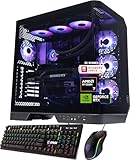

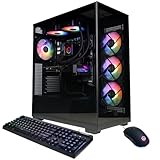

Our Top Picks

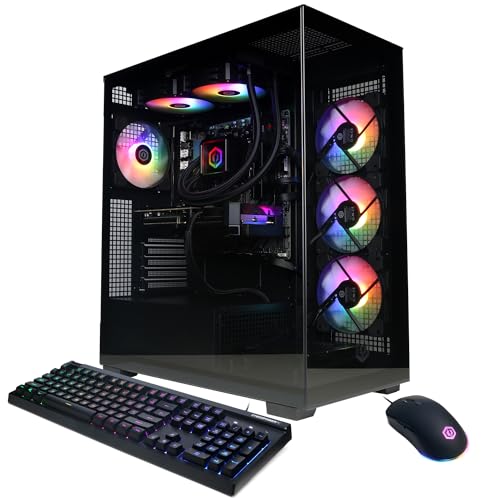
Top 3 picks at a glance
The Short Answer: Best Gaming PC Specs at a Glance
| Tier | Target | GPU | CPU | RAM | Storage | PSU |
|---|---|---|---|---|---|---|
| Entry | 1080p high, 60 to 144 fps | RTX 5050 or RTX 5060 8GB, RX 9060 XT | Ryzen 5 7600 or Core i5 current gen | 16GB DDR5 | 1TB NVMe | 550W |
| Mainstream | 1440p high, 100 to 165 fps | RTX 5070 12GB, RX 9070 | Ryzen 7 7700X, 9700X or Core i7 | 32GB DDR5-6000 | 1TB to 2TB NVMe | 750W |
| Performance | 1440p max or 4K with upscaling | RTX 5070 Ti 16GB, RX 9070 XT | Ryzen 7 9800X3D | 32GB DDR5-6000 | 2TB NVMe | 850W |
| High-end | 4K high, 100+ fps with upscaling | RTX 5080 16GB | Ryzen 7 9800X3D or 9950X3D | 32GB to 64GB DDR5 | 2TB Gen4 NVMe plus bulk storage | 850W to 1000W |
| Flagship | 4K max, path tracing | RTX 5090 32GB | Ryzen 9 9950X3D | 64GB DDR5 | 2TB to 4TB NVMe | 1000W to 1200W |
These are good gaming PC specs and configurations as of late 2026, when NVIDIA’s RTX 50 series and AMD’s Radeon RX 9000 series are the current graphics generations. The rumored RTX 50 Super refresh has not shipped, so the lineup above is stable for now.
Start With Resolution and Refresh Rate
The single most useful number is how many pixels your GPU has to draw per second. Multiply the resolution by the refresh rate, and you can see why a modest jump in monitor ambition requires a large jump in GPU.
| Monitor | Pixels per frame | Pixels per second at target refresh | Relative GPU load |
|---|---|---|---|
| 1080p at 144Hz | 2.07 million | about 299 million | 1.0x |
| 1440p at 165Hz | 3.69 million | about 608 million | 2.0x |
| 1440p at 240Hz | 3.69 million | about 885 million | 3.0x |
| 4K at 120Hz | 8.29 million | about 995 million | 3.3x |
| 4K at 144Hz | 8.29 million | about 1,194 million | 4.0x |
That worked example explains a lot. Going from 1080p 144Hz to 4K 144Hz quadruples the pixel workload, which is why a card that feels excessive at 1080p becomes merely adequate at 4K. Upscaling technologies such as DLSS and FSR render fewer pixels internally, which is how an RTX 5080 reaches high 4K frame rates.
GPU: The Spec That Sets Your Frame Rate
If you only study one component, study the graphics card. Published reviews consistently show that, for the same CPU tier, the GPU explains most of the difference in frame rates at 1440p and 4K. The next table shows how VRAM and board power line up across the current lineup.
| GPU | VRAM | Board power | Sweet spot |
|---|---|---|---|
| RTX 5060 | 8GB | about 145W | 1080p high |
| Radeon RX 9060 XT | 8GB or 16GB | about 160W to 190W | 1080p to 1440p |
| RTX 5070 | 12GB | about 250W | 1440p high |
| Radeon RX 9070 XT | 16GB | about 304W | 1440p max |
| RTX 5070 Ti | 16GB | about 300W | 1440p max, 4K upscaled |
| RTX 5080 | 16GB | 360W | 4K upscaled |
| RTX 5090 | 32GB | 575W | 4K max, path tracing |
For VRAM, a practical rule is 8GB for 1080p, 12GB for 1440p and 16GB for 4K or for 1440p with maximum textures. Several recent games exceed 8GB at 1440p with high textures, which is why 8GB cards are best kept to 1080p.
CPU: How Much Is Enough?
For gaming, the best specs in a CPU are strong per-core speed and, on AMD, large 3D V-Cache. Most games use only a handful of cores effectively, so a 6-core or 8-core processor is typically enough. The Ryzen 7 9800X3D is the strongest gaming CPU among current desktop options in published reviews, but a Ryzen 5 or Core i5 current-generation chip is a sound choice for 1080p and many 1440p builds.
| Use | CPU recommendation | Why |
|---|---|---|
| 1080p esports at very high fps | Ryzen 7 9800X3D or high-clock Core i5/i7 | CPU limits frame rate at high refresh |
| 1440p and 4K gaming | 6-core to 8-core current generation | GPU is the limit, extra cores add little |
| Gaming plus streaming | 8-core to 12-core | Cores free up for encoding and background tasks |
| Gaming plus video editing | 12-core to 16-core | Editing scales with cores |
One point worth noting: at 4K, the gap between a mid-range CPU and a top-end one shrinks because the GPU is the bottleneck, so spending on the GPU first is correct.
RAM: 16GB, 32GB or 64GB?
For a clean install of Windows and a game running alone, 16GB is enough for many titles, but modern games, browsers, voice chat and launchers add up. 32GB is the practical default in 2026. 64GB helps only for heavy multitasking, content creation or very large mods.
Speed and configuration matter as much as capacity. Two matched modules in dual channel provide roughly double the memory bandwidth of a single module. For AMD Ryzen 7000 and 9000 platforms, DDR5-6000 with CL30 timings is widely cited as the sweet spot for performance and stability. For Intel platforms, DDR5-6000 to DDR5-7200 kits are common, with value depending on the motherboard. Make sure the XMP or EXPO profile is enabled in the BIOS, because kits often default to a much lower speed.
Storage: Speed Matters Less Than Capacity
Game install sizes have grown, and many AAA titles now exceed 100GB. A 1TB drive holds only a handful of large games after Windows and updates, so 2TB is the comfortable size. For gaming, a PCIe 4.0 NVMe drive is plenty. PCIe 5.0 drives cost more and, according to published load-time comparisons, make little difference in games. A SATA SSD is acceptable for a bulk library, and a hard drive is only sensible for archives and media.
Power Supply: A Worked Calculation
Estimating power is simple arithmetic. Add the GPU board power, the CPU power under gaming load, and roughly 80W for the rest of the system, then choose a unit rated about 40% above the total for efficiency and transient spikes.
| Build | GPU | CPU | Rest | Estimated peak | Recommended PSU |
|---|---|---|---|---|---|
| Entry | 145W | 90W | 80W | about 315W | 550W |
| Mainstream | 250W | 105W | 80W | about 435W | 650W to 750W |
| Performance | 300W | 120W | 80W | about 500W | 750W to 850W |
| High-end | 360W | 120W | 80W | about 560W | 850W |
| Flagship | 575W | 170W | 100W | about 845W | 1,200W |
Look for an ATX 3.1 unit with a native 12V-2×6 cable for RTX 50-series cards, an 80 Plus Gold or better rating, and a reputable brand. A cheap unit is the one place where saving money can cost more later.
Cooling, Case and Motherboard
These parts do not raise frame rates directly, but they decide whether your CPU and GPU hold their boost clocks and how loud the machine is. A mesh-front case with three intake fans and one exhaust gives good airflow. For CPUs under 125W, a dual-tower air cooler or a 240mm liquid cooler is enough; for 16-core chips, a 280mm or 360mm liquid cooler is a better match. For motherboards, a B650 or B850 board for AMD or a B760 or Z890 board for Intel covers most gaming needs. Choose a board with a PCIe 5.0 x16 slot for the GPU, two or more M.2 slots, and the Wi-Fi and Ethernet you need.
Where to Spend and Where to Save
- Spend most on the GPU. It sets frame rates at 1440p and 4K.
- Get 32GB of dual-channel DDR5. It removes memory as a bottleneck for a modest cost.
- Buy a quality power supply. It protects the more expensive parts.
- Choose a 2TB NVMe drive. Game sizes make 1TB tight.
- Save on RGB and glass. They add cost without performance.
- Save on PCIe 5.0 storage and ultra-fast memory kits. The gaming benefit is small.
- Match the monitor. A fast GPU on a 60Hz 1080p screen wastes the investment.
Common Mistakes When Choosing Gaming PC Specs
- Single stick of RAM. A 16GB single module runs in single channel and costs performance in many games.
- Old DDR4 platforms for a new build. They limit upgrade options.
- Overspending on the CPU for 4K. The GPU is the limit.
- Ignoring VRAM. A fast GPU with 8GB can stutter at 1440p with high textures.
- Underbuying the power supply. Transient spikes can trip a marginal unit.
- Counting on a cheap case. Poor airflow makes any build throttle.
Approximate Frame Rates by Tier
Frame rates depend on the game, settings, CPU and patch. These ranges are approximate and drawn from typical published reviews.
| Tier | 1080p high | 1440p high | 4K high with upscaling |
|---|---|---|---|
| Entry (RTX 5060) | 80 to 130 fps | 50 to 90 fps | 35 to 60 fps |
| Mainstream (RTX 5070) | 110 to 180 fps | 80 to 130 fps | 50 to 85 fps |
| Performance (RTX 5070 Ti) | 140 to 220 fps | 100 to 170 fps | 60 to 100 fps |
| High-end (RTX 5080) | 160 to 250 fps | 130 to 200 fps | 75 to 120 fps |
| Flagship (RTX 5090) | 180 to 300 fps | 170 to 260 fps | 100 to 160 fps |
Specs by Game Type: Where the Bottleneck Moves
The “best” configuration shifts with what you play, because different genres stress different parts. Competitive shooters such as Counter-Strike 2, Valorant and Fortnite at low settings are limited by CPU speed and the monitor, so a fast 8-core X3D chip and a mid-range GPU outperform a slower CPU with a bigger GPU. Open-world and cinematic AAA games push the GPU and VRAM, so the card and its memory matter most. Simulation, strategy and large-scale builders such as city and factory games hammer the CPU and memory, so cache, core speed and 32GB or more of RAM matter. Heavily modded games, including big Skyrim or Minecraft packs, add RAM and storage demands on top.
| Game type | Main bottleneck | Spec to prioritize |
|---|---|---|
| Competitive shooters | CPU and monitor refresh | X3D or high-clock CPU, 240Hz+ monitor |
| Open-world AAA | GPU and VRAM | RTX 5070 Ti or better, 16GB VRAM |
| Simulation and strategy | CPU cache and RAM | X3D CPU, 32GB to 64GB RAM |
| Modded RPGs | RAM, storage, VRAM | 32GB RAM, fast NVMe, 12GB+ VRAM |
| VR | GPU and frame consistency | RTX 5070 or better, strong CPU |
Future-Proofing Without Overspending
No set of specs stays “best” for long, but a few choices keep a build useful for several years. Pick a motherboard platform that is still supported, which for AMD means AM5, and leave a free memory slot or choose a two-module kit you can replace later. Buy a power supply with headroom for the next GPU tier, since replacing it later means rebuilding cable runs. Choose a case with room for a larger graphics card and good airflow. Buy the GPU you need today rather than the biggest one you can afford, because GPU prices and generations move faster than the other parts. If a refreshed generation arrives, the rest of the system can stay and only the card changes.
Best Configuration for Specific Goals
| Goal | Best configuration |
|---|---|
| Competitive esports at 240Hz | RTX 5060 to 5070, Ryzen 7 X3D, 32GB, fast 1080p or 1440p monitor |
| Story-driven AAA at 1440p | RTX 5070 Ti, 8-core CPU, 32GB, 2TB |
| 4K living-room or desk setup | RTX 5080, 9800X3D, 32GB, 850W to 1000W PSU |
| Streaming and recording | RTX 5070 Ti or better with hardware AV1 encoding, 8-core to 12-core CPU |
| Small form factor | RTX 5070, 8-core CPU, SFX power supply, check GPU length |
Buying Notes for Late 2026
A memory shortage linked to AI demand has pushed up the cost of graphics cards and DDR5 this year, so budgets stretch less far than they once did. Prebuilt systems from high-volume builders are sometimes competitive with a self-built parts list. Black Friday and Cyber Monday are typically the strongest sale window for complete systems, but always compare the final price on the configuration page.
Frequently Asked Questions
What are the best PC specs for gaming?
For 1440p, an RTX 5070 or RTX 5070 Ti, an 8-core CPU, 32GB of DDR5-6000, a 2TB NVMe drive and a 750W to 850W power supply is a strong, balanced configuration. Scale the GPU down for 1080p and up for 4K.
How much RAM do I need for gaming?
16GB is the minimum and 32GB is the sensible default in 2026. Use two matched modules for dual channel, and enable the XMP or EXPO profile.
Is a good CPU or GPU more important for gaming?
The GPU matters more for most games at 1440p and 4K. The CPU matters most at 1080p with high refresh rates and in CPU-heavy games such as simulation and strategy titles.
How much VRAM do I need for 1440p and 4K?
12GB is a sensible target for 1440p, and 16GB is a safer target for 4K or maximum textures. 8GB cards are best kept to 1080p.
Do I need a Core i9 or Ryzen 9 for gaming?
No. A Ryzen 7 or Core i5/i7 is enough for gaming. High core counts help with streaming, editing and rendering.
What is the best gaming PC configuration for the money?
The best value is usually a mainstream configuration with an RTX 5070-class GPU, a 6-core to 8-core CPU, 32GB of RAM and a 2TB NVMe drive. It covers 1440p high-refresh gaming without the cost of the top tier.
Related guides
- Where to Finance a Gaming PC: Cards, Payment Plans and Pay Later Compared
- Most Reliable Prebuilt Gaming PC Brands in 2026: Warranty, Parts and Service Compared
- 4 Best Gaming PCs for Beginners Buying Guide: Your First PC in 2026, Step by Step
- Best Websites to Buy a Gaming PC in 2026: 8 Sellers Ranked on Warranty and Parts
More from Amazon
Programs that pair well with the guide above. Offers and eligibility are set by Amazon and may change.
Free shipping on eligible items, Prime Video and more. Eligible new members can start with a free trial.
Start a Prime free trialAd-free music streaming. Eligible new subscribers can start with a free trial.
Try Music Unlimited freeA Prime membership for ages 18-24 with a trial period. Eligibility is set by Amazon.
See Prime for Young AdultsAudiobooks and podcasts to listen to on the go. Eligible new members can start with a free trial.
Try Audible freeAs an Amazon Associate we earn from qualifying purchases.









