League of Legends is a click-heavy, ability-driven game, and that shapes the real decision here. Every serious mouse already tracks well enough for ranked play, so the sensor is not what separates these picks. What matters is how many commands your thumb has to carry, how the shape feels in hour three of a session, and whether the main clicks still feel crisp after thousands of clicks per match. A grid mouse and a five-button ultralight solve opposite problems, and choosing the wrong one is a comfort mistake you feel every game.
The picks below serve four kinds of player: item-active binders who want actives and summoner spells under the thumb, minimalist two-button players who keep everything on the keyboard, big-handed palm players who need a longer, taller shell, and players who hate charging and want weeks between battery swaps. Each mouse was chosen from the names and specifications on its Amazon product page, not from headline marketing claims.
Our Top Picks
 Razer Naga V2 HyperSpeed Wireless MMO Gaming MouseNaga V2 HyperSpeed (Mouse)4.71 x 2.96 x 1.71 inches0.2 poundsCheck on Amazon

Top 3 picks at a glance


Quick Picks
As an Amazon Associate we earn from qualifying purchases
| Product | Best for | Key spec from title |
|---|---|---|
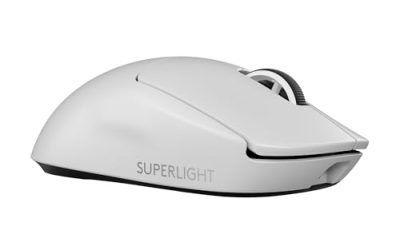
| Logitech G PRO X SUPERLIGHT 2 Wireless Gaming Mouse (White) | Minimalists who want the lightest wireless click feel | 60 g with 44K DPI sensor and 8 kHz report rate |
| Razer Naga V2 HyperSpeed Wireless MMO Gaming Mouse | Binders who move item actives to the thumb | 19 programmable buttons with a 12-button thumb grid |
| Corsair Scimitar RGB Elite Wired MOBA/MMO Gaming Mouse (Black) | MOBA players who want an adjustable thumb grid | 17 programmable buttons, 18,000 DPI |
| SteelSeries Rival 5 Gaming Mouse (Black) | Palm players who want quick-action side buttons | 9 programmable buttons, 18,000 CPI TrueMove Air sensor |
| Logitech G502 HERO High Performance Wired Gaming Mouse | Big hands that like weight and a free-spinning wheel | HERO 25K sensor, 11 programmable buttons, adjustable weights |
How to Choose
Side-button layout and thumb reach
Decide how many commands actually live on your mouse. If you bind two item actives, a trinket and a summoner spell to the thumb, a two-button mouse forces awkward keyboard reaches mid-fight, while a 12-button grid puts everything under one thumb. The catch is reach: the thumb must land on each button without regripping or shifting the shell. Grids with repositionable sliders, like the Scimitar’s, suit different thumb lengths better than fixed panels. Two clean buttons still win for players whose binds stay on the keyboard.
Shape and weight for session comfort
League sessions stack matches back to back, so shell length, height and grams matter more than any peak DPI figure. A 60 g ultralight reduces wrist fatigue during constant last-hitting adjustments, but a very light, low shell can feel unstable to a palm gripper with large hands. Longer shells around 130 mm support a full palm, while compact shells near 125 mm suit claw and relaxed grips. Match the mouse to your hand size and grip first; a shape that cramps in game two will not get more comfortable by game five.
Click durability and switch type
The main buttons absorb thousands of clicks per match between last hits, attack-move commands and camera control, so switch construction is a genuine buying factor. Optical and hybrid optical-mechanical switches, like Logitech’s LIGHTFORCE design, register clicks with light rather than metal contact alone, which resists the double-click wear that plagues older mechanical switches. Rated lifespans also tell a story: the Rival 5’s Golden Micro switches are rated at 80 million clicks. If you play daily, switch type is worth more than extra RGB zones.
Wired vs wireless and battery model
Wireless frees your aim from cable drag, but the battery model changes ownership. Rechargeable mice like the SUPERLIGHT 2 need a cable every week or two depending on polling rate, and running 8 kHz polling drains the cell far faster than 1 kHz. The Naga V2 HyperSpeed takes a different route with a single AA battery rated for up to 250 hours on HyperSpeed or 400 hours on Bluetooth, so a spare battery ends downtime instantly. Wired picks skip charging entirely and never need a receiver.
The 5 Best Options
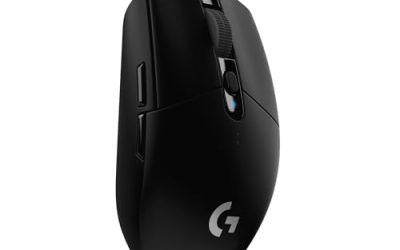
Logitech G PRO X SUPERLIGHT 2 Wireless Gaming Mouse (White)
This is the pick for players who keep their binds on the keyboard and want the mouse itself to disappear. At 60 g it is the lightest option here, so constant small corrections during laning and teamfights cost less wrist effort over a long session. The LIGHTFORCE hybrid switches give a crisp, consistent click that holds up under heavy attack-move use, and the 95-hour battery means charging is a weekly habit rather than a nightly one. It suits claw and fingertip players who value click feel over button count.
Specs
- Weight: 60 g
- Sensor: HERO 2, up to 44,000 DPI, 888+ IPS
- Switches: LIGHTFORCE hybrid optical-mechanical
- Battery: 95 hours, USB-C charging
- Report rate: up to 8 kHz
- Buttons: 5
- Extras: POWERPLAY compatible; approx. 125 x 63.5 x 40 mm class
Best for: minimalist players who bind little to the mouse and want the lightest wireless option.
Watch out for: only 5 buttons, so players who bind many item actives and summoner spells to the mouse should take a grid pick instead; 8 kHz polling needs the receiver setup and drains the battery much faster than 1 kHz.
ASIN: B09NBWQDKX
Razer Naga V2 HyperSpeed Wireless MMO Gaming Mouse
The Naga V2 HyperSpeed is built for players who move their whole active item bar onto the mouse. Its 12-button thumb grid, 19 programmable buttons in total, puts actives, trinket and summoner spells under one thumb without any keyboard reach. The Focus Pro 30K sensor is far beyond what League demands, and the HyperScroll wheel adds a fast-scroll mode for long shop and settings lists. Because it runs on a single AA battery, a dead cell mid-session is a ten-second swap rather than a charging break.
Specs
- Buttons: 19 programmable, including a 12-button thumb grid
- Sensor: Focus Pro 30K optical
- Wheel: HyperScroll
- Battery: up to 250 hours on HyperSpeed, 400 hours on Bluetooth, one AA
- Dimensions: 119.5 x 75 x 43 mm
- Weight: approx. 110 g with battery
Best for: item-active binders who want every active and spell reachable by the thumb.
Watch out for: the 12-button grid has a real learning curve and the mouse is heavy next to the ultralight picks; it runs on a replaceable AA battery, not a rechargeable cell.
ASIN: B0BGJT87N2
Corsair Scimitar RGB Elite Wired MOBA/MMO Gaming Mouse (Black)
Corsair designed the Scimitar specifically for MOBA and MMO players, and its defining feature is the Key Slider: the 12-key side grid physically repositions so the buttons sit where your thumb naturally rests, whatever your thumb length. With 17 programmable buttons in total, there is room for actives, spells, pings and push-to-talk without layering modifiers. Omron switches keep the main clicks tactile, on-board profile storage carries your binds between PCs, and because it is wired there is no battery to manage and no receiver to lose.
Specs
- Sensor: PixArt PMW3391, 18,000 DPI
- Buttons: 17 programmable, with a 12-key side grid
- Side grid: patented Key Slider repositions for thumb length
- Switches: Omron
- Storage: on-board profiles
- Connection: wired
Best for: MOBA players who want a full thumb grid tuned to their own thumb reach.
Watch out for: wired only; the side grid sits under the thumb permanently, so small hands may find the shell wide.
ASIN: B082LRMY53
SteelSeries Rival 5 Gaming Mouse (Black)

The Rival 5 sits between the ultralights and the grid mice: nine programmable buttons, including five quick-action side buttons and a thumb toggle, cover a couple of actives and a trinket without a full grid to learn. At 85 g it stays light enough for long sessions, and the Golden Micro IP54 switches are rated for 80 million clicks, which suits players who spam attack-move commands. The TrueMove Air sensor tracks cleanly, the super-mesh cable drags less than a standard rubber cable, and 10-zone PrismSync RGB is there if your setup already runs SteelSeries lighting.
Specs
- Weight: 85 g
- Dimensions: 128.8 x 68.15 x 42 mm
- Sensor: TrueMove Air, 18,000 CPI, 400 IPS, 40G
- Buttons: 9, including 5 quick-action side buttons with a thumb toggle
- Switches: Golden Micro IP54, rated 80M clicks
- Lighting: 10-zone PrismSync RGB
- Connection: wired, super-mesh cable
Best for: palm players who want a few quick-action buttons without a full grid.
Watch out for: at 128.8 mm it is a long shell, so small hands and fingertip grippers may find it oversized; wired only.
ASIN: B093LSMKL3
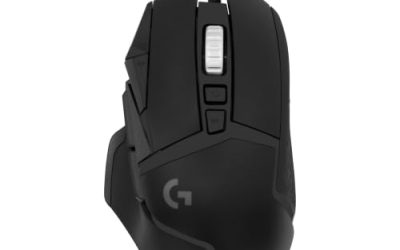
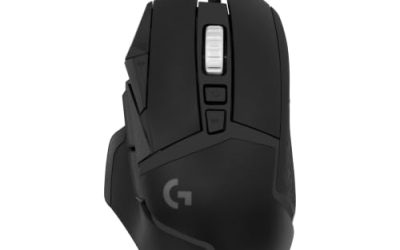
Logitech G502 HERO High Performance Wired Gaming Mouse

The G502 HERO is the heavyweight option for players who like a substantial mouse that stays planted. Its 11 programmable buttons include a sniper button and a dual-mode scroll wheel that switches between ratcheted steps and free spinning, with tilt clicks for extra binds. Five included 3.6 g tuning weights let you push the 121 g base up to roughly 139 g if you prefer even more heft. On-board memory stores five profiles, the HERO 25K sensor needs no smoothing or acceleration corrections, and the tall, wide shell fits large hands that cramp on compact mice.
Specs
- Sensor: HERO 25K, 200-25,600 DPI, zero smoothing, filtering or acceleration
- Buttons: 11 programmable
- Wheel: dual-mode hyper-fast scroll with tilt
- Weights: five 3.6 g tuning weights; 121 g base, up to approx. 139 g
- Dimensions: 132 x 75 x 40 mm
- Memory: on-board, 5 profiles
- Lighting: LIGHTSYNC RGB
- Connection: wired
Best for: big-handed players who like a heavy mouse with plenty of buttons and a free-spinning wheel.
Watch out for: 121 g and 132 mm make it the heaviest, largest pick here, the opposite of the ultralight trend; do not confuse it with the G502 X or G502 LIGHTSPEED listings.
ASIN: B07GBZ4Q68
Which One Fits Your Situation
You bind actives, trinket and spells to your thumb
Take a grid mouse. The Razer Naga V2 HyperSpeed gives you 12 thumb buttons wirelessly and runs for weeks on one AA battery, while the Corsair Scimitar RGB Elite adds a sliding grid that adjusts to your thumb length and never needs charging. Both free your keyboard hand from stretching for item slots in the middle of a fight.
You keep binds on the keyboard and want a clean two-button mouse
The Logitech G PRO X SUPERLIGHT 2 is the clear fit. Five buttons, a 60 g shell and hybrid switches built for heavy clicking mean the mouse adds nothing you do not use. Your actives stay on familiar keys, and the light shell keeps long sessions easy on the wrist.
You have big hands and rest your whole palm on the mouse
Look at the Logitech G502 HERO first: 132 mm long, tall, and heavy enough to feel stable under a full palm. The SteelSeries Rival 5 is the lighter alternative at 128.8 mm if you want length without the weight. Compact ultralights will leave your fingers dragging and your palm unsupported.
You hate charging cables and battery anxiety
The Razer Naga V2 HyperSpeed runs up to 250 hours on a single AA battery, and a spare in the drawer ends any downtime in seconds. If you want zero battery management at all, the wired Corsair Scimitar RGB Elite and Logitech G502 HERO never need power, charging cables or receivers at all.
Common Mistakes
- Buying a 12-button grid when every bind already lives on the keyboard, then fighting accidental thumb presses for weeks.
- Choosing by peak DPI alone, when League play is decided by shape comfort, click feel and button reach instead.
- Running 8 kHz polling full-time without realising how much faster it drains a wireless battery.
- Ignoring shell length: a 132 mm mouse cramps small hands, and a compact shell leaves large palms unsupported.
- Confusing similar model names at checkout, such as the G502 HERO with the G502 X or G502 LIGHTSPEED.
Frequently Asked Questions
How many mouse buttons do I actually need for League of Legends?
Most players need two side buttons at most, covering one or two item actives or a trinket. A 12-button grid only pays off if you deliberately move actives, summoner spells and pings onto the thumb and practise the layout. Buy the button count that matches the binds you will genuinely use every game.
Does a higher DPI sensor make me play better in League?
No. Every sensor in this roundup tracks far beyond what League of Legends requires, and in-game sensitivity settings matter more than the maximum DPI figure. Shape, weight, click feel and button reach affect your comfort and consistency across a long session, which is where a better mouse actually helps.
Is wireless reliable enough for ranked play?
Yes. Modern wireless connections on mice like the SUPERLIGHT 2 and Naga V2 HyperSpeed run at polling rates equal to or beyond standard wired mice, with no cable drag. The real trade-offs are battery management and weight, not responsiveness, so choose based on how you feel about charging or swapping batteries.
Wired or wireless: which suits long League sessions better?
Wired mice never need charging and tend to cost less, but the cable can drag on the desk edge during wide camera movements. Wireless removes that drag at the price of battery upkeep. Players who hate interruptions often prefer a long-life AA model or a wired mouse; everyone else usually adapts quickly.
Related guides
More from Amazon
Programs that pair well with the guide above. Offers and eligibility are set by Amazon and may change.
Free shipping on eligible items, Prime Video and more. Eligible new members can start with a free trial.
Start a Prime free trialAd-free music streaming. Eligible new subscribers can start with a free trial.
Try Music Unlimited freeA Prime membership for ages 18-24 with a trial period. Eligibility is set by Amazon.
See Prime for Young AdultsAudiobooks and podcasts to listen to on the go. Eligible new members can start with a free trial.
Try Audible freeAs an Amazon Associate we earn from qualifying purchases.