
The best gaming PC for a teenager in 2026 is a prebuilt desktop with an RTX 5060 or RTX 5060 Ti class graphics card, a six- or eight-core processor, 16GB to 32GB of DDR5 memory and a 1TB SSD, bought with a standard-parts case so it can be upgraded as the teen grows into more demanding games. That tier plays the games teens actually play, from Fortnite, Valorant and Minecraft to Roblox, Marvel Rivals and Call of Duty, at 1080p with high frame rates, and it costs far less than a flagship machine they will not fully use. This guide ranks six real desktop lines, then covers the parts parents usually miss: monitors, parental controls, noise and warranty.
Details below come from manufacturer product pages and published reviews. Model names persist longer than exact parts, so read the configuration on the listing you choose.
As an Amazon Associate we earn from qualifying purchases at no extra cost to you.

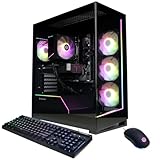


Top 3 picks at a glance
Quick Picks for Different Teen Gamers
| Pick | Best for | Typical GPU range | Typical CPU range | Upgrade friendliness | Price tier |
|---|---|---|---|---|---|
| HP Victus desktop | First gaming PC, simple returns | RTX 5050 to RTX 5060 class | Ryzen 5 or Core Ultra 5 | Low to medium | Entry |
| CyberPowerPC Gamer Xtreme | Lowest price for a decent GPU | RTX 5050 to RTX 5060 Ti | Ryzen 5 or Core i5/Ultra 5 | Medium | Entry |
| iBuyPower Y-series and Element | Best spec per dollar | RTX 5060 to RTX 5070 | Ryzen 5 to Ryzen 7 | Medium to high | Entry to mid |
| Lenovo Legion Tower | Quiet, tidy desk machine | RTX 5060 to RTX 5070 | Ryzen 5/7 or Core Ultra 5/7 | Medium | Mid |
| MSI MAG Infinite | Balanced mid-range | RTX 5060 Ti to RTX 5070 | Ryzen 5/7 or Core Ultra | Medium | Mid |
| NZXT Player series | Long-term PC with strong support | RTX 5060 Ti to RTX 5070 Ti | Ryzen 5 to Ryzen 7 | High | Mid to premium |
The price tier column shows relative position only. Prices shift often, and sale periods can change the order.
Start With What the Teen Actually Plays
Before comparing machines, list the games. Most popular teen titles are designed to run on modest hardware so they reach the widest audience. The table shows how that translates to hardware, using typical published requirement tiers.
| Game type | Examples | Hardware tier needed for 1080p at 100+ FPS |
|---|---|---|
| Esports shooters and MOBAs | Valorant, Counter-Strike 2, League of Legends, Overwatch 2 | RTX 5050 or RTX 5060 class is plenty |
| Sandbox and creative | Minecraft with shaders, Roblox, Fortnite | RTX 5060 class; shader packs and Fortnite high settings like more GPU |
| Open-world and story | Cyberpunk 2077, Elden Ring, Baldur’s Gate 3 | RTX 5060 Ti or RTX 5070 for high settings |
| New AAA releases | Recent big-budget shooters and action games | RTX 5070 class for high settings at 1080p and 1440p |
If the teen mainly plays esports and sandbox games, an RTX 5060 class machine is plenty. Step up to the RTX 5060 Ti or RTX 5070 only if they have started on open-world or new AAA titles and have a 1440p monitor.
1. HP Victus Desktop: Best First Gaming PC With Easy Returns
Spec line: Compact tower, RTX 5050 to RTX 5060 class graphics, Ryzen 5 or Core Ultra 5 processor, 16GB DDR5 typical, 512GB to 1TB SSD.
HP’s Victus line is the entry gaming range from a mainstream brand that is easy to find at major retailers. It is a good fit when the main goal is a working gaming PC at an approachable price, with in-store returns if something is wrong.
Best for: younger teens and first-time gaming PC buyers. Skip if: you want a PC you can heavily upgrade, because the case and power supply can be limiting.
- Pro: Widely sold, easy to return or service.
- Pro: Quiet and compact for a bedroom desk.
- Pro: Enough power for esports and sandbox games.
- Con: Lower-wattage power supply limits future GPU upgrades.
- Con: Some configurations ship with only 16GB of RAM and a small SSD.
2. CyberPowerPC Gamer Xtreme: Best Lowest-Price Pick
Spec line: Mid-tower with tempered glass, RTX 5050 to RTX 5060 Ti options, Ryzen 5 or Intel Core i5-class and Core Ultra 5 processors, 16GB to 32GB DDR5, 1TB SSD on many configurations.
CyberPowerPC is a US builder known for aggressive pricing, and the Gamer Xtreme line is among its best-known names. It is a common choice when the budget is tight and the goal is the strongest GPU tier available.
Best for: parents on a tight budget. Skip if: you want a premium case or a long warranty.
- Pro: Often one of the lowest prices for a given GPU tier.
- Pro: Sold at several retailers, so you can compare.
- Pro: Glass side panel and RGB that teens often want.
- Con: Budget power supplies and boards on some models.
- Con: Warranty varies by line; confirm it on the exact listing.
3. iBuyPower Y-Series and Element: Best Spec for the Money
Spec line: Standard ATX parts, RTX 5060 to RTX 5070 graphics, Ryzen 5 to Ryzen 7 processors, 32GB DDR5 on many models, NVMe SSD.
iBuyPower tends to pair popular GPU and CPU combinations at a competitive price and uses standard parts, which supports upgrades down the road. It is a strong choice for a teen who is serious about gaming and likely to want more performance in two years.
Best for: teens ready for 1440p or newer AAA games. Skip if: a hand-holding support experience is your top priority.
- Pro: Strong GPU and CPU for the price position.
- Pro: Standard parts make later upgrades simple.
- Pro: Available directly and through large retailers.
- Con: Support experiences vary in owner feedback.
- Con: Case finish is simpler than premium brands.
4. Lenovo Legion Tower: Best Quiet, Tidy Desk Machine
Spec line: Compact tower with Ryzen or Core Ultra processors, RTX 5060 to RTX 5070 class graphics, 16GB to 32GB DDR5, NVMe storage.
Lenovo’s Legion Tower line is a mainstream pick with a clean design and generally restrained noise, which is useful in a bedroom. It is designed as a complete product, with cooling matched to the parts.
Best for: shared rooms and teens who also study on the same PC. Skip if: you want a showpiece case with flashy lighting.
- Pro: Balanced noise and thermals.
- Pro: Doubles as a homework and creative PC.
- Pro: Strong brand support network.
- Con: Some parts are more proprietary than a standard ATX build.
- Con: Less visual flair than gamer-styled cases.
5. MSI MAG Infinite: Best Balanced Mid-Range Pick
Spec line: MSI-made motherboard, cooler and case, RTX 5060 Ti to RTX 5070 options, Ryzen and Core Ultra choices, DDR5 memory, 1TB SSD.
MSI makes many of the parts inside its own prebuilts, which creates a coherent system from a hardware company that also builds graphics cards and boards. It is a safe middle path between budget builders and premium brands.
Best for: teens moving up from a first PC. Skip if: you want the very lowest price.
- Pro: Matching first-party components.
- Pro: Common retail availability.
- Pro: Good balance of price and parts quality.
- Con: Not the cheapest at any GPU tier.
- Con: Some models ship with only 16GB of RAM.
6. NZXT Player Series: Best for Longevity and Support
Spec line: NZXT case with standard parts, RTX 5060 Ti to RTX 5070 Ti options, Ryzen processors, 32GB DDR5 on many models, 1TB or larger SSD.
NZXT’s Player line is sold directly and through retail partners and has been promoted with longer-than-average warranty and technical support. It costs more, but it is the pick that most clearly suits a PC meant to last several years and be upgraded in steps.
Best for: serious teen gamers and families that want long-term support. Skip if: the budget is the main constraint.
- Pro: Clean build with a straightforward upgrade path.
- Pro: Long support reputation among owners.
- Pro: Stronger GPU options for growth.
- Con: Higher price position.
- Con: Fewer budget configurations.
Do Not Forget the Monitor, Keyboard and Mouse
A gaming PC is only as good as the screen it drives. For a teen on a first PC, a 1080p monitor at 144 to 165Hz matches an RTX 5060 class card well and costs much less than 1440p. If the PC is an RTX 5060 Ti or RTX 5070, a 1440p monitor at 144Hz is the better partner. Plan for a wired gaming mouse and a decent keyboard if the teen does not already have them, because laptop peripherals and old office gear will limit the experience.
| PC class | Monitor to pair | Why |
|---|---|---|
| RTX 5050 to RTX 5060 | 1080p, 144 to 165Hz | GPU can push high frame rates at this resolution |
| RTX 5060 Ti | 1080p 240Hz or 1440p 144Hz | Choose based on esports versus visuals |
| RTX 5070 and above | 1440p, 144 to 180Hz | Uses the extra GPU capacity |
Parental Controls and Family Safety
- Microsoft Family Safety: Create a child account in Windows, then use the family group to set screen-time limits, filter content and approve purchases.
- Platform controls: Steam, Epic Games, Xbox and individual games each have their own parental settings for spending, chat and friends.
- Spending limits: Add a monthly spending cap or require approval for in-game purchases.
- Two accounts: Keep the teen on a standard account and keep an administrator account for yourself so settings and software installs stay under your control.
What to Spend and What to Skip
A teen’s PC should be about the games they play now, with room for what they will want in two years. A rough split: put the largest share of the budget into the graphics card, make sure there is 32GB of memory or an easy path to it, and pick a case with space for more storage. Skip flagship processors, premium liquid cooling and 4K monitors on a first gaming PC, because they raise cost far more than they improve the games a teen is likely to play.
Warranty, Noise and Setup Checks
- Check the warranty on the exact listing. Coverage differs by builder and line, so read the current term and whether labor and shipping are included.
- Look for a named power supply. A listing that says only “650W PSU” without a brand hides quality.
- Plug the monitor into the graphics card. Plugging into the motherboard will use integrated graphics and ruin performance.
- Update drivers on day one. Install the latest GPU driver from the manufacturer.
- Watch temperature and noise. If fans are loud at idle, there may be a fan curve to adjust in the BIOS.
A Two-Step Upgrade Plan That Keeps the PC Useful for Years
Teen budgets are rarely fixed, and tastes change quickly. A sensible approach is to buy a solid base machine now and plan two small upgrades rather than paying for headroom up front. The table shows what each step typically involves.
| Stage | Typical upgrade | Difficulty | What it improves |
|---|---|---|---|
| Day one | Enable the RAM profile in the BIOS, update the GPU driver | Easy | Frame rates, stability |
| Year one | Add a second NVMe SSD or a 2TB drive as the game library grows | Easy, 10 minutes with one screw | Storage space; large games often take 100GB or more each |
| Year one to two | Go from 16GB to 32GB of DDR5 if the PC shipped with 16GB | Easy | Smoother multitasking with Discord, a browser and a game open together |
| Year two to three | Swap the graphics card for a stronger model | Medium | Higher settings or a 1440p monitor; needs a power supply with enough wattage and connectors |
The practical lesson is to check the power supply before buying. A PC with a 550W or 600W unit can take extra storage and memory, but a large GPU upgrade may force a power supply replacement as well, which adds cost and an hour of work. Builders that use standard ATX power supplies make this easier than machines with a proprietary design.
Noise, Heat and Where the PC Lives
A bedroom PC runs for long stretches, so noise and heat matter more than they do for a living-room machine. Choose a case with mesh at the front and a handful of larger fans, since bigger fans move the same air at lower speeds. Keep the tower off the carpet, with a few inches of space around the vents, and clean dust filters every month or two. If the room gets warm, check temperatures after an hour of gaming: a graphics card running in the 70s Celsius is normal, while sustained temperatures in the high 80s suggest poor airflow or a clogged filter.
Power use is modest for this tier. An entry-level gaming PC typically draws somewhere around 150 to 300 watts while gaming, according to published reviews of RTX 5060 class systems, which is similar to running a few bright household bulbs and noticeably less than a flagship build. That keeps the electric bill and room heat reasonable.
Common Mistakes Parents Make
- Overbuying the processor. A flagship CPU does little for a 1080p esports player; the money is better spent on the graphics card or monitor.
- Buying a PC without a monitor plan. A strong PC on a 60Hz office monitor wastes the hardware.
- Ignoring storage. A 500GB drive fills up with two or three modern games.
- Falling for vague listings. “Latest gaming graphics” without a model name often means an older or slower card.
- Skipping the warranty details. Know who to contact, and keep the receipt and serial number.
Frequently Asked Questions
What is a good gaming PC for a 13-year-old?
An RTX 5050 or RTX 5060 class desktop with 16GB of RAM and a 1TB SSD handles Roblox, Minecraft, Fortnite and esports titles smoothly. That keeps cost reasonable while leaving room to add RAM or storage later.
Is it better to build a PC with my teen or buy a prebuilt?
Building together is a great learning project and can save money when parts are on sale. A prebuilt is easier, comes with one warranty and is often a better value when graphics card prices are high. Both work; choose the one you have time for.
How much should I spend on a teenager’s gaming PC?
Aim for the entry-to-mid tier for most teens. Spending more makes sense only for serious gamers, or for teens who also edit video or code, and a mid-range machine will serve most for several years.
Do I need a gaming laptop instead?
A desktop gives more performance for the money and is easier to upgrade. A laptop is better only if the teen needs to carry the machine to school or move between rooms.
How can I limit gaming time on a Windows PC?
Use Microsoft Family Safety to set daily screen-time limits and schedules for a child account. You can also manage limits inside individual platforms such as Steam and Xbox.
Will a teen’s gaming PC also work for school?
Yes. Any gaming desktop handles homework, video calls and creative projects easily. Add a webcam and headset if the teen needs them for classes.
Related guides
More from Amazon
Programs that pair well with the guide above. Offers and eligibility are set by Amazon and may change.
Free shipping on eligible items, Prime Video and more. Eligible new members can start with a free trial.
Start a Prime free trialAd-free music streaming. Eligible new subscribers can start with a free trial.
Try Music Unlimited freeA Prime membership for ages 18-24 with a trial period. Eligibility is set by Amazon.
See Prime for Young AdultsAudiobooks and podcasts to listen to on the go. Eligible new members can start with a free trial.
Try Audible freeAs an Amazon Associate we earn from qualifying purchases.









