
A motherboard chipset is a controller chip that manages secondary connectivity, extra PCIe lanes, USB ports, SATA connections, and overclocking support, separate from what the CPU itself provides directly. For gaming specifically, chipset choice barely affects FPS; a B650 board and a same-generation X670 board produce nearly identical frame rates with the same CPU and GPU, so the real decision comes down to overclocking support, expansion slots, and long-term upgrade headroom.

Our Top Picks
 ASUS TUF Gaming B850-BTF WiFi W AMD B8503X M.2|WiFi7|2.5Gb LAN9.6 x 2.2 x 12 inches3.2 poundsCheck on Amazon


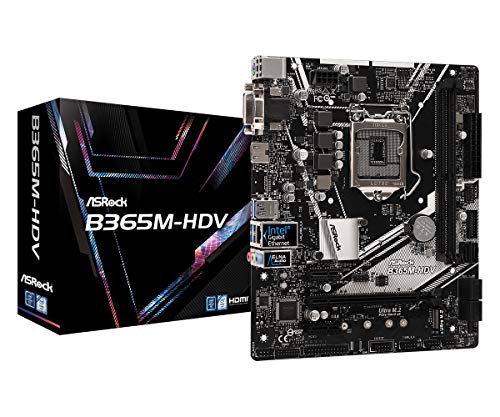
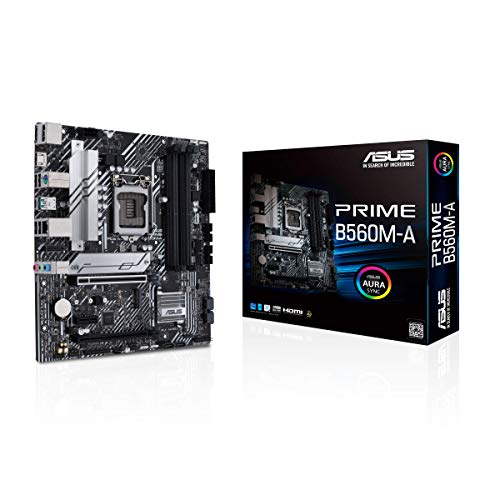
Top 3 picks at a glance
What a chipset actually does
Every modern CPU already includes a built-in memory controller and a limited number of PCIe lanes wired directly to it, typically enough for one GPU and one or two NVMe SSDs. The chipset sits on the motherboard as a separate chip, connected to the CPU by a dedicated high-speed link, and extends the system’s total I/O capacity beyond what the CPU alone provides.
As an Amazon Associate we earn from qualifying purchases at no extra cost to you.




Through that link, the chipset adds extra PCIe lanes for additional M.2 slots, expansion cards, and PCIe x1 slots, plus USB controllers for the rear I/O panel’s various USB-A, USB-C, and sometimes Thunderbolt ports, and SATA controllers for connecting traditional 2.5-inch SSDs or hard drives.
The chipset also frequently governs overclocking support, though the exact rules differ by platform. On AMD’s current AM5 platform, all chipsets from B650 up support CPU overclocking on unlocked chips, while on Intel’s platform, only Z-series chipsets unlock full CPU multiplier overclocking, with B-series limited to RAM overclocking via XMP.
Chipsets are tiered by manufacturers into a rough hierarchy, commonly budget (A-series on AMD, H-series on Intel), mainstream (B-series on both), and enthusiast/high-end (X-series on AMD, Z-series on Intel), with each tier adding more PCIe lanes, more USB ports, and more overclocking flexibility as you move up.
Critically, the chipset does not add CPU-level performance, doesn’t speed up the GPU, and has no measurable direct effect on gaming FPS; its influence on a gaming build is almost entirely about what else you can connect and whether you can push clock speeds beyond stock.
AMD chipset tiers: A620 through X870E
A620 sits at the entry tier for AM5, offering the fewest PCIe lanes and USB ports of the current lineup and notably lacking CPU overclocking support even though the socket and CPU itself may be unlocked; it’s built for budget systems where cost matters more than expansion.
B650 is the mainstream workhorse tier, supporting full CPU overclocking, typically 2-3 M.2 slots, and PCIe 4.0 as the baseline lane speed for the primary GPU slot on most boards, making it the most common choice for value-focused gaming builds that still want overclocking flexibility.
B650E adds PCIe 5.0 support specifically to the primary GPU slot and/or the first M.2 slot (the “E” denotes Extreme, referring to the PCIe 5.0 certification), which matters mainly for future-proofing against upcoming PCIe 5.0 GPUs and the fastest current PCIe 5.0 NVMe SSDs.
X670 and X670E sit at the enthusiast tier, using two linked chipset dies instead of one to roughly double the available PCIe lanes and USB ports versus B650, typically supporting more M.2 slots (often 3-4), more USB-C ports, and better VRM designs suited to sustained overclocking on higher-end Ryzen chips.
X870 and X870E, the newest AM5 tier, add mandatory USB4 support and refined power delivery standards over X670, targeting builders who want the latest connectivity standard alongside maximum PCIe 5.0 lane availability across both GPU and storage slots simultaneously.
Intel chipset tiers: H610 through Z790
H610 is Intel’s entry tier, offering the fewest PCIe lanes and typically supporting only DDR4 or a single memory type depending on the specific board, with no overclocking support of any kind, including RAM XMP profiles on many boards, making it a pure budget option.
B760 is the mainstream tier, and importantly, unlike AMD’s B650, it does support RAM overclocking via XMP profiles but blocks CPU multiplier overclocking entirely; this distinction trips up buyers coming from AMD builds who assume B-series always means the same overclocking rules across brands.
H770 sits as a middle option less commonly stocked at retail, offering more PCIe lanes and M.2 slots than B760 without unlocking CPU overclocking, aimed at builders who want more storage and expansion options but don’t plan to overclock an unlocked “K” CPU.
Z790 is Intel’s enthusiast tier and the only current chipset that unlocks full CPU multiplier overclocking, but this only matters if paired with an unlocked CPU (model numbers ending in K or KS); pairing a Z790 board with a non-K CPU wastes the overclocking-focused VRM design that chipset tier is priced for.
Intel’s chipset naming has stayed more consistent generation to generation than AMD’s, but always verify socket compatibility separately from chipset tier; a Z790 board supports LGA1700 CPUs (13th/14th Gen and some 12th Gen), while newer Core Ultra 200-series chips require the newer LGA1851 socket and Z890 chipset instead.
PCIe lanes: what the chipset adds versus the CPU
Current gaming CPUs typically provide 16-24 PCIe lanes directly, usually split as 16 lanes for the primary GPU slot and a handful more for the first, CPU-direct M.2 slot, which is why that first M.2 slot is almost always the fastest one on any given motherboard regardless of chipset tier.
Every additional M.2 slot beyond the first, every PCIe x1 slot for capture cards or Wi-Fi cards, and every SATA port beyond a handful routes through chipset-provided lanes instead, meaning the chipset’s total lane count directly determines how many additional drives and expansion cards a board can support simultaneously at full speed.
Because the CPU-to-chipset link itself has a finite bandwidth ceiling (roughly equivalent to a PCIe 4.0 x4 connection on current AMD and Intel platforms), heavily populating multiple chipset-routed M.2 slots simultaneously with fast NVMe drives can create shared bandwidth contention under sustained, simultaneous heavy use, though this rarely affects typical single-drive gaming workloads.
Higher chipset tiers (X670E, X870E, Z790) generally provide more total chipset-routed lanes than lower tiers (B650, B760), which is why enthusiast boards can offer 4+ M.2 slots and multiple PCIe x1/x16 expansion slots while budget boards top out around 2 M.2 slots and one or two SATA ports.
For a typical gaming build with one GPU and one or two NVMe SSDs, even entry-to-mid tier chipsets provide more than enough lanes; the extra lane count on high-end chipsets matters mainly for builders planning multiple fast SSDs, capture cards, or add-in Wi-Fi/networking cards simultaneously.
Overclocking support by chipset
On AMD’s AM5 platform, CPU overclocking support is broadly unlocked starting from B650, a notable difference from Intel where only the top Z-series tier unlocks it; this means AMD builders get overclocking flexibility at a lower price point than Intel builders do for equivalent board tiers.
On Intel’s platform, RAM (memory) overclocking via XMP and CPU overclocking are governed separately: B760 supports XMP for RAM speed but blocks CPU multiplier adjustment, while only Z790 unlocks full CPU overclocking, and even then only on CPUs with an unlocked multiplier (K/KS suffix models).
VRM (voltage regulator module) quality, which determines how much sustained overclocking headroom a board can actually deliver without overheating or throttling, generally scales with chipset tier and board price rather than chipset tier alone; a premium B650 board can out-overclock a budget X670 board despite the “lower” chipset tier.
Memory overclocking headroom (how far past rated XMP/EXPO speeds you can push RAM) also tends to scale with board tier and trace routing quality more than chipset tier specifically, so check individual board reviews and QVL lists rather than assuming chipset tier alone predicts RAM overclocking success, a topic covered in more depth in this site’s guide on DDR5 RAM for gaming.
For most gaming builds that don’t plan aggressive overclocking, a mainstream chipset (B650 or B760) with a reasonably rated VRM handles mild overclocks or simple XMP/EXPO profile activation without issue, reserving the enthusiast tier’s extra headroom for builders specifically chasing maximum sustained clock speeds.
USB, SATA, and rear I/O differences
Higher chipset tiers generally provide more total USB ports and faster USB standards on the rear I/O panel; entry boards often max out around 4-6 USB-A ports at modest speeds, while enthusiast boards can offer 8-10+ ports including multiple USB-C connections and, on the newest tiers, mandatory USB4 support at up to 40Gbps.
SATA port count also scales with chipset tier, with budget boards sometimes offering as few as 2 SATA ports and enthusiast boards offering 6 or more, which matters specifically for builders still using traditional 2.5-inch SSDs or planning a multi-drive storage array rather than relying solely on NVMe.
Front-panel USB-C header support (the internal connector that powers a case’s front-panel USB-C port) is increasingly common across chipset tiers but still varies by specific board rather than chipset tier alone, so check individual board specifications if front-panel USB-C matters for your case’s connectivity.
Wi-Fi and Bluetooth support is technically separate from the chipset itself (added via a discrete Wi-Fi card most manufacturers include on higher-tier boards), but availability correlates loosely with chipset tier since manufacturers more often include built-in Wi-Fi on their pricier, higher chipset-tier board models.
| Chipset tier (AMD / Intel) | Typical USB ports | Typical SATA ports | CPU overclocking |
|---|---|---|---|
| A620 / H610 | 4-6 | 2-4 | No |
| B650 / B760 | 6-8 | 4-6 | Yes (AMD) / No (Intel) |
| X670 / Z790 | 8-10+ | 4-6 | Yes |
| X870E / Z890 | 10+ incl. USB4 | 4-8 | Yes |
How chipset choice affects total build cost
For builders on a fixed total budget, the sensible allocation is almost always to spend the minimum necessary on chipset tier (mainstream B-series unless you specifically need enthusiast-tier features) and redirect the savings toward the GPU, since GPU choice affects FPS far more than any motherboard chipset decision.
The exception is builders planning aggressive multi-GPU, multiple fast NVMe SSD, or heavy peripheral expansion setups, where the enthusiast tier’s extra PCIe lanes and USB ports become a genuine functional requirement rather than a nice-to-have, justifying the added cost for that specific use case.
Resale and upgrade path also factor in modestly; enthusiast-tier boards sometimes support a wider range of future CPU generations through BIOS updates due to more robust VRM headroom, though this varies by manufacturer and isn’t guaranteed purely by chipset tier.
For a typical single-GPU gaming build with one to two NVMe drives, a mainstream chipset board paired with a stronger GPU purchase almost always delivers better real-world gaming results than an enthusiast chipset board paired with a downgraded GPU to compensate for the price difference.
Mistakes buyers make picking a chipset
Assuming Intel’s B-series works like AMD’s B-series for overclocking is one of the most common cross-platform mistakes; Intel B760 blocks CPU overclocking entirely while AMD B650 allows it, so a builder switching platforms who assumes matching tier names mean matching features can end up with an accidentally overclocking-locked board.
Buying an enthusiast-tier chipset board for a locked, non-overclockable CPU wastes the premium; a Z790 board’s main overclocking advantage is meaningless paired with a non-K Intel CPU, since that CPU’s multiplier is locked at the silicon level regardless of what the motherboard supports.
Overlooking the CPU-to-chipset link bandwidth limit when planning multiple simultaneous fast NVMe drives can lead to slower-than-expected real-world speeds under heavy simultaneous multi-drive use, even though each individual drive’s rated speed looks fine on paper.
Confusing chipset tier with CPU socket compatibility causes return-and-reorder headaches; always verify a board supports your specific CPU generation (checking both socket type and, for Intel especially, whether it’s LGA1700 versus the newer LGA1851) separately from evaluating chipset tier features.
Underestimating future upgrade needs by buying the cheapest entry-tier board is a mistake for builders who plan to add a second NVMe SSD or a capture card later; entry chipsets sometimes leave little to no spare PCIe lanes for that kind of mid-life expansion, forcing a full motherboard replacement rather than a simple add-in card.
Troubleshooting: chipset-related connectivity issues
If a USB device isn’t recognized, first check whether it’s plugged into a chipset-routed port versus a CPU-direct port (rear I/O layout diagrams in the motherboard manual usually distinguish these); some older or unusual devices have compatibility quirks with specific chipset USB controller generations that a port swap resolves immediately.
If a second or third M.2 SSD runs slower than its rated speed, check the motherboard manual’s M.2 slot bandwidth-sharing notes; many boards disable a SATA port or reduce a secondary M.2 slot’s lane count when a specific combination of slots is populated simultaneously, a chipset-lane-sharing limitation documented in the manual’s block diagram.
If CPU overclocking options are missing from BIOS despite having an unlocked CPU, confirm the chipset actually supports it; this is the single most common cause on Intel builds specifically, where a B760 or H770 board simply doesn’t expose CPU multiplier controls regardless of BIOS version or CPU model.
If Wi-Fi or Bluetooth stopped working after a BIOS update, check chipset driver versions in Windows Device Manager; chipset driver packages (downloadable from the motherboard manufacturer’s support page) sometimes need reinstalling after a major BIOS update, since firmware changes can occasionally reset or conflict with previously installed chipset drivers.
If the system won’t boot after installing a new CPU on an existing chipset board, check the motherboard’s CPU support list (QVL) for that exact model, since newer CPU generations sometimes require a BIOS update before the board recognizes them, and that update may need to be performed using an older, already-supported CPU or a BIOS flashback feature if the board has one.
Related guides
- Air Cooling Vs Liquid Cooling Compared
- How To Apply Thermal Paste Correctly
- How Much Ram Do You Need For Gaming
Frequently asked questions
What does a motherboard chipset actually control?
The chipset governs how many extra PCIe lanes, USB ports, and SATA connections a board can offer beyond what the CPU itself provides directly, plus whether CPU overclocking is unlocked. It doesn’t change raw gaming FPS on its own; two boards with different chipsets but the same CPU and GPU perform almost identically in games.
Do I need a high-end chipset like X670 or Z790 for gaming?
No, not specifically for gaming performance. A B650 or B760 board delivers the same in-game frame rates as a same-generation X670 or Z790 board when paired with the same CPU and GPU. High-end chipsets matter more for extra PCIe 5.0 lanes, more M.2 slots, and higher-end overclocking headroom than for raw FPS.
Can I overclock my CPU on a B-series motherboard?
On AMD, yes; B650 and B650E boards support full CPU overclocking on unlocked Ryzen chips, unlike Intel’s B-series boards. On Intel, B760 boards support memory (RAM) overclocking via XMP but block full CPU multiplier overclocking, which is reserved for Z790 boards paired with an unlocked “K” or “KS” CPU.
What’s the difference between a chipset and a CPU socket?
The socket (like AM5 or LGA1700) determines physical and electrical compatibility with a CPU generation. The chipset is a separate controller chip on the motherboard that manages secondary I/O and features; multiple different chipsets (B650, X670, X870) can share the same socket and CPU compatibility while offering different feature sets.
How do I know which chipset a specific motherboard uses?
The chipset name is almost always in the motherboard’s product name itself, such as “MSI MAG B650 Tomahawk” or “ASUS ROG Strix Z790-E.” If unclear, check the manufacturer’s spec sheet, which lists the chipset explicitly near the top alongside the supported CPU socket and memory type.









