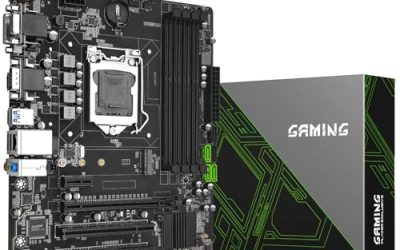
A white motherboard is rarely about performance. It is about the picture. Builders pairing a white case with a white graphics card and pale memory kits do not want a black or gunmetal PCB breaking up the look through the glass panel, and a matching board is the missing piece. The catch is that white boards have historically been scarce, pricier than their black twins, and limited to certain chipsets. Anyone hunting for the best white motherboards is solving two problems at once: finding the right platform, and finding one that truly arrives in the color they expect.
Every board in this guide uses the AM5 socket, so the shortlist is for Ryzen 7000, 8000, and 9000 builders on DDR5. Three carry Gigabyte’s ICE name, one lists a white PCB outright, and one is an ASRock micro-ATX board marked White. In 2026 the real choices are chipset tier, board size, and how many M.2 slots and connectivity features you need. The comparison below uses only what each listing states.
Our Top Picks


Top 3 picks at a glance
Quick Picks
As an Amazon Associate we earn from qualifying purchases at no extra cost to you.



| Product | Best for | Key spec from the title |
|---|---|---|
| GIGABYTE B850M AORUS Elite WIFI6E ICE | Compact white AM5 build | mATX, 12+2+2 power phase, 2x M.2 |
| GIGABYTE X870 AORUS Elite WIFI7 ICE | Full-featured white flagship build | ATX, 4x M.2, USB4, WIFI7, 2.5GbE |
| GIGABYTE B850 Eagle WIFI7 ICE | Balanced mid-range white build | ATX, 8+2+2 power phase, 3x M.2 |
| ASUS B650E MAX Gaming WiFi W | White PCB with Wi-Fi 6E | White PCB, 3x M.2, Wi-Fi 6E, 2.5Gb LAN |
| ASRock B650M-HDV M.2 White | Small, simple white AM5 board | Micro-ATX, dual M.2 (Gen5/Gen4) |
How to Choose
Decide on chipset tier and size
The five boards span three tiers. The X870 chipset sits at the top, with the richest feature list in this guide, including USB4. The B850 and B650E boards are the mid-range, covering most gaming and everyday builds without paying for features you may never use. The ASRock B650M-HDV is the plainest, aimed at buyers who need the basics in white. On size, ATX gives the most expansion slots, while micro-ATX boards save space but trim the number of slots and sometimes the M.2 count. A useful rule: if you intend to run one graphics card, one or two NVMe drives, and nothing else in the expansion slots, a micro-ATX board loses you almost nothing. If you want a capture card, a sound card, or extra storage controllers, step up to ATX before you commit to a case.
Check storage and expansion counts
Count the M.2 slots you will actually use. The listings show a range: two on the B850M and the ASRock, three on the B850 Eagle and the ASUS, and four on the X870 AORUS Elite. A single fast boot drive plus a game drive needs two. Add a third if you plan to keep a large library on NVMe. All five list PCIe 5.0, but read the detail: the ASRock names PCIe 5.0 on the x16 slot, with its M.2 slots split between Gen5 and Gen4, so not every slot runs at the top speed.
Match connectivity to your peripherals
Wi-Fi 6E is plenty for most homes, while Wi-Fi 7 helps only if your router supports it. The X870 Elite lists USB4, which matters for fast external drives and docks. Several boards list 2.5Gb Ethernet, a worthwhile step over gigabit if your network and internet plan support it. The ASUS lists a 10Gbps USB Type-C port and DisplayPort output, handy for integrated-graphics processors. Check what you use daily before paying for headline ports; a board with fewer flashy features but the right rear I/O for your keyboard, headset, and drives will serve you better than one with ports you never plug anything into.
Confirm the color and ignore the rest of the marketing
Color labeling varies. The ASUS listing says White PCB and the ASRock says White, while the Gigabyte models use the ICE suffix for their white colorway. Look at the listing photos to confirm which parts are white, since a board can have a white PCB with black heatsinks, or white shrouds over a darker base. Also treat power phase counts with care: 12+2+2 and 8+2+2 are design descriptions, and for most chips either is more than enough. Budget boards cut corners on VRM heatsinks, M.2 slots, and rear I/O, so weigh those before color alone. If the rest of your build is white, also think about the cables, fans, and cooler: a white board next to black cabling can look unfinished, and matching parts are often harder to find than the board itself.
The 5 Best Options
GIGABYTE B850M AORUS Elite WIFI6E ICE
A micro-ATX AM5 board with Ryzen 9000, 8000, and 7000 support, DDR5, a 12+2+2 power phase design, two M.2 slots, and PCIe 5.0. The ICE label marks the white version, and Wi-Fi 6E covers wireless needs.
- Strength: a 12+2+2 power design that is generous for a micro-ATX board.
- Strength: compact footprint with Wi-Fi 6E built in, ideal for a small white case.
- Trade-off: two M.2 slots and fewer expansion slots limit future growth.
Skip it if you want ATX expansion or more than two NVMe drives. It suits a small white build where size matters and the needs are straightforward, for example a living-room machine or a compact desk tower. Pair it with a micro-ATX or larger case, and confirm the case has room for your graphics card and cooler.
GIGABYTE X870 AORUS Elite WIFI7 ICE
The most complete board here. It is an ATX AM5 model, listed with the LGA 1718 designation, with DDR5, four M.2 slots, PCIe 5.0, USB4, Wi-Fi 7, 2.5GbE LAN, EZ-Latch, and a five-year warranty.
- Strength: four M.2 slots and USB4 give the widest feature set of the five.
- Strength: the five-year warranty stated in the listing adds confidence for a long-term build.
- Trade-off: it sits at the top of the range, so you pay for features some builders will not use.
Skip it if your needs are modest and the chipset tier is overkill. It fits enthusiasts building a high-end white system around a top Ryzen chip, perhaps with multiple NVMe drives and fast external storage. Buyers who value a stated warranty length and the newest wireless standard in a white package will find the combination hard to match within this group.
GIGABYTE B850 Eagle WIFI7 ICE
An ATX B850 board with Ryzen 9000, 8000, and 7000 support, DDR5, an 8+2+2 power phase, three M.2 slots, PCIe 5.0, USB-C, and Wi-Fi 7. It occupies the middle of the group.
- Strength: three M.2 slots and Wi-Fi 7 at a mid-range chipset tier.
- Strength: full ATX size gives more room for cards and cable routing.
- Trade-off: the 8+2+2 power phase count is the lowest of the ATX boards here.
Skip it if you plan to push a flagship processor hard. It is a sensible white board for a typical gaming build with a midrange chip, giving enough storage slots for a boot drive, a game drive, and a spare. Anyone planning to upgrade to a flagship chip later should weigh the lighter power design first.
ASUS B650E MAX Gaming WiFi W
This ATX board lists a White PCB, DDR5, PCIe 5.0, three M.2 slots, Wi-Fi 6E, 2.5Gb LAN, a 10Gbps USB Type-C port, and DisplayPort. It uses the older B650 generation with the E-tier feature set.
- Strength: the listing explicitly states a white PCB, removing color guesswork.
- Strength: three M.2 slots, 2.5Gb LAN, and a USB-C port cover the essentials.
- Trade-off: Wi-Fi 6E and the B650 generation trail the newer Wi-Fi 7 boards.
Skip it if you want the newest wireless standard. It is a good match for builders who want a clearly white ATX board from a major brand and do not need the latest chipset. Because the title mentions both a white PCB and DisplayPort, it also works for a processor with integrated graphics before a separate graphics card is added.
ASRock B650M-HDV M.2 White
A micro-ATX AM5 board with Ryzen 9000, 8000, and 7000 support, a PCIe 5.0 x16 slot, DDR5 rated for 8200+ with overclocking, dual M.2 slots (Gen5 and Gen4), and a USB 3.2 Type-C port.
- Strength: dual M.2 with one Gen5 slot at a simple, small form factor.
- Strength: DDR5 rating of 8200+ with overclocking suggests solid memory support.
- Trade-off: it appears to be the most basic board of the five, with no Wi-Fi named in the visible title.
Skip it if you need built-in wireless or extra slots. It fits a tidy small white system where the budget goes into the processor and graphics card. Buyers who want Wi-Fi can add a separate adapter, though that eats into the savings and the clean look the white theme is meant to deliver.
Which One Fits Your Situation
A white flagship build with a top Ryzen chip
The GIGABYTE X870 AORUS Elite WIFI7 ICE offers four M.2 slots, USB4, and a five-year warranty, which suits a long-lived build. Its fast external ports also make it the one to pick if you edit large video files from external drives. Because the socket is AM5, the same board can also carry a processor upgrade several years from now.
A mid-range gaming rig in a white ATX case
The GIGABYTE B850 Eagle WIFI7 ICE balances features with chipset tier, and the ASUS B650E MAX Gaming WiFi W is the alternative with a clearly stated white PCB. Between them, the Gigabyte offers newer wireless and the ASUS offers the more explicit color description, so decide which matters more for your case and your router.
A compact white build
Choose the GIGABYTE B850M AORUS Elite WIFI6E ICE for the stronger power design and wireless, or the ASRock B650M-HDV M.2 White for a simpler layout. Both accept the same Ryzen generations, so the choice comes down to power design, wireless, and how much you want to spend on extras.
A tightly planned budget build
The ASRock B650M-HDV M.2 White keeps the platform simple and spends little on extras, leaving more room in the plan for the processor and graphics card.
Common Mistakes
- Assuming every white board has white heatsinks and shrouds, when some only have a white PCB.
- Paying for a top chipset without needing the extra M.2 slots or USB4.
- Buying a micro-ATX board for an ATX case layout without checking expansion needs.
- Ignoring BIOS support for newer Ryzen chips on older chipset generations.
- Choosing by power phase count rather than by the processor you plan to run.
Related guides
- Sustainable Gaming Pc Power Supply Efficiency Guide
- Noctua Nh-D15 Vs Thermalright Peerless Assassin 120
- Thermal Paste Application Method For Lga1851
Frequently Asked Questions
Does a white motherboard perform differently from a black one?
No. Color is cosmetic. Performance depends on the chipset, power design, and features, not the finish. The only real downside of white is a narrower selection, so you may have to accept fewer model choices than a black board gives you.
Will these boards run Ryzen 9000 processors?
Several listings name Ryzen 9000, 8000, and 7000 support. For the older B650 boards, check that the BIOS version supports the chip you buy.
Is Wi-Fi 7 worth choosing over Wi-Fi 6E?
Only if your router and devices support it. For most homes, Wi-Fi 6E is already fast and stable, and a wired connection beats either one for competitive online games when a cable can reach the desk.
How many M.2 slots do I need?
Two is enough for a boot drive and a game drive. Choose three or four if you plan to keep multiple large NVMe drives installed.