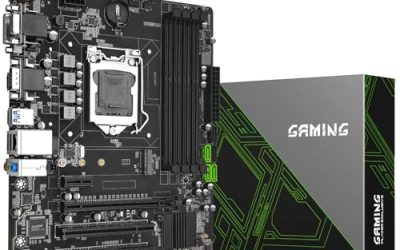
Ryzen 5000 processors all share one socket, AM4, and that makes the motherboard decision both easier and trickier than it first appears. Easier, because the field narrows quickly to B550 and X570 boards. Trickier, because a board that physically fits the chip may still refuse to boot it until a BIOS update arrives, and because the cheapest B550 models skimp on exactly the parts a fast processor leans on: power delivery, cooling for the voltage regulators, and storage slots. The goal is a board that runs a Ryzen 5000 chip comfortably today and leaves room for a future graphics card or a second drive.
This guide is for builders pairing a Ryzen 5000 processor with a DDR4 platform in 2026, whether that means a fresh budget build, an upgrade from an older Ryzen part on an existing AM4 board, or a second-hand processor snapped up for its value. Every board below states Ryzen 5000 support in its title, so there is no guessing about the socket or the generation. Two ASUS B550 boards in the research set were left out because their titles describe support only for the third generation of Ryzen, which does not confirm Ryzen 5000 on its own. The remaining six cover full-size ATX boards with Wi-Fi and compact micro-ATX boards for smaller cases.
Our Top Picks
 GIGABYTE B550M K AMD AM4 Micro-ATX MotherboardmATX10.43 x 10.43 x 2.12 inches1.7 poundsCheck on Amazon


Top 3 picks at a glance
Quick Picks
As an Amazon Associate we earn from qualifying purchases at no extra cost to you.


| Product | Best for | Key spec from the title |
|---|---|---|
| Gigabyte B550 Eagle WIFI6 | Well-rounded ATX build with wireless | ATX, 10+3 power phase, 2x M.2, WIFI6 |
| Gigabyte B550M K | Lowest-cost compact build | Micro-ATX, 3+3 power phase, 2x M.2 |
| Gigabyte B550 Gaming X V2 | Wired ATX board with strong power design | ATX, 10+3 power phase, PCIe 4.0 |
| MSI PRO B550M-P | Compact build with 5000 G-series chips | mATX, Ryzen 5000 G-series support |
| MSI B550 Gaming WIFI6E | ATX with newer wireless standard | ATX, WIFI6E, DDR4 Memory Boost |
| ASRock B550M-HDV | Basic office or entry gaming build | Micro-ATX, DDR4 4733+ (OC), Gigabit LAN |
How to Choose
Confirm BIOS support before you buy
Ryzen 5000 launched after the first B550 boards, so a board manufactured early may carry a BIOS that does not recognize a 5000-series processor. The safe path is to read the product description for a statement that the board supports 5000 chips out of the box, look at the revision label in the listing (a “V2” tag is a common sign of a later production run), and prefer boards with a BIOS Flashback feature that lets you update without a working processor. If you already own an older Ryzen chip, you can use it to update the BIOS and then swap in the newer one.
Match form factor to your case
ATX boards give you more expansion slots and more room around the processor socket, while micro-ATX boards fit smaller cases at a lower cost. A micro-ATX board typically offers fewer PCIe slots and fewer fan headers, which is perfectly fine for a single-graphics-card build. Check your case specification for its supported motherboard sizes, and count the drives and add-in cards you intend to install before you pick.
Judge the power delivery honestly
The power phase count is a rough indicator of how well a board handles a hungry processor. A design with 10+3 phases, as listed on two of the Gigabyte boards, has more capacity to spread the load than a 3+3 design. For a six- or eight-core chip running stock, a modest design can work, but for a sixteen-core processor or sustained heavy loads, stronger power delivery and good heatsinks on the voltage regulators become worthwhile. Ignore marketing language about extreme overclocking on entry-level boards. Also remember that the processor cooler affects stability as much as the board does, so pair a high-core-count chip with an adequate cooler instead of relying on the motherboard alone.
Count storage, connectivity, and memory support
Look for two M.2 slots if you want to add a second solid state drive later, PCIe 4.0 for a modern graphics card and fast storage, and USB 3.2 ports on the rear and the front header. If you need wireless networking, choose a board with Wi-Fi built in, since adding it later costs more than the small difference at purchase. Every board here uses DDR4, so confirm that your memory kit matches, and note that very high speed ratings in listings are overclock figures, not guaranteed speeds. Most Ryzen 5000 systems run well with a mainstream DDR4 kit at a mid-range speed, and chasing the extreme numbers in a listing adds cost without a noticeable change in games.
The 6 Best Options
Gigabyte B550 Eagle WIFI6
This ATX board lists AM4 support for Ryzen 5000, 4000, and 3000 processors, DDR4, a 10+3 power phase design, two M.2 slots, PCIe 4.0, USB-C, and Wi-Fi 6. It targets builders who want a balanced, full-size board with wireless built in and a sturdy power design for mid-range and upper mid-range chips.
- Strength: a 10+3 power phase layout suits stronger Ryzen 5000 chips.
- Strength: built-in Wi-Fi 6 and a USB-C port reduce the need for add-ons.
- Trade-off: a full ATX board needs a mid-tower case with room to spare.
Skip it if you are building in a small case. It is also more board than a basic office build needs, so buyers pairing an entry-level chip with integrated graphics may be paying for headroom they will never use.
Gigabyte B550M K
This micro-ATX board lists AM4 support for Ryzen 5000, 4000, and 3000, DDR4, a 3+3 power phase, two M.2 slots, PCIe 4.0, and USB 3.2 Gen ports. It fits a compact, cost-focused build with a six-core processor or similar, and it keeps the platform affordable.
- Strength: two M.2 slots on a compact board give room for storage growth.
- Strength: PCIe 4.0 support for a modern graphics card.
- Trade-off: the 3+3 power design is modest for demanding high-core-count chips.
Skip it if you plan to run a high-end Ryzen 5000 processor under sustained loads. Pairing it with a six-core chip and a mid-range graphics card is the sensible match, and it leaves the savings for a better cooler or a larger solid state drive.
Gigabyte B550 Gaming X V2
The V2 revision lists ATX size, AM4 support for Ryzen 5000, 4000, and 3000, DDR4, a 10+3 power phase design, two M.2 slots, PCIe 4.0, and front USB connectivity. It matches the Eagle’s power design but without Wi-Fi in the listing, aimed at builders who plan to use a wired connection.
- Strength: 10+3 power phases support stronger processors.
- Strength: the V2 tag suggests a later production revision of the board.
- Trade-off: the title does not list built-in wireless networking.
Skip it if you need Wi-Fi without buying an adapter. A small USB or PCIe wireless adapter can fill that gap later, so the missing radio is a minor issue for someone who is happy to add one.
MSI PRO B550M-P
This micro-ATX board lists AM4 support for Ryzen 5000 and 5000 G-series, plus 4000 G-series and 3000 G-series desktop processors, with DDR4 Memory Boost. The G-series note is the standout: it speaks to builders using integrated-graphics chips who may skip a separate graphics card for a while.
- Strength: explicit support for 5000 G-series processors with integrated graphics.
- Strength: micro-ATX size keeps the build small and economical.
- Trade-off: the title lists no Wi-Fi or detailed power phase information.
Skip it if you want wireless networking or a full-size layout. Because the title is brief on power design, pair it with a modest processor and verify the manufacturer’s compatibility list for the exact chip you plan to install.
MSI B550 Gaming WIFI6E
This ATX board lists AM4 support for Ryzen 5000, 5000 G-series, 4000 G-series, and 3000 series processors, DDR4 Memory Boost, and WIFI6E wireless. The newer wireless standard separates it from Wi-Fi 6 boards, and the full-size layout suits a feature-rich gaming build.
- Strength: Wi-Fi 6E wireless support is built in.
- Strength: broad processor support including G-series chips.
- Trade-off: the 6E advantage only helps if your router also supports it.
Skip it if you use wired Ethernet and want to save on features you will not use. The full ATX layout also gives more room for extra expansion cards, such as a capture card or a second storage controller, than the micro-ATX options.
ASRock B550M-HDV
This micro-ATX board lists a Socket AM4 design, support for Ryzen 5000, 4000, and 3000 series, DDR4 listed up to 4733+ with overclocking, PCIe 4.0, and Gigabit LAN. It is a simple board for an entry-level or office-style build that still wants a path to a Ryzen 5000 processor.
- Strength: PCIe 4.0 and DDR4 support on an economical micro-ATX board.
- Strength: Gigabit LAN covers basic wired networking.
- Trade-off: the title mentions no Wi-Fi, extra M.2 slots, or power phase count.
Skip it if you want a feature-rich board for a high-end chip. For a family computer, a homework machine, or a first build on a tight allowance, the simpler feature set is easy to live with and leaves more room in the budget for memory and storage.
Which One Fits Your Situation
You are building a mid-range gaming PC with a Ryzen 5 or Ryzen 7 chip
The Gigabyte B550 Eagle WIFI6 brings a strong power design, two M.2 slots, and wireless in one board. That combination covers the common needs of a gaming build, such as a fast boot drive plus a second drive for a game library, without forcing a step up to a premium board.
You are keeping costs low in a small case
The Gigabyte B550M K is a compact choice, while the ASRock B550M-HDV is the simplest option for basic use.
You are using a Ryzen 5000 G-series processor with integrated graphics
The MSI PRO B550M-P is the pick, as the title explicitly lists 5000 G-series support. Starting without a separate graphics card and adding one later is a sensible way to spread out the cost of a first build.
You have a modern router and want the newest wireless standard
Choose the MSI B550 Gaming WIFI6E, or the Gigabyte B550 Gaming X V2 if you will stay on Ethernet.
Common Mistakes
- Assuming any AM4 board will boot a Ryzen 5000 chip without confirming BIOS support.
- Buying a board with a minimal power design for a high-core-count processor that runs hot.
- Paying for Wi-Fi 6E when the router and devices only support older standards.
- Choosing a micro-ATX board and then needing more expansion slots than it provides.
- Treating the DDR4 speed number in a listing as a guaranteed speed rather than an overclock rating.
Related guides
- Noctua Nh-D15 Vs Thermalright Peerless Assassin 120
- Sustainable Gaming Pc Power Supply Efficiency Guide
- Thermal Paste Application Method For Lga1851
Frequently Asked Questions
Do B550 boards work with Ryzen 5000 out of the box?
Many later production runs do, but early boards may need a BIOS update first. Read the listing for support statements and look for BIOS Flashback or a revision tag.
Is B550 better than older B450 boards for Ryzen 5000?
B550 adds PCIe 4.0 for the graphics slot and fast storage, which B450 lacks. If you simply need a working board, an older model can run a 5000 chip with a BIOS update, but B550 is a more modern choice.
Are 5000 G-series chips supported on every board?
No. Only the listings that name 5000 G-series support, such as the two MSI boards here, state that explicitly. Check the manufacturer’s processor support list before you buy.
Is AM4 still worth building on?
For a value-oriented build with DDR4 memory, yes. The platform is mature and affordable, but it is not the path to the newest processors, so it suits buyers who want savings over the latest platform.