
Choosing a DDR3 motherboard in 2026 is a rescue-and-revive decision, not a flagship build. Nobody starts a brand-new gaming rig on a memory standard that debuted years ago. The people shopping here are keeping an older machine alive: replacing a dead board in a family desktop, reusing a drawer full of DDR3 sticks, or assembling a cheap office, media, or home-lab PC around a Haswell-era or Xeon processor they already own.
That means the keyword hides a compatibility puzzle. A DDR3 board is only useful if the socket matches your processor, the memory slots match your modules, and the board size fits your case. The eight boards below cover LGA 1150, LGA 2011, and older AMD-era designs, and the guide explains how to match each to a real situation rather than chase a headline spec.
Our Top Picks


Top 3 picks at a glance

Quick Picks
As an Amazon Associate we earn from qualifying purchases at no extra cost to you.

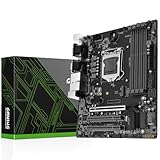


| Product | Best for | Key spec from the title |
|---|---|---|
| SHANGZHAOYUAN B85M PRO | Budget Haswell rebuild | LGA 1150, DDR3, PCIe 3.0, NVMe M.2 |
| ASRock D1800M | Basic low-power office PC | Micro ATX, DDR3 1066 |
| SHANGZHAOYUAN H97M PRO | 4th and 5th gen Core upgrades | LGA 1150, 4 DDR3 slots, USB 3.0 |
| ASRock 970M PRO3 | Older AMD-style Micro ATX builds | Micro ATX, DDR3 1066 |
| MACHINIST H81 | Entry-level Intel 4th gen box | Dual-channel DDR3, max 16GB |
| SHANGZHAOYUAN X79 S7 | Xeon workstation or home server | LGA 2011, DDR3 max 256GB |
| ASUS H81M-K | Simple brand-name replacement | LGA 1150, Micro ATX, DDR3 1066 |
| Gigabyte GA-Z97X-UD3H | Most capable full-size board | LGA 1150, Z97, ATX, DDR3 1600 |
How to Choose
Socket first, everything else second
A motherboard is a socket decision before it is anything else. LGA 1150 boards, which dominate this list, take Intel 4th generation Core processors, and the H97M listing also names 5th generation. The X79 board uses LGA 2011 for Xeon E5 chips. If you already own a processor, match the socket exactly; if you are buying one with the board, check the title’s processor list. A mismatched socket cannot be fixed, so verify this before reading any other spec. Photograph the label on your current board or processor, or note the exact model, and compare it against the listing line by line. The chipset letters, such as H81, B85, H97, and Z97, only tell you the feature tier within a socket, not whether a processor will fit.
Memory type, speed, and ceiling
All eight boards use DDR3, which cannot be mixed with newer modules. Look at the stated speed and capacity: the Gigabyte Z97X board lists DDR3 1600, the ASRock and ASUS boards list 1066, and the MACHINIST H81 lists dual-channel DDR3 with a 16GB maximum. The X79 S7 lists a 256GB ceiling, which only matters if you plan to use server-class memory. For a general-purpose desktop, 16GB across two modules is a comfortable target on any LGA 1150 board here. Running two matched modules also enables dual-channel operation, which is worth having when the processor’s integrated graphics share system memory.
Storage and connectivity on older chipsets
Older chipsets often lack modern conveniences, so check the specifics. Three SHANGZHAOYUAN listings mention NVMe or NGFF M.2 slots, and the B85M PRO mentions PCIe 3.0. Boot support from NVMe drives can depend on the BIOS, so confirm before assuming it works. Look for SATA 3.0 for fast SSDs and USB 3.0 for external drives. Boards without them still run, but they tie you to slower storage and limit upgrades.
Where budget boards cut corners
The cheapest boards typically trim audio quality, expansion slots, heatsinks, and BIOS polish rather than basic function. Unbranded or lesser-known board makers may offer limited driver support and BIOS updates, which matters if you hit a compatibility problem later. Micro ATX boards save money but offer fewer slots, so ask whether you need more than one expansion card. A full ATX board like the Gigabyte gives more room to grow. Finally, remember that video output depends on the processor: LGA 1150 chips with integrated graphics use the board’s display ports, while a Xeon platform may need a separate graphics card to show anything on screen.
The 8 Best Options
SHANGZHAOYUAN B85M PRO
This LGA 1150 Micro ATX board suits budget builders reviving a Haswell-era processor. The title lists DDR3 memory, PCIe 3.0, and an NVMe M.2 slot, which is more modern than many boards of its generation and makes it appealing for someone adding an SSD to a rebuild.
- Supports 4th generation Core i7, i5, i3, Pentium, and Celeron processors per the listing.
- NVMe M.2 and SATA support give flexible storage options on a small board.
- Trade-off: the brand is a lesser-known maker, so BIOS updates and support may be limited.
Skip it if you want a familiar brand name or a full ATX layout with more slots.
ASRock D1800M
A minimal Micro ATX DDR3 board whose listing gives very little detail beyond the memory speed. It is aimed at buyers replacing a basic office or media machine who want a recognized brand and no surprises. Think of it as a like-for-like swap candidate rather than an upgrade, and expect to match it against your existing parts.
- Micro ATX size fits compact and standard cases alike.
- DDR3 1066 support is listed, matching older, slower memory kits.
- Trade-off: the title gives no socket or processor list, so you must verify what it supports before buying.
Skip it if you need a clear processor upgrade path or modern storage such as NVMe.
SHANGZHAOYUAN H97M PRO
This LGA 1150 board casts a wider net than most, naming Core i3, i5, i7, Pentium, and Xeon processors from the 4th and 5th generations. It targets people who want a bit more processor choice from the same socket, such as buyers hunting for a used 5th generation chip to pair with a compact, inexpensive board.
- Four DDR3 slots allow more memory flexibility than two-slot boards.
- SATA 3.0 and USB 3.0 are listed, keeping external and internal storage reasonably quick.
- Trade-off: it is Micro ATX, so expansion slots are limited.
Skip it if you need multiple add-in cards or a trusted mainstream brand.
ASRock 970M PRO3
Another DDR3 Micro ATX option, this one from an older generation. The 970 chipset name points to AMD-era platforms, but the title does not state a socket, so it fits buyers who already know they need this exact board for a legacy system. It is best treated as a repair part, and the first step before ordering is matching the model number against the machine it will go into.
- Micro ATX layout suits small and mid-size cases.
- DDR3 1066 support is listed, making it usable with older memory kits.
- Trade-off: with sparse title details, confirm the processor support carefully.
Skip it if you are building around an Intel LGA 1150 processor, since the platform will not match.
MACHINIST H81
A compact entry-level Intel 4th generation board aimed at simple, low-cost builds. The title lists support for Core i3, i5, i7, and Xeon E3 V3 processors with dual-channel DDR3 memory up to 16GB. The Gaming label in the listing is marketing language, so judge the board by its chipset and memory limits instead.
- LGA 1150 with Xeon E3 V3 support offers an inexpensive route to a capable workstation chip.
- Dual-channel DDR3 up to 16GB is adequate for everyday multitasking.
- Trade-off: the 16GB ceiling limits heavy workloads and long-term upgrades.
Skip it if you need more than 16GB of memory or newer 5th generation processor support.
SHANGZHAOYUAN X79 S7
This is the outlier: an LGA 2011 board for Xeon E5 processors. It suits home-lab, virtualization, and budget workstation builders who already own, or plan to buy, a compatible Xeon. Because the platform has no integrated graphics path from the processor in the title, plan on a discrete graphics card as well.
- Memory support up to 256GB of DDR3 is far beyond the LGA 1150 boards.
- NGFF and NVMe M.2 slots plus SATA 3.0 are listed for modern storage.
- Trade-off: Xeon platforms of this age typically draw more power than modern budget chips.
Skip it if you want a quiet, power-efficient desktop or have only a consumer Core processor.
ASUS H81M-K
A simple Micro ATX LGA 1150 board from a major brand, intended as a straightforward replacement for a failed board in an existing H81 system. It rewards buyers who want a name they recognize without paying for extras.
- Brand recognition may mean easier access to drivers and BIOS information.
- DDR3 1066 and LGA 1150 are clearly stated for compatibility checks.
- Trade-off: the listed memory speed is the lowest tier in this list, and the title lists no modern storage features.
Skip it if you want NVMe storage or enthusiast overclocking features.
Gigabyte GA-Z97X-UD3H
The most enthusiast-oriented board in the group, an ATX LGA 1150 model on the Z97 chipset with DDR3 1600 support. It targets builders who want more slots and a higher memory speed than the Micro ATX boards offer.
- ATX size provides more expansion room than the compact models.
- DDR3 1600 is the fastest listed memory speed here.
- Trade-off: a full ATX board needs a case that supports it, which excludes small enclosures.
Skip it if you are building in a small case or only need a basic office machine.
Which One Fits Your Situation
Replacing a dead board in an H81 system
The ASUS H81M-K is a direct, brand-name swap for an LGA 1150 machine, while the MACHINIST H81 serves the same role if you also want Xeon E3 V3 compatibility.
Building a small Haswell media or office PC
The SHANGZHAOYUAN B85M PRO gives you NVMe and PCIe 3.0 in a Micro ATX footprint, which is handy if you want a modern SSD in an older platform.
Setting up a home server or Xeon workstation
The SHANGZHAOYUAN X79 S7 is the only LGA 2011 option and supports up to 256GB of DDR3, making it the one to pick if you own a Xeon E5.
Wanting the most room to grow
The Gigabyte GA-Z97X-UD3H gives an ATX layout, Z97 chipset, and DDR3 1600, which suits someone planning to add several cards and keep the build for years.
Common Mistakes
- Buying a board before confirming the processor socket; LGA 1150 and LGA 2011 are not interchangeable.
- Assuming DDR3 modules fit any board; check the memory type and slot count first.
- Expecting NVMe boot support on every older chipset without checking the BIOS notes.
- Choosing Micro ATX and later discovering you need more expansion slots.
- Ignoring the case; full ATX boards will not fit compact enclosures.
Related guides
- Sustainable Gaming Pc Power Supply Efficiency Guide
- Noctua Nh-D15 Vs Thermalright Peerless Assassin 120
- Thermal Paste Application Method For Lga1851
Frequently Asked Questions
Can I use DDR4 memory on a DDR3 board?
No. DDR3 and DDR4 modules have different notches and electrical designs, so they are not interchangeable. Reuse only DDR3 memory with these boards.
Is a DDR3 board still worth buying?
It makes sense when you already own DDR3 memory and a compatible processor, or when you need a cheap replacement for an existing system. For a brand-new build, a current platform is usually the better long-term investment.
What is the difference between B85, H81, H97, and Z97?
They are different chipset tiers for the same LGA 1150 socket. Z97 is the enthusiast tier with more features, while H81 is the most basic, and B85 and H97 sit between them.
Do I need Xeon processors for the X79 board?
The X79 S7 title names Xeon E5 series processors, so that is the safest match. Confirm any other processor in the full listing before buying.









