
The GeForce RTX 5080 does not need a premium motherboard. For most builds, a B850 board suits it well, while an X870E board suits buyers who want more high-speed storage, networking, or expansion. The graphics card itself has no socket requirement, so the real choice is the CPU platform, the board’s slots and storage, and whether the case fits the card.
As an Amazon Associate we earn from qualifying purchases at no extra cost to you.

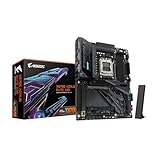


Our Top Picks


Top 3 picks at a glance
At a glance
The RTX 5080 is a single PCIe card, so the motherboard matters through its slot, its power delivery, and the number of storage and expansion options it provides. The table lists the card’s stated specifications from NVIDIA, followed by the board tiers reviewers most often discuss.
| Item | GeForce RTX 5080 (as NVIDIA lists) | Motherboard tier to pair with it |
|---|---|---|
| CUDA cores | 10,752 | Not applicable |
| Memory | 16 GB GDDR7 on a 256-bit bus | Not applicable |
| Graphics card power | 360 W total graphics power | Sufficient for any mainstream board |
| Recommended system power | 850 W minimum | Choose a PSU with margin |
| Host interface | PCIe Gen 5 | Use the top x16 slot as the manual directs |
| Card size | 304 mm long, 2-slot width | Check case clearance |
| Best-value board tier | B850 class boards, which reviewers call the AM5 sweet spot for gaming | |
| Premium board tier | X870E class boards, for more I/O and high-speed storage | |
What the RTX 5080 actually needs from a board
NVIDIA lists the card as a PCIe Gen 5 device with 16 GB of GDDR7 memory. The card’s performance is governed by the GPU and memory, not by the chipset. A board therefore only needs a properly wired x16 slot, stable power delivery for the CPU, and enough storage and networking for your workload.
Reviewers report that for most AMD gaming builds in 2026, a B850 board with a PCIe 5.0 graphics slot, at least two M.2 slots, WiFi, and a BIOS flashback button covers the requirements. The 5080 fits that description. Buyers who need more than that, such as several Gen 5 SSDs, capture cards, or 10 GbE networking, look at X870E.
Two points are easy to miss. First, check that the top PCIe slot is the x16 slot wired to the CPU, because some boards route secondary slots differently. Second, confirm that the board’s VRM and cooling suit the CPU you plan to install, using the board maker’s CPU support list.
Board tiers and named examples
Named models below appear in current roundups and maker listings. Confirm each one against the maker’s own product page before buying, because board revisions and availability change often.
B850 class: the sweet spot for most builds
One guide describes B850 as delivering the same CPU support and game performance as X870 at a lower cost, which is why reviewers often point to it for gaming systems. Examples reviewers name include the MSI MAG B850 Tomahawk Max WiFi II and the ASUS TUF Gaming B850-Plus WiFi. Both are positioned around a PCIe 5.0 graphics slot and multiple M.2 slots.
X870E class: more I/O and storage
X870E boards are positioned for builds that need extra high-speed storage, capture hardware, or fast networking. Reviewers name the ASUS ROG Strix X870E-E Gaming WiFi as a frequent gaming pick. Tom’s Hardware lists the ASUS ROG Crosshair X870E Glacial as a high-end option and the ASRock X870E Challenger as a budget-class X870E board. The Gigabyte X870E AORUS ELITE WIFI7 appears in one roundup as a value pick for this card.
X870: the USB4 variant
One source describes X870 as essentially the older B650E design with USB4 made mandatory. Buy it for the USB4 ports rather than for any performance advantage over B850. If you do not need USB4, a B850 board offers similar gaming value.
Compatibility notes
- Socket: B850, X870, and X870E are AM5 chipsets, so they take AM5 processors. Confirm the exact CPU list for each board before purchase, because support for specific processors depends on the board’s BIOS version.
- Memory: AM5 platforms use DDR5. Use the board maker’s qualified memory list when choosing a kit.
- Case clearance: The RTX 5080 is 304 mm long and occupies two slots. Compare that length with your case’s maximum GPU clearance, and account for radiators or front fans if the case uses them.
- Power: NVIDIA lists 850 W as the minimum recommended system power. Choose a quality PSU with margin, and confirm the connector setup for the specific card model. NVIDIA’s listing describes the power connection as three PCIe 8-pin cables or a single 450 W-plus PCIe Gen 5 cable.
- Slot and riser: Keep the card in the top x16 slot, and check the board manual for which M.2 slots share lanes with that slot, since populating some M.2 slots can reduce PCIe lanes.
- Intel platforms: Intel boards use a different socket and are outside the scope of this AMD-focused comparison. Check the board’s socket and CPU list before pairing any Intel platform with the card.
Pick by build goal
| If your build is | Pick a board tier | Reason |
|---|---|---|
| Gaming-focused with one or two SSDs | B850 | Same CPU support and game performance as X870 at lower cost |
| Gaming plus several Gen 5 SSDs | X870E | More high-speed storage and expansion |
| Streaming or capture-heavy | X870E | Better fit for capture cards and fast networking |
| Budget-conscious but needs USB4 | X870 | Reviewers describe it as mainly a USB4 option |
| Small case with tight clearance | Any tier | Board choice matters less than card length |
Alternatives to consider
- Mid-range B850 boards: Several maker lines offer B850 boards with a range of feature sets, from basic to fully equipped. Compare the M.2 slot count, the PCIe slot reinforcement, and the rear I/O before choosing.
- Premium X870E boards with more I/O: These suit builds that need the highest storage bandwidth or specialized expansion cards. They cost more, so buy them only if the extra features are part of your plan.
- Earlier AM5 chipsets: Older AM5 boards with a PCIe x16 slot can host the card, but they are previous-generation designs with fewer modern features. Confirm the x16 slot wiring, the CPU list, and the BIOS support for your intended processor before buying.
Storage, networking, and expansion planning
Most of the difference between a B850 board and an X870E board appears in storage and connectivity rather than in gaming frame rates. The card itself does not use the motherboard’s M.2 drives, but a fast game library and large capture files depend on them. Reviewers note that the number of M.2 slots, and whether each slot runs at PCIe 5.0 or 4.0 speed, varies by board, so read the manual’s lane table before assuming a drive will run at full speed.
Networking and USB ports are the other common divider. Boards at the X870E level often list multi-gigabit or 10 GbE networking and extra USB4 ports, which matter for video editing workstations and some external storage setups. A B850 board with WiFi and a standard gigabit port covers most gaming needs. Choose based on the devices you actually plan to connect, not on the headline feature list.
Expansion slots matter less for this card because it occupies the top x16 slot. If you plan to install a capture card or a second PCIe device, check which slots share lanes with the graphics slot and with each other, since populating one connector can disable another on some boards.
Buyer checklist before choosing
- Confirm the board is an AM5 model that supports the processor you plan to install, using the maker’s CPU list.
- Count the M.2 drives you need now and in the next year, then check which slots share lanes with the graphics slot.
- Choose a board with a BIOS flashback button if you may upgrade processors later, since it allows a BIOS update without a working CPU installed.
- Check the case’s maximum GPU length and the board’s rear I/O against your case and peripherals.
- Use the board maker’s qualified memory list before buying DDR5 memory.
Frequently Asked Questions
Do I need an X870E board for an RTX 5080?
No. Reviewers generally place B850 as the value choice for most gaming builds, and the GPU’s performance does not depend on the chipset. X870E is worth considering if you need more high-speed storage, capture hardware, or fast networking. Otherwise a B850 board covers the card’s needs.
Does the RTX 5080 need a PCIe 5.0 slot?
NVIDIA lists the card as PCIe Gen 5. Confirm the top x16 slot on your board is wired to the CPU and follow the board manual for the slot’s lane configuration. Check that the board maker lists the slot as PCIe 5.0 if you want that specification, and understand the card’s performance is governed by the GPU itself.
How big is the RTX 5080?
NVIDIA’s listing gives a length of 304 mm and a 2-slot width. Measure your case’s maximum GPU length and check whether front radiators or drive cages reduce clearance. Board-partner models of the same chip can vary, so check the exact model’s dimensions.
What PSU wattage does the RTX 5080 need?
NVIDIA lists 850 W as the minimum recommended system power. Use a quality PSU with margin, and check the PSU maker’s compatibility list and the card maker’s manual for the connector setup. Do not rely on a single online calculator for the final choice.
Which DDR5 memory should I pair with these boards?
Use the board maker’s qualified memory list and choose a kit the board supports at the speed you want. Higher memory speeds may depend on the processor and BIOS version, so confirm both before buying. The memory choice does not change how the graphics card performs.
Is a B850 board fast enough for a future upgrade?
B850 supports the AM5 platform, so it keeps a path to newer AM5 processors within the board’s stated support. Check the CPU list for the upgrade you plan. If you expect to add several high-speed drives or expansion cards later, an X870E board gives more room for those upgrades.









