Running a large language model on your own hardware changes what matters in a graphics card. Gaming buyers chase frame rates, but a local AI workload lives or dies by memory capacity: the model weights, the key-value cache and the runtime overhead all have to fit in VRAM, or the workload spills into system memory and slows to a crawl. Bandwidth matters next, because generation speed tracks how fast the card moves weights through memory. Platform support matters too, since the software stack around CUDA, ROCm and Intel XMX decides which tools run smoothly and which need workarounds.
This guide ranks five cards across three capacity tiers: a 32GB flagship, two 24GB cards for serious local inference, and two 16GB cards for smaller models and experimentation. Every pick is a real retail listing with a verified ASIN, and the specs quoted are the ones its listing states; where a detail is unstated, the tables say so rather than guessing. If your goal is the largest model that fits on one card, start at the top.
As an Amazon Associate, we earn from qualifying purchases.
Our Top Picks

Top 3 picks at a glance


Quick answer
The MSI RTX 5090 SUPRIM Liquid SOC leads with 32GB of GDDR7 for the most local AI headroom on a single card. The two RX 7900 XTX cards deliver 24GB for larger models on AMD’s platform, while the RTX 4070 Ti SUPER and Acer Arc A770 are the 16GB entry points for smaller models and experimentation.
MSI Gaming RTX 5090 32G SUPRIM Liquid SOC
The SUPRIM Liquid SOC is the capacity ceiling of this roundup. Its 32GB of GDDR7 sits on a 512-bit bus, the widest memory interface here, which pairs the largest single-card model capacity with the bandwidth to feed it. That combination means the biggest open-weight models that fit on one consumer card stay resident in VRAM, with room left for a longer context window. The listing states an Extreme Performance clock of 2580 MHz, and the card is liquid cooled under the SUPRIM design, which suits long sustained generation sessions where an air cooler would work hard for hours.
Outputs are current-generation — three DisplayPort 2.1a and one HDMI 2.1b — so the same machine can drive a modern multi-monitor desk alongside its compute duties. The model number is G5090-32SLS. Plan the build around this card: it expects a capable power supply, a case with room for its radiator, and a workload that genuinely needs the memory. If your models fit comfortably in 24GB, the next two picks deliver most of the practical benefit on a different platform.
Specs
| Detail | Value |
|---|---|
| GPU | GeForce RTX 5090 |
| Memory | 32GB GDDR7 |
| Memory bus | 512-bit |
| Extreme Performance clock | 2580 MHz |
| Outputs | 3x DisplayPort 2.1a, 1x HDMI 2.1b |
| Cooling | Liquid-cooled SUPRIM design |
| Model | G5090-32SLS |
Sapphire Nitro+ AMD Radeon RX 7900 XTX Vapor-X
The Nitro+ Vapor-X is the premium way into the 24GB tier on AMD hardware. Its RX 7900 XTX chip carries 24GB of GDDR6, enough capacity for mid-to-large open-weight models at practical quantisation levels, plus image-generation workloads that reward memory headroom. The card is built on AMD’s RDNA 3 architecture, so the software conversation is about ROCm on supported platforms and the growing set of inference tools that target it. Buyers in that ecosystem will find this the most polished 24GB option in the guide.
The Nitro+ line is Sapphire’s flagship tier, and the Vapor-X name refers to its vapour-chamber cooling, relevant for a card that may sit under sustained load through long stretches of text generation. The model number is 11322-01-40G, and the listing dates the card to December 28, 2022, so it is a mature, well-documented product. Clock figures are not stated in the verified facts for this listing, so the table records them as not stated rather than borrowing numbers from sibling models.
Specs
| Detail | Value |
|---|---|
| GPU | Radeon RX 7900 XTX |
| Memory | 24GB GDDR6 |
| Architecture | AMD RDNA 3 |
| Boost clock | Not stated |
| Model | 11322-01-40G |
| Date first available | December 28, 2022 |
XFX Speedster MERC310 AMD Radeon RX 7900 XTX Black
The MERC310 Black is the second 24GB route, and it differs from the Sapphire in the details rather than the headline capacity. It also carries an RX 7900 XTX with 24GB of GDDR6, here on a 384-bit bus, with a boost clock of up to 2615 MHz per the listing’s card description. Outputs are DisplayPort 2.1 and HDMI 2.1. For a local AI buyer, the practical story is the same 24GB working space for models and context, delivered by XFX’s Speedster line with its own cooler and clock profile.
Choosing between the two XTX cards comes down to the specifics each listing states: the MERC310 records its boost figure and bus width explicitly, while the Nitro+ leans on its vapour-chamber design and flagship positioning. Both sit on the same RDNA 3 platform, so software support is near-identical in practice; the decision is about the physical card, its cooler and its clocks. The model number is RX-79XMERCB9, first available December 13, 2022. Buyers running Linux-based inference stacks should confirm their framework’s ROCm support for RDNA 3 before ordering either AMD pick.
Specs
| Detail | Value |
|---|---|
| GPU | Radeon RX 7900 XTX |
| Memory | 24GB GDDR6 |
| Memory bus | 384-bit |
| Boost clock | Up to 2615 MHz |
| Outputs | DisplayPort 2.1, HDMI 2.1 |
| Model | RX-79XMERCB9 |
| Date first available | December 13, 2022 |
ASUS TUF Gaming GeForce RTX 4070 Ti SUPER

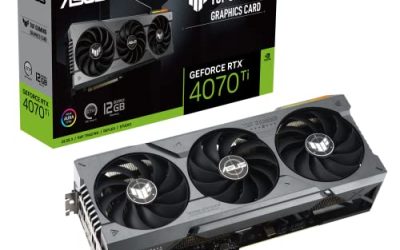
The TUF Gaming RTX 4070 Ti SUPER is the NVIDIA entry point here, and precision matters: this is the non-OC edition, model TUF-RTX4070TIS-16G-GAMING. It carries 16GB of GDDR6X, which suits smaller open-weight models, heavily quantised mid-size models, and the wide range of AI tools, image generators and fine-tuning scripts that assume a CUDA-capable card. That software maturity is the deciding factor for many buyers: the largest ecosystem of local AI tooling is built and documented around NVIDIA first, and a 16GB CUDA card runs more of it with fewer detours.
The card connects over PCIe 4.0 and offers HDMI 2.1a plus DisplayPort 1.4a outputs, adequate for a workstation desk. ASUS’s TUF line is its durability-focused tier, a sensible character for a machine running long compute sessions. The honest limitation is capacity: 16GB is the floor of this roundup, so buyers whose ambitions already point at larger models should step up to the 24GB tier instead of planning around a memory ceiling. Within its tier, this is the straightforward recommendation for CUDA-first workflows.
Specs
| Detail | Value |
|---|---|
| GPU | GeForce RTX 4070 Ti SUPER (non-OC) |
| Memory | 16GB GDDR6X |
| Interface | PCIe 4.0 |
| Outputs | HDMI 2.1a, DisplayPort 1.4a |
| Model | TUF-RTX4070TIS-16G-GAMING |
| Date first available | January 24, 2024 |
Acer Predator BiFrost Intel Arc A770 OC

The Predator BiFrost Arc A770 OC is the value route into 16GB of VRAM and the Intel platform’s representative in this guide. The A770 carries 16GB of GDDR6 on a 256-bit bus running at 18 Gbps, a competitive configuration for this tier. The listing states a graphics clock of 2.2 GHz with an OC boost clock of 2.4 GHz, a dual-fan cooler, and a TDP of 250W with dual 8-pin PCIe power connectors, so most mid-range power supplies can run it. Outputs are generous: one HDMI 2.1 port and three DisplayPort 2.0 ports over a PCIe 4.0 connection.
Intel’s Arc platform leans on its XMX engines for AI acceleration, and support in popular inference tools keeps growing, but check that your chosen framework explicitly supports Arc before committing, because the Intel software path is younger than CUDA or ROCm. That homework is the trade for the card’s positioning: 16GB of memory for local models and experimentation without the premium other platforms command at this capacity. For a second machine or a budget-conscious first step into local AI, the BiFrost makes a coherent case.
Specs
| Detail | Value |
|---|---|
| GPU | Intel Arc A770 |
| Memory | 16GB GDDR6 |
| Memory bus | 256-bit, 18 Gbps |
| Graphics clock | 2.2 GHz |
| OC boost clock | 2.4 GHz |
| TDP | 250W |
| Power connectors | Dual 8-pin PCIe |
| Outputs | 1x HDMI 2.1, 3x DisplayPort 2.0 |
| Interface | PCIe 4.0 |
How to choose
Start with capacity, because it is the one specification you cannot work around later. Estimate the size of the models you want to run at the quantisation you find acceptable, add room for the context window you plan to use, and buy the tier that holds that total in VRAM with space to spare. A model that only just fits leaves nothing for longer conversations or larger batch work, so stepping up a tier is usually the best-spent money in a local AI build.
Next, pick your platform deliberately. NVIDIA’s CUDA stack has the broadest tool support and the deepest documentation, which matters when following community guides. AMD’s ROCm path suits buyers comfortable checking framework support, and rewards them with 24GB of capacity. Intel’s XMX route is the value option, best for buyers who verify their exact tools first. Bandwidth is the third factor: wider buses and faster memory standards keep generation responsive once the model fits.
Finally, plan the physical build: check power supply wattage and connectors against the card’s requirements, confirm the case fits the card and, for the liquid-cooled flagship, its radiator, and plan cooling for sustained loads, since inference sessions run a card hard for hours rather than in short gaming bursts.
Who should skip
Skip this entire category if your AI use is occasional and light: a cloud service will cost less than any card here and asks nothing of your hardware. Skip the 16GB tier if you already know the models you want need more room, since a memory ceiling found after purchase is the most common regret in these builds. Skip the flagship if your workload is a single small model for personal experiments; its capacity only pays off when models, context windows or batch sizes grow into it. Skip the AMD and Intel picks if your software stack lists CUDA as a requirement rather than an option.
FAQ
How much VRAM do I actually need for local LLMs?
It depends on the model size and quantisation you choose. Smaller models run comfortably in 16GB, mid-size open-weight models are happier in 24GB, and the largest single-card setups use the full 32GB of the flagship. Leave headroom beyond the raw model size for context and runtime overhead.
Can I split a model across system RAM instead of VRAM?
Most inference tools allow partial offloading to system memory, but layers running from system RAM are far slower than layers resident in VRAM. It works as a fallback, yet a card with enough capacity for your target model is the better long-term answer.
Which platform is easiest for a first local AI build?
NVIDIA’s CUDA platform has the widest tool support and the most community documentation, which makes the 16GB RTX 4070 Ti SUPER the lowest-friction starting point. AMD’s ROCm and Intel’s XMX platforms are capable, but check that your framework and tools support them before buying.
Does memory bandwidth matter as much as capacity?
Capacity decides what fits; bandwidth decides how fast it generates once it fits. A model that cannot fit in VRAM is a hard stop, while a wider bus and faster memory standard make everyday generation feel more responsive. For most buyers, buy capacity first and bandwidth second.
Final verdict
The MSI RTX 5090 SUPRIM Liquid SOC is the pick when the goal is maximum single-card headroom: 32GB of GDDR7 on a 512-bit bus is the strongest local AI specification in this guide. The two RX 7900 XTX cards form the 24GB tier for AMD buyers, with the Sapphire Nitro+ Vapor-X as the premium build and the XFX MERC310 Black as its close alternative. At 16GB, the ASUS TUF RTX 4070 Ti SUPER is the CUDA-safe choice, while the Acer Predator BiFrost Arc A770 OC is the value play for buyers who confirm Intel support in their tools. Match the tier to the models you plan to run, and every card here earns its place.
Product and ASIN Reference
| Product | ASIN |
|---|---|
| MSI Gaming RTX 5090 32G SUPRIM Liquid SOC | B0DT7K9VV3 |
| Sapphire Nitro+ AMD Radeon RX 7900 XTX Vapor-X | B0BR6JWP1Q |
| XFX Speedster MERC310 AMD Radeon RX 7900 XTX Black | B0BNLSW23M |
| ASUS TUF Gaming GeForce RTX 4070 Ti SUPER | B0CQPXJFND |
| Acer Predator BiFrost Intel Arc A770 OC | B0BHKNK84Y |
Related guides
More from Amazon
Programs that pair well with the guide above. Offers and eligibility are set by Amazon and may change.
Free shipping on eligible items, Prime Video and more. Eligible new members can start with a free trial.
Start a Prime free trialAd-free music streaming. Eligible new subscribers can start with a free trial.
Try Music Unlimited freeA Prime membership for ages 18-24 with a trial period. Eligibility is set by Amazon.
See Prime for Young AdultsAudiobooks and podcasts to listen to on the go. Eligible new members can start with a free trial.
Try Audible freeAs an Amazon Associate we earn from qualifying purchases.