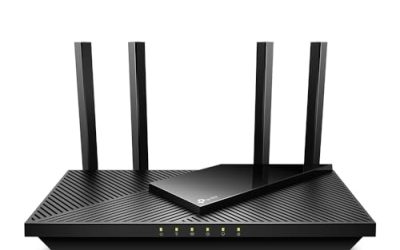
A mesh system is the better choice for most homes, because its nodes talk to each other over a dedicated link and present one seamless network, while an extender is a cheaper patch for a single dead spot. If your problem is one stubborn room, an extender can be enough; if coverage is poor across a whole floor or multiple levels, mesh is the right tool.
For gamers, the stakes are latency and consistency. A weak link adds spikes that no graphics card can fix. This guide explains how each approach handles bandwidth, roaming and wired connections, so you can pick the one that matches your home layout and not just the lowest cost in 2026.
How Each Approach Works
WiFi extenders
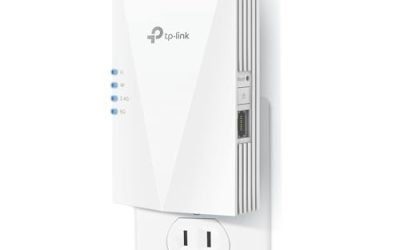
An extender sits between your router and the weak area, receives the signal and rebroadcasts it. Single-radio models use the same radio for both jobs, so throughput through the extender can drop substantially. Dual-band models can use one band to talk to the router and another to serve your devices, which helps, but the setup still relies on a relatively weak middle link.
Mesh systems
A mesh system uses a main router plus one or more satellite nodes that form a single network with one name. Many models reserve a radio for node-to-node traffic, called backhaul, or support a cable between nodes. Devices move from node to node automatically as you walk around, which is called roaming.
Power-line and wired alternatives
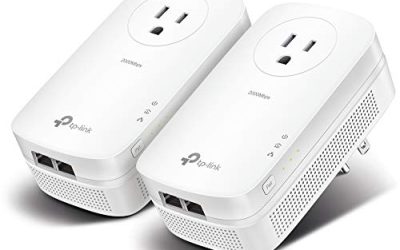
If you can run ethernet to an access point or use the home’s electrical wiring with an adapter pair, you can often get a steadier link than either wireless option. A wired backhaul turns a mesh node into a fast access point with a cable-quality connection behind it.
Extender vs Mesh at a Glance
| Factor | Extender | Mesh system |
|---|---|---|
| Cost level | Budget | Mid-range to premium |
| Coverage | Fills one gap | Covers a whole home |
| Network name | Often a separate name | One name throughout |
| Roaming between areas | Manual or sticky | Automatic handoff |
| Speed through the extension | Often reduced noticeably | Better with dedicated backhaul |
| Setup effort | Simple, plug and pair | App-guided, replaces the router |
| Wired backhaul | Rare | Commonly supported |
What Matters for Gaming
Latency and stability
An extra wireless hop adds delay. A single-radio extender is the weakest design for online games, because every packet crosses the same air twice. A mesh with dedicated backhaul or a wired link between nodes keeps that cost low.
Wired ports
Check whether satellites include ethernet ports. A console or desktop plugged into a nearby node by cable bypasses the wireless hop to your device, which is the single most effective gaming tweak with either option.
Placement
Both options work best at the halfway point, where the signal is still strong, not inside the dead zone. Putting an extender or node where the signal is already weak just copies the weakness.
Router compatibility
Mesh generally replaces your router, or runs alongside it in access-point mode. Extenders work with most routers, which is an advantage if you are happy with what you have.
When Each One Is the Right Call
- One far bedroom or garage with a weak signal, and the rest of the home is fine: an extender is a sensible, low-cost fix.
- A multi-story or long layout with weak signal in several places: choose mesh.
- A household with many devices and constant video calls: mesh handles the load more gracefully.
- Rental or temporary housing where you cannot change the router: an extender is easier to take with you.
- A home where ethernet is available between floors: use wired backhaul with mesh nodes or access points.
Before You Buy Checklist
- Map where the signal is weak and where it is good, and note the distance between them.
- Decide whether the fix is one room or the whole home.
- Check if you can run a cable between floors or rooms.
- Look for dual-band or tri-band support and a dedicated backhaul on any extender or node you consider.
- Confirm the number of ethernet ports on each unit.
- Check that the WiFi generation matches your devices and your internet plan.
- Read the app or setup requirements to be sure you are comfortable managing it.
Common Mistakes
Placing the extender in the dead zone
The device can only rebroadcast what it hears. Put it where the signal is still solid.
Expecting full speed through one hop
Extenders reduce throughput, so do not buy one to rescue a very fast internet plan in a distant room.
Mixing network names without a plan
Separate names are fine for fixed devices, but a laptop or phone can cling to the weak router. Matching names, or choosing mesh, avoids that.
Skipping the cable option
If a cable is available, using it for backhaul gives the largest improvement of all.
Home Layouts and What Tends to Work
Small apartment
One router placed centrally usually covers it. Move it off the floor, away from the microwave and out of cabinets before spending anything. If one corner remains weak, an extender is enough.
Two-story house
Signal passes through floors poorly. A mesh node placed near the stairwell or above the router tends to give both levels decent coverage, and a cable between floors improves it further.
Long ranch-style home
The signal has to travel along a hallway lined with walls. Two or three mesh nodes spaced along the length work better than an extender at the far end, which would receive a faint signal to repeat.
Detached office, garage or basement
If the distance is large or walls are thick, a wireless link may not hold. An outdoor-rated or wired access point can serve those spaces more reliably than either option.
Tips to Squeeze More from Either Option
- Update the firmware on the router, extender or nodes, since fixes often improve stability.
- Use a less crowded channel if neighboring networks interfere, which many routers can select automatically.
- Keep devices that stay in one place, such as a gaming console, on a cable.
- Separate heavy users, such as a living room streaming box, from the node your gaming PC uses where the system allows it.
- Place units off the floor and away from metal, mirrors, aquariums and large appliances.
Before You Spend Anything
Many weak-signal complaints come from the router’s position, not its power. A router sitting on the floor, in a closet or behind a television gives up a lot of reach. Moving it to a central, elevated spot is free and sometimes fixes the problem entirely. If the router came from your internet provider, you may also find a setting that reduces its range or locks it to a crowded channel. Check those basics first, then decide whether you truly need more hardware and whether one dead room or the whole home is the issue.
It is also worth asking what is actually slow. If only one old device struggles, the device’s own radio may be the limit, and no extender or mesh node will change that. Running a speed check in the weak room, then again beside the router, shows how big the gap really is.
Related guides
- How To Set Up Computer Speakers For Better Sound At Your Desk
- How To Check Whether Your Ram Is Running At Its Rated Speed
- How To Choose The Right Monitor Riser Height For Your Desk
Frequently Asked Questions
Is mesh worth the extra cost for a small home?
Not usually. In a small apartment or single-level home a good router in a central position solves most problems. Mesh pays off with size, layers of walls or many dead spots.
Can I add an extender to a mesh system?
You can, but it undermines the single-network design. Adding another node from the same product line is almost always the better answer.
Which is better for online gaming?
Mesh with a dedicated or wired backhaul, and a console or PC connected by cable to the nearest node. A single-radio extender is the weakest choice for latency-sensitive play.
Do I need to replace my router for mesh?
Typically yes, because the main node becomes your router. Some systems can run in access-point mode behind your existing router, which suits households that must keep a provider-supplied unit.
Related guides
More from Amazon
Programs that pair well with the guide above. Offers and eligibility are set by Amazon and may change.
Free shipping on eligible items, Prime Video and more. Eligible new members can start with a free trial.
Start a Prime free trialAd-free music streaming. Eligible new subscribers can start with a free trial.
Try Music Unlimited freeA Prime membership for ages 18-24 with a trial period. Eligibility is set by Amazon.
See Prime for Young AdultsAudiobooks and podcasts to listen to on the go. Eligible new members can start with a free trial.
Try Audible freeAs an Amazon Associate we earn from qualifying purchases.