Powerline adapters exist for one awkward situation: the console or gaming PC sits in a room the router cannot reach with a cable, and Wi-Fi in that room is patchy enough to cause lag spikes and dropped matches. Instead of running Ethernet through walls, a pair of adapters sends the network signal through the house’s existing electrical wiring, giving the far room a wired port. Whether that helps depends on the age and layout of your home wiring, which is the first thing to understand before choosing.
This guide is for players with a distant console, a mini PC in an upstairs bedroom or a living-room setup far from the router. In 2026 the realistic choices fall into three groups: plain Ethernet kits at different speed tiers, an add-on unit for expanding an existing pair, and hybrid kits that add a Wi-Fi extender. We compare eight models using only the features in their listings, so nothing here claims measured latency or throughput.
Our Top Picks
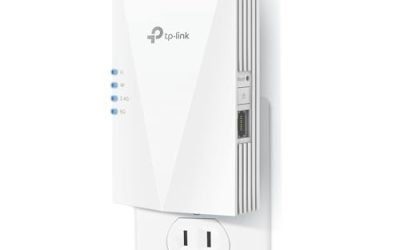
 TP-Link AV600 Powerline Ethernet Adapter Kit with 100600 Mbps2 x 2.6 x 1.1 inches0.7 poundsCheck on Amazon
 NETGEAR Powerline Ethernet Adapter Kit PLP20002.8 x 1.49 x 5.26 inches2.8 x 5.26 x 1.49 inches1.51 poundsCheck on Amazon
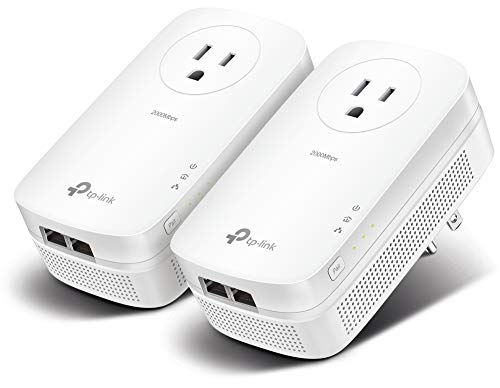


Top 3 picks at a glance
Quick Picks
As an Amazon Associate we earn from qualifying purchases at no extra cost to you.


| Product | Best for | Key feature from the listing |
|---|---|---|
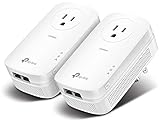
| TP-Link TL-PA9020P AV2000 Kit | Two wired devices at the far end | AV2000, passthrough, 2 gigabit ports |
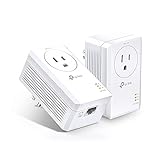
| TP-Link TL-PA7017P AV1000 Kit | Balanced wired gaming | AV1000, passthrough, noise filtering, gigabit port |
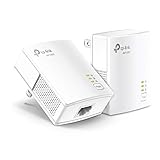
| TP-Link TL-PA7017 AV1000 Kit | Compact outlets and tight spaces | Nano size, gigabit port |
| TP-Link TL-PA4010 AV600 Kit | Light use on a tight budget | AV600 with a 100 Mbps port |
| NETGEAR PLP2000 Kit | Wired gaming with an outlet to spare | 2000 Mbps, integrated socket, 2 Ethernet ports |
| TP-Link TL-PA7017 Add-On Unit | Expanding an existing network | Single add-on adapter, gigabit port |
| TP-Link TL-WPA7817 Kit | Wired plus Wi-Fi 6 coverage | AV1000 powerline with AX1500 Wi-Fi 6 extender |
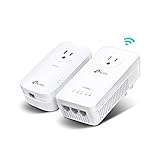
| TP-Link TL-WPA8631P Kit | Several wired devices plus Wi-Fi | AV1300, AC1200 extender, 3 gigabit ports |
How to Choose
Check the Port Speed, Not Just the Headline Number
The big marketing figure such as AV2000 or 2000 Mbps describes the combined power-line signal, not the speed a game console receives. What reaches your console is limited by the Ethernet port on the adapter, which is why a kit with a 100 Mbps port is a poor match for fast broadband, while kits with gigabit ports are the sensible floor for gaming. Look for gigabit ports on both adapters in the kit.
Look at Passthrough and Extra Ports
An adapter without passthrough takes up a wall outlet entirely, which matters if the same outlet powers your console. Passthrough models and the NETGEAR kit with an integrated socket let you plug another device into the adapter. Extra Ethernet ports suit setups with a console, a streaming box and a TV in the same room, but remember that all of them share the same powerline link.
Decide Whether You Need Wi-Fi in the Kit
Hybrid kits add a Wi-Fi extender to the far end, which covers phones, tablets and handhelds as well as the wired console. They cost more and suit homes where Wi-Fi is weak throughout. If you only need a wired port for one device, a plain Ethernet kit is simpler and has fewer settings to manage.
Know the Limits and Where Budget Kits Cut Corners
Powerline performance depends on the house’s wiring quality, how far the outlets are from each other and whether they share a circuit. Surge strips and extension cords can weaken the signal, so plug adapters directly into a wall outlet. Budget kits often skip passthrough, extra ports and noise filtering. Ignore peak-speed claims and consider the wiring in your own home, since results vary by house.
The 8 Best Options
TP-Link TL-PA9020P AV2000 Kit
The high-end plain kit in this group, for players who want the extra headroom and the option of plugging two wired devices into the far adapter, such as a console and a streaming box. It is the natural step up for a household with fast broadband and a living-room entertainment cabinet.
- Strength: AV2000 rating with passthrough so the outlet stays usable
- Strength: 2 gigabit ports and 2×2 MIMO listed
- Trade-off: it costs more than the AV1000 kits and needs good wiring to show its advantage
Skip it if you have one device to connect and modest broadband.
TP-Link TL-PA7017P AV1000 Kit
A mid-range pick for the typical case of one console in a distant room that also needs to keep an outlet free for another plug. Noise filtering, as stated in the listing, is aimed at keeping other household electronics from interfering with the link.
- Strength: passthrough with noise filtering listed
- Strength: gigabit port and plug-pair setup
- Trade-off: only one Ethernet port per adapter
Skip it if you want several wired devices in the same room.
TP-Link TL-PA7017 AV1000 Kit
The nano-sized version, ideal where outlets sit behind furniture or close to neighboring plugs and a bulky adapter would block them. Small adapters also look tidier in a bedroom or dorm where the cable run is visible.
- Strength: nano size and a gigabit port
- Strength: power saving mode and plug-pair setup
- Trade-off: no passthrough listed, so it occupies an outlet
Skip it if every outlet in the room is already in use.
TP-Link TL-PA4010 AV600 Kit
An older, slower tier that suits light browsing, video streaming and basic connectivity but not fast broadband or serious online gaming. It is the budget end of the range and mainly interesting for a spare room, a guest console or an older setup.
- Strength: nano size with plug-pair setup
- Strength: power saving mode
- Trade-off: the 100 Mbps port caps what the wired device can receive
Skip it if you have a fast internet plan or a latency-sensitive game.
NETGEAR PLP2000 Kit
A two-pack aimed at players who want a wired link without losing an outlet, thanks to the integrated socket on the adapter. The pair comes as a two-pack, so you can plug in and get started without matching separate units.
- Strength: 2000 Mbps rating with 2 Ethernet ports
- Strength: listed as compatible with all internet plans
- Trade-off: bulkier than the nano designs
Skip it if you have a tight outlet or want the smallest footprint.
TP-Link TL-PA7017 Add-On Unit
A single adapter meant to expand an existing TL-PA7017 network, not a full kit. It suits a second room that needs a wired port, such as a home office or a kid’s gaming corner, where you already run a network from an earlier purchase.
- Strength: gigabit port in a nano-sized body
- Strength: plug-pair setup with power saving mode
- Trade-off: it does not work alone, so you must already own a compatible adapter
Skip it if you are starting from scratch.
TP-Link TL-WPA7817 Kit
A hybrid kit for homes that need a wired port and better wireless coverage in the same distant room. EasyMesh support, as the listing states, can help it fit into a compatible whole-home Wi-Fi setup.
- Strength: AV1000 powerline plus an AX1500 Wi-Fi 6 extender
- Strength: gigabit port and EasyMesh support listed
- Trade-off: it costs more and adds Wi-Fi settings you must manage
Skip it if you only want a wired port.
TP-Link TL-WPA8631P Kit
A hybrid kit with several wired ports and a dual-band extender, for rooms holding multiple devices. A console, a PC and a TV box can each take a port while handhelds use the extender’s wireless signal.
- Strength: AV1300 powerline with an AC1200 dual-band extender
- Strength: 3 gigabit ports and passthrough
- Trade-off: uses the older AC Wi-Fi standard rather than Wi-Fi 6
Skip it if you want the newest Wi-Fi standard.
Which One Fits Your Situation
You Have One Console in a Far Bedroom
The TP-Link TL-PA7017P AV1000 Kit covers the common case with passthrough and a gigabit port, without paying for extras. Keep the second adapter directly in a wall socket in the far room and run a short patch cable to the console.
You Have Several Devices in the Same Room
The TP-Link TL-PA9020P AV2000 Kit gives two gigabit ports, and the TL-WPA8631P Kit offers three ports plus Wi-Fi. Both are better suited to an entertainment-center corner than to a single bedside console.
You Also Need Better Wi-Fi in That Room
The TP-Link TL-WPA7817 Kit pairs a wired port with a Wi-Fi 6 extender, so phones and handhelds benefit as well. This saves buying a separate extender and keeps the setup to two plugs.
Common Mistakes
- Plugging an adapter into a surge strip, which can weaken the signal.
- Choosing a 100 Mbps port kit and expecting full broadband speeds.
- Assuming a headline rating equals the speed your console receives.
- Buying a single add-on unit without an existing compatible adapter.
- Ignoring that wiring age and separate circuits can limit performance.
Related guides
- How To Set Up Computer Speakers For Better Sound At Your Desk
- How To Check Whether Your Ram Is Running At Its Rated Speed
- How To Choose The Right Monitor Riser Height For Your Desk
Frequently Asked Questions
Are powerline adapters good for gaming?
They can be steadier than weak Wi-Fi when the wiring cooperates, but results vary by house. A direct Ethernet cable remains the most reliable option when possible, so consider running one along a baseboard if the distance is short.
Do the two adapters need to be on the same circuit?
They generally work best when they share wiring, and results can suffer across separate circuits. Test the pair in a few outlets before committing to a position.
Can I use different brands together?
Mixing brands is hit-and-miss, so keep to one brand and compatible models. An add-on unit should match the kit it extends.
Is Wi-Fi 6 in a hybrid kit necessary?
Only if your devices support it and wireless coverage is the problem. For a wired console, a plain Ethernet kit does the job.
Related guides
More from Amazon
Programs that pair well with the guide above. Offers and eligibility are set by Amazon and may change.
Free shipping on eligible items, Prime Video and more. Eligible new members can start with a free trial.
Start a Prime free trialAd-free music streaming. Eligible new subscribers can start with a free trial.
Try Music Unlimited freeA Prime membership for ages 18-24 with a trial period. Eligibility is set by Amazon.
See Prime for Young AdultsAudiobooks and podcasts to listen to on the go. Eligible new members can start with a free trial.
Try Audible freeAs an Amazon Associate we earn from qualifying purchases.