Ten terabytes is the point where a hard drive starts to make sense as a vault rather than a game drive. It can hold a sizable game library, a media collection, and a rolling backup in one place, yet it is still a single drive in a standard 3.5-inch bay. The decision with this keyword is not speed, because every option here is mechanical, but what the drive was designed to do: sit in a desktop, run all day in a NAS, record surveillance video, or plug in over USB.
This guide is for desktop and home-server builders who want large, cost-efficient capacity. The list includes new internal drives, an external drive, and several renewed enterprise drives, and the comparisons rely on the published specs in each listing, such as spindle speed, cache size, and recording type, rather than measured results. Because listings and offers change often, cost is left out of the comparison and the focus stays on fit.
Our Top Picks
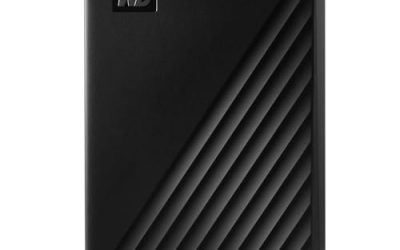
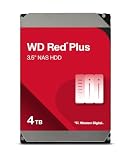
 Western Digital 10TB Elements Desktop External Hard Drive10TB5.31 x 1.89 x 6.53 inches2.09 poundsCheck on Amazon


Top 3 picks at a glance
Quick Picks
As an Amazon Associate we earn from qualifying purchases at no extra cost to you.


| Product | Best for | Key feature from the listing |
|---|---|---|
| WD Blue 10TB | Everyday desktop bulk storage | 7200 RPM, 512 MB cache, SATA 6 Gb/s |
| WD Red Plus 10TB | NAS and always-on storage | CMR recording, 7200 RPM, 512 MB cache |
| Seagate Enterprise Capacity 10TB | Budget-minded server builds | Hyperscale 512e design, 256 MB cache (Renewed) |
| WD Elements 10TB Desktop | Plug-and-play external backup | USB 3.0 external drive |
| HGST Ultrastar He10 10TB | Enterprise-class capacity at a lower cost | Power Disable feature, 7200 RPM (Renewed) |
| WD Purple Pro 10TB | Camera and recorder systems | Surveillance drive, 256 MB cache |
| WD Purple 10TB | Basic surveillance recording | Surveillance drive, 256 MB cache |
| MDD 10TB NAS | Cost-focused NAS expansion | 7200 RPM, 256 MB cache, NAS drive (Renewed) |
How to Choose
Match the Drive Class to the Job
Desktop drives such as the WD Blue are tuned for short daily use. NAS drives like the Red Plus are made for always-on operation and multi-drive enclosures. Surveillance drives focus on steady writing from cameras. Enterprise drives target server racks. Putting a drive in the wrong role can shorten its useful life or create noise and heat problems, so read the intended-use line in the title.
Recording Technology and Cache
CMR, conventional magnetic recording, is the safer choice for NAS arrays and RAID because it writes data in a predictable way. The WD Red Plus lists CMR in its title, while others do not state a recording type. If the listing is silent, look up the exact model number before using it in an array. Cache size, 256 MB versus 512 MB, matters less than recording type.
New or Renewed
Renewed drives can cost less for the same capacity, but they come from a prior deployment, and warranty terms vary by seller. Check the seller’s return and warranty terms before you buy, and plan for backups regardless. Renewed enterprise drives often arrive with long power-on histories, so avoid making one the only copy of important files.
Connection, Noise, and What to Ignore
Internal drives need a SATA data port and a power connector, and 7200 RPM models run louder and warmer than slower drives, so check case airflow. External drives avoid installation but add a power adapter and a USB cable. Ignore speed claims that mix cache and sustained transfer rates. Budget drives sometimes cut corners with minimal documentation rather than hardware. Finally, plan the bay itself: a 3.5-inch drive needs a proper bracket or tray, vibration dampening helps in multi-drive cases, and a drive that is stored upright or flat should follow the manufacturer’s mounting guidance.
The 8 Best Options
WD Blue 10TB
A straightforward desktop drive with 7200 RPM spin speed, a 512 MB cache, and a SATA 6 Gb/s interface. It suits a gaming PC that needs a big storage drive for older titles and media.
- Strength: large 512 MB cache listed.
- Strength: standard 3.5-inch SATA connection works in most desktop cases.
- Trade-off: it is marketed as a desktop drive, not for multi-bay RAID or constant NAS duty.
It works well for a single-drive setup where the PC is powered on during normal hours and the data is also backed up elsewhere. Skip it if the drive will live in a NAS or run around the clock.
WD Red Plus 10TB
Designed for network storage, this drive lists 7200 RPM, CMR recording, and a 512 MB cache. It is the logical pick for a home NAS or a PC acting as a file server.
- Strength: CMR recording is stated in the title.
- Strength: NAS positioning with a large 512 MB cache.
- Trade-off: a faster spin speed means some noise and heat in a small enclosure.
It also appeals to people who want one dependable drive type across several bays. Skip it if you only need a quiet drive for occasional archive access, because a 7200 RPM spindle is audible in a quiet room.
Seagate Enterprise Capacity 10TB
A renewed enterprise drive that lists 7200 RPM, 256 MB cache, SATA 6.0 Gb/s, and a hyperscale 512e design. It is for buyers who understand server hardware and want capacity at a lower cost.
- Strength: enterprise-class model line.
- Strength: standard 3.5-inch SATA fit.
- Trade-off: renewed condition and seller-dependent warranty.
Skip it if you want a factory-new drive with manufacturer coverage.
WD Elements 10TB Desktop
The only external drive here, it connects over USB 3.0 and needs no internal installation. It is a sensible backup target for a desktop or laptop and can be moved between machines.
- Strength: plug-and-play setup with no case needed.
- Strength: portable between computers and operating systems.
- Trade-off: USB 3.0 limits transfer speed compared with direct SATA internal connection.
It also keeps your internal bays free for faster drives. Skip it if you want the drive built into a tower or NAS, since an enclosure with its own power adapter takes up desk space.
HGST Ultrastar He10 10TB
A renewed enterprise drive with 7200 RPM, 256 MB cache, SATA 6.0 Gb/s, and a Power Disable feature noted in the title. Server builders and home-lab owners tend to look at this line.
- Strength: enterprise heritage in the model name.
- Strength: 512e format listed.
- Trade-off: Power Disable can prevent the drive from spinning up on some power supplies unless the pin is handled correctly.
Skip it if you are not comfortable with a possible power connector adapter.
WD Purple Pro 10TB
A surveillance-focused drive with 256 MB cache and a SATA interface. It is built for camera recorders but can also serve as bulk storage in a desktop if you accept the specialization.
- Strength: designed for continuous writing.
- Strength: 256 MB cache listed.
- Trade-off: it is tuned for recorders, not file-server access patterns.
It can work as a secondary storage drive if you accept that general file-serving is not its focus. Skip it if you want a drive built for general NAS or gaming workloads.
WD Purple 10TB
The standard Purple surveillance drive lists SATA 6 Gb/s and 256 MB cache. It makes sense when a camera system or DVR is the main workload.
- Strength: surveillance recording focus.
- Strength: same 3.5-inch SATA connector as desktop drives.
- Trade-off: the title gives no spin speed or recording type.
Skip it if you want a general desktop or NAS drive.
MDD 10TB NAS
A renewed internal NAS drive with 7200 RPM, 256 MB cache, and SATA 6.0 Gb/s. It is a lower-cost route for expanding a home server.
- Strength: NAS positioning in a 3.5-inch format.
- Strength: 7200 RPM and 256 MB cache listed.
- Trade-off: renewed condition and a less familiar brand.
Skip it if you want established manufacturer support.
Which One Fits Your Situation
You Are Adding Storage to a Gaming Tower
The WD Blue 10TB is the natural match: a desktop-class 7200 RPM drive with a 512 MB cache that drops into a standard bay for game libraries and media.
You Are Building a Home NAS in 2026
Choose the WD Red Plus 10TB for its NAS design and CMR recording. If you are comfortable with renewed hardware, the Seagate Enterprise Capacity or MDD options offer a path with lower cost.
You Want an Offline Backup
The WD Elements 10TB connects over USB 3.0 and can sit in a drawer between backups, which keeps a copy away from your running system.
Common Mistakes
- Using a surveillance drive in a RAID array without checking its recording type.
- Treating a renewed drive as safe storage without a separate backup.
- Ignoring noise and heat from 7200 RPM drives in a tightly packed case.
- Forgetting a SATA power connector or cable when adding an internal drive.
- Assuming a bigger cache fixes slow transfers from a mechanical drive.
Frequently Asked Questions
Can I install games on a 10TB hard drive?
Yes, but load times are slower than on an SSD. Many users keep frequently played titles on an SSD and archive others on a large hard drive.
What does CMR mean?
CMR stands for conventional magnetic recording. It is generally preferred for NAS and RAID because of more predictable write behavior than shingled recording.
Is a renewed drive a bad idea?
Not necessarily, but condition and warranty vary by seller. Use renewed drives for secondary storage and keep backups of anything important.
Internal or external for backup?
External drives are simpler and portable. Internal drives connect faster and stay inside the machine, which is better for always-available storage. An external drive can also be disconnected after a backup, which protects the copy from accidental deletion or power surges.
Related guides
More from Amazon
Programs that pair well with the guide above. Offers and eligibility are set by Amazon and may change.
Free shipping on eligible items, Prime Video and more. Eligible new members can start with a free trial.
Start a Prime free trialAd-free music streaming. Eligible new subscribers can start with a free trial.
Try Music Unlimited freeA Prime membership for ages 18-24 with a trial period. Eligibility is set by Amazon.
See Prime for Young AdultsAudiobooks and podcasts to listen to on the go. Eligible new members can start with a free trial.
Try Audible freeAs an Amazon Associate we earn from qualifying purchases.