
The best 4TB hard drive for game storage on this list is the Western Digital WD Blue 4TB (WD40EZZX): a desktop-class 3.5-inch SATA drive with CMR recording, 5,400 RPM and a 128 MB cache, designed for everyday PC use rather than a server rack. A 4TB hard drive is a bulk-storage option that holds a large library of installed games at far lower cost per terabyte than SSDs, with slower load times. Pair it with an SSD for the games you play daily. If you want a quieter-running drive built for continuous use, the WD Red Plus is a strong second choice.
Our Top Picks



Top 3 picks at a glance
Quick List
- WD Red Plus 4TB (WD40EFZZ) – best for a CMR drive built for long hours and steady writes
- Seagate BarraCuda 4TB – best for a familiar desktop drive with a large cache (confirm the recording type)
- Seagate SkyHawk 4TB – best for surveillance-style recording, an off-target pick for games
- WD Blue 4TB (WD40EZZX) – best overall for a general-purpose game library drive
- Toshiba MG04ACA400E – best for a rugged 7,200 RPM enterprise drive in a server-style build
- WD RE 4TB (WD4000FYYZ), renewed – best for a 7,200 RPM enterprise drive when you accept a renewed unit
Which One Is Right for You?
| If you… | Choose |
|---|---|
| want one sensible drive to hold a large Steam library | WD Blue 4TB (WD40EZZX) |
| want a CMR drive designed for 24/7 NAS-style use | WD Red Plus 4TB |
| want a familiar desktop drive and will check that it is not SMR for your use | Seagate BarraCuda 4TB |
| have a surveillance recorder as well as a PC | Seagate SkyHawk 4TB |
| need a high-endurance drive and can tolerate extra noise | Toshiba MG04ACA400E |
| accept a renewed enterprise drive for a secondary library | WD RE 4TB (WD4000FYYZ), renewed |
A hard drive will not make games load as fast as an SSD, and these six are all in the same speed class: roughly 170 to 190 MB/s sustained at best, according to the manufacturers. The differences that matter are recording type, noise, workload rating and warranty.
All 6 Picks in Detail
1. WD Red Plus 4TB (WD40EFZZ) – Best for steady, long-running use
As an Amazon Associate we earn from qualifying purchases at no extra cost to you.

The WD Red Plus is sold as a NAS drive, but nothing stops you from using it as bulk storage in a gaming PC. It uses conventional magnetic recording, which handles sustained writes without the long slowdowns that some other designs can show during big game installs and updates. It suits a player who leaves the PC on for long periods, downloads large patches overnight and values a design built around continuous operation.
- Capacity and form factor: 4TB, 3.5-inch, SATA 6 Gb/s
- Speed class: 5,400 RPM with a 128 MB cache
- Recording: CMR, per the listing and manufacturer
- Workload rating: up to 180 TB per year, per retailer and manufacturer listings
- Warranty: three years, per the manufacturer’s specification
Pros
- CMR recording and a high workload rating
- Designed for long operating hours
- Typically a calm, low-speed 5,400 RPM profile
Cons
- Marketed for NAS, so it is more drive than a casual gamer needs
- Not faster than any other 5,400 RPM drive here
- Different Red Plus model numbers exist, so confirm the model on the label
In daily use, the practical benefit is predictability. When you queue several large downloads, copy a library between drives or let a launcher verify files, a CMR drive keeps a steady pace instead of stalling. The drive spins at 5,400 RPM, so it is not a speed upgrade over any other pick, but it is the one most likely to feel consistent after years of heavy game updates.
Compared with the WD Blue, the Red Plus gives you a higher workload rating and longer warranty; the Blue is the more natural fit when the drive will mostly sit idle between launches.
2. Seagate BarraCuda 4TB – Best for a familiar desktop drive with a large cache

The BarraCuda is the default desktop hard drive for many builders. This listing names a 256 MB cache, 5,400 RPM and SATA 6 Gb/s, which matches Seagate’s ST4000DM004 class. Seagate documents that drive as using shingled magnetic recording with a workload rating under 55 TB per year. SMR is fine for a mostly-read game library, but it can slow down badly when you write a lot at once, so it is best for installs you do not change daily.
- Capacity and form factor: 4TB, 3.5-inch, SATA 6 Gb/s
- Speed class: 5,400 RPM with a 256 MB cache, per the listing
- Recording: the listing does not say; the matching Seagate model is SMR, so confirm on the label
- Workload rating: under 55 TB per year for the matching model, per Seagate
- Warranty: two years for the matching model; confirm on the listing
Pros
- Large cache and widely available desktop drive
- Good fit for archives and rarely changed libraries
- Lower rated workload makes sense for light use
Cons
- SMR can slow during large, sustained writes
- Shorter warranty than the WD Red Plus
- Recording type is not stated in the listing name
If you already own a BarraCuda, there is no need to panic: a mostly-read library on SMR works well. Problems appear when you install several big games in a row, move a whole library, or use the drive as a scratch disk for video work. A simple habit helps: copy files in moderate batches and let the drive rest between them. For a first purchase, though, the documented-CMR alternatives remove the guesswork.
Next to the WD Blue WD40EZZX, which is documented as CMR, the BarraCuda is the one to choose only if you have confirmed the details and mostly read from the drive.
3. Seagate SkyHawk 4TB – Best for surveillance recording, not a typical games drive

The SkyHawk is built for DVR and NVR security systems. Its firmware is tuned to write many video streams continuously and read back very little, which is the opposite of game loading. We include it because it appears in the product set and because it is rugged, but it is not the right primary pick for a gaming library. It suits someone who also runs a camera system from the same PC and wants a drive designed for constant writes.
- Capacity and form factor: 4TB, 3.5-inch, SATA 6 Gb/s
- Cache: 64 MB, per the listing
- Speed class: about 5,900 RPM for this class, per retailer listings; confirm on the label
- Workload rating: 180 TB per year for the SkyHawk family, per retailer listings
- Firmware: surveillance-oriented, with drive-health management features named in the listing
Pros
- Built for continuous writing and 24/7 operation
- High workload rating for its class
- Useful if the same drive records video
Cons
- Tuned for video streams rather than random game reads
- Smaller cache than most others here
- Not marketed for desktop gaming, so support may vary
There is one scenario where the SkyHawk makes sense beyond video: a PC that also acts as a recorder for home cameras, where one drive handles both jobs. Even then, many people prefer to keep the recording drive separate from the game library so a long recording session never competes with a game install for the same disk. Check that the model on the label matches the cache size in the listing, because several SkyHawk variants exist.
Compared with the WD Red Plus, the SkyHawk offers no gaming advantage, so pick the WD unless you specifically need surveillance firmware.
4. WD Blue 4TB (WD40EZZX) – Best overall for a game library

The WD Blue WD40EZZX is the most natural fit for the job. It is a standard desktop drive, sold for everyday PC use, and retailer listings state it uses CMR recording with a 128 MB cache at 5,400 RPM. That is the combination you want for a secondary game library: no long write slowdowns and enough capacity for dozens of large titles. It suits someone adding a second drive to an existing PC to hold a Steam or Epic library.
- Capacity and form factor: 4TB, 3.5-inch, SATA 6 Gb/s
- Speed class: 5,400 RPM with a 128 MB cache
- Recording: CMR, per retailer listings for this model number
- Design: desktop-class drive for everyday storage
- Variants: other 4TB WD Blue model numbers exist, including at least one SMR version, so check that your drive says WD40EZZX
Pros
- CMR recording for steady writes
- Typical desktop-drive noise and power profile
- Simple, well-known product line
Cons
- Not rated for heavy 24/7 workloads like NAS drives
- Same HDD speed limits as every other pick
- Model numbers differ in recording type, so confirm before buying
Installation is as simple as it gets: one SATA data cable, one SATA power connector and a free 3.5-inch bay. Initialize the disk in Windows as GPT, format it as NTFS, and add the new folder as a library location in your game launcher. Because the drive is idle most of the time, its lower-speed 5,400 RPM motor should also keep noise and heat modest in a typical case.
It earns the overall slot over the Red Plus because it is built for the way most gamers will actually use the drive, with occasional bursts of reading and writing rather than constant duty.
5. Toshiba MG04ACA400E – Best for a high-endurance enterprise drive

The Toshiba MG04ACA400E is a nearline enterprise drive: 7,200 RPM, a 128 MB cache and a design intended for servers and cloud storage that run all day. It suits someone building a combined game library and home server, or who wants the highest durability rating in the group. The trade-off is heat, power draw and noise, so expect a louder, warmer drive than the desktop models in a quiet PC.
- Capacity and form factor: 4TB, 3.5-inch, SATA 6 Gb/s
- Speed class: 7,200 RPM with a 128 MB cache
- Workload rating: 550 TB per year, per Toshiba
- Reliability: 24/7 operation and a 1.4 million hour MTTF figure, per Toshiba’s overview
- Power: up to about 11.3 W for read and write, per Toshiba; noise figure not confirmed, so check the datasheet
Pros
- Highest stated workload rating in the set
- 7,200 RPM spindle speed
- Designed for 24/7 operation
Cons
- Enterprise drives are generally louder and draw more power
- Overkill for a typical game library
- Warranty and support terms depend on the seller; confirm on the listing
Enterprise drives also assume good airflow and a stable power supply. If you install this model in a compact case with no fan across the drive, watch its temperature, and mount it away from other heat sources such as a hot graphics card. In a roomy case with a front intake fan, it is a dependable, durable bulk store. Confirm the exact condition and warranty with the seller, since listings for this model number can include both new and renewed units.
Versus the WD Blue, the Toshiba is tougher but noisier, so choose it only if endurance matters more than a quiet desk.
6. WD RE 4TB (WD4000FYYZ), Renewed – Best for a secondary library from an older enterprise design
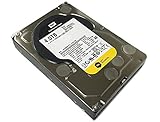
The WD RE is an older enterprise drive that runs at 7,200 RPM with a 64 MB cache. This listing is for an OEM, renewed unit, meaning it has been used or refurbished, so treat it as a secondary-library drive rather than the home of your only copy of anything. It suits a careful buyer who wants an enterprise-class drive for a backup or bulk game archive and is comfortable with the uncertainty that comes with a renewed product.
- Capacity and form factor: 4TB, 3.5-inch, SATA 6 Gb/s
- Speed class: 7,200 RPM with a 64 MB cache
- Workload rating: up to 550 TB per year, per WD’s datasheet
- Noise: about 31 dBA idle and 34 dBA seek, per WD’s datasheet
- Condition: renewed and OEM; the original manufacturer warranty may not apply, so confirm with the seller
Pros
- Fast spindle speed for an HDD in this group
- Documented noise figures from the manufacturer
- Enterprise-class design
Cons
- Renewed and older, so unknown wear
- Smaller cache than the Toshiba
- Warranty depends on the renewed seller
If you pick this route, run the drive’s health data through a SMART utility as soon as it arrives, look at power-on hours and reallocated sectors, and copy a large file back and forth to see whether it behaves. A renewed drive that passes those checks can be a fine secondary library disk, but it should never hold the only copy of anything you care about.
Compared with the Toshiba, it is a similar class of drive but older and renewed, so it only makes sense as a secondary store.
Specs Compared
| Product | Class | Speed | Cache | Recording | Workload rating | Condition |
|---|---|---|---|---|---|---|
| WD Red Plus 4TB (WD40EFZZ) | NAS | 5,400 RPM | 128 MB | CMR | Up to 180 TB per year | New (confirm on listing) |
| Seagate BarraCuda 4TB | Desktop | 5,400 RPM | 256 MB | Confirm on listing (matching model is SMR) | Under 55 TB per year for the matching model | New (confirm on listing) |
| Seagate SkyHawk 4TB | Surveillance | Confirm on listing (about 5,900 RPM class) | 64 MB | Confirm on listing | 180 TB per year, family figure | New (confirm on listing) |
| WD Blue 4TB (WD40EZZX) | Desktop | 5,400 RPM | 128 MB | CMR | Confirm on listing | New (confirm on listing) |
| Toshiba MG04ACA400E | Enterprise | 7,200 RPM | 128 MB | Confirm on listing | 550 TB per year | Confirm on listing |
| WD RE 4TB (WD4000FYYZ) | Enterprise | 7,200 RPM | 64 MB | Confirm on listing | Up to 550 TB per year | Renewed, OEM |
How We Chose These
This guide is based on desk research. We started with the six listed drives, confirmed each model number against manufacturer datasheets and retailer specification fields, and compared them on recording technology, spindle speed, cache, rated workload and warranty terms. We favored drives that suit a game library, meaning mostly reads with occasional large writes, and we down-ranked drives designed for other jobs such as surveillance. This is a specification comparison, so we make no claims about real-world load times. Where a listing does not state a detail, such as recording type, we say to confirm it on the product page.
What to Look For
CMR versus SMR: the most important detail
Conventional magnetic recording writes each track separately. Shingled magnetic recording overlaps tracks to squeeze in more data, which is fine for reading but forces the drive to rewrite neighboring tracks when you change data. In practice, SMR can slow dramatically during a long write, such as installing a 100 GB game or restoring a backup. For a game library, CMR is the safer choice. Listings often omit the recording type, so match the exact model number to the manufacturer’s documentation. A drive labeled WD40EZZX, for example, is documented as CMR, while other 4TB Blue model numbers are not.
Speed class: how fast is a hard drive really?
All the drives here have sustained transfer speeds in the region of 170 to 190 MB/s according to manufacturers. A 7,200 RPM drive improves access time slightly over a 5,400 RPM one, but neither will load a modern open-world game as quickly as an SSD. As a rule of thumb, keep your current games and your operating system on an SSD, and use the 4TB drive for titles you play less often. Moving a game back to the SSD when you want to play it is a one-click job in most game launchers.
Capacity math and what 4TB actually holds
Drive makers count a terabyte as one trillion bytes, so Windows will show roughly 3.6 TB of usable space. If your average installed game is about 100 GB, that works out to around 36 games, leaving a little room for updates. Modern titles often need extra free space while patching, so avoid filling the drive past about 90 percent. If your library is full of 150 GB or 200 GB releases, the count falls quickly, and a larger drive may be a better long-term purchase.
Noise, heat and power
Desktop 5,400 RPM drives are the calmest. The Toshiba and the WD RE run at 7,200 RPM and are built for server racks, so expect more seek noise and more heat. WD’s datasheet lists 31 dBA at idle and 34 dBA while seeking for the RE, which is audible in a quiet room. Mount any hard drive on rubber grommets or a decoupled bay, and make sure it receives some airflow, especially in a small case.
Matching the drive to the job
Think in tiers. Tier one is an SSD for the operating system and the two or three games you play every week. Tier two is a CMR hard drive such as the WD Blue or WD Red Plus for the rest of the library, which you install once and play occasionally. Tier three is a separate backup, which could be a second hard drive or an external disk. This setup keeps load times short where they matter, avoids filling a faster, pricier SSD with rarely played titles, and gives you somewhere to recover from a failed drive. If your budget allows only one drive, a larger SSD is simpler, but for sheer capacity per unit of spend a 4TB hard drive is hard to beat.
Connection, cables and bay requirements
Every drive here is a 3.5-inch SATA unit, which means it needs a free 3.5-inch bay (or an adapter bracket), one SATA data cable and one SATA power connector. These are standard parts, and any modern motherboard has the ports. Smaller cases and laptops often lack 3.5-inch bays entirely, so measure before you buy. If you need a portable library, an external enclosure or a 2.5-inch drive is a better route. Also check that your power supply has a spare SATA power lead, because modular units sometimes ship with only one or two.
Workload rating, warranty and new versus renewed
The workload rating is the number of terabytes per year the maker designed the drive to handle. Light desktop use rarely approaches even the lowest rating here. Warranty length is a clearer sign of the maker’s confidence: confirm it on the listing, and be especially careful with renewed drives, where the original warranty usually does not transfer. Whatever you buy, keep an important backup elsewhere, because a single hard drive can fail without warning. For a game library, the practical backup is the launcher’s own cloud save and your account, since games can be downloaded again, but any personal files on the same drive need a separate copy.
Questions
Is a hard drive good enough for gaming?
For a large library, yes, as long as you accept longer load times. Many players install their daily games on an SSD and keep the rest on a 4TB hard drive. Competitive or open-world games with streaming assets benefit most from an SSD.
Can I use a NAS drive like the WD Red Plus in a gaming PC?
Yes. It is a standard 3.5-inch SATA drive and works in any desktop. It is designed for long operating hours and CMR recording, so it is a good fit, although it offers no speed advantage over a desktop drive.
Should I avoid SMR drives for games?
Not necessarily, but be careful. SMR drives are acceptable for libraries that you install once and rarely change. They can slow down during large updates or when you copy many files at once, so CMR is the safer choice.
Is a surveillance drive such as the SkyHawk a bad choice?
It works, but it is tuned for continuous video writes rather than game reads. You are paying for features you will not use, so pick a desktop or NAS drive unless you are also recording camera footage.
Is a renewed drive safe to buy?
It can work, but it carries more risk than a new one because its history is unknown. Use renewed drives for secondary or backup storage, confirm the seller’s warranty terms and keep a copy of anything that matters.
How many games fit on 4TB?
Roughly 3.6 TB is usable, so around 36 games at 100 GB each. Smaller titles will fit many more. Leave free space for updates and avoid filling the drive completely.
Update History
- October 14, 2026 – Initial publication; product set drawn from current catalog listings.
- Check the product page for current specifications and availability before buying.
Sources
- Manufacturer product pages and datasheets for Western Digital, Seagate and Toshiba
- Retailer listing titles and specification fields






