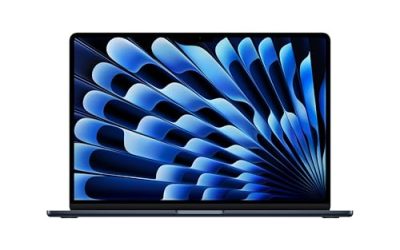
The phrase “gaming laptops under 1000 dollars” hides a hard truth: at this ceiling, every purchase is a negotiation between the graphics chip, the memory, and the storage. A dedicated GPU is non-negotiable if you want modern games to run smoothly, yet spending the whole allowance there often leaves a machine with 8GB of RAM and a small SSD that chokes the moment a game update lands. The smart move is to decide which compromise you can live with before you start comparing listings.
This guide is for first-time gaming laptop buyers, students who want one machine for classes and weekend sessions, and parents shopping for a teenager who has outgrown a console. The shortlist below uses only the specs stated in each listing for 2026 shopping, such as the GPU model, processor, refresh rate, and memory. Listings that name no graphics card are left out, since they cannot be judged as gaming laptops.
Our Top Picks
Top 3 picks at a glance
Quick Picks
As an Amazon Associate we earn from qualifying purchases at no extra cost to you.


| Product | Best for | Key spec from the title |
|---|---|---|
| HP Victus 15.6 (RTX 3050) | Balanced 1080p play | Core i5-12450H, RTX 3050, 16GB RAM, 144Hz |
| ASUS ROG Strix G16 | Newest graphics generation | RTX 5060, Core i7 14650HX, 16GB DDR5, 165Hz |
| NIMO 15.6 Light-Gaming Laptop | Casual and older titles | Ryzen 7, 16GB DDR5, Radeon 680M graphics |
| Acer Nitro V (RTX 4050) | High refresh rate at 1080p | Core i5-13420H, RTX 4050, 165Hz IPS |
| Acer Nitro V 16S AI | Large screen and big memory | Ryzen 7 260, RTX 5060, 16″ 180Hz, 32GB |
| HP Victus 15 (12500H) | Entry gaming with a proven GPU | Core i5-12500H, RTX 3050, 512GB SSD |
How to Choose
Start with the GPU, because it sets the ceiling
An RTX 3050 is the entry point for playable 1080p gaming at medium settings in demanding titles, and it handles esports games comfortably. An RTX 4050 steps up modestly, and an RTX 5060 is the newest tier in this group. Integrated graphics such as the Radeon 680M can run casual and older games at reduced settings, but they are not a substitute for a dedicated card when you want modern releases. Whatever you choose, confirm the listing names a GPU model rather than a vague “gaming graphics” phrase. A useful way to frame the shortlist is by generation. The RTX 3050 listings are older but proven, the RTX 4050 sits in the middle, and the RTX 5060 models are the newest and tend to hover near the top of the budget. Older generations often make the smartest value play because the savings can go to memory and storage instead.
Memory and storage thresholds
Sixteen gigabytes of RAM is the practical minimum for gaming today, since the operating system, a launcher, and a browser all compete with the game. An 8GB configuration works but leaves little margin, and DDR5 memory is a nice bonus rather than a requirement. For storage, a 512GB SSD fits only a handful of large modern games, so 1TB is far more comfortable. A 256GB drive is a real handicap: a single big title can fill much of it.
Refresh rate and display size
Look for at least 144Hz on a 15.6-inch Full HD panel, which gives visibly smoother motion in shooters and racing games. Panels at 165Hz or 180Hz add a little more, but only matter if the GPU can push that many frames. A 16-inch screen in a 16:10 ratio shows more vertical space for work and browsing. Ignore marketing “AI TOPS” figures when picking a laptop for games, since they describe neural processing and not frame rates.
Cooling, weight, and where budget models cut corners
Budget gaming laptops usually trim the chassis rigidity, speaker quality, and sustained cooling before they trim the GPU name. Thicker designs with larger vents tend to hold performance longer under load, while thin-and-light shells throttle sooner. Keep an eye on the charger as well: gaming loads draw far more power than office work, so a laptop that only lists a low-wattage USB-C charger is probably not built for sustained play. One more habit helps: write down the three specs you refuse to compromise on, such as the GPU tier, 16GB of RAM, and a 512GB drive, and reject any listing that misses two of them. Finally, confirm the current listed price fits within the cap, since prices on powerful models move often.
The 6 Best Options
HP Victus 15.6 (RTX 3050)
This Victus model pairs a Core i5-12450H processor with an NVIDIA GeForce RTX 3050, 16GB of RAM, and a 512GB PCIe SSD behind a 15.6-inch Full HD 144Hz display. It also lists Wi-Fi 6 and a backlit keyboard, covering the basics for a first gaming laptop. The 16GB of memory is the main reason it earns a place ahead of other RTX 3050 listings.
- Strength: 16GB of RAM and a 144Hz panel at an entry-level GPU tier.
- Strength: Wi-Fi 6 and a PCIe SSD give modern connectivity and quick load times.
- Trade-off: the RTX 3050 is an older, modest GPU that will need lowered settings in demanding releases.
Skip it if you want the newest graphics generation or plan to play at higher resolutions.
ASUS ROG Strix G16
The Strix G16 is the performance outlier here, listing an RTX 5060, a Core i7 14650HX processor, 16GB of DDR5 memory, and a 1TB Gen 4 SSD with a 16-inch 16:10 FHD+ panel at 165Hz and a 3ms response time. The combination of a modern GPU and a roomy drive is hard to find in a lower tier, so buyers should confirm the current listed price sits under the cap before committing.
- Strength: RTX 5060 graphics and a high-end HX processor give the most headroom in this list.
- Strength: 1TB of fast storage and a 16:10 display with a quick response time.
- Trade-off: it is the most likely option to exceed a strict budget at times.
Skip it if your limit is rigid and the listing drifts above the cap.
NIMO 15.6 Light-Gaming Laptop
This listing is described as a light-gaming machine, using an 8-core Ryzen 7 with 16GB of DDR5 memory, a 256GB SSD, and integrated Radeon 680M graphics, plus a 100W fast-charging port and a backlit keyboard. It is the right pick for someone whose library leans toward older, indie, and esports titles rather than the newest blockbusters.
- Strength: eight CPU cores and 16GB of DDR5 make it quick for everyday work too.
- Strength: fast Type-C charging simplifies travel with a single cable.
- Trade-off: no dedicated GPU is listed, so demanding games will need low settings.
Skip it if you want to play recent AAA releases at smooth frame rates.
Acer Nitro V (RTX 4050)
The Nitro V combines a Core i5-13420H processor with an RTX 4050 laptop GPU and a 15.6-inch Full HD IPS display at 165Hz. The listing shows 8GB of DDR5 and a 512GB SSD, so the graphics and screen are strong for the tier while memory is the weak point. The 8GB of RAM is easy to upgrade in many laptops, though buyers should verify the module layout first.
- Strength: RTX 4050 and a 165Hz IPS display deliver a smooth 1080p experience.
- Strength: DDR5 memory and a 512GB SSD give a solid base to build on.
- Trade-off: 8GB of RAM is below the comfortable 16GB target for modern games.
Skip it if you are unwilling to upgrade the memory later.
Acer Nitro V 16S AI
This one centers on a larger 16-inch WUXGA IPS display at 180Hz, an AMD Ryzen 7 260 processor, an RTX 5060 laptop GPU, and 32GB of memory. The bigger screen and memory capacity make it a strong hybrid for gaming and heavier multitasking such as streaming while playing. It sits near the upper edge of the budget, so verify the current listed price.
- Strength: 32GB of RAM leaves room for gaming plus background apps.
- Strength: RTX 5060 with a 180Hz 16:10 display is a modern, balanced combination.
- Trade-off: a larger chassis means more weight to carry between classes.
Skip it if you want a compact 15-inch laptop for a backpack.
HP Victus 15 (12500H)
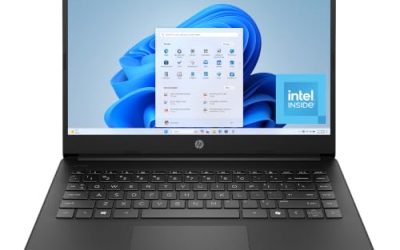
This Victus pairs a 12th Gen Core i5-12500H with an RTX 3050, 8GB of RAM, and a 512GB SSD, along with a Full HD display and a backlit keyboard under Windows 11 Home. It is a straightforward entry-level machine whose weakest spec is the 8GB of memory, which is the first thing to upgrade.
- Strength: a capable 12th Gen processor and an RTX 3050 GPU for 1080p play.
- Strength: a 512GB SSD is a reasonable starting capacity.
- Trade-off: 8GB of RAM limits multitasking and can bottleneck newer games.
Skip it if you want a ready-to-go 16GB configuration; the other Victus listing already has that.
Which One Fits Your Situation
You want the strongest graphics within the cap
Choose the ASUS ROG Strix G16 if its listed price fits the cap, because the RTX 5060 and 1TB drive deliver the most capability. The Acer Nitro V 16S AI is the close alternative with more memory.
You are on a tight limit and want a proven GPU
The HP Victus 15.6 with the RTX 3050 and 16GB of RAM is the safe middle path. It plays current esports games well and avoids the memory trap that catches cheaper listings.
You mostly play older or casual games
The NIMO 15.6 Light-Gaming Laptop is sufficient, and its Ryzen 7 helps with schoolwork and general use. Do not expect it to handle newer, graphically heavy releases.
You care about screen smoothness above all
The Acer Nitro V with the RTX 4050 and a 165Hz IPS display suits fast-paced shooters, provided you are willing to add memory over time.
Overall, the safest pattern is a dedicated GPU, 16GB of memory, and at least a 512GB drive; any listing that reaches all three is worth a closer look.
Common Mistakes
- Choosing a laptop with a bigger processor name but no dedicated graphics card.
- Accepting 8GB of RAM without a plan to upgrade it.
- Assuming a high refresh rate helps when the GPU cannot reach those frame rates.
- Ignoring storage size, then running out of space after installing two or three large games.
- Believing that marketing figures like AI TOPS predict gaming performance.
Related guides
- Noctua Nh-D15 Vs Thermalright Peerless Assassin 120
- Sustainable Gaming Pc Power Supply Efficiency Guide
- Thermal Paste Application Method For Lga1851
Frequently Asked Questions
Is an RTX 3050 still enough for gaming?
It is enough for 1080p play at medium settings in many titles and handles esports games comfortably. Newer demanding releases will need reduced settings.
How much RAM does a gaming laptop need?
Sixteen gigabytes is the practical target for current gaming. Eight gigabytes runs, but it leaves little room for background apps and updates.
Does a 165Hz screen make a difference?
It does when your GPU can produce frame rates near that figure, especially in competitive shooters. Otherwise, a 144Hz panel gives nearly the same experience.
Can I upgrade the storage later?
Many gaming laptops include an extra M.2 slot or accept a larger SSD, but this varies by model. Check the manufacturer documentation before buying if you plan to expand.