Search for a 15 laptop and you land in the widest price band in computing: from a plain 4GB Windows machine to an Apple notebook with a 15.3-inch Liquid Retina display. The keyword is a size, not a use case, so the first step is deciding what you are actually trading for the extra screen. Fifteen inches gives you a full-size keyboard with room for a numeric pad, a panel big enough for two windows side by side, and a chassis that still fits most backpacks.
This roundup is for people choosing between one premium option and several practical Windows laptops during 2026. We compare six listings, built from one MacBook Air 15-inch entry, an ASUS Vivobook Go 15, three Dell 15.6-inch models, and a basic HP, and we use only the facts that appear in each product title. Where a title is silent, we tell you what to look up on the full listing.
Top 3 picks at a glance
Quick Picks
As an Amazon Associate we earn from qualifying purchases at no extra cost to you.




| Product | Best for | Key spec from the title |
|---|---|---|
| Apple MacBook Air 15-inch (M5) | Premium everyday and creative work | 15.3″ Liquid Retina, 16GB unified memory, 512GB SSD |
| ASUS Vivobook Go 15 | Durable student laptop | FHD 60Hz, 8GB RAM, 512GB SSD, Wi-Fi 6E |
| Dell 15.6 (Core 3 100U, 250 nits) | Office use with an anti-glare screen | 8GB RAM, DDR4, 512GB SSD, Wi-Fi 6 |
| Dell 15.6 (Ryzen 5 7520U) | Smoother scrolling and reading | FHD 120Hz IPS, LPDDR5, 512GB SSD |
| Dell 15.6 (Core 3 100U, 300 nits) | Brighter rooms and newer memory | 8GB RAM, DDR5, 300 nits, 512GB SSD |
| HP Portable 15 (Pentium) | Light browsing on a tight plan | HD IPS, 4GB DDR4, 128GB SSD, HDMI |
How to Choose
Pick your platform before your spec sheet
Windows and macOS are not interchangeable if you rely on specific software. Check that the apps your school or job requires run on the platform you pick. Windows laptops give you more choice of ports and configurations, and you can compare many brands at once; the Apple model gives you a single, polished configuration with unified memory that is shared across the system. If you have no software dependency, choose based on budget tier: premium for the MacBook, mid-range for the ASUS and the Ryzen-based Dell, and budget for the rest.
Panel details that decide daily comfort
Look for Full HD at minimum on a Windows laptop. Brightness is quoted in nits, and a difference between 250 and 300 nits is visible near a window. An anti-glare finish helps in offices. A 120Hz refresh rate smooths scrolling, but it is a comfort feature, not a requirement. On the Apple listing, the Liquid Retina label signals a high-density panel, though the title does not give a resolution or brightness figure.
Memory, storage, and what they cost you later
Windows laptops with 8GB of RAM are fine for school and office work but leave little spare capacity. Sixteen gigabytes, as listed on the Apple model, gives more headroom. For storage, 512GB is comfortable, while 128GB is a budget compromise. Neither memory nor storage can be assumed upgradeable on thin laptops, so buy what you need for the next four or five years.
Wireless, ports, and the budget corner cutting
Wi-Fi 6 and 6E are better for modern routers than Wi-Fi 5. If you need an external display, check for HDMI or USB-C video output on the listing. Cheaper laptops typically skip the backlit keyboard, the fingerprint reader, and a metal chassis. They also often use slower storage types, so read the storage line carefully. A listing that bundles an external drive or cloud storage into the headline number is not the same as a bigger internal SSD.
The 6 Best Options
Apple MacBook Air 15-Inch (M5)
The MacBook Air is the premium anchor of the list. The title states a 15.3-inch Liquid Retina display, the M5 chip, 16GB of unified memory, a 512GB SSD, and a 12MP Center Stage camera. It is aimed at users who want a larger canvas for documents, video calls, and creative work, without leaving the Apple ecosystem. The title does not state weight or battery hours, so read the full listing for both. Buyers who already own an iPhone may also value the tight integration for messages, files, and photos.
- Strength: 16GB of unified memory and a 512GB SSD give it more headroom than every Windows model here.
- Strength: the 12MP Center Stage camera is the strongest webcam spec in the group.
- Trade-off: it sits in the premium tier, and macOS will not suit every software requirement.
Skip it if you depend on Windows-only applications or need the lowest cost. The listing appears in several configurations, so verify the exact one you open.
ASUS Vivobook Go 15
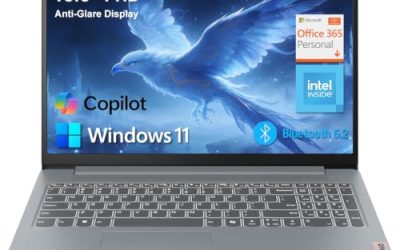
The Vivobook Go 15 is the mid-range Windows pick for students who want something durable. The title lists a 15.6-inch Full HD 60Hz display, a Ryzen 5 processor, Radeon graphics, 8GB of RAM, a 512GB SSD, a military-grade durability claim, an ErgoSense keyboard, and Wi-Fi 6E. Unlike the Dells, the model name leans on durability and typing comfort rather than screen speed.
- Strength: Wi-Fi 6E and a 512GB SSD are strong for the tier.
- Strength: the durability claim and ergonomic keyboard suit daily carry and long typing sessions.
- Trade-off: 8GB of RAM is adequate but not generous.
It also suits a household shopping for a teenager, because the rugged claim hints at tolerance for bag knocks and classroom wear. Skip it if you want a high-refresh screen or more memory.
Dell 15.6 (Core 3 100U, 250 Nits)
This Dell is the straightforward office machine. The title lists a Full HD anti-glare IPS WVA display at 250 nits, an Intel Core 3 100U processor, 8GB of RAM, DDR4 memory, Intel UHD graphics, a 512GB SSD, Wi-Fi 6, and Bluetooth. It is aimed at email, documents, and web apps, which makes it a natural fit for a home office or a small team that mostly lives in browsers and office suites. The matte finish suits rooms with overhead lighting.
- Strength: a Full HD IPS panel with an anti-glare finish is easy on the eyes.
- Strength: 512GB of storage and Wi-Fi 6 are solid for the price tier.
- Trade-off: DDR4 memory and a 250-nit panel are a step behind its sibling listings.
The sibling listing with 300 nits is the closer comparison if brightness is a priority. Skip it if you want newer memory or a brighter panel.
Dell 15.6 (Ryzen 5 7520U)
The Ryzen version of the Dell is the one for fluid scrolling. The title lists a Full HD 120Hz IPS display, an AMD Ryzen 5 7520U with Radeon 610M graphics, LPDDR5 memory, a 512GB SSD, Wi-Fi 5, Bluetooth, and a Carbon Black finish. It is the listing to open first if you spend hours reading long web pages, spreadsheets, or documents, because cursor motion and scrolling look cleaner at a higher refresh rate.
- Strength: the 120Hz IPS panel feels smoother than the 60Hz screens elsewhere.
- Strength: Ryzen 5 is a mid-range chip family with LPDDR5 memory.
- Trade-off: Wi-Fi 5 is older, and the title does not state the RAM capacity.
Check the listing for the RAM figure and port selection. Skip it if modern Wi-Fi or a confirmed memory size matters to you.
Dell 15.6 (Core 3 100U, 300 Nits)
The third Dell shares the Core 3 100U processor with the first but changes the supporting parts. The title lists a Full HD anti-glare WVA panel at 300 nits, 8GB of RAM, DDR5 memory, Intel UHD graphics, a 512GB SSD, Wi-Fi 6, and Bluetooth. That mix suits sunny classrooms and open-plan offices where reflections and washed-out screens are a daily annoyance.
- Strength: 300 nits is the brightest panel claim among the Dells.
- Strength: DDR5 memory is a newer standard than the DDR4 sibling.
- Trade-off: the Core 3 chip is entry-level, so heavy multitasking is not the goal.
Compare it against the 250-nit sibling to see what the newer memory and brighter panel add. Skip it if you want a 120Hz screen or a mid-range processor.
HP Portable 15 (Pentium)
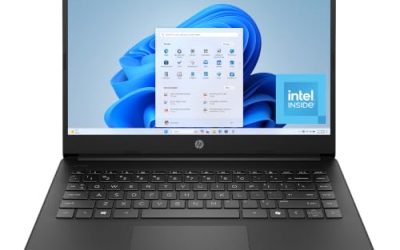
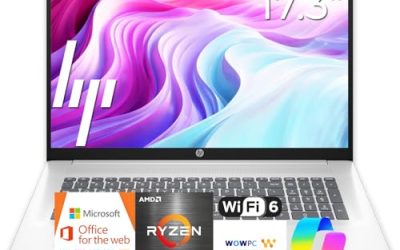
The HP is the budget floor. The title lists a 15-inch HD micro-edge IPS display, an Intel Pentium processor up to 3.68GHz, 4GB of DDR4 memory, a 128GB SSD, HDMI, a webcam, and sixth-generation Wi-Fi. It handles email, light browsing, and video playback, and it fits a household that wants a backup machine for guests or a child learning to type.
- Strength: HDMI is listed, which makes a second screen easy.
- Strength: it is the simplest option for a very light workload.
- Trade-off: 4GB of RAM and an HD panel feel limited today.
Confirm the operating system edition and weight on the listing, since the title leaves both unclear. Skip it if you plan to keep many tabs open or want sharp text.
Which One Fits Your Situation
You want one laptop that lasts
The MacBook Air 15-inch is the most future-ready listing here, thanks to 16GB of memory and a 512GB SSD, provided your software runs on macOS.
You work in a bright office
Choose the Dell with the 300-nit panel. If you prefer smoother motion over brightness, the Ryzen 5 Dell with 120Hz is the alternative.
You commute with a student bag
The ASUS Vivobook Go 15 offers the durability claim and fast Wi-Fi in a package priced as a mid-range Windows laptop.
You need a basic second computer
The HP Portable 15 covers email and web pages with HDMI for an external display. The Dell with 250 nits is the step-up option if you want 8GB of RAM and 512GB of storage.
Common Mistakes
- Comparing a 15.3-inch Apple panel and 15.6-inch Windows panels by diagonal alone.
- Ignoring DDR4 versus DDR5 and LPDDR5 differences when comparing otherwise similar Dells.
- Choosing a 128GB drive for a laptop that will hold years of files.
- Assuming macOS runs every Windows application you currently use.
- Paying for a 120Hz screen you will rarely notice for documents.
Related guides
- Noctua Nh-D15 Vs Thermalright Peerless Assassin 120
- Sustainable Gaming Pc Power Supply Efficiency Guide
- Thermal Paste Application Method For Lga1851
Frequently Asked Questions
Is a 15-inch laptop good for travel?
It is a comfortable compromise for most trips. It is bigger than a 13- or 14-inch model but fits most backpacks and flight tray tables. Expect a charger and a slightly heavier bag compared with a 13-inch ultraportable.
How much memory do I need?
Eight gigabytes covers light work, while 16GB gives breathing room for heavier multitasking. Four gigabytes is a last resort, and buyers keeping a laptop for five years should lean toward the higher figure.
What is unified memory?
It is a design where the processor and graphics share one pool of memory. The title lists 16GB for the Apple model.
Are the Dell listings the same laptop?
No. They differ in processor, memory type, brightness, and refresh rate, so compare the title details rather than the name. Small differences in memory type, brightness, and refresh rate decide which one fits a given desk.