A large screen laptop is a trade you make with your eyes open. You gain room for two windows side by side, a spreadsheet you can read without squinting, and a keyboard with a full numeric pad. You give up easy carrying, a thin bag, and usually some battery life per pound. Anyone searching for the best large screen laptop has probably already decided that a 14-inch panel feels cramped, so the real question is how big is big enough: the common 17.3-inch class, or the rarer 18.5-inch machines that push even further.
This guide is built for people who will park the laptop on a desk most of the day and move it a few times a week: home-office workers, students with a dorm desk, parents managing family paperwork, and anyone whose eyesight prefers bigger text. We sort six large-display models by what their listings actually state, explain the thresholds that matter in 2026, and flag the corners that cheaper models cut. Nothing here depends on lab numbers; it is based on the listed specs only.
Our Top Picks
Top 3 picks at a glance
Quick Picks
As an Amazon Associate we earn from qualifying purchases at no extra cost to you.




| Product | Best for | Key spec taken from the product title |
|---|---|---|
| HP 17-inch Business Laptop (Ryzen 5) | All-round office desk use | 17.3″ FHD display, 16GB RAM, 512GB SSD, numeric keypad |
| EKY 18.5 Inch Laptop | Maximum screen with wired ports | 18.5 inch, 16GB RAM, 1TB SSD, 6316mAh battery, RJ45, HDMI |
| BWPED 18.5″ Laptop | Memory and storage on a tight plan | 24GB RAM plus 1TB SSD, 48Wh battery, 3 USB ports |
| HP 17.3 inch Laptop (Ryzen 5 7520U) | Familiar brand, simple setup | AMD Ryzen 5 7520U, 16 GB RAM, 512 GB SSD, HD+ display |
| HP OmniBook 3 17 (Ryzen 3) | Light everyday tasks on a budget | FHD display, AMD Ryzen 3, 8 GB RAM, 512 GB SSD |
| HP OmniBook 3 17 (Core Ultra 5) | Intel-based 17-inch for general use | Intel Core Ultra 5 225U, 8 GB RAM, 512 GB SSD |
How to Choose
Pick a size class before a brand
Two sizes dominate. The 17.3-inch class is the sensible ceiling for most buyers: it fits a standard laptop backpack sleeve designed for 17-inch models and still moves from desk to couch. The 18.5-inch models listed here are a different animal. They behave like a small all-in-one that happens to have a battery, so measure your bag and your desk before ordering. If the laptop will travel more than occasionally, stay in the 17.3-inch group.
Weight is the hidden cost of size. Listings rarely state it in the title, so open the specification block and look for a weight figure before committing; anything near the upper end of the 17-inch class is a desk-first machine.
Resolution matters more at big sizes
Stretching the same pixels over a larger panel makes text softer. Look for FHD (1920 x 1080) as the floor; a listing that says HD+ is a lower resolution and will look coarser at 17 inches. Items such as 100% sRGB or anti-glare coatings are worth noticing, but only a few listings mention them, so read the full specification block rather than assuming. Ignore marketing words like “cinema” or “ultra clear” without a number behind them.
Viewing distance matters too. A large panel at arm’s length is comfortable, but if you sit very close, a lower-resolution screen shows its pixels sooner. Touchscreens add convenience but can add glare and weight, so decide whether you will really use touch.
Memory, storage, and the processor label
For daily office work, 16GB of RAM is a comfortable target and 8GB is the minimum that still feels workable with a browser full of tabs. A 512GB SSD handles most people; 1TB suits anyone storing photos or project files locally. On processors, a current Ryzen 5 or Core Ultra part is a safer bet than an older low-power chip with a high clock speed in the title. A phrase like “up to 3.4GHz” describes a maximum boost, not sustained speed, and the chip name tells you more than the gigahertz figure.
Be wary of listings that stack large memory and storage numbers onto a modest chip. Extra RAM helps with many open tabs, but it does not make a low-power processor fast for demanding tasks.
Ports, battery, and where budget models cut corners
Large chassis have room for ports that thin laptops drop: HDMI, USB-A, and sometimes an RJ45 Ethernet jack. If you dock to a monitor or connect to a wired network, check that the listing names those ports. Battery capacity is the usual casualty, since a bigger panel drains faster; a listing that quotes 48Wh or 6316mAh gives you something to compare, while one that says only “long battery” gives you nothing. Also confirm warranty and return terms, especially with lesser-known brands.
The 6 Best Options
HP 17-inch Business Laptop (Ryzen 5)
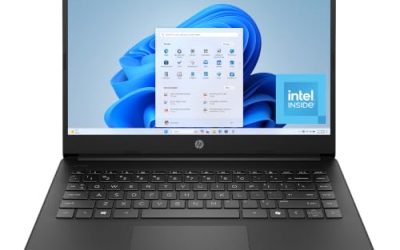
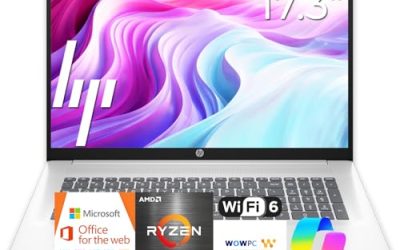
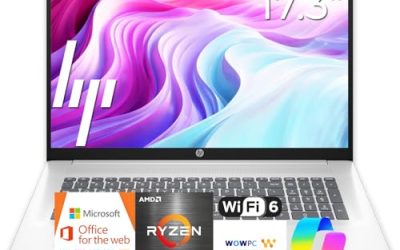
This is the most balanced listing in the group. It pairs a 17.3-inch FHD display with a Ryzen 5 processor, 16GB of RAM, and a 512GB SSD, plus a numeric keypad that suits data entry. It fits someone who wants a large screen without gambling on an unfamiliar brand.
- Strength: the listed combination of FHD, 16GB, and 512GB covers most office and study workloads.
- Strength: the numeric keypad and business positioning suit spreadsheet-heavy days.
- Trade-off: the title does not state port selection or exact battery capacity, so check the listing for those details.
Skip it if you want an even bigger panel than 17.3 inches or need a named Ethernet jack.
Because the HP name carries broad service coverage in many regions, it also suits buyers who value easy support access over exotic specs.
EKY 18.5 Inch Laptop
The EKY is for buyers who want the biggest screen on this list and a wired connection. The title lists 16GB of RAM, a 1TB SSD, a 6316mAh battery, a privacy shutter camera, TF card support, RJ45, and HDMI, which is a long port story for the size.
- Strength: 1TB of storage with 16GB of RAM gives room for large local libraries.
- Strength: the privacy shutter and RJ45 jack suit a fixed desk setup.
- Trade-off: the title names a speed of up to 3.4GHz but not a processor family, so judge performance expectations carefully.
Skip it if you carry your laptop daily or want a processor you can compare by name.
Treat it as a stationary workstation with a battery for moving rooms, not as a commuter laptop.
BWPED 18.5″ Laptop
BWPED leads with memory: 24GB of RAM alongside a 1TB SSD, a Core m3 chip at up to 3.4GHz, and a 48Wh battery. It lists three USB ports, HDMI, RJ45, dual-band Wi-Fi, and Bluetooth 5.0.
- Strength: 24GB of RAM is more than any other listing here.
- Strength: a good spread of wired ports for a desk setup.
- Trade-off: a Core m3 label suggests a lighter-duty chip, so heavy multitasking could outpace the generous RAM.
Skip it if raw processing power is your first priority or you want a mainstream brand name.
It makes the most sense for document work, video calls, and streaming at a desk.
HP 17.3 inch Laptop (Ryzen 5 7520U)
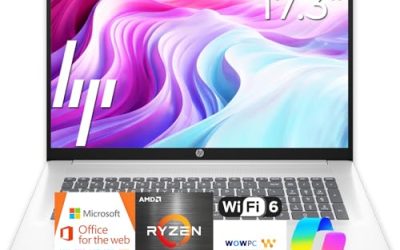
A straightforward 17.3-inch HP with a Ryzen 5 7520U, 16 GB of RAM, a 512 GB SSD, and Windows 11 Home. The title lists an HD+ display, which is the main thing to weigh.
- Strength: 16 GB of RAM and a Ryzen 5 chip suit everyday multitasking.
- Strength: model number 17-cp2199nr makes it easy to look up the exact configuration.
- Trade-off: HD+ is a lower resolution than FHD, so text on a 17.3-inch panel will look less sharp.
Skip it if screen sharpness is important for long reading sessions.
It works well as a shared family machine where price discipline and RAM matter more than panel sharpness.
HP OmniBook 3 17 (Ryzen 3)
The OmniBook 3 with a Ryzen 3 chip, FHD display, 8 GB of RAM, and a 512 GB SSD sits at the entry end. It is meant for browsing, email, streaming, and documents.
- Strength: an FHD panel at 17.3 inches keeps text crisp for the class.
- Strength: the 512 GB SSD gives more storage than many entry laptops.
- Trade-off: 8 GB of RAM leaves little headroom if you keep many browser tabs and apps open.
Skip it if you plan on heavy multitasking or photo editing.
Think of it as the entry ticket to a big screen rather than a long-term workhorse.
HP OmniBook 3 17 (Core Ultra 5)
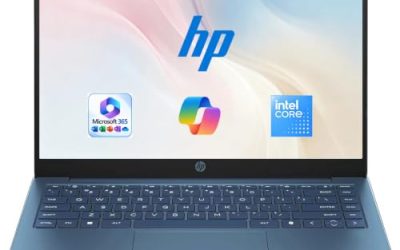
Same chassis and 17.3-inch FHD display as the Ryzen 3 version, but with an Intel Core Ultra 5 225U processor. It also carries 8 GB of RAM and a 512 GB SSD.
- Strength: a newer Intel Core Ultra platform suits buyers who prefer Intel.
- Strength: Windows 11 Home and a 512 GB SSD make setup simple.
- Trade-off: it shares the 8 GB memory ceiling of its sibling, with Intel Graphics rather than a dedicated card.
Skip it if you need more than 8 GB of RAM out of the box.
Choose it over its Ryzen sibling only if Intel compatibility matters to your software or company policy.
Which One Fits Your Situation
You work from a home desk with spreadsheets all day
The HP 17-inch Business Laptop is the practical pick. FHD at 17.3 inches, 16GB of RAM, and a numeric keypad are the combination that long spreadsheet sessions reward.
You want the largest possible display and wired internet
Go with the EKY 18.5 Inch Laptop. The RJ45 and HDMI ports plus a 1TB SSD turn it into a permanent desk machine, with a privacy shutter as a bonus.
You run lots of apps at once and care about memory
The BWPED 18.5″ Laptop offers 24GB of RAM, the most on this list. Pair that with a realistic view of its Core m3 chip and use it for multitasking rather than demanding workloads.
You need something simple and affordable for a family computer
The HP OmniBook 3 17 with Ryzen 3 handles the basics on an FHD panel. If your household prefers Intel, the Core Ultra 5 variant is the matching alternative.
Common Mistakes
- Buying 18.5 inches without measuring the bag, desk, and shelf where it must live.
- Accepting HD+ resolution on a 17-inch panel and then wondering why text looks soft.
- Reading “up to 3.4GHz” as a performance guarantee instead of a peak boost figure.
- Ignoring the battery line; a large screen drains faster, so capacity in Wh or mAh matters.
- Skipping the warranty and return terms on lesser-known brands.
Related guides
- Noctua Nh-D15 Vs Thermalright Peerless Assassin 120
- Sustainable Gaming Pc Power Supply Efficiency Guide
- Thermal Paste Application Method For Lga1851
Frequently Asked Questions
Is a 17-inch laptop too big for travel?
It is manageable in a larger backpack and on most airline tray tables, but it is heavy for daily commuting. If you travel weekly, weigh it against a 15-inch model first.
How much RAM do I need on a large screen laptop?
Aim for 16GB if the laptop is your main work machine. 8GB works for light use, but it leaves little room for many tabs and apps together.
Are 18.5-inch laptops worth it?
They suit fixed desk setups where screen size beats portability. For anyone who moves around regularly, the 17.3-inch class is the better balance.
Does a bigger screen mean a better display?
No. Resolution, brightness, and coating decide image quality. Check for FHD or better and read the full specification block for details the title leaves out.