Searching for the best Windows laptop usually means one of two things: you want a familiar desktop environment with the widest app and peripheral support, or you are tired of a machine that stalls when a browser holds a dozen tabs. The listings below cover a wide span, from entry-level 14-inch models with 4 GB of memory up to a touchscreen Surface with 16 GB and a 1 TB drive, so the real job is matching the hardware tier to what you actually do all day.
This guide is written for students, home-office users and anyone replacing an aging notebook in 2026. Every verdict is based on the listed specs only, so treat it as a shortlist and read each listing before you commit. Where a title is cut off or vague, the guide says so instead of guessing. One note up front: the Apple laptop that appears in the same product set runs macOS, so it is left out here.
Our Top Picks
Top 3 picks at a glance
Quick Picks
As an Amazon Associate we earn from qualifying purchases at no extra cost to you.






| Product | Best for | Key spec from the title |
|---|---|---|
| HP 14 inch N150 | Light school and web use | Intel N150, 4 GB RAM, 128 GB UFS |
| 15.6-inch Core i5-7Y57 | Tinkerers who want upgrades | Upgradeable RAM and SSD, FHD IPS |
| Dell 15.6 Core 3 100U | Everyday multitasking | 8 GB RAM, 512 GB SSD, Wi-Fi 6 |
| HP Everyday Laptop | Office-style work with cloud files | 128 GB storage, 1 TB cloud, Wi-Fi 6 |
| Microsoft Surface Laptop | Premium, touch-first buyers | Snapdragon X2 Elite, 16 GB, 1 TB SSD |
| HP 14 Celeron (Renewed) | Lowest-commitment secondary PC | Celeron, 4 GB RAM, 64 GB SSD |
| 15.6-inch N4020 laptop | Couch browsing and video | 128 GB eMMC, 180-degree hinge, 45W charging |
How to Choose
Memory and storage come first
For Windows 11 with a modern browser, 8 GB of RAM is the comfortable floor and 4 GB is a compromise you will feel the moment you open a video call next to a spreadsheet. Storage matters just as much: 128 GB fills quickly once updates and apps land, so 256 GB or 512 GB gives real breathing room. Pay attention to the type, too. A true SSD is faster than the eMMC or UFS flash common on budget models.
Processor tier
Intel N-series chips such as the N150 and N4020, along with the Celeron class, are built for browsing, documents and video. Core-branded chips like the Core 3 100U and Core i5 sit a step higher for multitasking. Arm-based Snapdragon parts run Windows too, but buyers with older niche software should confirm compatibility first, because not every legacy program has an Arm version.
Screen and size
Look for a full HD panel, ideally IPS, because basic HD panels look soft when stretched across 15.6 inches. Brightness figures such as 250 nits are fine for indoor use but weak near a sunny window. A 13.8-inch touchscreen is easier to carry; a 15.6-inch model gives more room for side-by-side windows and usually adds a bigger keyboard.
What to ignore
Bundled Office subscriptions and cloud storage are time-limited extras, not hardware. A trial label should never outweigh RAM, drive type or the screen. Also be careful with refurbished stock: renewed units can be a sensible saving, but the condition and warranty terms are what you are really buying, and titles rarely spell them out.
The 7 Best Options
HP 14 inch Laptop (Intel N150)
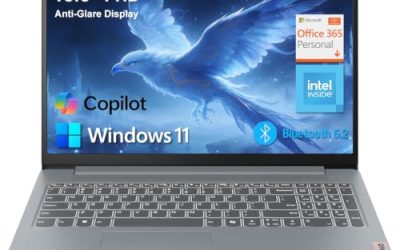
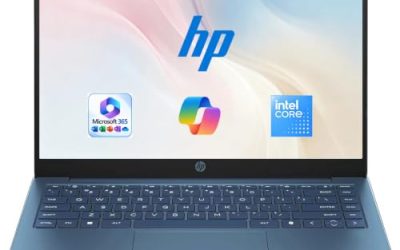
This compact HP pairs an Intel N150 with 4 GB of RAM and 128 GB of UFS storage, running Windows 11 Home with a one-year Microsoft 365 Personal subscription. It suits a student or a parent who wants a simple machine for email, documents, streaming and video calls, and who would rather carry a 14-inch body than a bulky 15.6-inch one.
- Strength: a 14-inch body is easier to carry than a 15.6-inch model.
- Strength: the included productivity subscription covers basic document work from day one.
- Trade-off: 4 GB of memory and UFS flash limit heavy multitasking.
Skip it if you plan to keep many browser tabs and apps open at once, or if you want a full HD panel, since the title lists an HD display.
15.6-Inch Core i5-7Y57 Laptop
This unnamed-brand 15.6-inch model lists a Core i5-7Y57, 4 GB of SO-DIMM memory, a 128 GB SSD and an FHD IPS display, plus a 2 MP webcam, a cooling fan and a Type-C port. Its standout claim is upgradeable RAM and SSD, which appeals to buyers who like to start small and add memory later.
- Strength: the listed upgrade path means you can add memory and storage down the road.
- Strength: an FHD IPS screen is a good match for the larger 15.6-inch size.
- Trade-off: the processor model name looks older, and the brand is not shown in the title.
Skip it if you want a recognizable name behind support and warranty, or if you will never open the case to upgrade anything.
Dell 15.6 Laptop (Core 3 100U)
Dell lists an Intel Core 3 100U, 8 GB of DDR4 RAM and a 512 GB SSD behind an FHD anti-glare IPS WVA panel rated at 250 nits, plus Wi-Fi 6 and Bluetooth. On paper it is the best-balanced spec sheet in this group for people who want a Windows laptop that simply handles a normal workday without compromise on memory or storage.
- Strength: 8 GB of memory paired with a roomy 512 GB SSD.
- Strength: an anti-glare screen helps in bright rooms and offices.
- Trade-off: 250 nits is modest, so outdoor use will be difficult.
Skip it if you want a touchscreen, a thin travel body or a brighter display for working near windows.
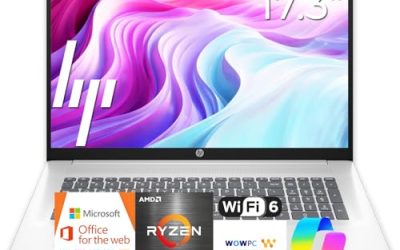
HP Everyday Laptop (Copilot AI, Office 365)
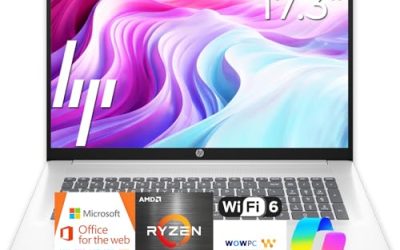
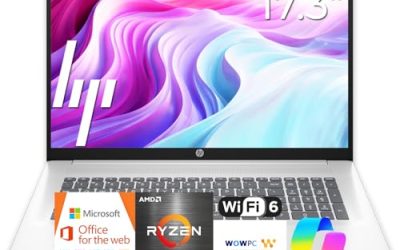
This HP lists an Intel CPU, 128 GB of storage, 1 TB of cloud storage, Windows 11, fast charging and Wi-Fi 6, with Copilot AI and Office 365 named in the title. It is aimed at buyers who live in documents and web apps and are comfortable keeping most files online. The processor model is not named, so check the listing.
- Strength: Wi-Fi 6 and fast charging suit daily use at home and in cafes.
- Strength: cloud storage offsets the small local drive for document-based work.
- Trade-off: only 128 GB on the device itself.
Skip it if you store large files locally or need a confirmed processor tier before buying.
Microsoft Surface Laptop
The Surface Laptop is the premium pick: a 13.8-inch touchscreen, a Snapdragon X2 Elite processor, 16 GB of RAM and a 1 TB SSD. It is for buyers who want a polished Windows machine for long working days and who value touch input for notes, reading and quick navigation more than raw screen size.
- Strength: 16 GB of memory and 1 TB of storage give plenty of headroom.
- Strength: touch support adds flexibility for note taking and navigation.
- Trade-off: it sits at the premium tier, and the Arm-based chip needs app compatibility checks.
Skip it if you rely on specialized legacy software, need a lot of ports spelled out in the title, or have a tight budget. The listing is thin on connectivity details, so read the port list before ordering.
HP 14 Inch HD Laptop (Celeron, Renewed)
This renewed HP lists a Celeron dual-core processor up to 2.60 GHz, 4 GB of RAM, a 64 GB SSD and a webcam in a pink finish. It targets the lowest possible spend and little else, which makes it a reasonable spare for a child, a kitchen counter or a trip where a loss would hurt less.
- Strength: renewed stock keeps the entry cost low.
- Strength: the 14-inch body is easy to carry from room to room.
- Trade-off: 64 GB of storage and 4 GB of memory leave very little room for updates and apps.
Skip it if this will be your only computer or you need dependable performance for several years.
15.6-Inch Laptop (N4020, Office 365)
This model lists an N4020, 4 GB of LPDDR4 memory, 128 GB of eMMC storage, an FHD display, a 180-degree lay-flat hinge, a 38 Wh battery and 45W fast charging, with dual-band wireless. It leans toward media, shared-screen viewing and light browsing rather than work that taxes the processor.
- Strength: the lay-flat hinge helps when sharing the screen with someone beside you.
- Strength: 45W fast charging reduces time spent at the wall.
- Trade-off: eMMC storage and 4 GB of RAM limit overall speed.
Skip it if you want a named brand on the lid, need strong multitasking, or plan to edit photos and large spreadsheets. The title does not confirm the maker, so look at the seller details before you buy.
Which One Fits Your Situation
You need a laptop for school basics
The HP 14 inch N150 is the simple choice: it is portable, ships with a productivity subscription and handles documents, research and video calls without fuss. Pair it with a cloud drive to make up for the small local storage.
You want room to grow
The Dell 15.6 Core 3 100U offers 8 GB and 512 GB from the start, so it needs no immediate upgrades. If you enjoy opening the case, the Core i5-7Y57 model lists upgradeable RAM and SSD and can be improved over time.
You want the premium experience
The Microsoft Surface Laptop gives you touch, 16 GB of memory and a 1 TB drive in one package. It makes the most sense for professionals who use mainstream apps and want a machine that feels current for years.
You want the cheapest working Windows machine
The renewed HP 14 Celeron is the lowest-commitment option, best as a secondary device for light tasks such as recipes, email and streaming.
Common Mistakes
- Buying 4 GB of RAM and expecting a smooth multi-tab experience.
- Treating eMMC or UFS storage as equal to a full SSD when it is usually slower.
- Counting a bundled Office trial as a permanent software value.
- Choosing an Arm-based Windows laptop without checking your must-have apps first.
- Ignoring the screen type and picking a basic HD panel for a 15.6-inch laptop.
Related guides
- Noctua Nh-D15 Vs Thermalright Peerless Assassin 120
- Sustainable Gaming Pc Power Supply Efficiency Guide
- Thermal Paste Application Method For Lga1851
Frequently Asked Questions
Is 8 GB of RAM enough for Windows 11?
For browsing, office apps and video calls, yes. If you keep many tabs and apps open and want the laptop to last for years, consider 16 GB, as seen on the Surface Laptop.
Are renewed laptops worth considering?
They can be, if the seller offers a clear warranty and return policy. Read the listing for battery and condition details, since titles rarely state them.
What does Windows on Arm change?
Snapdragon laptops run Windows 11 and most mainstream apps, but older or specialized programs may not work. Confirm your key software before choosing one, especially for work tools and printer utilities.
Do I need touchscreen support?
Not for most buyers. It helps with notes, tablet-style use and quick navigation, which is why the Surface Laptop stands out, but a standard screen is perfectly fine for typing and browsing.