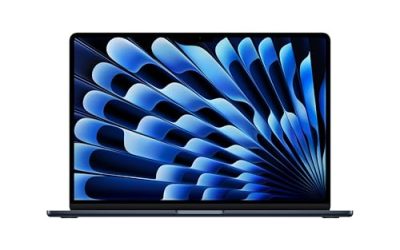
A budget of under 2000 dollars changes the question you ask about a gaming laptop. At lower tiers you ask whether a machine can play your games at all; at this ceiling you ask which compromise to make among screen size, GPU tier, memory, and storage. Almost every serious option now carries 16GB to 32GB of DDR5 and an RTX 40-series or 50-series chip, so the differences come down to panel resolution, cooling headroom, and how much GPU you want for the money.
This guide is written for shoppers who want a primary gaming machine that can also handle streaming, video editing, and schoolwork, and who are comfortable with a 15- to 18-inch chassis. The shortlist for 2026 below uses only the specifications each listing states. Listings for office laptops, a mobile workstation, and integrated-graphics machines are left out, since none of them is a gaming laptop in the sense this keyword implies.
Our Top Picks
Top 3 picks at a glance
Quick Picks
As an Amazon Associate we earn from qualifying purchases at no extra cost to you.


| Product | Best for | Key spec from the title |
|---|---|---|
| ASUS TUF Gaming A16 | Value-minded 1080p+ gaming | Ryzen 7 7445HS, RTX 4050, 16GB DDR5, 16″ 145Hz |
| GIGABYTE Gaming A16 | Strong GPU with ample memory | Core i7-13620H, RTX 5070, 32GB DDR5, 1TB SSD |
| GIGABYTE Gaming A18 | Big, sharp screen | 18″ 2560×1600 165Hz, RTX 5060, 32GB DDR5 |
| MSI Cyborg 15 | Compact 15-inch build | Ryzen 9 270, RTX 5060 GDDR7, 15.6″ 144Hz |
| HP Omen 16 Slim | Gaming plus heavy creative work | Core Ultra 9 285H, RTX 5070, 32GB RAM, 1TB SSD |
How to Choose
Match the GPU to the resolution you will actually use
The graphics card is the main lever for frame rates. An RTX 4050 handles 1080p at high settings in most current games but starts to struggle at higher resolutions. An RTX 5060 gives a comfortable step up, and an RTX 5070 is the tier to look for if you want high settings at 1200p or at the sharper 2560×1600 panel. Buying a high-resolution display with a weak GPU is a common error, because the laptop will render fewer frames than the screen can show, so choose the pairing deliberately. As a rule of thumb, treat 1080p and 1200p as the home ground for an RTX 4050 or 5060, and reserve 1600p for the stronger tiers or for players who accept lowered settings.
Memory, storage, and processor thresholds
Thirty-two gigabytes of RAM is no longer a luxury at this tier; it helps when you stream, keep a browser open, and run a launcher while playing. Sixteen gigabytes remains acceptable for pure gaming. For storage, a 512GB SSD fits only a few modern titles, while 1TB is a comfortable minimum for a primary machine. On processors, eight or more modern cores are plenty for gaming; the added cores in higher-end chips matter mainly for editing, compiling, and streaming at the same time.
Display size, refresh rate, and panel type
Fifteen-inch models are easier to carry, while 16-inch and 18-inch screens show more of the game world and are better for editing. Refresh rates of 144Hz to 165Hz are standard here, and the difference between them is subtle for most players. Look for an IPS panel and a 16:10 shape on larger models, since the taller aspect ratio helps with productivity. Ignore a high refresh number if the listing never states resolution or panel type, because those details matter more for image quality. Response time and color coverage also affect image quality, but listings rarely state them, so it is worth reading the full specification table on the product page before deciding.
Cooling, ports, and where corners get cut
Premium-looking gaming laptops can still trim cooling and port selection, which shows up as louder fans and lower sustained performance. Slim designs trade thickness for heat headroom, so expect them to run quieter at the cost of slightly lower sustained power. Check for HDMI or DisplayPort output, USB-C, and an Ethernet jack if you play online, and note that some chassis put the charging port in awkward places. Also treat “AI TOPS” claims as irrelevant to games; they describe neural processing rather than frame rates. Another point to watch is the wattage the GPU is allowed to draw, since two laptops with the same graphics name can perform differently when one is power-limited.
The 5 Best Options
ASUS TUF Gaming A16
The TUF Gaming A16 is the practical pick in this group, listing an AMD Ryzen 7 7445HS, an NVIDIA GeForce RTX 4050, 16GB of DDR5 memory, and a 512GB SSD behind a 16-inch Full HD+ display at 145Hz. It is the lowest GPU tier here, which usually means a lower position in the price range, and the 16:10-class panel gives extra vertical room. Buyers who mostly play esports titles, indie releases, and a few big campaigns will find the spec sheet sufficient, and the Ryzen 7 leaves room for browsing and chat apps running alongside a game.
- Strength: Ryzen 7 plus an RTX 4050 handles 1080p-class gaming and everyday work well.
- Strength: DDR5 memory and a taller 16-inch display at an approachable tier.
- Trade-off: 512GB of storage and the older GPU generation limit longevity.
Skip it if you want ray-tracing headroom or a newer GPU architecture.
GIGABYTE Gaming A16
This one lists a Core i7-13620H, an RTX 5070, a 16-inch 1920×1200 display at 165Hz, 32GB of DDR5 memory, and a 1TB SSD. The GPU-to-memory-to-storage ratio is unusually generous for the tier, making it a strong all-rounder for both play and content creation. The processor is the older generation of the group, which matters little in games where the GPU leads. Pairing it with a fast panel and 32GB of memory gives students and streamers a configuration that can double as an editing machine, and the full terabyte of storage avoids the constant uninstalling that smaller drives force.
- Strength: RTX 5070 with 32GB of RAM and 1TB of storage is a well-balanced configuration.
- Strength: a 165Hz panel suits fast shooters and racing titles.
- Trade-off: the processor is a mid-range part from an earlier generation.
Skip it if you prefer an AMD platform or need a larger screen.
GIGABYTE Gaming A18
The A18 stands out for its 18-inch 2560×1600 WQXGA IPS display at 165Hz, driven by a Ryzen 7 260 processor and an RTX 5060 with 32GB of DDR5 and a 1TB SSD. A big, sharp screen is its main attraction, and the 5060 can reach comfortable frame rates at that resolution in many titles with some settings reduced. For competitive players who want the highest frame rates, the lower pixel count of a 1080p external monitor can be a better match, but for single-player adventures the extra sharpness is a real benefit.
- Strength: an 18-inch high-resolution IPS panel is excellent for immersive games and creative work.
- Strength: 32GB of RAM and 1TB of storage leave plenty of headroom.
- Trade-off: the large chassis is heavy and awkward to transport.
Skip it if the laptop will travel frequently or share a small desk.
MSI Cyborg 15
The Cyborg 15 pairs an 8-core Ryzen 9 270 with an RTX 5060 using GDDR7 memory, 16GB of DDR5 RAM, and a 512GB SSD, all in a 15.6-inch Full HD IPS 144Hz body. It is the compact choice in this group, balancing a modern GPU with a smaller footprint, which makes it more suitable for a bag than the 16-inch and 18-inch models. Eight cores and a current-generation GPU also make it a sensible pick for someone who wants strong performance without the visual bulk of a larger gaming chassis.
- Strength: RTX 5060 graphics in a more portable 15.6-inch frame.
- Strength: an eight-core Ryzen 9 gives good processor headroom for streaming.
- Trade-off: 16GB of RAM and a 512GB drive are the smallest in the pool of modern GPUs.
Skip it if you want a large display or plan to store many games locally.
HP Omen 16 Slim
This Omen lists an Intel Core Ultra 9 285H with 16 cores, an RTX 5070 with GDDR7 memory, 32GB of RAM, a 1TB SSD, and a 16-inch WUXGA IPS display at 144Hz with a four-zone RGB keyboard. It carries the strongest processor in the set, which helps if you game and also edit video or run virtual machines. The Omen name also signals a slim design with four-zone lighting, so it suits someone who wants a gaming laptop that does not look out of place in a classroom or office.
- Strength: the 16-core processor with the RTX 5070 suits mixed gaming and creative workloads.
- Strength: 32GB of RAM and 1TB of storage match the premium tier.
- Trade-off: the 144Hz panel is a touch lower than the 165Hz displays on rival models.
Skip it if raw refresh rate is your top priority or the listed price drifts near the cap.
Which One Fits Your Situation
You want maximum GPU power within the limit
The GIGABYTE Gaming A16 and the HP Omen 16 Slim both list an RTX 5070 with 32GB of RAM. Choose the GIGABYTE for the faster panel or the HP for the stronger processor.
You play on a large screen at a desk
The GIGABYTE Gaming A18 is the one. Its 2560×1600 panel is the sharpest in the group, and the RTX 5060 can run many games well at that resolution with adjusted settings.
You carry the laptop to class or work
Pick the MSI Cyborg 15 for the smaller footprint. Pair it with an external monitor at home if you want a larger view without giving up portability.
You want to spend less and still play well
The ASUS TUF Gaming A16 offers the lowest GPU tier, which usually translates to savings you can put toward a larger external SSD or a good headset.
Common Mistakes
- Pairing a high-resolution display with a GPU too weak to drive it.
- Ignoring storage capacity and running out of room after installing a few large games.
- Treating AI performance figures as an indicator of gaming speed.
- Choosing a thin chassis and expecting desktop-level sustained performance.
- Skipping the port list, then discovering the laptop lacks the display output you need.
Related guides
- Noctua Nh-D15 Vs Thermalright Peerless Assassin 120
- Sustainable Gaming Pc Power Supply Efficiency Guide
- Thermal Paste Application Method For Lga1851
Frequently Asked Questions
Is an RTX 5070 worth it over an RTX 5060?
It is worth it if you play at 1200p or higher or want higher settings in demanding games. For 1080p, the 5060 is already capable.
How much RAM should a gaming laptop have at this price?
Thirty-two gigabytes is a comfortable choice for gaming plus streaming or editing. Sixteen gigabytes is enough if you only play and keep other apps closed.
Is an 18-inch laptop practical?
It is practical as a desk-based machine but heavy for daily travel. If you move often, a 15- or 16-inch model is easier to live with.
Can these laptops handle video editing too?
Yes, the listed configurations with 32GB of RAM, a 1TB SSD, and a strong GPU are well suited to editing. The 16-core Omen offers the most processor headroom for it.