Buying a laptop for Linux usually starts with a question Windows shoppers never ask: will every part of this machine actually work with the operating system I want? Wi-Fi chips, fingerprint readers, touchscreens, and graphics hardware can all behave differently across distributions, and a laptop that looks perfect on paper can leave you troubleshooting drivers for a weekend. The listings below sidestep part of that risk because each one ships with a Linux distribution already installed, so the basics should work on first boot.
This guide is for students learning to code, sysadmins who want a familiar environment on the road, and anyone leaving Windows for good who would rather not format a drive on day one. The 2026 shortlist below judges each model only on what its listing states, including the pre-installed distribution, processor, memory, storage, and display. Notes on driver support are general guidance and should be confirmed against the distribution you intend to run.
Our Top Picks
Top 3 picks at a glance
Quick Picks
As an Amazon Associate we earn from qualifying purchases at no extra cost to you.


| Product | Best for | Key spec from the title |
|---|---|---|
| Lenovo Business Laptop (Linux Mint, i5) | A friendly first Linux desktop | Core i5-1335U, 16GB RAM, 256GB SSD, Linux Mint |
| Lenovo IdeaPad Slim 3 Touchscreen with Stylus | Note-taking and sketching | Ryzen 7 5825U, 16GB RAM, 512GB SSD, stylus pen |
| Lenovo IdeaPad Slim 3 (Radeon Graphics) | Everyday development work | 8-core Ryzen 7 5825U, 15.6″ FHD touchscreen |
| Panasonic Toughbook CF-31 MK5 | Field work and rough conditions | Rugged, 13.1″, 4G LTE, Ubuntu, renewed |
| NIMO 16″ Linux Laptop | Local AI and heavy workloads | 16-core Ryzen, 128GB LPDDR5x, 1TB SSD |
| Lenovo Business 15″ (Linux Mint, i7) | Roomy storage on an older platform | Core i7-1065G7, 20GB RAM, 1TB hard disk drive |
How to Choose
Hardware that tends to play well with Linux
Intel and AMD integrated graphics generally work with open-source drivers shipped in the kernel, which makes them the lowest-friction choice. Dedicated NVIDIA graphics often require proprietary drivers, which can complicate updates. Wi-Fi is the other classic trouble spot, and Intel wireless chips have a long record of working out of the box. None of the listings here names an NVIDIA GPU, which is a point in their favor for first-time Linux buyers.
Memory and storage thresholds for development and daily use
Linux runs well in less memory than Windows, but modern work does not: browsers, containers, and code editors add up quickly. A lightweight desktop can idle below two gigabytes, yet a modern browser with a dozen tabs and a database container will push well past that figure. Sixteen gigabytes is the practical target for programming and virtual machines, while 8GB is workable for light use. For storage, an SSD is far preferable to a spinning hard disk, because boot, package installs, and builds all benefit. A 256GB SSD is workable if you keep data elsewhere, while 512GB or more is more comfortable.
Distribution matters as much as the hardware
Linux Mint with the Cinnamon desktop is aimed at beginners coming from Windows, with a conventional layout and a stable base. Ubuntu is among the most widely supported distributions and has abundant documentation. Whatever comes pre-installed, you can usually change it later, so treat it as a convenience rather than a lock-in. Make sure you understand whether the seller installs the system and whether a Windows license is included, since this affects updates and warranty handling.
Display, ports, and where budget models cut corners
A Full HD display is the sensible minimum for coding and documents, and a 1366 by 768 HD panel will feel cramped. Touchscreens work with Linux but can need extra setup for gestures. Used or renewed machines, and models with older processors, often have weaker batteries and slower storage, so treat those as value picks rather than long-term bets. Another practical step is to read community hardware reports for the exact processor, which can reveal quirks with sleep, brightness keys, or fingerprint readers before you commit. Seller-installed Linux systems from smaller sellers also deserve extra scrutiny of warranty terms and update support.
The 6 Best Options
Lenovo Business Laptop (Linux Mint, i5)
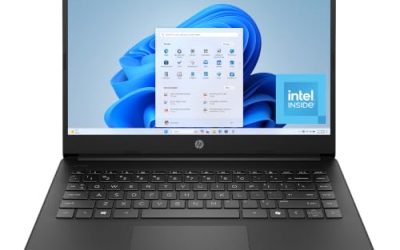
This listing runs Linux Mint with the Cinnamon desktop on an Intel Core i5-1335U with 16GB of RAM and a 256GB SSD, behind a 15.6-inch Full HD display with a full keyboard and fast charging. It is the cleanest pairing of a newer platform with a beginner-friendly distribution in the group. Fast charging is listed too, which helps if you carry the laptop between classes or client sites and cannot count on a long stop at an outlet.
- Strength: a current Core i5 with 16GB of RAM is capable for coding and multitasking.
- Strength: Linux Mint with Cinnamon is approachable for Windows switchers.
- Trade-off: 256GB of storage fills quickly with containers and projects.
Skip it if you plan to keep large datasets or several virtual machines locally.
Lenovo IdeaPad Slim 3 Touchscreen with Stylus
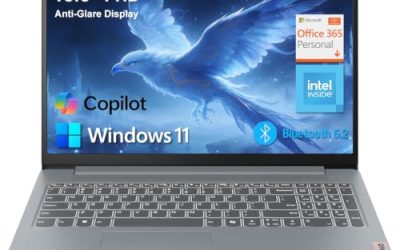
This version of the IdeaPad Slim 3 adds a stylus pen and lists an 8-core AMD Ryzen 7 5825U, 16GB of RAM, a 512GB SSD, and a 15.6-inch Full HD touchscreen, plus a keypad and an SD card reader. The stylus makes it the pick for note-taking and diagramming, though pen support depends on the desktop environment. It is a sensible choice for students who split time between a code editor and handwritten diagrams, and the SD card reader helps when importing photos or lab data.
- Strength: a strong eight-core processor with 16GB of RAM and 512GB of storage.
- Strength: an SD card reader and a stylus add practical extras.
- Trade-off: touchscreen and stylus behavior can need tweaks on Linux desktops.
Skip it if you want a trouble-free setup and do not need pen input.
Lenovo IdeaPad Slim 3 (Radeon Graphics)
The second IdeaPad listing centers on the same Ryzen 7 5825U, up to 4.5 GHz, with 16GB of RAM, a 512GB SSD, and AMD Radeon integrated graphics under a 15.6-inch Full HD touchscreen. AMD graphics are generally well supported by open-source drivers, which makes this an easy match for most distributions. Because the title also lists a keypad and a Full HD touchscreen, it works well as a general-purpose machine that you can dual-use for school or office tasks without changing configuration.
- Strength: AMD integrated graphics and an eight-core processor suit development and light creative work.
- Strength: 16GB of RAM and 512GB of storage match the mid-range sweet spot.
- Trade-off: the older Ryzen 5000-series generation is behind current chips in efficiency.
Skip it if you want the newest processor generation for longer battery life.
Panasonic Toughbook CF-31 MK5
The Toughbook is a renewed rugged laptop with a 13.1-inch touchscreen, an Intel Core i5, 8GB of RAM, a 256GB drive, 4G LTE, and a backlit keyboard, with Ubuntu installed. It exists for field technicians and outdoor workers who need durability and cellular connectivity more than speed. Buyers should read the renewed condition notes carefully, since a refurbished rugged unit may show cosmetic wear, and should confirm what the seller covers if the battery fails.
- Strength: rugged construction and built-in 4G LTE for work away from Wi-Fi.
- Strength: Ubuntu is a widely documented distribution for enterprise use.
- Trade-off: the platform is older and renewed, so battery and performance will trail modern laptops.
Skip it if you want a sleek, fast daily laptop; this is a specialist tool.
NIMO 16″ Linux Laptop
This is the performance outlier, listing a 16-core AMD Ryzen processor up to 5.1GHz, 128GB of LPDDR5x memory, a 1TB SSD, Radeon 8060S graphics with 40 compute units, and 126 TOPS of AI performance. That memory capacity is unusual and appeals to people running large models or many virtual machines locally. At this scale, it behaves more like a compact workstation than a typical consumer laptop, so the listing is best read as a specialist tool for developers and researchers.
- Strength: 128GB of memory and a 16-core processor handle heavy compiling and virtualization.
- Strength: powerful integrated graphics and AI hardware suit local machine-learning work.
- Trade-off: it sits at the premium tier and comes from a lesser-known seller.
Skip it if your workload is light or your budget is tight.
Lenovo Business 15″ (Linux Mint, i7)
This older Lenovo runs Linux Mint on a Core i7-1065G7 with 20GB of RAM, a 1TB hard disk drive, and a 15.6-inch HD display. The roomy memory and storage are appealing, but the spinning drive and the HD-class resolution show the age of the platform. It makes the most sense as a secondary machine for writing, browsing, and learning, where capacity matters more than speed.
- Strength: 20GB of RAM and 1TB of storage give a lot of room for the tier.
- Strength: Linux Mint comes pre-installed for a ready-to-use start.
- Trade-off: a hard disk drive is much slower than an SSD for boot and installs.
Skip it if responsiveness matters more than raw capacity.
Which One Fits Your Situation
You are switching from Windows for the first time
Choose the Lenovo Business Laptop with Linux Mint and the Core i5. The distribution is built for newcomers and the hardware is recent enough to avoid most surprises.
You write code and take handwritten notes
The Lenovo IdeaPad Slim 3 with the stylus fits that mix. Its Ryzen 7 and 16GB of RAM handle editors and containers, and the pen adds sketching capability.
You work outdoors or in the field
The Panasonic Toughbook is purpose-built for this and includes cellular data. Accept that it will not match modern laptops for speed.
You run local AI models or many virtual machines
The NIMO 16″ Linux Laptop is the only listing with the memory capacity and processor core count for it. Confirm the seller’s warranty before buying a machine at this tier.
Common Mistakes
- Assuming every component works with Linux without checking Wi-Fi and graphics support.
- Accepting a hard disk drive in a laptop meant for daily development work.
- Buying a rugged renewed machine expecting modern performance.
- Ignoring seller warranty terms on systems that were installed with Linux by a third party.
- Choosing a distribution for its looks instead of its hardware support and update schedule.
Related guides
- Noctua Nh-D15 Vs Thermalright Peerless Assassin 120
- Sustainable Gaming Pc Power Supply Efficiency Guide
- Thermal Paste Application Method For Lga1851
Frequently Asked Questions
Can I install a different Linux distribution later?
In most cases yes, since the pre-installed system is simply a starting point. Back up your data first and check that the Wi-Fi and graphics work from a live USB session.
Is Linux Mint good for beginners?
It is widely considered beginner-friendly because its Cinnamon desktop resembles the Windows layout. It is based on a stable foundation and has plenty of community help.
How much RAM do I need for programming on Linux?
Sixteen gigabytes covers most development, including containers. Go higher only for virtual machines, large builds, or local AI work.
Do touchscreens work on Linux?
Basic touch generally works, but gestures and stylus features depend on the desktop environment. Test them before committing if you rely on them.