“Long battery life” is the most abused phrase in laptop listings. Nearly every budget model uses it in the title, yet only a handful print an actual runtime, and the number on a spec sheet is usually measured with the screen dim and nothing running. The real decision is how you will use the machine away from an outlet: a lecture hall, a train, or a day of meetings without hunting for a plug. The goal of this guide is to separate configurations that are built for efficiency from those that simply borrow the words.
It is written for students, commuters, and travelers who value hours away from the charger over raw speed. The 2026 picks below rely only on what each listing states, such as processor family, display size, memory, and storage, and where a runtime is quoted it is repeated with caution. Where a listing gives no figure, the review says so rather than guessing, and the buying advice focuses on what you can verify yourself before purchase.
Our Top Picks
Top 3 picks at a glance
Quick Picks
As an Amazon Associate we earn from qualifying purchases at no extra cost to you.





| Product | Best for | Key spec from the title |
|---|---|---|
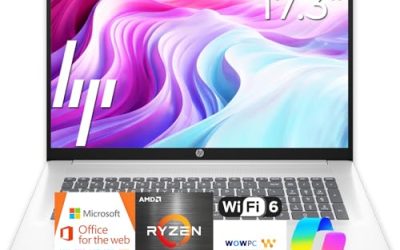
| HP 17 Business Laptop (Ryzen 5) | Big-screen desk-and-couch use | 17.3″ FHD, 16GB RAM, 512GB SSD |
| HP 15.6 Touchscreen (Core Ultra 7 155H) | Power with efficiency in mind | Ultra 7 155H, 16GB DDR5, 512GB SSD, touchscreen |
| HP 15.6 (Intel N200) | Bare-minimum browsing | 4-core N200, 4GB RAM, 128GB SSD |
| HP 15.6 (Intel N100) | Quiet, low-power everyday use | 4-core N100, 16GB RAM, 512GB SSD |
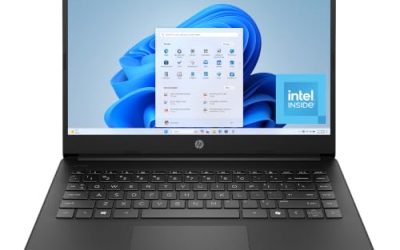
| HP Chromebook 14 | Web-based school work | Celeron N4120, 4GB RAM, 64GB eMMC, Chrome OS |
| HP Everyday Slim (Intel N150) | Office documents and cloud storage | N150, 128GB SSD plus 1TB cloud, Office 365 |
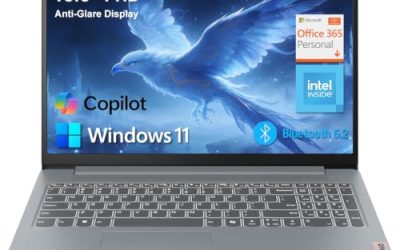
| Lenovo ThinkBook 14x | Business travel | 14″ FHD+ 120Hz, Core Ultra 5 226V, 16GB DDR5 |
| HP Pavilion 15.6 Touchscreen | Memory-heavy multitasking | 32GB RAM, 1TB SSD, up to 11 hours listed |
How to Choose
Demand a number, and know what it means
Only treat a battery claim as useful when it comes with hours attached, and even then expect real use to land well below a manufacturer’s figure. Light web browsing and document editing usually stretch a battery much further than video calls or streaming at high brightness. As a general guide, a laptop that advertises ten hours or more of mixed use is aiming at a full school or office day, while a listing that says nothing beyond “long battery life” has told you nothing. Among the models here, only one quotes a runtime.
Processor family drives efficiency
Low-power chips such as the Intel N-series (N100, N150, N200) and Celeron parts are designed to sip energy, which is why they appear on battery-focused listings, but they are also slow when many tabs and apps are open. Newer mobile processors with efficiency cores, such as the Core Ultra series, can combine decent speed with good runtime, especially the V-series naming that is generally positioned for efficiency. A high-wattage chip with a bright screen will drain a battery far faster than the same chip in a power-saving mode.
Screen size, brightness, and refresh rate
The display is the biggest drain after the processor. A 14-inch panel generally uses less energy than a 17-inch one, and a 120Hz refresh rate can use more power than a standard 60Hz display unless the laptop drops the rate automatically. Touchscreens add a small power cost, and anti-glare panels let you lower brightness outdoors, which saves energy. Be skeptical of a huge screen paired with a vague promise of long runtime, since a larger battery may be offsetting the larger panel.
Memory, storage, and where budget models cut corners
Four gigabytes of RAM and 64GB or 128GB of storage can run a lightweight operating system but quickly become the bottleneck, forcing the processor to work harder and shortening practical battery life. Sixteen gigabytes of RAM and a 512GB SSD are a healthier baseline. Budget laptops also cut corners on battery capacity, charger wattage, and build quality, so look for fast-charging support and a listed battery capacity in watt-hours if the product page includes it.
The 8 Best Options
HP 17 Business Laptop (Ryzen 5)
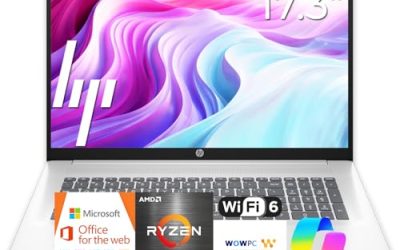
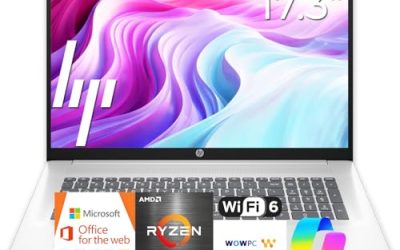
This model carries a Ryzen 5 processor, 16GB of RAM, a 512GB SSD, and a 17.3-inch Full HD display with a numeric keypad, and its title promises a long battery. The big screen makes it a stay-at-home machine, but the memory and storage are healthy for the work it targets.
- Strength: 16GB of RAM and 512GB of storage keep the system responsive without straining the battery.
- Strength: Full HD resolution and a numeric pad suit spreadsheet-heavy days.
- Trade-off: a 17-inch panel is a large power draw, and no runtime figure is stated.
Skip it if you need a lightweight machine to carry daily.
HP 15.6 Touchscreen (Core Ultra 7 155H)
The most powerful machine here pairs a Core Ultra 7 155H with 16GB of DDR5, a 512GB SSD, and Intel Arc graphics on a 15.6-inch touchscreen. The listing mentions Intel AI Boost, a backlit keyboard, and a long-life battery, so it targets users who want performance in a portable package.
- Strength: a strong processor with DDR5 memory handles multitasking and light creative work.
- Strength: Arc graphics and a touchscreen add flexibility.
- Trade-off: a faster chip and a touchscreen can use more power, and no runtime is quoted.
Skip it if your only goal is the longest possible runtime on a basic workload.
HP 15.6 (Intel N200)
This is a bare-bones configuration: an Intel 4-core N200, 4GB of RAM, a 128GB SSD, and Windows 11 Home in S mode. Low-power chips like this do favor battery life, but the tiny memory pool and the S-mode restriction, which limits installs to the Microsoft Store, narrow what you can do.
- Strength: an efficient processor class suited to light browsing and email.
- Strength: a simple, low-cost entry point for a basic user.
- Trade-off: 4GB of RAM and 128GB of storage will feel cramped fast.
Skip it if you need to install standard desktop programs or keep many tabs open.
HP 15.6 (Intel N100)
The N100 model improves on its N200 sibling’s memory with 16GB of RAM and a 512GB SSD, still using a 4-core low-power processor, and the title describes an ultra-quiet design. For everyday browsing, documents, and streaming, this balance of efficiency and memory is the most sensible budget configuration in the set.
- Strength: 16GB of RAM and 512GB of storage pair well with an efficient processor.
- Strength: an ultra-quiet design suits libraries and shared spaces.
- Trade-off: the processor is entry-level and will lag in heavier tasks.
Skip it if you edit video or run demanding software.
HP Chromebook 14
This Chromebook uses a Celeron N4120, 4GB of RAM, 64GB of eMMC storage, and a 14-inch HD display under Chrome OS. Chrome OS is light on resources, which is why Chromebooks tend to do well on runtime, and the thin design suits carrying. It is built for web apps and cloud documents, not desktop software.
- Strength: a lightweight operating system helps stretch the battery on simple tasks.
- Strength: a 14-inch thin design is easy to carry around campus.
- Trade-off: HD resolution and 64GB of eMMC storage limit longevity.
Skip it if you rely on Windows-only programs.
HP Everyday Slim (Intel N150)
The Everyday Slim lists an Intel N150 processor, a 128GB SSD with 1TB of cloud storage, and an Office 365 subscription. The cloud allocation supplements small local storage, which suits someone who saves documents online, but it depends on an internet connection to be useful.
- Strength: Office software and cloud storage are included for a ready-to-use start.
- Strength: an efficient processor suits light office work.
- Trade-off: only 128GB of local storage, and cloud storage is not always available offline.
Skip it if you work offline often or store large files locally.
Lenovo ThinkBook 14x
This business laptop lists a 14-inch FHD+ 120Hz anti-glare display, a Core Ultra 5 226V processor, 16GB of DDR5 memory, and a 512GB SSD. The V-series processor is generally positioned for efficient thin-and-light designs, and the anti-glare panel helps in bright rooms, making it the strongest travel-oriented option here.
- Strength: a modern efficiency-focused processor with fast DDR5 memory.
- Strength: a 14-inch anti-glare FHD+ panel suits travel and varied lighting.
- Trade-off: a 120Hz screen can reduce runtime unless it adjusts down automatically.
Skip it if you need a touchscreen or a larger display.
HP Pavilion 15.6 Touchscreen
The Pavilion lists 32GB of RAM, a 1TB SSD, a Core processor rated up to 4.4GHz, and a 15.6-inch HD anti-glare touchscreen, and it is the only title in the group that quotes a runtime: up to 11 hours. Treat that as a best-case figure. The memory and storage are far above the other models.
- Strength: 32GB of RAM and 1TB of storage cover heavy multitasking.
- Strength: a quoted runtime of up to 11 hours gives a concrete expectation.
- Trade-off: the HD resolution is below Full HD, and the “up to” figure will not hold under heavy use.
Skip it if you want a sharper Full HD display.
Which One Fits Your Situation
You commute and work on the go
Choose the Lenovo ThinkBook 14x. It combines an efficiency-minded processor, a compact 14-inch size, and an anti-glare screen for trains and cafes.
You are on a strict budget and need basics only
The HP 15.6 with the Intel N100 offers 16GB of RAM and a 512GB SSD, which is a better foundation than the N200 version despite similar efficiency.
Your coursework lives in the browser
The HP Chromebook 14 fits cloud-first study habits and keeps things simple. Confirm that your classes do not require Windows-only software first.
You need runtime and a lot of memory
The HP Pavilion 15.6 Touchscreen is the only one that quotes an hours figure, plus 32GB of RAM and 1TB of storage for heavier work.
Common Mistakes
- Trusting the phrase “long battery life” when the listing gives no hours or capacity.
- Treating an “up to” runtime as an everyday expectation.
- Buying 4GB of RAM to save money, then losing both speed and battery efficiency.
- Ignoring screen size and refresh rate, which affect power draw heavily.
- Forgetting that Windows in S mode restricts which programs you can install.
Related guides
- Noctua Nh-D15 Vs Thermalright Peerless Assassin 120
- Sustainable Gaming Pc Power Supply Efficiency Guide
- Thermal Paste Application Method For Lga1851
Frequently Asked Questions
How many hours should a long-battery laptop last?
For all-day use, look for a quoted figure of ten hours or more and expect real use to fall somewhat short. A model with no stated figure should be treated as unknown.
Do low-power processors really save battery?
Yes, chips like the N-series are designed for efficiency, but they trade speed for it. They work best for browsing, documents, and streaming.
Does a bigger screen drain the battery faster?
Generally yes, because the display is a major power draw, though a larger chassis can fit a bigger battery. Brightness settings matter as much as size.
Is a Chromebook better for battery life?
Often yes for simple tasks, since Chrome OS is light on resources. The trade-off is that it runs web apps and Android apps rather than standard Windows software.