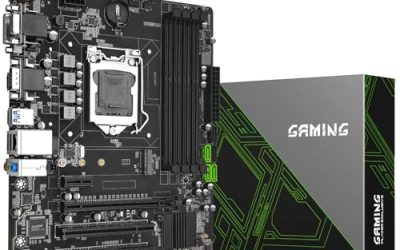
Setting a ceiling of under 200 dollars for a gaming motherboard changes the question from which board is fanciest to which board gives you the right socket, enough storage slots, and a sensible upgrade path without paying for features you will never plug in. At this budget you are choosing between two platforms that have both stopped moving forward: AMD’s AM4 socket, which spans several Ryzen generations, and Intel’s LGA1151 socket, which stops at the eighth and ninth generation Core chips. That choice matters more than any RGB header or heat-sink design.
This guide is for builders who already own, or plan to buy, a compatible processor and want a solid ATX or micro-ATX foundation for a gaming PC. The eight boards below mix B550 and Z390 chipsets, with and without built-in Wi-Fi. Details come from the product titles only, so confirm the current listed price against your cap and the BIOS version against your processor before ordering in 2026.
Our Top Picks
 ASUS TUF Gaming B550-PLUS WiFi II AMD AM4B550-Plus|M.2x2|D4|WiFi610.75 x 2.75 x 13.5 inches1.27 poundsCheck on Amazon


Top 3 picks at a glance
Quick Picks
As an Amazon Associate we earn from qualifying purchases at no extra cost to you.





| Product | Best for | Key spec from the listing |
|---|---|---|
| Asus ROG Strix B550-F Gaming WiFi II | Feature-rich AM4 gaming build | PCIe 4.0, WiFi 6E, 2.5Gb LAN, BIOS Flashback |
| MSI B550 Gaming WIFI6E | Ryzen 5000 upgrade path | ATX, AM4, DDR4, supports 5000 and 3000 series |
| Asus ROG Strix Z390-E Gaming | Existing 8th or 9th gen Intel owners | LGA1151, M.2, USB 3.1 Gen2, 802.11AC Wi-Fi |
| ASUS TUF Gaming B550-PLUS WiFi II | Durable all-rounder on AM4 | PCIe 4.0, WiFi 6, 2.5Gb LAN, USB 3.2 Gen 2 |
| MSI MPG Z390 Gaming PRO Carbon | Intel build with multi-GPU support | LGA1151, M.2, SLI and CrossFire, HDMI and DP |
| GIGABYTE Z390 AORUS PRO Wi-Fi | Intel build needing two M.2 slots | 2x M.2 Thermal Guard, onboard AC Wi-Fi, RGB Fusion |
| GIGABYTE B550 Gaming X V2 | Value AM4 without Wi-Fi | 10+3 power phase, 2x M.2, PCIe 4.0, front USB |
| MSI B550M Gaming Plus WIFI6E | Compact micro-ATX AM4 build | mATX, AM4, DDR4, Ryzen 5000 support |
How to Choose
Start with the socket and the processor generation
The socket decides everything. The B550 boards here use AM4 and, according to their titles, support Ryzen 3000 through 5000 series chips, with several also naming 4000 G-series and 5000 G-series. That makes AM4 the stronger long-term pick if you are buying a processor now, since it supports far more models than LGA1151 does. The Z390 boards use LGA1151 and accept only Intel eighth and ninth generation processors, so they make sense only if you already own one of those chips or can find one at a good price. Check the BIOS note on the product page, because older stock may need a flash before a newer processor will boot.
Count the storage slots and check the PCIe generation
Games keep growing, so M.2 slots matter. Boards listing two M.2 slots, such as the GIGABYTE B550 Gaming X V2 and the GIGABYTE Z390 AORUS PRO, let you add a second drive without a SATA cable. PCIe 4.0 is named on all the B550 boards and gives next-generation graphics cards and drives more bandwidth to work with, though the Z390 boards stop at PCIe 3.0. If you plan to keep one solid-state drive and one graphics card, this difference will not be dramatic in daily play, but it is cheap insurance for the future.
Wi-Fi, Ethernet, and the ports you will use
Wired Ethernet at 2.5Gb, listed on both ASUS B550 boards, is useful if your router and switch support it. Built-in Wi-Fi saves a card or dongle: the ASUS ROG Strix B550-F lists WiFi 6E, the ASUS TUF B550-PLUS lists WiFi 6, and the Z390 boards list older 802.11AC wireless. The GIGABYTE B550 Gaming X V2 does not name Wi-Fi in its title, so assume you will need your own adapter. Count front-panel USB connectors, too, and check that the board has the video outputs you need if you use a processor with integrated graphics.
What to ignore, and where budget boards cut corners
Ignore model-name hype like Carbon, Strix, or Aorus; they are branding. Look at the power delivery instead: the GIGABYTE B550 Gaming X V2 lists a 10+3 power phase design, which is a sign it was built to handle more than entry-level processors. Boards at this tier usually cut costs on heat sink coverage, audio components, and the number of fan headers. Micro-ATX boards, like the MSI B550M, have fewer expansion slots, so make sure you do not need a second add-in card. Finally, ignore SLI and CrossFire support on older boards unless you already own two matching cards, as multi-GPU setups are rare today.
The 8 Best Options
Asus ROG Strix B550-F Gaming WiFi II
This ATX AM4 board packs PCIe 4.0, WiFi 6E, 2.5Gb LAN, BIOS Flashback, HDMI 2.1, and addressable lighting support. It suits a builder who wants a flagship-style AM4 board without crossing the budget cap, and who values being able to update the BIOS without a processor installed.
- Strength: the most complete connectivity list among the AM4 boards, including WiFi 6E and 2.5Gb LAN.
- Strength: BIOS Flashback helps when upgrading to a newer Ryzen chip on an older BIOS.
- Trade-off: it is likely the most expensive B550 option here, which pushes against the cap.
Skip it if you want to spend less and do not need premium networking.
MSI B550 Gaming WIFI6E
MSI lists support for Ryzen 5000, 5000 G-series, 4000 G-series, and 3000 series processors on an ATX AM4 board with DDR4 memory and WiFi 6E. It is a flexible foundation for a first Ryzen build or an upgrade from an older AM4 chip.
- Strength: the broad processor support list covers old and new Ryzen chips.
- Strength: Wi-Fi is built in, so no separate adapter is needed.
- Trade-off: the title gives fewer detail specs than the ASUS boards, so check storage and port counts yourself.
Skip it if you need a specific feature like 2.5Gb LAN that the title does not confirm.
Asus ROG Strix Z390-E Gaming
This LGA1151 ATX board supports Intel eighth and ninth generation processors, DDR4, DisplayPort and HDMI outputs, M.2, USB 3.1 Gen2, and 802.11AC Wi-Fi. It is a fit for someone who already owns a compatible Intel processor and wants a premium-grade board for it, such as an enthusiast refreshing a ninth generation system with new storage and memory. Pairing a capable chip with a well-equipped board is often cheaper than moving to a new platform.
- Strength: a rich port and Wi-Fi package for the Intel platform.
- Strength: HDMI and DisplayPort support integrated graphics outputs.
- Trade-off: the platform is capped at ninth generation chips and PCIe 3.0.
Skip it if you are buying a new processor and want a long upgrade path.
ASUS TUF Gaming B550-PLUS WiFi II
TUF-line board with AM4, PCIe 4.0, WiFi 6, 2.5Gb LAN, BIOS Flashback, and USB 3.2 Gen 2. It leans toward durability and balanced features, which fits a general gaming or mixed-use build that also handles streaming, homework, or light editing. A household sharing one PC across several users benefits from a board that pairs a wired 2.5Gb link with Wi-Fi as a fallback.
- Strength: 2.5Gb LAN and PCIe 4.0 at a likely lower cost than the Strix version.
- Strength: BIOS Flashback is a safety net for processor upgrades.
- Trade-off: WiFi 6 instead of WiFi 6E, a small step down in the listing.
Skip it if you want WiFi 6E or HDMI 2.1 from the board.
MSI MPG Z390 Gaming PRO Carbon
This LGA1151 board lists M.2, USB 3.1 Gen 2, DDR4, HDMI, DisplayPort, and both SLI and CrossFire support in an ATX form factor. It targets Intel owners who might add a second graphics card or want a stout enthusiast layout, particularly if they already own a matched pair of cards from an earlier build. For most players today a single graphics card is simpler, so this appeals mainly to reuse and nostalgia builds.
- Strength: multi-GPU support for builders reusing two cards.
- Strength: both HDMI and DisplayPort outputs are present.
- Trade-off: no Wi-Fi is named in the title, so a separate adapter may be needed.
Skip it if you want a modern platform with PCIe 4.0.
GIGABYTE Z390 AORUS PRO Wi-Fi
Gigabyte lists two M.2 slots with Thermal Guard, onboard AC Wi-Fi, and RGB Fusion lighting on an ATX Z390 board. It suits Intel builders who want storage flexibility and wireless networking in one package, for example a builder pairing two solid-state drives, one for the system and one for games. The thermal covers named in the title are useful because fast drives can throttle when they run hot.
- Strength: two M.2 slots with thermal covers.
- Strength: built-in wireless networking.
- Trade-off: the LGA1151 limits you to eighth and ninth generation processors.
Skip it if you need a platform that can accept newer processors later.
GIGABYTE B550 Gaming X V2
This ATX AM4 board lists a 10+3 power phase design, two M.2 slots, PCIe 4.0, and front USB connectivity, with Ryzen 5000, 4000, and 3000 support. It is the straightforward value pick for builders who do not need Wi-Fi, such as anyone with a wired connection at the desk. Spending the savings on a faster drive or more memory is often a better use of a budget than paying for a wireless module that never gets used.
- Strength: power phase and dual M.2 listing at a lower tier.
- Strength: supports Ryzen 3000 to 5000 processors.
- Trade-off: no Wi-Fi is named, so wireless users need an add-in card.
Skip it if you rely on Wi-Fi and want it built in.
MSI B550M Gaming Plus WIFI6E
The micro-ATX version of MSI’s B550 line, with AM4, DDR4, WiFi 6E, and support for Ryzen 5000, 5000 G-series, 4000 G-series, and 3000 series chips. It is the compact choice for smaller cases, ideal for a streamlined gaming PC on a shelf or under a monitor riser. Micro-ATX boards usually keep the essentials, a graphics slot and a couple of M.2 or SATA options, so check that nothing on your parts list needs more than that.
- Strength: smaller footprint fits micro-ATX cases.
- Strength: Wi-Fi 6E and broad processor support are retained.
- Trade-off: fewer expansion slots than an ATX board.
Skip it if you plan to install multiple add-in cards.
Which One Fits Your Situation
You are buying a new processor now
Choose an AM4 B550 board such as the GIGABYTE B550 Gaming X V2 or the MSI B550 Gaming WIFI6E. They support a wide span of Ryzen chips, which gives you more choices than the Intel boards.
You already own an eighth or ninth generation Intel processor
The GIGABYTE Z390 AORUS PRO Wi-Fi or the ASUS ROG Strix Z390-E are logical, depending on whether you value two M.2 slots or a broader port list.
You want the best networking on a budget
The ASUS TUF Gaming B550-PLUS WiFi II offers 2.5Gb LAN and Wi-Fi, while the ROG Strix B550-F adds WiFi 6E and HDMI 2.1.
You are building a compact PC
The MSI B550M Gaming Plus WIFI6E fits micro-ATX cases and still supports a broad processor list.
Common Mistakes
- Buying a Z390 board for a new build when the platform tops out at ninth generation processors.
- Ignoring BIOS compatibility and discovering the board will not boot a newer Ryzen chip.
- Paying extra for multi-GPU support that modern games rarely use.
- Assuming every board includes Wi-Fi and finding out after the build is finished.
- Choosing micro-ATX without counting the expansion slots you need.
Frequently Asked Questions
Is AM4 or LGA1151 the better choice for a new build?
Based on the listings, AM4 supports a much wider range of processors. LGA1151 is only logical if you already own a compatible Intel chip.
Do I need PCIe 4.0?
It is not essential for most gaming, but the B550 boards offer it and it helps with future graphics cards and fast storage drives.
Which boards have built-in Wi-Fi?
The two MSI B550 boards, both ASUS B550 boards, the ASUS ROG Strix Z390-E, and the GIGABYTE Z390 AORUS PRO name wireless networking in their titles. The GIGABYTE B550 Gaming X V2 and the MSI Carbon do not mention it, so budget for an adapter if you use those and cannot run a cable to the router.
What does BIOS Flashback do?
It lets you update the BIOS from a USB drive without a processor installed, which helps when a new chip needs a newer firmware version than the board shipped with.