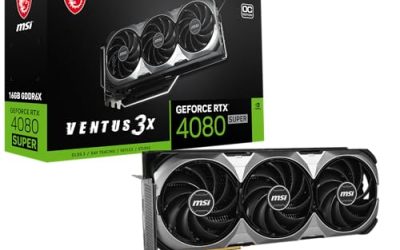
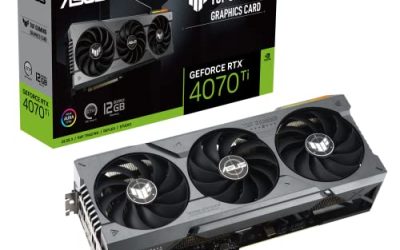
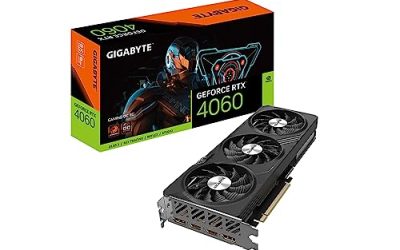
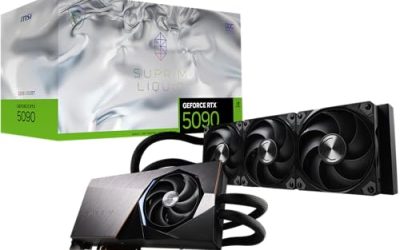
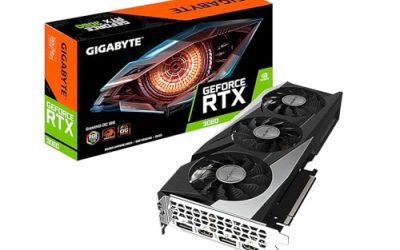
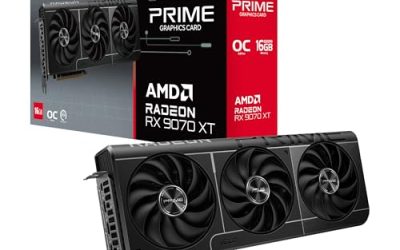
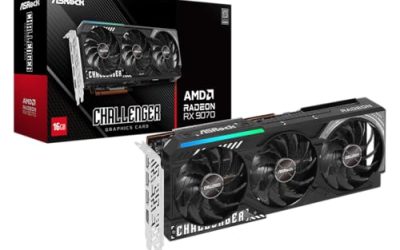
The best graphics card for a 500 watt power supply is the Gigabyte GeForce RTX 4060 Windforce OC 8G. It draws around 115 W, needs a single 8-pin connector, and is the only card in this set whose maker lists a 450 W power supply as the minimum. “For 500 W” here means a card with a modest board power that leaves room for a CPU and the rest of the system on a good-quality 500 W unit. Newer RTX 5060 cards add DLSS 4 but ask for 550 W on their spec sheets, so they suit a 500 W build only with an efficient CPU and a quality supply.
Our Top Picks
 ASUS Dual GeForce RTX 4060 Ti EVO OCRTX4060Ti|OC|8GB|EVO8.9 x 4.9 x 2 inches1.4 poundsCheck on Amazon
 GIGABYTE GeForce RTX 5060 WINDFORCE OC 8G GraphicsRTX5060|OC|8GB7.83 x 4.57 x 1.57 inchesCheck on Amazon


Top 3 picks at a glance
Quick List
- ASUS Dual RTX 4060 Ti EVO OC – best for more performance if your supply has real headroom (runner-up for 500 W)
- Gigabyte RTX 4060 Windforce OC 8G – best overall for a 500 W power supply
- ASUS Dual RTX 5060 OC – best for the newest features in a roomy case
- Gigabyte RTX 5060 Windforce OC 8G – best for a shorter RTX 50-series card
- MSI RTX 3060 Ventus 2X 12G OC – best for 12 GB of memory on an older design
- ASUS Dual RTX 4060 V2 OC – best for a compact 2-slot card with the same low power draw
Which One Is Right for You?
| If you… | Choose |
|---|---|
| want the lowest-risk match for a quality 500 W supply | Gigabyte RTX 4060 Windforce OC 8G |
| need a short, 2-slot card for a small case | ASUS Dual RTX 4060 V2 OC |
| want DLSS 4 and newer ports and have a 550 W or larger supply | ASUS Dual RTX 5060 OC |
| want an RTX 5060 but need a shorter card | Gigabyte RTX 5060 Windforce OC 8G |
| care about 12 GB of video memory more than efficiency | MSI RTX 3060 Ventus 2X 12G OC |
| want the fastest card here and can upgrade the supply | ASUS Dual RTX 4060 Ti EVO OC |
Be honest about the supply you own. Almost every card in this set lists 550 W or more on its manufacturer page, which is a conservative figure covering high-end CPUs. A well-made 500 W unit with a single PCIe 8-pin cable and a mainstream CPU can run the lower-power cards, but the Ti and the RTX 3060 have less margin.
All 6 Picks in Detail
1. ASUS Dual GeForce RTX 4060 Ti EVO OC – Best for extra performance with a stronger supply
As an Amazon Associate we earn from qualifying purchases at no extra cost to you.

The RTX 4060 Ti is the fastest GPU in this lineup, with 4,352 CUDA cores and 8 GB of GDDR6, but it is also the one that fits a 500 W supply least comfortably. Its board power is about 160 W, and ASUS’s specification page for the matching white EVO model lists a 650 W recommended supply, so treat this as a runner-up for a 500 W build rather than a first choice. It suits someone who plans to replace the power supply soon, or whose total system draw is unusually low.
- GPU: GeForce RTX 4060 Ti, 8 GB GDDR6 on a 128-bit bus, PCIe 4.0
- Clocks: OC mode about 2,595 MHz boost, default about 2,565 MHz, per ASUS
- Cooler: Axial-tech fans in a roughly 2.5-slot design (about 227 x 123 x 50 mm)
- Power: one 8-pin connector on the white sibling; confirm on this black listing
- Outputs: one HDMI 2.1a and three DisplayPort 1.4a; supports DLSS 3
Pros
- Highest performance tier in the set
- Efficient design for its class, with a single 8-pin cable
- Large cooler, so it should stay calm at its power level
Cons
- Manufacturer guidance exceeds 500 W
- Only 8 GB of memory for a premium-tier card
- Bigger and thicker than the RTX 4060 cards
If you do buy it for a 500 W machine, treat the build as an experiment you can reverse: check that the supply has a dedicated 8-pin lead, keep the CPU in the 65 W class, and be ready to swap the supply if you see shutdowns or restarts under a heavy game. The cooler and clocks are comfortable, but the supply, not the card, is the weak link in that scenario.
Compared with the Gigabyte RTX 4060, you gain performance but lose power-supply margin; if your supply is exactly 500 W, the 4060 is the better match.
2. Gigabyte GeForce RTX 4060 Windforce OC 8G – Best overall for a 500 W power supply

This is the card most 500 W owners should shortlist. The RTX 4060 has a board power around 115 W, Gigabyte lists a 450 W recommended supply on its specification page, and retailers show the same figure with a single 8-pin connector. That combination leaves comfortable room on a 500 W supply for a mainstream CPU. It suits a 1080p gamer upgrading an older prebuilt or a value-minded builder who does not want to replace the power supply.
- GPU: GeForce RTX 4060, 3,072 CUDA cores, 8 GB GDDR6 on a 128-bit bus
- Clocks: about 2,475 MHz boost (reference about 2,460 MHz), per Gigabyte
- Cooler: two Windforce fans and a metal backplate; about 192 x 120 x 41 mm, 2 slots
- Power: one 8-pin connector, 115 W class board power
- Outputs: HDMI 2.1a and DisplayPort 1.4a (confirm port counts on the listing); supports DLSS 3 frame generation
Pros
- Lowest official supply requirement in the set
- Short, 2-slot card that fits most cases
- Simple, familiar cooler design
Cons
- Only 8 GB of video memory for demanding settings
- Not the newest architecture
- Basic cooler that can get louder than the larger ASUS designs
Because the card is small and cool-running for its class, it also helps if your case has limited airflow or an older supply with a smaller fan. It is the pick that asks the least of the rest of the PC, which is exactly what you want when the power supply is the fixed point in the build.
Compared with the ASUS RTX 4060 V2, the specifications are almost identical; choose the Gigabyte for its lower stated supply requirement and the ASUS if you prefer its cooler or warranty terms.
3. ASUS Dual GeForce RTX 5060 OC – Best for DLSS 4 in a roomy case

The ASUS Dual RTX 5060 is the newest-generation pick, with 8 GB of GDDR7, PCIe 5.0 and DLSS 4 support. Its board power is about 145 W and ASUS lists 550 W as the recommended supply, so a 500 W unit is below the official line. It suits a builder who already owns a good 500 W supply with a spare 8-pin cable, uses a power-efficient CPU, and wants current-generation features rather than the absolute lowest power draw.
- GPU: GeForce RTX 5060, 3,840 CUDA cores, 8 GB GDDR7 on a 128-bit bus
- Clocks: OC mode about 2,565 MHz, default about 2,535 MHz boost, per ASUS
- Cooler: 2.5-slot Axial-tech design, about 228 x 123 x 50 mm
- Power: one 8-pin connector, recommended supply 550 W
- Outputs: one HDMI 2.1b and three DisplayPort 2.1b; PCIe 5.0 x8 interface
Pros
- Newest features, including DLSS 4
- Faster memory than the RTX 40-series cards here
- Large cooler, so the fans can stay slow
Cons
- Official guidance is 550 W
- Thick 2.5-slot design needs room
- Still only 8 GB of memory
The advantages show up if you keep the card for several years. DLSS 4 and newer display outputs are features you cannot add later, and the PCIe 5.0 interface keeps the card compatible with new motherboards. The trade-off is the supply: with a 550 W recommendation, a 500 W unit leaves you leaning on the manufacturer’s safety margin, so verify the unit’s quality and age first.
Next to the Gigabyte RTX 5060 in this list, the ASUS is bigger, which usually lets a cooler run its fans slower, while the Gigabyte is shorter and easier to fit.
4. Gigabyte GeForce RTX 5060 Windforce OC 8G – Best for a shorter RTX 50-series card

The Gigabyte RTX 5060 Windforce OC gives you the same GPU as the ASUS but in a smaller package, at roughly 199 x 116 x 40 mm. It suits a compact-case builder who wants DLSS 4 and a single 8-pin connector. Gigabyte lists a 550 W supply on its specification page and manual, although some retailers print 450 W, so follow the manufacturer figure and treat a 500 W supply as a judgment call rather than a guarantee.
- GPU: GeForce RTX 5060, 3,840 CUDA cores, 8 GB GDDR7 on a 128-bit bus
- Clocks: about 2,512 MHz boost, per Gigabyte
- Board power: about 145 W; one 8-pin connector (no 12-volt high-power connector)
- Interface: PCIe 5.0 x8
- Outputs: one HDMI 2.1b and three DisplayPort 2.1b
Pros
- Shorter than most RTX 5060 cards
- Same GPU and memory as the larger ASUS model
- No adapter needed for the power connector
Cons
- Conflicting supply figures between listings
- Smaller cooler means more fan noise under load
- PCIe x8 slows slightly on older PCIe 3.0 motherboards
Small cases are where this card earns its place. A shorter board means better clearance for front fans, drive cages and cables, and the 8-pin power connector sits where most supplies’ cables can reach it without a sharp bend. Because the cooler is smaller than the ASUS version, expect the fans to work harder under a long gaming session, so set a sensible fan curve.
The practical rule: pick the Gigabyte over the ASUS RTX 5060 only if card length is your limit; otherwise choose the roomier ASUS.
5. MSI GeForce RTX 3060 Ventus 2X 12G OC – Best for 12 GB of memory on an older design

The RTX 3060 is two generations old, but its 12 GB of GDDR6 is more memory than any other card here. It suits a creator or gamer who needs the extra video memory for textures or editing and is willing to accept higher power for older performance. At about 170 W board power and a 550 W recommended supply from MSI, it is the hardest fit for a 500 W unit among the lower-power options, so check your total system draw carefully.
- GPU: GeForce RTX 3060, 3,584 CUDA cores, 12 GB GDDR6 on a 192-bit bus
- Clocks: boost 1,807 MHz, memory 15 Gbps, per the listing
- Cooler: twin Torx fans, dual-slot, about 235 mm long, per MSI
- Power: one 8-pin connector, board power about 170 W, recommended supply 550 W
- Outputs: three DisplayPort 1.4 and one HDMI 2.1; no DLSS 3 frame generation
Pros
- 12 GB of memory helps with large textures and creative work
- Full-length PCIe x16 interface
- Widely documented design
Cons
- Highest power draw of the non-Ti cards
- Older architecture without the latest upscaling features
- Listing mentions a “V1” revision, so confirm what ships
The 12 GB of memory is the reason to consider it. Video editors, 3D hobbyists and players who like high-resolution texture packs can run into the ceiling of 8 GB cards, and the extra capacity can avoid stutter in those cases. Just remember the card was designed for an earlier generation, so it lacks frame generation and uses more power to deliver less performance per watt than the newer options here.
Choose it over the RTX 4060 only for the memory; if power headroom matters more, the 4060 is the sensible pick.
6. ASUS Dual GeForce RTX 4060 V2 OC – Best for a compact 2-slot card

The V2 is a redesigned, shorter version of ASUS’s Dual RTX 4060. It has the same GPU and 8 GB of GDDR6 as the Gigabyte 4060, but a different cooler and a slightly higher stated supply requirement. It suits small-case builders who want a 115 W-class card with ASUS’s 0 dB fan-stop behavior. Because ASUS also sells a larger original model, double-check that the listing says V2 before you measure your case.
- GPU: GeForce RTX 4060, 3,072 CUDA cores, 8 GB GDDR6 on a 128-bit bus
- Clocks: OC mode about 2,535 MHz, default about 2,505 MHz boost, per ASUS
- Cooler: 2-slot Axial-tech design, about 202 x 120 x 40 mm
- Power: one 8-pin connector, recommended supply 550 W
- Outputs: one HDMI 2.1a and three DisplayPort 1.4a; DLSS 3 supported
Pros
- Low power draw with a compact body
- Fans can stop at idle and light loads
- Fits many small and mid-size cases
Cons
- ASUS lists a higher supply figure than Gigabyte does for the same GPU
- Same 8 GB memory ceiling
- Easy to confuse with the larger original model
It is a sensible default for builders who like ASUS’s cooler and software tools but still want to keep power draw low. Since the V2 is smaller than the original Dual RTX 4060, it avoids the clearance problems that some older cases had with thick 2.5-slot cards, and its two-slot width leaves space for an adjacent PCIe device.
Versus the Gigabyte RTX 4060, the two are close; the ASUS adds fan-stop behavior while the Gigabyte lists the lower supply minimum.
Specs Compared
| Product | GPU | Memory | Board power | Power connector | Manufacturer-listed supply | Card size |
|---|---|---|---|---|---|---|
| ASUS Dual RTX 4060 Ti EVO OC | RTX 4060 Ti | 8 GB GDDR6 | About 160 W | One 8-pin (confirm on listing) | 650 W (white sibling; confirm on listing) | About 227 x 123 x 50 mm |
| Gigabyte RTX 4060 Windforce OC 8G | RTX 4060 | 8 GB GDDR6 | About 115 W | One 8-pin | 450 W | About 192 x 120 x 41 mm |
| ASUS Dual RTX 5060 OC | RTX 5060 | 8 GB GDDR7 | About 145 W (class) | One 8-pin | 550 W | About 228 x 123 x 50 mm |
| Gigabyte RTX 5060 Windforce OC 8G | RTX 5060 | 8 GB GDDR7 | About 145 W | One 8-pin | 550 W (some retailers differ) | About 199 x 116 x 40 mm |
| MSI RTX 3060 Ventus 2X 12G OC | RTX 3060 | 12 GB GDDR6 | About 170 W | One 8-pin | 550 W | About 235 mm long, dual-slot |
| ASUS Dual RTX 4060 V2 OC | RTX 4060 | 8 GB GDDR6 | About 115 W | One 8-pin | 550 W | About 202 x 120 x 40 mm |
How We Chose These
This guide is built from specification research. We took the six listed cards, matched each one to the manufacturer’s specification page, and compared board power, required power connector, recommended power supply and physical size. A card ranked higher when its stated requirement sat closer to or below 500 W and when its connector needed no adapter. It does not include power-meter readings or game results, so it makes no claims about real-world draw. Where a retailer and a manufacturer disagreed, we followed the manufacturer and said so. Remember that manufacturer supply figures are conservative, but they are the only sourced numbers available.
What to Look For
Board power versus the supply’s real capacity
A graphics card’s board power is the sustained power the whole card is designed to draw, and it is the first number to check. The RTX 4060 class is around 115 W, the RTX 5060 around 145 W, the RTX 4060 Ti around 160 W and the RTX 3060 around 170 W. Short spikes can exceed the average, which is why manufacturers recommend a bigger supply than simple addition would suggest. A 500 W unit is not “too small” for a 115 W card, but it is less comfortable with a 170 W card plus an unrestricted high-end CPU.
A worked example for a 500 W supply
Assume a 65 W-class CPU, about 60 W for the motherboard, memory, drives and fans, and the card’s board power. With a 115 W card that is roughly 240 W, or less than half of a 500 W rating. With a 145 W card it is about 270 W, around 54 percent. With a 170 W card it is closer to 295 W, around 59 percent, and a 125 W-class CPU would push that toward 355 W, or 71 percent, which is tight once transients are considered. These are estimates from stated assumptions, not measurements, but they show why the lower-power cards suit a 500 W unit better. Aim to stay below about 60 to 70 percent of the rating.
Connectors, cables and supply quality
Every card here uses a single 8-pin PCIe connector, so you do not need the 12-volt high-power connector found on larger cards. Make sure your supply has a free PCIe 8-pin cable on its own lead if possible, rather than a daisy-chained cable shared with other connectors. Quality matters more than label wattage: a reputable 500 W unit with an 80 PLUS Bronze or better efficiency rating is a safer base than an unbranded 600 W unit. If your supply is more than eight or ten years old, consider replacing it regardless of the card you choose.
Size, slots and PCIe bandwidth
Measure the available length in your case and the number of free expansion slots. The shorter cards here, around 192 to 202 mm, fit nearly any mid-tower, while the 227 to 235 mm cards want a roomier case with unobstructed airflow. Check the interface too: the RTX 4060 and 5060 cards use eight PCIe lanes, which is fine on PCIe 4.0 or newer motherboards but loses some bandwidth on older PCIe 3.0 boards. The RTX 5060 works on PCIe 4.0 boards as well, at the slower link speed.
Thermals, noise and fan-stop modes
Low-power cards produce less heat, so their coolers can be smaller and quieter. Several ASUS models here use a fan-stop feature that keeps the fans off at idle and light loads, which helps a quiet desktop. Cards with a larger cooler, such as the ASUS RTX 4060 Ti and RTX 5060, can run slower fans at the same temperature. If your case is small and has little airflow, a shorter card with a compact cooler is acceptable only if the card itself draws little power. In any build, make sure at least one intake fan feeds air toward the graphics card.
Checking your own supply before you buy
Open the side panel and read the label on your power supply. Note the total wattage, the 12-volt rating and whether it has a PCIe 8-pin or 6+2-pin connector. A unit that lists most of its capacity on the 12-volt rail is better suited to a modern graphics card than one that splits capacity across several rails. Check the manufacture date as well: supplies lose capacity as capacitors age, so a nominal 500 W unit that is many years old may not deliver that figure. If you cannot confirm any of this, treat the supply as the first upgrade rather than the last.
Memory and features
Eight gigabytes of video memory is workable for 1080p gaming but can limit high-detail textures. The MSI RTX 3060 has 12 GB, but it lacks DLSS 3 frame generation. The RTX 40-series cards add DLSS 3, and the RTX 50-series adds DLSS 4. Pick the memory or the features that matter most for what you play, then confirm the supply, connector and size fit.
Questions
Can a 500 W power supply run an RTX 4060?
Generally yes, if the supply is good quality and has an 8-pin PCIe cable. Gigabyte lists a 450 W minimum for its RTX 4060, and the card draws roughly 115 W. Check that the rest of your system does not draw unusually large amounts of power.
Can I run an RTX 5060 on a 500 W supply?
It may work with an efficient CPU and a quality supply, but the manufacturers list 550 W, so it is below official guidance. If you have any doubt, choose an RTX 4060 or upgrade the supply.
Why do manufacturers recommend more than the card needs?
They assume a worst-case system, including a high-power processor and lower-quality supplies. The figure also covers short power spikes. It is a safe default rather than a precise requirement for every build.
Is the RTX 4060 Ti suitable for 500 W?
It is the weakest fit of the set. With about 160 W of board power and a 650 W figure on ASUS’s matching white model, it is better paired with a 600 W or larger supply.
Do I need a new cable for these cards?
No. Each uses a single 8-pin PCIe connector, which most supplies include. Do not use a molex adapter to supply that cable.
Is the RTX 3060 12 GB still worth it?
It is useful if you need the memory, but it draws more power and lacks the newer features. For a 500 W build, the lower-power RTX 4060 is usually the sensible choice unless 12 GB is essential.
Update History
- October 14, 2026 – Initial publication; product set drawn from current catalog listings.
- Check the product page for current specifications and availability before buying.
Sources
- Manufacturer product and specification pages for ASUS, Gigabyte and MSI
- NVIDIA GeForce product family specifications for board power and recommended system power
- Retailer listing titles and specification fields
Related guides
More from Amazon
Programs that pair well with the guide above. Offers and eligibility are set by Amazon and may change.
Free shipping on eligible items, Prime Video and more. Eligible new members can start with a free trial.
Start a Prime free trialAd-free music streaming. Eligible new subscribers can start with a free trial.
Try Music Unlimited freeA Prime membership for ages 18-24 with a trial period. Eligibility is set by Amazon.
See Prime for Young AdultsAudiobooks and podcasts to listen to on the go. Eligible new members can start with a free trial.
Try Audible freeAs an Amazon Associate we earn from qualifying purchases.