
For most new 4K gaming builds, the RTX 4090 is worth the extra money; the RTX 3090 Ti becomes the better buy only when its used price is substantially lower and you can accept weaker ray tracing, no DLSS Frame Generation, and higher upgrade risk.
As an Amazon Associate we earn from qualifying purchases at no extra cost to you.

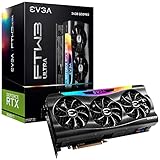

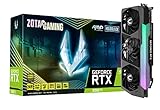
Our Top Picks


Top 3 picks at a glance
RTX 4090 vs RTX 3090 Ti: key differences
| Specification | GeForce RTX 4090 | GeForce RTX 3090 Ti |
|---|---|---|
| Architecture | Ada Lovelace | Ampere |
| CUDA cores | 16,384 | 10,752 |
| VRAM | 24GB GDDR6X | 24GB GDDR6X |
| Memory bus | 384-bit | 384-bit |
| Memory bandwidth | 1,008GB/s | 1,008GB/s |
| Rated board power | 450W | 450W |
| Upscaling and frame generation | DLSS Super Resolution and DLSS Frame Generation | DLSS Super Resolution; no DLSS Frame Generation |
| Typical display outputs | Three DisplayPort 1.4a and one HDMI 2.1a | Three DisplayPort 1.4a and one HDMI 2.1 |
The identical 24GB VRAM capacity can make the cards look similar on paper, but the RTX 4090 has a much larger processing advantage. Its newer architecture also improves ray-tracing performance and adds hardware support for DLSS Frame Generation. Memory bandwidth is effectively the same, so the 4090’s lead mainly comes from its additional compute resources, newer RT hardware, larger cache design, and stronger efficiency at a given frame rate.
4K gaming: how large is the RTX 4090’s advantage?
At 4K with demanding settings, the RTX 4090 is commonly around 50–75% faster than the RTX 3090 Ti in rasterized games, although the range varies with the game engine, CPU, graphics preset, driver, and patch. In some GPU-heavy titles the gap can be larger; in CPU-limited games it can shrink considerably.
That difference changes how each card should be used:
- 4K at 60Hz: Both cards can deliver a good experience in many games, especially with sensible settings and DLSS Quality. The 3090 Ti is often sufficient if the price is low.
- 4K at 120Hz or higher: The RTX 4090 is the much more appropriate choice. The 3090 Ti frequently needs reduced settings, DLSS, or both to approach high-refresh performance.
- 4K ray tracing: The 4090’s advantage grows because its RT cores and overall architecture are substantially newer. Heavy path-traced effects can make the 3090 Ti particularly difficult to recommend for a new high-end system.
- Ultrawide 1440p: The 4090 can be excessive for some games, while the 3090 Ti remains very fast. However, the 4090 is useful for high refresh rates and demanding ray tracing.
Published benchmark results vary, so treat any percentage as a range rather than a guarantee. Your processor matters too: a high-end card paired with an older CPU may show little difference at 1440p or lower because the game becomes CPU-limited before the GPU reaches full utilization.
DLSS changes the practical result
Both GPUs support DLSS Super Resolution, which renders internally at a lower resolution and reconstructs the image. The RTX 4090 also supports DLSS Frame Generation in compatible games. Frame Generation can substantially increase the displayed frame rate, but it does not remove the latency of the original rendered frames and is most convincing when the base frame rate is already reasonably high.
For a 4K 120Hz display, a useful approach is to target roughly 60–80 real rendered frames per second, then use Frame Generation where supported. It is less suitable as a rescue for a game that is rendering only 25–35 frames per second, because input response and visual artifacts can become more noticeable.
Ray tracing and image quality
The RTX 4090 is the clear winner for ray tracing. The RTX 3090 Ti can run ray-traced games well at 1440p and acceptably at 4K with DLSS, but demanding reflections, global illumination, or path tracing can force compromises.
A practical 4K starting point for the RTX 3090 Ti is:
- Use DLSS Quality first; switch to Balanced only if performance is still below your target.
- Keep ray-traced reflections or lighting at medium rather than disabling every RT effect.
- Reduce volumetric fog, shadow quality, and crowd density before lowering texture quality.
- Keep textures high while monitoring VRAM usage, since the card has 24GB.
For the RTX 4090, DLSS Quality at 4K is usually a strong starting point. In path-traced games, DLSS plus Frame Generation may be necessary for a high-refresh experience, but the exact result depends heavily on the title’s implementation.
VRAM: the tie that is not quite a tie
Both cards have 24GB of VRAM, which is more than enough for most current 1440p and 4K games. This makes the RTX 3090 Ti more durable than its raw performance suggests. At 4K, high-resolution textures and large mod packs can use substantial memory, but 24GB generally prevents the immediate texture-streaming problems that affect smaller cards.
VRAM capacity does not make the two GPUs equally fast. When a game fits within 24GB, the 4090 still renders the frame much faster. The shared capacity matters most if you play heavily modded games, use high-resolution texture packs, create 3D content, or run local AI workloads.
As a rough planning guide, 8–12GB is commonly adequate for standard 1440p gaming, 12–16GB offers more headroom for 4K, and 20–24GB is useful for demanding 4K texture packs, mods, creator applications, and unusually large datasets. These are planning ranges, not hard limits: engine design and texture settings can change actual use significantly.
Power supply and case requirements
Both cards are rated at 450W, but the RTX 4090 is more sensitive to power-delivery quality and connector installation. A high-quality 850W power supply is the usual baseline for a balanced system with a mainstream high-end CPU; a 1,000W unit gives more headroom for a power-hungry processor, overclocking, multiple drives, or transient spikes.
Example power-budget calculation:
- RTX 4090: 450W board power
- High-end CPU under a heavy workload: approximately 150–250W, depending on model and power limits
- Motherboard, memory, storage, fans, and USB devices: approximately 75–125W
- Estimated sustained total: approximately 675–825W
This does not mean an 825W power supply is appropriate. A PSU should not be selected at the estimated total with zero reserve. Choose a reputable, modern unit with the manufacturer’s recommended capacity, native support for the GPU’s high-power connector where applicable, and sufficient connectors.
Many RTX 4090 cards use a 16-pin 12VHPWR connector or a newer compatible 12V-2×6 implementation, while RTX 3090 Ti models commonly use multiple eight-pin connectors or an adapter. With a 4090, fully insert the connector, avoid sharply bending the cable close to the plug, and use separate PSU cables for adapter inputs rather than daisy-chaining one cable.
Check physical dimensions before buying either card. Some RTX 4090 models are extremely long and thick, occupying three or more expansion slots. A used RTX 3090 Ti can also be large, so “older” does not mean compact.
Used RTX 3090 Ti versus new RTX 4090
A used RTX 3090 Ti can offer strong value when it costs roughly half as much as a comparable RTX 4090 and your target is 4K 60Hz rather than 4K high refresh.
Used-card risk is the key trade-off. The RTX 3090 Ti is an older, high-power card that may have spent years under sustained heat. Before buying, check:
- Whether the seller offers a transferable warranty or a practical return period.
- Evidence that all fans, display outputs, and power connectors work.
- Visible corrosion, damaged fins, stripped screws, or signs of liquid exposure.
- Unusual fan noise, crashes, graphical artifacts, or rapidly rising temperatures.
- Whether the card fits your case and whether your PSU has the required connectors.
A new RTX 4090 costs more, but it delivers a longer performance runway for 4K, newer feature support, and less uncertainty about previous use. It is especially compelling if replacing the card would be difficult, if you own a 4K 144Hz display, or if you play ray-traced titles regularly.
Which card should you choose?
| Your situation | Better choice | Reason |
|---|---|---|
| 4K 60Hz, willing to use DLSS | Used RTX 3090 Ti | Comparable VRAM and adequate performance at a substantial discount |
| 4K 120–144Hz | RTX 4090 | Much higher rendering performance and stronger high-refresh headroom |
| Frequent ray tracing or path tracing | RTX 4090 | Better RT performance and access to DLSS Frame Generation |
| Large texture mods or creator workloads | Either, based on price | Both provide 24GB; the 4090 finishes GPU-heavy work faster |
| Existing 750W PSU or small case | Neither without checking | Both demand substantial power and may require a PSU or case upgrade |
| Want the lowest ownership risk | New RTX 4090 | Warranty and condition certainty outweigh the used-card discount |
Frequently asked questions
Can the RTX 3090 Ti handle modern 4K games without reducing texture quality?
Yes, the RTX 3090 Ti can handle many 4K games with high textures, especially when DLSS Quality is enabled. Its 24GB of VRAM generally helps prevent texture-streaming problems, even with high-resolution textures and large mod packs. However, demanding ray tracing may require reduced settings, and performance can still be lower than the RTX 4090.
Is DLSS Frame Generation available on both graphics cards?
No, only the RTX 4090 supports DLSS Frame Generation. Both cards support DLSS Super Resolution, which reconstructs an image rendered internally at a lower resolution. Frame Generation can increase displayed frame rates in compatible games, but it works best when the original rendered frame rate is already reasonably high and does not remove the latency of those original frames.
What should I check before installing either card in my computer?
Check the card’s physical length, thickness, and expansion-slot requirements, because some models occupy three or more slots. Also verify that the power supply has the required capacity and connectors. The RTX 4090 commonly uses a 16-pin connector or compatible implementation, while RTX 3090 Ti models commonly use multiple eight-pin connectors or an adapter.
Does having the same VRAM capacity make the two cards equally suitable for local AI or creator workloads?
No, equal VRAM capacity does not make the GPUs equally fast. Both have 24GB, which can help with 3D content, local AI workloads, high-resolution textures, and demanding datasets. The RTX 4090 still renders frames much faster when the workload fits within that capacity, while the RTX 3090 Ti’s memory can make it more durable than its raw performance suggests.
How can I reduce the risk when buying a used RTX 3090 Ti?
Buy from a seller offering a practical return period or transferable warranty, and confirm that the fans, display outputs, and power connectors work. Inspect the card for corrosion, damaged fins, stripped screws, or liquid exposure. Also ask about unusual fan noise, crashes, artifacts, and rising temperatures, then verify that the card fits and that your power supply has suitable connectors.
Final verdict
The RTX 4090 wins the head-to-head decisively: it is faster at 4K, considerably better with ray tracing, supports DLSS Frame Generation, and offers more useful performance for high-refresh displays. Buy it if you want a premium 4K system that should remain capable for longer.
The RTX 3090 Ti is still a sensible value purchase when found used at a deep discount, particularly for 4K 60Hz gaming and applications that benefit from 24GB of VRAM. Its value depends on condition and price, not on matching the 4090’s performance. If the used 3090 Ti is only modestly cheaper, choose the RTX 4090 instead.









