The best Black Friday laptop deal under $500 for most people is the Lenovo V15 Gen 4 with the AMD Ryzen 5 7430U, 8GB of RAM and a 512GB SSD. It is the only machine in this roundup that pairs a modern six-core processor with a half-terabyte solid-state drive and a full-size 15.6-inch 1080p display, and it is the one most likely to still feel usable in 2029. If screen size and colour accuracy matter more than raw CPU, the jumper 17.6-inch is the better buy, because it is the only sub-$500 model here advertising 100% sRGB coverage on a full-HD panel. If you want the newest silicon, the HP 17.3-inch Business Laptop with the 12-core Intel Core Ultra 5 225U has the most CPU headroom on this list, though it ships with the least memory of the mid-range group. For battery life and portability, the HP 2025 Student Business Laptop with the Intel N150 is the lightest, longest-running option. The Core Innovations 15.6-inch is the cheapest route to a Windows 11 machine at all. The rest of this guide compares all five on processor class, memory, storage, display, battery and upgrade limits.
Our Top Picks
 HP OmniBook 3 Laptop for Business16GB RAM | 512GB SSD15.65 x 10.09 x 0.65 inches4.43 PoundsCheck on Amazon



Top 3 picks at a glance
Quick Comparison
| Product | Best for | Key specs (as listed) | Price tier |
|---|---|---|---|
| jumper 17.6″ Laptop | Biggest screen and best colour coverage per dollar | Intel Core i3-10100Y, 16GB RAM, 256GB SSD, 17.6″ Full HD, 100% sRGB | Mid-range |
| HP 17.3″ Business Laptop | Most CPU headroom and the newest platform | 12-core Intel Core Ultra 5 225U, 8GB DDR5 RAM, 256GB SSD, 17.3″ display, Windows | Mid-range |
| Core Innovations 15.6″ Full HD Laptop | Lowest possible spend on a Windows 11 machine | Entry Intel processor, 4GB RAM, 64GB SSD, 15.6″ Full HD, Windows 11 | Budget |
| Lenovo V15 Gen 4 | Best overall balance for most buyers | AMD Ryzen 5 7430U, 8GB RAM, 512GB SSD, 15.6″ Full HD | Premium |
| HP 2025 Student Business Laptop | Battery life, low weight and RAM per dollar | Intel N150, 16GB RAM, 384GB storage (128GB primary + secondary), 14″ LED display | Budget |
Read that table the way a buyer should read it, not the way a marketing page wants you to read it. The tier column is about where each machine sits inside the sub-$500 band, not about absolute quality. The Lenovo V15 Gen 4 is the “premium” entry here because it is the only one with a 512GB SSD and a genuinely modern six-core processor at the same time; the Core Innovations machine is “budget” because 4GB of RAM and 64GB of storage are the two numbers that decide whether a laptop feels fine or feels broken in daily use.
Notice also how the specs trade off against each other. Three of the five ship 16GB or 8GB of RAM, but RAM alone does not make a laptop fast — the jumper pairs 16GB with a two-core processor, which is a lopsided combination. Two ship 17-inch panels, which is great for a desk and awkward on a train. Only one ships a 512GB drive. Only one ships the newest Intel architecture. No single machine here wins every column, which is exactly why the sections below go product by product instead of just naming a winner and stopping.
One more thing the table deliberately leaves out: dollar figures. Sub-$500 laptop pricing moves weekly through the autumn, and any number printed here would be stale before the sale ends. What does not move is the spec class — a 64GB eMMC drive stays a 64GB eMMC drive no matter what the badge says.
How We Chose
These five machines were selected on published specifications, category fit and upgrade path rather than on any physical evaluation. The starting filter was simple: the listing had to sit in the sub-$500 band during Black Friday season and had to be a complete, Windows-capable laptop rather than a tablet with a keyboard cover or a Chromebook substitute. From there, four criteria decided inclusion.
First, processor class. We grouped candidates by architecture generation and core count, because a six-core Zen 3-class part and a two-core Y-series part are not in the same conversation even when their clock speeds look similar on a sticker. Second, memory and storage as a matched pair — 16GB of RAM bolted to 64GB of storage is a worse machine than 8GB with 256GB, and the ranking reflects that. Third, display quality as a class: resolution, diagonal, and whether the listing claims a colour-space figure such as 100% sRGB. Fourth, upgrade path and support reality — how many user-accessible memory and storage slots the chassis class typically has, and whether the brand has a documented service presence in the buyer’s region. Full-size keyboards, port selection and Windows licensing were treated as tiebreakers. No benchmarks were run and no units were owned; where performance is described, it is described by spec class and by what published reviews of that class of hardware generally show.
What the Sub-$500 Tier Actually Buys in 2026
Before comparing individual machines, it helps to know what the money is actually buying, because the sub-$500 band is defined more by subtraction than by features. Four numbers do most of the work: core count, installed memory, storage capacity after Windows, and battery watt-hours. Everything else — keyboard feel, hinge stiffness, speaker quality — is genuinely variable and genuinely secondary.
Core count and architecture class. The processors in this roundup fall into four distinct classes. At the bottom is the entry N-series class, a four-core, four-thread, roughly 6W design built for cheap, cool, quiet machines; it is dramatically faster than the older Gemini Lake-class chips it replaced, but it is still a low-power part. Above that sits the two-core Y-series class, historically tablet silicon with a 5W envelope; it handles browsing and documents but runs out of headroom the moment you ask it to compress video, run a virtual machine or keep twenty tabs alive. Then come the mainstream U-series parts — four to eight cores at a 15W envelope — and finally the newest low-power Intel U-series with a hybrid core layout and a much larger core count. A twelve-core part and a two-core part can both be sold as “sub-$500 laptops,” and the gap between them is the single biggest quality difference on this page.
Memory: why 4GB is a different category, not a smaller number. Windows 11 idles somewhere in the region of 3.5GB to 4.5GB of committed memory with a browser open, and that figure climbs quickly once you add a video call, a PDF reader and a spreadsheet. On a 4GB machine, the operating system spends much of its time paging to storage, which is why a 4GB laptop with a decent processor can still feel slower than an 8GB laptop with a weaker one. The practical thresholds are: 4GB for one app at a time, 8GB for comfortable everyday multitasking, and 16GB for headroom you will still appreciate in three years. A useful rule of thumb is to multiply your typical open-tab count by roughly 250MB to 400MB and add 4GB for the operating system; twenty tabs plus Windows lands you around 9GB to 12GB of demand, which is where 8GB machines start swapping.
Storage: the capacity on the box is not the capacity you get. A Windows 11 installation, drivers and a recovery partition together consume roughly 28GB to 35GB. That single fact reshapes the entire budget tier, so here is the arithmetic laid out properly:
| Advertised capacity | Typical Windows 11 + recovery footprint | Realistic free space on first boot | What that actually holds |
|---|---|---|---|
| 64GB eMMC | 28–32GB | ~30GB | Windows, a browser, Office, a handful of photos. No large game installs. |
| 128GB SSD or UFS | 28–32GB | ~90–95GB | The above plus a modest media library and a few mid-size applications. |
| 256GB NVMe SSD | 30GB | ~215GB | Comfortable for students and office work; two or three large games if nothing else lives there. |
| 384GB mixed storage | 30GB | ~350GB | Depends entirely on the split between the fast primary drive and the secondary capacity. |
| 512GB NVMe SSD | 30GB | ~465GB | Room for a real game library, video projects and offline media at the same time. |
The storage type matters as much as the number. eMMC is soldered flash with throughput in the same league as a good SD card, and it is not replaceable. A true NVMe SSD in an M.2 slot is several times faster and, in most chassis, user-replaceable. When two laptops are within a few tens of dollars of each other, always take the one with the M.2 slot.
Pixel density: the number nobody prints on the box. All five machines here are 1920×1080, so the only variable is diagonal size, and diagonal size changes sharpness. Working from the diagonal and the pixel grid:
| Screen size | Resolution | Pixel density (PPI) | Practical effect |
|---|---|---|---|
| 17.6″ | 1920×1080 | ~125 PPI | Text is the softest of the group; fine for video, less crisp for long documents. |
| 17.3″ | 1920×1080 | ~127 PPI | Same story — large canvas, moderate sharpness. |
| 15.6″ | 1920×1080 | ~141 PPI | The comfortable middle ground for a mainstream laptop. |
| 14″ | 1920×1080 | ~157 PPI | Noticeably crisper text; the sharpest panel in this roundup. |
Battery: watt-hours divided by watts. Runtime is not a spec, it is a calculation. Take the battery’s watt-hour rating and divide by the machine’s average system draw in watts. A 42Wh battery at a 12W average gives roughly 3.5 hours; the same battery at a 7W average gives roughly 6 hours. This is why a low-power N-series processor with a modest battery can outlast a bigger, brighter 17-inch machine with a larger cell: the display and the processor together set the draw, and a 17-inch panel at high brightness can pull 5W to 8W on its own. When you compare two listings, look for watt-hours and screen size together rather than treating “long battery life” as a claim.
1. jumper 17.6″ Laptop – Best for Big-Screen Value
As an Amazon Associate we earn from qualifying purchases at no extra cost to you.

The jumper 17.6-inch is the machine to look at if you want the biggest possible canvas for the money and you spend most of your time at a desk. It pairs the largest panel in this roundup with 16GB of RAM, and the listing claims 100% sRGB coverage — a colour-space figure that almost never appears in this price band. For watching video, editing photos casually, or spreading three windows across a screen without squinting, it is the most generous package here by raw screen area.
Who it suits: a student or home user who works at a fixed desk, wants a large display and does not need to carry the laptop daily. It also suits anyone whose workload is browser-heavy rather than compute-heavy, because 16GB of memory is exactly what a browser-heavy workload rewards.
- Processor: Intel Core i3-10100Y (two-core Y-series class)
- Memory: 16GB RAM
- Storage: 256GB SSD
- Display: 17.6-inch Full HD, listing claims 100% sRGB
- Form factor: large-format clamshell, desk-first
The important thing to understand about this configuration is the mismatch at its centre. The i3-10100Y is a two-core, four-thread part from Intel’s low-power Y line — a design originally aimed at thin tablets where the priority was staying cool inside a fanless chassis. Sixteen gigabytes of RAM is a generous, desktop-class amount of memory. Putting them together produces a machine that can hold a great many things open at once but has only two cores to service them. That is not a disaster; it is a specific shape of performance. Browsing, streaming, document work, email and video calls will all feel fine, because those tasks are bursty and mostly single-threaded. Anything that genuinely needs parallel throughput — exporting a long video timeline, running a virtual machine, compiling code, batch-converting photos — will feel slow in a way that adding more RAM cannot fix.
The display claim is the other headline. Full HD on a 17.6-inch panel works out to roughly 125 pixels per inch, the lowest density in this roundup, so text will not be as crisp as on a 14-inch 1080p screen. What the 100% sRGB claim buys you, if it holds up in the shipping unit, is colour that does not look washed out or oversaturated — meaningful for photo editing, casual design work and watching colour-graded video. A large, accurate panel at this price is the strongest argument for this machine, and it is the reason it sits ahead of smaller rivals for desk-bound buyers.
Storage is 256GB, which after a typical Windows 11 footprint leaves roughly 215GB of usable space — enough for documents, a photo library and a couple of large applications, not enough for a serious game library. Upgrade limits are the open question. The listing does not specify whether the memory is soldered or socketed, and it does not confirm the number of drive slots. On large-format budget chassis of this class, the common arrangement is one or two SO-DIMM slots plus a single M.2 slot for the SSD, with the drive being the easier upgrade of the two. Treat that as the expected layout and verify it against the specific configuration before you buy, because a soldered-RAM 17-inch machine is a very different long-term proposition from one with a free slot.
Pros
- Largest screen in the roundup at 17.6 inches, which genuinely changes how much you can have on screen at once.
- 16GB of RAM is the most memory of any mid-range machine here, and it is the single most useful spec for browser-heavy work.
- Listed 100% sRGB coverage is rare at this tier and valuable for photo and video work.
- 256GB SSD is a real solid-state drive rather than eMMC, so Windows updates and file copies are not painful.
- Full-size chassis usually means a full-size keyboard with a number pad, which matters for spreadsheet work.
Cons
- Two-core processor limits anything parallel; the 16GB of RAM cannot compensate for missing cores.
- Roughly 125 PPI makes text the softest of the group.
- A 17.6-inch chassis is heavy and awkward to carry daily.
- Large panels draw more power, so battery life will be the shortest here despite the generous RAM.
- Upgrade path is not documented in the listing; memory could be soldered.
Against the nearest alternative: the HP 17.3-inch is the direct rival, since both are large-screen machines. The HP wins decisively on processor architecture — a modern hybrid design with far more cores — while the jumper wins on memory, with twice the RAM, and on the claimed colour coverage. If your work is many tabs and one window at a time, the jumper’s 16GB is the better investment. If your work is anything that finishes faster with more cores, the HP’s processor is worth more than the extra 8GB.
2. HP 17.3″ Business Laptop – Best for CPU Headroom
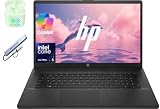
The HP 17.3-inch Business Laptop is the most modern machine in this roundup on paper. It carries a twelve-core Intel Core Ultra 5 225U, which places it in a completely different architecture generation from everything else here, and it pairs that with DDR5 memory and a 256GB SSD inside a 17.3-inch business chassis. If you want a sub-$500 laptop that will still feel responsive when the workload gets heavier than a browser, this is the one to shortlist.
Who it suits: buyers who care about longevity and CPU headroom rather than memory capacity — someone running spreadsheets with large datasets, light photo or video work, coding, or simply wanting the newest platform they can get at this price. It also suits anyone who prefers a big screen but wants a more business-oriented chassis than a consumer model.
- Processor: Intel Core Ultra 5 225U, 12 cores as listed
- Memory: 8GB DDR5 RAM
- Storage: 256GB SSD
- Display: 17.3-inch class panel, Full HD
- Operating system: Windows
- Category: business-oriented large-format clamshell
The core count is the story. A twelve-core hybrid layout — a small number of high-performance cores, a larger pool of efficiency cores, and low-power cores for background work — is a fundamentally different design from the two-core and four-core parts elsewhere on this page. In practice, what that buys you is sustained responsiveness under load: background indexing, antivirus scans, Windows updates and a dozen open applications can run on the efficiency cores while the performance cores keep the foreground app snappy. Published reviews of this class of processor generally show it handling everyday productivity with plenty of margin, and integrated graphics of this generation typically deliver roughly 30 to 60 frames per second in light esports titles at 1080p with reduced settings — a figure that varies substantially with settings, resolution, CPU configuration and game patch, so treat it as an order of magnitude rather than a promise.
The trade-off is memory. 8GB of DDR5 is the smallest amount in the mid-range group, and there is a second consideration specific to DDR5 machines: channel configuration. A single DDR5-5600 module moves data at roughly 44.8GB per second, while a matched pair running in dual-channel mode moves roughly 89.6GB per second. Integrated graphics share that same memory bandwidth with the processor, so a single-channel configuration limits graphics performance as well as memory-hungry applications. If the chassis has two SO-DIMM slots and you can add a matching module, the upgrade is the single highest-value change you can make to this machine — it improves both capacity and bandwidth at once. Confirm the slot count before assuming it is possible.
Storage at 256GB is the same as the jumper and leaves around 215GB usable. That is workable but not generous, and on a machine with this much CPU headroom you are more likely to want to install heavier software. An M.2 slot you can populate with a larger drive later is worth more here than on a low-power machine, because the rest of the system is fast enough to make use of a faster drive.
The 17.3-inch Full HD panel works out to roughly 127 PPI — the same sharpness class as the jumper, and the second-softest here. Business chassis of this size usually prioritise a matte finish and a full keyboard with a number pad over colour accuracy, so if colour-critical work is your goal, the jumper’s sRGB claim is the more relevant spec. Battery cells in 17-inch business machines typically run in the 41Wh to 55Wh range, which combined with a large panel and a fifteen-watt-class processor points to a machine you charge daily rather than one you leave in a bag for a week.
Pros
- Twelve-core Core Ultra 5 225U is the newest and most capable processor in this roundup by a wide margin.
- DDR5 memory platform with higher bandwidth than DDR4 designs, and upgrade potential if a second slot exists.
- 17.3-inch display plus a business chassis usually means a proper keyboard with a number pad and a matte panel.
- Best long-term headroom: the CPU will still feel current well after the two-core machines here have been retired.
- Business-class build and port selection generally beat consumer budget chassis for connectivity.
Cons
- 8GB of RAM is the weakest memory figure in the mid-range group and will need attention for heavy multitasking.
- Possibly single-channel memory out of the box, which halves available bandwidth for integrated graphics.
- 256GB storage fills quickly once you install real applications.
- 17.3-inch size and weight make daily carrying a chore.
- Large screen plus 15W-class silicon usually means modest real-world battery life.
Against the nearest alternative: the Lenovo V15 Gen 4 is the obvious comparison, because both offer strong processors with 8GB of RAM. The HP wins on CPU generation and core count; the Lenovo wins on storage, with double the SSD capacity, and on being a smaller, lighter machine. If your bottleneck is processor-bound work, choose the HP. If your bottleneck is running out of drive space in month two, choose the Lenovo.
3. Core Innovations 15.6″ Full HD Laptop – Best for the Lowest Spend

The Core Innovations 15.6-inch is the entry point: the cheapest way in this roundup to get a real Windows 11 laptop with a Full HD screen. It ships with 4GB of RAM and a 64GB SSD, and those two numbers define exactly what it is good for and exactly where it stops being pleasant. It is a machine for a specific buyer, and it is a good machine for that buyer — provided the buyer understands the ceiling.
Who it suits: someone who needs a Windows PC for a narrow job — writing documents, email, a single browser window, video playback, a child’s first computer, or a secondary machine that lives on a kitchen table. It also suits buyers who genuinely cannot stretch the budget and would rather have a working laptop today than save for six more months.
- Processor: entry-level Intel class
- Memory: 4GB RAM
- Storage: 64GB SSD
- Display: 15.6-inch Full HD
- Operating system: Windows 11, pre-installed
- Colour: black
Start with the memory, because it is the constraint that will shape daily use. Windows 11 alone commits somewhere between 3.5GB and 4.5GB once a browser is open, which means a 4GB machine spends a meaningful part of every session swapping data between RAM and storage. The visible symptom is not a crash; it is a machine that pauses when you switch windows, takes several seconds to wake a background tab, and stutters when a browser update runs in the background. You can reduce this considerably with settings rather than hardware: open Task Manager, disable every startup app you do not recognise, turn off background apps under Privacy and security, set the power mode to Best power efficiency, and keep your browser to a small number of tabs. Those changes will not turn 4GB into 8GB, but they can move the machine from frustrating to acceptable for single-task work.
Storage is the second constraint. A 64GB drive with Windows 11 installed leaves roughly 30GB free, and Windows feature updates alone can require 8GB to 10GB of temporary free space to install. In practice that means keeping the drive deliberately empty: documents in cloud storage rather than locally, photos offloaded, and no large game installations at all. It also means a machine where the “low disk space” warning is a permanent feature of the notification area unless you actively manage it. Two useful housekeeping steps are enabling Storage Sense to auto-delete temporary files, and checking whether Reserved Storage can be reduced in your Windows build to reclaim a few gigabytes.
On the positive side, the display is a genuine 15.6-inch Full HD panel, which works out to roughly 141 PPI — sharper than both 17-inch machines here, and the same resolution class as laptops costing considerably more. For reading, writing and video, that is a real advantage, and it is the strongest argument for choosing this machine over a cheaper 1366×768 alternative. The processor is described simply as Intel in the listing, which in this price tier normally means an entry-level N-series or Celeron-class part; it will handle browsing, documents and streaming video, and it will not handle video editing or gaming.
Upgrade limits are the decisive question. At this price, memory is almost always soldered low-power RAM and storage is usually flash memory mounted directly on the board, which means the machine is effectively sealed for its entire life. Before buying, confirm whether there is an accessible M.2 slot or SO-DIMM socket. If there is not, budget on the basis that this laptop is what it is on day one and will stay that way.
Pros
- The lowest-cost route to a genuine Windows 11 laptop with a Full HD screen.
- 15.6-inch 1080p panel at roughly 141 PPI is sharper than the larger machines on this page.
- Simple, light configuration with no performance modes or complexity to manage.
- Well suited to a single-purpose role: writing, email, streaming, a first computer for a child.
- Low power draw means battery life is reasonable for the class.
Cons
- 4GB of RAM forces regular paging and makes multitasking genuinely unpleasant.
- 64GB of storage leaves only about 30GB usable, and Windows updates need headroom.
- Entry-level processor class rules out gaming, video editing and heavy multitasking entirely.
- Memory and storage are very likely soldered, leaving no upgrade path.
- Not a machine that will stay comfortable for four years of demanding use.
Against the nearest alternative: the HP 2025 Student Business Laptop is the natural step up. It costs more within the sub-$500 band, but it quadruples the memory to 16GB and multiplies storage by roughly six. If your budget can stretch at all, the difference in daily usability between 4GB and 16GB is the largest single jump anywhere in this roundup. The Core Innovations machine is the right answer only when the budget is genuinely fixed.
4. Lenovo V15 Gen 4 – Best for Most Buyers

The Lenovo V15 Gen 4 is the best overall pick in this roundup for the simple reason that it has no catastrophic weakness. It combines an AMD Ryzen 5 7430U — a six-core, twelve-thread Zen 3-class processor — with a 512GB SSD and a 15.6-inch Full HD display, which is the most balanced specification set here. Nothing about it is the cheapest, the biggest or the newest, and that is precisely the point: it is the machine least likely to annoy you in year three.
Who it suits: students, office workers and home users who need one laptop to do everything reasonably well — dozens of browser tabs, Office applications, video calls, light photo editing, media playback and a comfortable keyboard for long writing sessions. It also suits buyers who want a large SSD so they never think about storage again.
- Processor: AMD Ryzen 5 7430U, six cores and twelve threads, Zen 3 class
- Memory: 8GB RAM
- Storage: 512GB SSD
- Display: 15.6-inch Full HD
- Category: business-oriented mainstream clamshell
The processor is the strongest all-round choice in this group. Six cores and twelve threads at a fifteen-watt class envelope is the specification that mainstream productivity software is actually written for: browsers, Office, video conferencing, PDF tools and photo editors all scale comfortably across that many threads, and the single-thread performance of the Zen 3 class is strong enough that the machine feels immediate rather than merely adequate. Integrated Radeon graphics of this class handle 1080p video decode, multi-monitor output and light esports titles at reduced settings; published reviews of comparable integrated graphics typically land in the 30 to 60 FPS range in titles like League of Legends or Counter-Strike at 1080p low, with results varying by settings, resolution, CPU configuration and patch. It is not a gaming laptop, and no laptop in this price band is.
Storage is where this machine separates from everything else here. 512GB of SSD leaves roughly 465GB usable after Windows, which is enough for a document archive, a photo library, a video project folder and a modest game library simultaneously. That single spec removes the most common source of buyer regret in the budget tier — the slow, constant housekeeping required to keep a 64GB or 128GB machine alive. It is also the difference between a laptop you use and a laptop you manage.
The 15.6-inch Full HD panel works out to roughly 141 PPI, the comfortable middle of this group: noticeably sharper than either 17-inch machine, and a familiar size for daily carrying. Panel technology varies by configuration on this model line, with some builds shipping a basic panel and others an IPS-class display, so check the panel description on the specific listing rather than assuming. Battery capacity in this chassis class typically falls in the 38Wh to 45Wh range depending on configuration; paired with a fifteen-watt processor and a 15.6-inch panel, that translates to a full working day only if you keep brightness moderate — using the watt-hour arithmetic from earlier, 42Wh at a 7W average gives roughly six hours, and at a 12W average closer to three and a half.
Upgrade potential is a genuine advantage of this chassis class. Business-oriented 15-inch designs typically provide user-accessible memory and a single M.2 slot for storage, though the exact arrangement — one soldered module plus one slot, or two slots — depends on the SKU. If a free memory slot exists, adding a second module later to reach 16GB is the single most effective upgrade available,