As an Amazon Associate we earn from qualifying purchases at no extra cost to you.




Our Top Picks


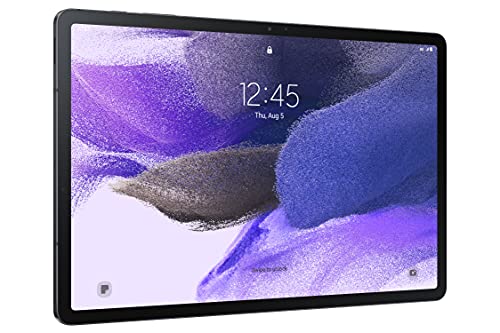

Top 3 picks at a glance
Quick comparison: which Samsung tablet deal is actually worth it
| Pick | Best for | Key specs (per Samsung’s published spec sheets) | Typical Black Friday range |
|---|---|---|---|
| Galaxy Tab S10+ | Best overall value | 12.4″ AMOLED 120Hz, Snapdragon 8 Gen 3 for Galaxy, 12GB RAM, 256/512GB, ~10,090 mAh, S Pen included | Varies |
| Galaxy Tab S10 Ultra | Best big-screen buy | 14.6″ AMOLED 120Hz, same chip, 12/16GB RAM, 256GB–1TB, ~11,200 mAh, S Pen included | Varies |
| Galaxy Tab S10 FE / FE+ | Best mid-range and student pick | 10.9″ or 13.1″ LCD 90Hz, Exynos 1580, 8GB RAM, 128/256GB, microSD, S Pen included | Varies |
| Galaxy Tab A9+ | Best budget pick | 11″ LCD 90Hz, Snapdragon 695, 4/8GB RAM, 64/128GB, microSD, no S Pen support | Varies |
Best overall: Galaxy Tab S10+ (12.4-inch)
This is the pick most people should be hunting for. It carries the same flagship chip and 120Hz AMOLED panel as the Ultra in a body you can still hold one-handed for a while, and it is the model whose price falls hardest once the newest generation takes the shelf space. Published reviews of demanding open-world mobile titles on this class of hardware typically land somewhere in the 45–60 fps band at medium-to-high settings — a figure that shifts with resolution, in-game settings, ambient temperature and each game’s current patch, so treat it as an expectation rather than a fixed number.
Who it suits: anyone who wants one tablet to last five or more years, plays demanding games at least occasionally, and uses split-screen or DeX. Main trade-off:
Best big-screen value: Galaxy Tab S10 Ultra (14.6-inch)
The Ultra is the only mainstream Samsung tablet with a 14.6-inch AMOLED panel, and that size is the entire argument for it: split-screen becomes genuinely usable, and a 16:10-ish canvas is far better for strategy and 4X games where you need to read the map. It also offers a 16GB RAM tier that the S10+ does not.
Who it suits: media-first buyers and anyone who treats the tablet as a desk device rather than a handheld. Main trade-off: weight and portability. At roughly 700 g with the keyboard attached it is heavier than most 13-inch ultrabooks, and holding it in bed for an hour is not realistic. If you commute with a tablet in a bag, the S10+ is the better call even at a similar discount.
Best mid-range pick: Galaxy Tab S10 FE and Tab S10 FE+
The FE line is where Samsung’s value proposition is most honest, because the S Pen is included and the FE+ gives you a 13.1-inch screen for well under what a flagship of that size costs. The compromise is the panel — LCD at 90Hz rather than AMOLED at 120Hz — and the Exynos 1580 chip, which handles everyday gaming and most mainstream titles but has less headroom for the heaviest ones.
Who it suits: students, note-takers, and households buying a second or third tablet. Main trade-off: the 90Hz LCD is visibly less smooth than the flagship panels, and the chip ages faster for gaming. If you only care about reading, streaming and casual titles, that trade-off costs you nothing.
Best budget pick: Galaxy Tab A9+ (and where it stops)
It has a microSD slot and a 90Hz panel, which is unusually good at this price.
Who it suits: streaming, browsing, video calls, and lightweight puzzle or card games. Main trade-off: no S Pen support, a Snapdragon 695 that will not hold high frame rates in demanding 3D titles, and a shorter software-support window than the flagship line.
How to choose: screen size, storage and features by the numbers
Worked calculation: battery runtime on a big tablet
Samsung lists the Tab S10 Ultra battery as roughly 11,200 mAh (typical capacity). At a nominal cell voltage of about 3.88 V, that is 11,200 × 3.88 ÷ 1,000 ≈ 43.5 Wh of stored energy. A 14.6-inch AMOLED panel plus a flagship chip draws roughly 6–9 W in mixed use at moderate brightness, and 10–13 W in a demanding game at high brightness with the refresh rate unlocked. Divide: 43.5 ÷ 7 ≈ 6.2 hours of mixed use, and 43.5 ÷ 12 ≈ 3.6 hours of hard gaming. That second figure is the one that matters here — expect a heavy title to empty a full charge in about three and a half to four hours. Recent Galaxy Tabs generally do not include a wall charger in the box in most regions, so budget for a 45W-class USB-C PD charger, which will refill roughly half the battery in around 30 minutes.
Worked calculation: internal storage versus a microSD card
Stepping from 256GB to 512GB on a Tab S10+ costs about $120 at list price, which is 120 ÷ 256 ≈ $0.47 per gigabyte. A 512GB UHS-I microSD card sells for roughly $35–$50, or about $0.07–$0.10 per gigabyte — five to seven times cheaper. The catch is where each can be used: Android apps and most large game installs default to internal storage, and a card’s random-read performance is a fraction of internal UFS flash, so games that do load from a card tend to hitch when streaming assets. Practical rule: buy the card for photos, video and offline media; buy internal storage if you intend to keep four or more large games installed simultaneously. On Black Friday, compare the post-discount price per gigabyte, because the 512GB tier sometimes gets a deeper percentage cut than the 256GB one and flips the math.
Decision matrix: match the pick to your situation
| Your situation | Pick | Reasoning |
|---|---|---|
| Mostly streaming and casual games, under $200 budget | Galaxy Tab A9+ 8GB/128GB | 90Hz panel and microSD at the lowest usable spec |
| Student, note-taking, light gaming | Tab S10 FE (10.9″) or FE+ (13.1″) | S Pen included; add a keyboard only if you need it |
| One tablet for 5+ years, demanding games | Galaxy Tab S10+ 256GB or 512GB | Flagship chip and 120Hz AMOLED at the steepest discount |
| Desk-first use, split-screen, media | Galaxy Tab S10 Ultra | 14.6″ AMOLED and optional 16GB RAM |
| You already own a Tab S9 or S10 | Skip this year | Generation-on-generation gains are small; wait for a bigger jump |
| You want a laptop replacement | S10+ or FE+ plus Book Cover Keyboard | Budget the keyboard separately — it is the least-discounted part |
What rarely gets a real discount
Accessories are the weak spot of every Black Friday tablet sale. If your total budget is fixed, the better move is a deeper discount on last year’s tablet plus a third-party keyboard case than a shallow discount on the newest model.
Frequently Asked Questions
Are Samsung tablets actually cheaper on Black Friday?
Yes, but the discount is concentrated on the previous generation. Current-generation flagships usually see only modest cuts, while the outgoing flagship line — the Tab S10 series during 2026 — commonly drops 25–35% because retailers are clearing stock. Mid-range FE models and the budget A-series also get discounted, though usually by a smaller percentage.
Which Samsung tablet is best for gaming?
The Tab S10+ and Tab S10 Ultra, because they pair a flagship Snapdragon chip with a 120Hz AMOLED panel and at least 12GB of RAM. The FE line handles mainstream and casual titles comfortably but has less headroom for the heaviest 3D games, and the A9+ is really only suited to lighter titles. RAM matters more than screen size here — 8GB is the practical floor for gaming, 12GB is comfortable.
Is the 14.6-inch Tab S10 Ultra too big to hold?
For long handheld sessions, yes. It weighs roughly 700 g before you add a keyboard case, which is heavier than most 13-inch laptops. It works well on a desk, on a stand, or propped on a lap, but if you plan to read or play in bed for extended periods, the 12.4-inch Tab S10+ is far more comfortable.
Do Samsung tablets support microSD cards?
The A-series and FE-series models include a microSD slot, and so do most flagship Galaxy Tabs — but the card is best treated as media storage rather than a substitute for internal capacity. Apps and most large game installs default to internal storage, and card read speeds are much slower than the internal UFS flash. Buy internal storage for games, and a card for photos and video.
Should I buy the FE or spend more on the flagship?
Buy the FE if your use is reading, streaming, note-taking and mainstream games, and you value the included S Pen and larger screen per dollar. Buy the flagship if you want a 120Hz AMOLED panel, more RAM, a faster chip and the longest software-support window Samsung offers. The gap in usable life is the real deciding factor — the flagship is the cheaper tablet per year if you keep it long enough.
How long does Samsung support its tablets with updates?
Samsung has advertised up to seven generations of OS upgrades on recent flagship tablets, with a matching security-update window, while the FE and A-series lines get shorter commitments. If longevity matters, check the specific model’s stated update policy before buying — it is often the difference between a five-year tablet and a three-year one.