
The best 4090 graphics cards GPUs for 4K gaming are the ASUS ROG Strix RTX 4090 OC for maximum cooling, the MSI GeForce RTX 4090 SUPRIM X for a quieter premium build, and the NVIDIA GeForce RTX 4090 Founders Edition when case length and value matter most.
All RTX 4090 cards use the same fundamental GPU: 16,384 CUDA cores, 24GB of GDDR6X memory, a 384-bit memory bus, and a typical board power of 450W. Consequently, cooler quality affects noise, temperatures, and sustained boost clocks far more than average frame rate. At 4K, most factory-overclocked models are usually separated by only a few percentage points.
As an Amazon Associate we earn from qualifying purchases at no extra cost to you.



Our Top Picks


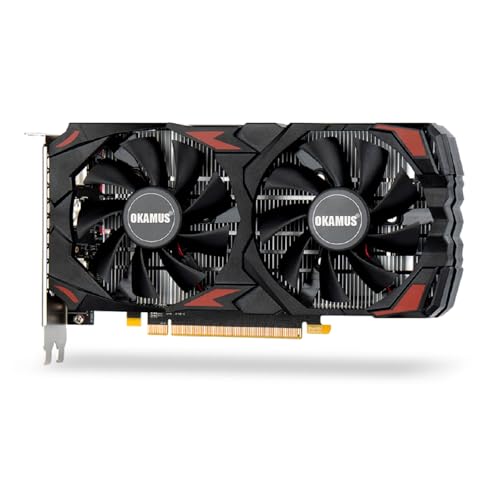
Top 3 picks at a glance
Best RTX 4090 cards compared
| Model | Approximate length | Slot thickness | Typical gaming temperature | Noise character | Best for |
|---|---|---|---|---|---|
| NVIDIA GeForce RTX 4090 Founders Edition | 304mm | 3 slots | 65–75°C | Moderate; usually smooth at default settings | Smaller high-end builds and balanced value |
| ASUS ROG Strix GeForce RTX 4090 OC | 357mm | 3.5 slots | 58–68°C | Low to moderate, with a large heatsink | Maximum air cooling and overclocking headroom |
| ASUS TUF Gaming GeForce RTX 4090 OC | 348mm | 3.65 slots | 60–70°C | Low to moderate | Quiet operation without the largest premium |
| MSI GeForce RTX 4090 SUPRIM X | 336mm | 3.75 slots | 58–68°C | Low under a custom fan curve | Quiet premium systems |
| MSI GeForce RTX 4090 Gaming X Trio | 337mm | 3.5 slots | 62–72°C | Moderate to low | High performance with a less extreme cooler |
| Gigabyte AORUS GeForce RTX 4090 MASTER | 359mm | 4 slots | 58–70°C | Low, but physically very large | Large cases and strong airflow |
Temperatures depend on room temperature, case airflow, fan curves, game load, and the condition of the thermal interface. The ranges above are useful comparisons rather than guaranteed limits. A well-ventilated case can make a larger difference than choosing between two premium coolers.
1. ASUS ROG Strix RTX 4090 OC: best for maximum cooling
The ROG Strix RTX 4090 OC is one of the largest air-cooled 4090 designs. Its oversized heatsink and triple-fan cooler provide substantial thermal capacity, which helps the card maintain high boost clocks without aggressive fan speeds. It is a strong choice for long 4K workloads, heavily modded games, and users who want manual overclocking headroom.
The trade-off is compatibility. At roughly 357mm long and more than three slots thick, it can obstruct adjacent expansion slots and may conflict with front-mounted radiators or drive cages. Measure from the rear expansion brackets to the nearest obstruction, not merely the advertised GPU clearance. Allow additional room for the power cable because sharply bending the cable immediately beside the connector is undesirable.
2. MSI SUPRIM X: best quiet premium option
The MSI SUPRIM X combines a substantial triple-fan cooler with a factory overclock and a relatively refined acoustic profile. It is slightly shorter than the largest Strix and AORUS designs, although its nearly four-slot thickness still makes it a demanding fit.
For a quiet 4K gaming PC, this type of card is preferable to chasing the highest advertised boost clock. The extra factory frequency may produce only a small frame-rate improvement, while the larger heatsink can reduce fan speed across an entire gaming session. Its dual-BIOS options also make it easier to prioritize quieter operation when maximum performance is unnecessary.
3. ASUS TUF Gaming RTX 4090 OC: best balance of cooling and practicality
The TUF Gaming RTX 4090 OC is a sensible middle ground. It remains very large, but its cooler delivers strong temperatures without the extreme dimensions of some flagship models. It is well suited to a conventional ATX gaming system with front intake fans and at least one rear exhaust fan.
Choose the TUF over a flagship card when the price difference is significant. In 4K gaming, the same GPU architecture and 24GB memory mean that the TUF usually delivers nearly the same frame rates. The money saved can be used for a higher-quality power supply, a faster CPU, or a larger high-refresh display.
4. GeForce RTX 4090 Founders Edition: best for fit and balanced builds
The Founders Edition is shorter and narrower than many board-partner cards, making it one of the easier RTX 4090 options to install in a spacious mid-tower or compact full-tower case. Its flow-through cooler is designed to move some heat toward the top of the case, so a clear exhaust path is important.
Its main limitation is less thermal mass than the largest custom cards. Under a sustained 450W load, it may run warmer or become more audible than a SUPRIM X, Strix, or similarly oversized model. That does not make it slow: the difference in 4K frame rate is generally small, especially when the game is limited by the CPU or uses a frame cap.
How much performance should you expect?
At native 4K, RTX 4090 cards are usually limited by the same AD102 GPU, so model selection is not a choice between fundamentally different performance tiers. A factory-overclocked model may be around 2–5% faster than a reference-clocked card in a GPU-limited benchmark, while real games often show a smaller difference.
The RTX 4090 is particularly strong for native 4K rasterized gaming and for ray tracing when DLSS is enabled. Its 24GB VRAM also provides useful room for high-resolution texture packs, ray-traced effects, and future games. DLSS Super Resolution and Frame Generation can raise displayed frame rates substantially, but they do not remove the need for adequate native rendering performance or CPU capability.
Worked power-budget example
Consider a system with an RTX 4090 set to its 450W default power target, a 125W gaming CPU, 70W for the motherboard and memory, 25W for storage and USB devices, and 40W for fans and pumps:
450W + 125W + 70W + 25W + 40W = 710W estimated peak system draw.
A quality 850W power supply can be sufficient for a stock system with a suitable modern connector and sensible power limits. A 1,000W unit is the more comfortable recommendation for a high-end processor, CPU overclocking, multiple drives, frequent transient spikes, or long-term headroom. Use the power supply manufacturer’s native 12V-2×6 or 12VHPWR cable where available; avoid loose connections, sharp bends at the plug, and poorly seated adapters.
Choose by your case and priorities
| Your situation | Best direction | Reason |
|---|---|---|
| Case supports about 310–330mm and three slots | Founders Edition or a compact 4090 design | Many premium cards will be too long or too thick |
| Quiet PC with generous clearance | MSI SUPRIM X, ASUS TUF, or ROG Strix | Larger heatsinks can maintain temperatures with slower fans |
| Maximum sustained boost and manual tuning | ROG Strix OC or AORUS MASTER | Large coolers provide more thermal and power-limit headroom |
| Best performance per dollar | The least expensive reputable RTX 4090 with adequate cooling | Factory overclock differences are small at 4K |
| Small case or blocked front radiator position | Prioritize card dimensions over clock speed | A card that fits with unrestricted airflow will perform better than a faster card that overheats |
Cooling and installation settings that matter
For a card this powerful, configure the complete system rather than relying only on the GPU cooler:
- Use at least two front or bottom intake fans and one rear or top exhaust fan. This supplies the GPU with cooler air and removes heat accumulating around the backplate.
- Start with a 70–75°C GPU temperature target and a fan curve that reaches roughly 50–60% speed in the mid-60s Celsius. Adjust for acoustics rather than trying to force unusually low temperatures.
- Try an undervolt around 0.95–1.00V while retaining a clock near 2,700–2,850MHz, then validate it with several demanding games. A stable undervolt can reduce power and noise with only a small performance loss.
- Use a frame-rate cap slightly below the monitor’s maximum refresh rate when maximum frames are unnecessary. For a 144Hz display, a 141Hz cap can reduce wasted power and fan noise during lighter scenes.
- Leave clear space below the card’s intake fans. A 4090 installed directly against a power-supply shroud or another expansion card may run noticeably warmer.
Final recommendation
Buy the ASUS ROG Strix RTX 4090 OC or Gigabyte AORUS RTX 4090 MASTER if your case has exceptional clearance and you want the largest air cooler. Choose the MSI SUPRIM X or ASUS TUF Gaming RTX 4090 OC for a quieter, more balanced premium build. Choose the Founders Edition when its shorter dimensions solve a case problem or when it is meaningfully less expensive.
Regardless of the model, prioritize physical fit, a reliable 850W–1,000W power supply, unobstructed airflow, and a secure power connection. Those factors have a greater effect on the ownership experience than a small difference in factory boost clock.









