If you want the short answer, the Logitech MX Keys S is the best wireless keyboard for most people who split their day between documents and games: it pairs a quiet low-profile typing feel with Bluetooth and Logi Bolt wireless, three-device switching, USB-C charging, and a proximity backlight that saves power when your hands leave the desk. If you need a keyboard and a mouse in one purchase for a family PC, a front desk, or a spare machine, the Logitech MK270 combo is the safest all-round bundle. If mechanical switch feel and a compact footprint matter more than silence, the AULA F75 Pro is the enthusiast pick, with hot-swap sockets, a rotary knob, and tri-mode connectivity. Everything else in this roundup is a variation on those three answers — a cheaper version, a quieter version, a wider version with a number pad, or a version built to sit on a lap rather than a desk. The sections below explain the connection types, the latency math, the battery math, and the layout and ergonomic trade-offs so you can match the keyboard to the setup you actually have rather than the one in the marketing photos.
Our Top Picks
 Logitech MK270 Full Size Wireless Keyboard and Mouse1 Pack20.08 x 6.22 x 1.81 inches1.05 PoundsCheck on Amazon
 Logitech K270 Full Size Wireless Keyboard for Windows1 Pack0.75 x 5.75 x 17.25 inches1.1 PoundsCheck on Amazon
 Logitech MK345 Full Size Wireless Keyboard and Mouse1 Pack20 x 7.52 x 1.7 inches1.1 poundsCheck on Amazon
 Logitech K250 Compact Wireless Bluetooth Keyboard with Number1 Count (Pack of 1)14.56 x 5.39 x 0.9 inches0.8 PoundsCheck on Amazon

Top 3 picks at a glance


Quick Comparison
Every keyboard below is a real, currently listed product. Price tiers reflect where each one generally sits in the market rather than a fixed figure, because listings move daily. “Connection” describes how the keyboard talks to your machine; “Power” describes how it stays alive.
| Product | Best for | Connection | Layout | Key specs to note | Price tier |
|---|---|---|---|---|---|
| Logitech MK270 combo | All-round office and family PC bundle | 2.4 GHz USB receiver | Full-size + mouse | Membrane keys, eight shortcut keys, replaceable batteries, spill-resistant design | Mid-range |
| Logitech K270 | Windows desktops needing keyboard only | 2.4 GHz Unifying receiver | Full-size | Membrane keys, eight hot keys, replaceable batteries, numeric pad | Budget |
| Logitech MK345 combo | Long-session desktop work with a mouse | 2.4 GHz USB receiver | Full-size + palm rest + mouse | Media and shortcut keys, contoured mouse, replaceable batteries | Mid-range |
| Logitech MX Keys S | Mixed work and gaming, multi-device | Bluetooth LE + Logi Bolt | Full-size low-profile | Rechargeable USB-C, proximity backlight, three-device switching, Logi Options+ | Premium |
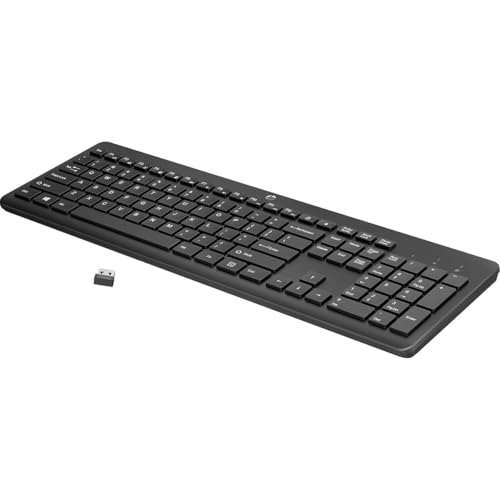
| HP 230 Wireless Keyboard | Cheapest quiet desk keyboard | 2.4 GHz USB receiver | Full-size low-profile | Quiet low-profile keys, Windows and macOS compatible, replaceable batteries | Budget |
| Logitech K250 Compact | Small desks and laptop-first desks | Bluetooth | Compact with number pad | Bluetooth pairing, graphite finish, replaceable batteries | Budget |
| AULA F75 Pro | Mechanical feel, compact gaming desk | 2.4 GHz + Bluetooth + USB-C wired | 75% with knob | Hot-swappable, gasket-mounted, pre-lubed switches, RGB, rotary knob | Premium |
| Logitech MK335 combo | Quiet shared workspace bundle | 2.4 GHz USB receiver | Full-size + mouse | Quiet-typing keys, black and silver finish, replaceable batteries | Premium |
| Logitech MK235 combo | Budget bundle for a second machine | 2.4 GHz USB receiver | Full-size + mouse | Membrane keys, numeric pad, spill-resistant design, replaceable batteries | Mid-range |
| Logitech Signature Slim K950 | Quiet typing across laptop and desktop | Bluetooth + Logi Bolt | Full-size slim | Quiet keys, multi-device switching, Logi Options+ customisation, replaceable batteries | Premium |
| Logitech K345 | Palm-rest comfort at a mid price | 2.4 GHz USB receiver | Full-size with palm rest | Integrated palm rest, media keys, replaceable batteries | Mid-range |
| Soueto Wireless RGB | Cheap backlit desk keyboard with a phone stand | 2.4 GHz USB receiver | Full-size | RGB backlight, built-in phone holder, Mac and PC compatible | Budget |
How We Chose
The selection criteria were deliberately narrow. First, the keyboard has to solve a real problem: a bundle for someone who needs input on a new desktop, a Bluetooth board for a laptop-first desk, a mechanical 75% for a small gaming setup, a quiet board for a shared room. Second, the connection type has to match the job — a 2.4 GHz receiver is the right answer for a desktop that never moves, while Bluetooth is the right answer for a machine with no free USB-A port. Third, the power design has to make sense for the price: replaceable batteries on cheap boards, rechargeable cells on premium boards with backlights. Fourth, we weighed layout against desk space, because a full-size board eats roughly 44 cm of width and pushes the mouse hand further out. Fifth, we looked at the upgrade path — whether a board can be moved between machines, whether its switches can be swapped, and whether the software layer still receives updates. We excluded any product we could not verify as currently listed, and we describe uncertain figures by spec class rather than inventing numbers.
1. Logitech MK270 Combo – Best for all-round office and family PCs
As an Amazon Associate we earn from qualifying purchases at no extra cost to you.
The MK270 is the bundle most people picture when they hear “wireless keyboard”: a full-size board, a small ambidextrous mouse, and one tiny USB receiver that handles both. It suits anyone setting up a home office, a kitchen or living-room PC, a reception desk, or a second machine where the goal is to buy once and stop thinking about input hardware. It is not aimed at competitive gaming, and it is not aimed at people who want a premium typing feel — it is aimed at people who want a keyboard and mouse that work on any Windows machine the moment the receiver goes in.
Key specs
- Connection: 2.4 GHz wireless over a USB-A nano receiver — no Bluetooth pairing step.
- Layout: full-size with a number pad, arrow cluster, and eight shortcut keys for media and volume.
- Switch type: standard-profile membrane domes, not mechanical.
- Mouse: ambidextrous three-button design with a scroll wheel and an optical sensor in the everyday-office class.
- Power: replaceable batteries in both pieces, with on/off switches to stop drain in storage.
- Durability notes: Logitech lists a spill-resistant keyboard design, which matters more than it sounds on a desk with a coffee mug on it.
The single strongest argument for the MK270 is that it eliminates pairing. A 2.4 GHz receiver presents itself to the operating system as a plain USB keyboard and mouse, so it works before Windows finishes booting, works in BIOS, works on a machine with no Bluetooth radio, and works on a locked-down work laptop where you cannot install a driver. That last point is underrated: a lot of corporate laptops have Bluetooth disabled by policy, and a Bluetooth-only keyboard simply will not connect to them.
On latency, the honest framing is that 2.4 GHz with a dedicated receiver is in a different class from Bluetooth for gaming. A standard office-class wireless link polls at roughly the USB low-speed or full-speed HID rate, which puts report intervals in the 8–10 ms range, and the radio adds a few milliseconds on top. Add display scanout — about 16.7 ms per frame at 60 Hz, about 7 ms at 144 Hz — and you land somewhere around 20–30 ms end to end. For spreadsheets, writing, and casual games that is invisible. For a competitive shooter where you are tracking a target at close range, it is the kind of delay you can feel but rarely can name.
Battery life is where the cheap power design quietly wins. Two AAA alkaline cells give roughly 1,000–1,200 mAh of usable capacity. A membrane keyboard with no backlight and a low-duty-cycle radio averages somewhere in the region of 2–4 mA while you are actively typing, and only microamps while idle. Run the math: 1,000 mAh ÷ 3 mA ≈ 333 hours of active typing, which at one hour a day is about eleven months, and considerably longer in real use because most of the day is spent idle. That is why Logitech can quote battery life in years for this class of board and in days for a backlit rechargeable one.
Pros
- One receiver runs both keyboard and mouse, so setup is genuinely plug-and-play.
- Works in BIOS, in installers, and on locked-down machines with Bluetooth disabled.
- Replaceable batteries mean no cable, no charging dock, and no waiting.
- Full number pad and dedicated media keys for the price of a mid-tier board alone.
- Spill-resistant design and cheap replacement cost make it a sensible shared-desk keyboard.
Cons
- Membrane feel is soft and slightly mushy compared with mechanical or premium scissor switches.
- No Bluetooth, so it cannot pair with a tablet or phone that lacks a USB-A port.
- The bundled mouse is basic — fine for office work, not for precision gaming.
- Latency is acceptable but not competitive-grade for fast multiplayer titles.
- No backlighting, so late-night typing depends on room light.
How it compares
Against the Logitech K270, the MK270 is the better buy if you need a mouse at all — the keyboard portion is essentially the same family of full-size membrane board, and the bundle adds a usable mouse for a modest premium. Against the MK235, the MK270 sits a step up in feel and finish while occupying a similar role. Choose the MK270 when you want one purchase to cover a desktop; choose the K270 when you already own a mouse you like; choose the MK235 when the budget is the deciding factor.
2. Logitech K270 – Best for Windows desktops that only need a keyboard
The K270 is the keyboard half of the MK270 idea, sold on its own. It is for the person who already has a mouse they trust — a gaming mouse, a vertical ergonomic mouse, a trackball — and just needs a reliable full-size wireless board for a Windows desktop. It is also the sensible pick for anyone replacing a failed keyboard on an existing 2.4 GHz Logitech setup, because it belongs to the Unifying receiver family and can share a receiver with a compatible Logitech mouse.
Key specs
- Connection: 2.4 GHz wireless via a USB-A receiver; compatible with Logitech’s Unifying receiver ecosystem.
- Layout: full-size with number pad, arrow cluster, and a row of eight hot keys.
- Switch type: standard-profile membrane.
- Power: replaceable batteries with an on/off switch; multi-year battery life is the design goal for this class.
- Platform notes: positioned as a Windows keyboard, with the function row mapped to Windows shortcuts.
The Unifying detail is the practical reason to pick this board over a generic budget wireless keyboard. A single Unifying receiver can host multiple compatible Logitech devices, which means one USB-A port on a laptop or small-form-factor PC can serve both your keyboard and your mouse. On a modern laptop with two USB-C ports and one USB-A port, that is not a trivial advantage — it is the difference between a tidy desk and a dongle you have to unplug every time you leave.
The typing experience is honest budget-membrane: full 3.5–4 mm key travel, a light actuation weight, and a soft bottom-out. That is fine for long document sessions if you type with a light touch, and slightly tiring if you bottom out hard on every keystroke, which is a habit that mechanical switches with a defined actuation point tend to break. There is no backlight, so this is a daylight keyboard or a keyboard for a room with a desk lamp.
Latency behaves exactly as it does on the MK270: 2.4 GHz, office-class polling, a few milliseconds of radio delay. Casual games are fine. Ranked play is possible but you are giving away a small, consistent margin that a wired or gaming-grade 2.4 GHz board would not cost you.
Pros
- Shares the Unifying receiver ecosystem, so it can pair alongside a compatible Logitech mouse on one dongle.
- Full-size layout with number pad and eight hot keys at a budget tier.
- Replaceable batteries and a physical on/off switch.
- Works without any software on Windows machines, including locked-down work laptops.
- Spill-resistant design typical of this Logitech family.
Cons
- No mouse included, so it is only good value if you already have one.
- Membrane feel and no backlight.
- No Bluetooth, so no tablet or phone pairing.
- Not intended for competitive gaming latency.
How it compares
Compared with the MK270 combo, the K270 is the cheaper route only if you genuinely do not need a mouse; the moment you add one, the bundle wins on value. Compared with the HP 230, the K270 offers the Unifying ecosystem and a more traditional key profile, while the HP board leans on a low-profile quiet design. Pick the K270 for a desktop that stays on a desk and already has a mouse you like.
3. Logitech MK345 Combo – Best for long desktop sessions with a better mouse
The MK345 is the bundle you buy when you want the MK270 formula with a palm rest, a more contoured mouse, and a slightly more comfortable all-day posture. It suits people who work at a desk for six to eight hours — writers, analysts, support staff, students — and who want a keyboard that supports the heel of the hand rather than leaving it hovering above the desk edge.
Key specs
- Connection: 2.4 GHz wireless via a USB-A nano receiver.
- Layout: full-size with number pad, arrow cluster, and dedicated media and shortcut keys.
- Palm rest: integrated, fixed, and part of the keyboard body.
- Mouse: contoured right-handed design with a scroll wheel, positioned above the basic three-button tier.
- Power: replaceable batteries in both devices.
- Durability notes: spill-resistant keyboard design, with a sturdy plastic chassis typical of the mid-tier Logitech range.
The integrated palm rest changes how you sit more than most people expect. Without a rest, the natural tendency is to let the wrists drop onto the desk edge, which puts the wrist into extension — bending the hand backward — for hours at a time. A 6–8 cm rest keeps the forearm roughly level with the key bed, which reduces that angle. It is not a substitute for correct chair and desk height, but it is a real ergonomic difference, and it is the main reason to pay mid-tier money for this bundle instead of a bare-bones one.
The mouse is the second differentiator. A contoured body with a proper thumb rest supports the hand instead of asking it to pinch a flat rectangle. For anyone who has ever finished a long day with a cramped hand from a cheap bundled mouse, this is the upgrade that justifies the tier.
Power and latency follow the same logic as the rest of the mid-tier Logitech family: replaceable batteries, multi-year life on the keyboard, a 2.4 GHz link that is excellent for office work and adequate for casual gaming. There is no backlight, and no Bluetooth, so this is a desk keyboard for a desktop or a laptop that keeps a receiver plugged in.
Pros
- Integrated palm rest improves wrist posture for long sessions.
- Contoured mouse is a genuine step up from a basic bundled mouse.
- Dedicated media and shortcut keys reduce trips to the mouse.
- Full number pad for finance, data entry, and spreadsheet work.
- Replaceable batteries and no charging routine.
Cons
- The palm rest is fixed, so left-handed mouse users get less benefit from the layout balance.
- No Bluetooth and no backlight.
- Membrane typing feel, not mechanical.
- Adds desk depth — the rest takes up space a bare board would not.
How it compares
Against the MK270, the MK345 buys you the palm rest and the better mouse; if neither matters to you, save the difference. Against the Logitech K345, which is the keyboard half with a palm rest but no mouse, the MK345 bundle is the better value for a new setup. Choose the MK345 if you type for hours and want comfort built in rather than added later with a separate wrist rest.
4. Logitech MX Keys S – Best for mixed work and gaming across multiple devices

The MX Keys S is the board to buy when you want one keyboard for a work laptop, a personal desktop, and a tablet, and you want it to feel good in all three places. It is a full-size low-profile board with a rechargeable battery, a proximity backlight, and dual wireless: Bluetooth for devices without a free port, and Logi Bolt for a low-latency, encrypted link to a desktop. It suits hybrid workers, developers, and people who game on the same desk they work at and want a quieter board than a mechanical one.
Key specs
- Connection: Bluetooth LE plus Logi Bolt USB receiver; three devices can be paired and switched with dedicated keys.
- Layout: full-size low-profile with number pad, arrow cluster, and a function row that doubles as media and shortcut keys.
- Switch type: low-profile scissor-stabilised keys with roughly 1.8–2 mm of travel and a defined actuation point.
- Backlight: proximity and ambient-light sensing — it brightens when your hands approach and dims when they leave.
- Power: rechargeable via USB-C. Logitech publishes roughly 10 days with the backlight on and up to about 5 months with it off.
- Software: Logi Options+ for per-app key mapping, flow between machines, and firmware updates.
- Build: metal top plate with a fairly substantial weight for a low-profile board.
That published battery figure is worth unpacking, because it is the clearest illustration of where keyboard power actually goes. Ten days with the backlight on versus five months with it off is roughly a fifteen-fold difference. The radio link does not change between those two states — only the LEDs do. If you are ever puzzled by a wireless keyboard dying faster than the box promised, the backlight is almost always the reason, and the proximity sensor on this board exists specifically to claw that power back by keeping the LEDs dark whenever your hands are away.
On latency, the Bolt receiver path is the one to use for gaming. A dedicated 2.4 GHz link with a well-managed report interval behaves far closer to wired than Bluetooth does. Bluetooth LE is fine for typing, but connection intervals in the Bluetooth world can stretch into the low tens of milliseconds, which is why Bluetooth keyboards feel slightly detached in fast games. If you game seriously on this board, plug the Bolt receiver into a front-panel port, not a rear port behind a metal case, and not next to a USB 3.0 drive.
The typing feel is the other reason this board lands in the premium tier. Low-profile scissor keys have a shorter travel than a standard membrane or mechanical board, but a much more defined actuation point, so you can type without bottoming out. That reduces finger fatigue over a long day, at the cost of some of the thock and feedback that mechanical users enjoy.
Pros
- Bluetooth plus Bolt covers almost every device you own, including tablets and phones.
- Three-device switching with dedicated keys is genuinely useful for hybrid work.
- Proximity backlight is both practical in a dark room and efficient.
- USB-C charging removes the battery-shopping chore.
- Metal top plate and low-profile feel are a clear step above budget membrane boards.
- Logi Options+ adds per-application key mapping, which is a real productivity gain.
Cons
- Premium tier pricing for a membrane-based low-profile board.
- Not mechanical — switch enthusiasts will find it flat.
- Backlight on cuts battery life from months to days.
- No hot-swap sockets and no user-serviceable switches.
- Full-size footprint takes roughly 44 cm of desk width.
How it compares
Against the Signature Slim K950, the MX Keys S adds the metal top plate, the proximity backlight, and USB-C charging, while the K950 leans on a slim profile and quiet typing on replaceable batteries. Against the AULA F75 Pro, the MX Keys S is the better work keyboard and the worse gaming keyboard: the AULA gives you mechanical switches, hot-swap sockets, and a compact 75% footprint, while the MX Keys S gives you multi-device switching, silence, and a full number pad. If you want one board for everything and you type more than you frag, this is the pick.
5. HP 230 Wireless Keyboard – Best for the cheapest quiet desk keyboard

The HP 230 is the budget answer to a simple question: what is the least I can spend on a wireless keyboard that is quiet, low-profile, and works with both Windows and macOS? It suits students, home-office setups, shared rooms where noise matters, and anyone replacing a laptop keyboard with something more comfortable without spending premium money.
Key specs
- Connection: 2.4 GHz wireless via a USB receiver.
- Layout: full-size low-profile with a number pad and a compact chassis.
- Switch type: low-profile membrane with a quiet design goal — the listing emphasises quiet typing.
- Platform notes: stated as compatible with Windows and macOS.
- Power: replaceable batteries.
- Build: lightweight plastic body, low-profile keycaps.
The low-profile, quiet design is the whole point. Short-travel scissor-style keys produce less bottom-out noise than a full-travel membrane board, which matters in a shared office, a bedroom, a call-heavy job, or any room where a mechanical keyboard would be antisocial. The trade-off is feel: less travel means less feedback, and people who grew up on full-height desktop keyboards sometimes take a week or two to adjust.
The macOS compatibility claim is worth reading carefully. A keyboard that supports both Windows and macOS will map the modifier keys in one of two ways: either it auto-detects the host and swaps Alt and the Command key accordingly, or it ships with a Windows layout and you remap in the OS. On a budget board, expect the second. That is a five-minute fix in System Settings, but it is worth knowing before you buy if you plan to use it with a Mac full-time.
On battery and latency, this is standard budget wireless: replaceable cells, multi-month life with no backlight to drain them, and a 2.4 GHz link that is fine for work and casual play but not tuned for competitive gaming. There is no Bluetooth and no backlight, so this is a desk keyboard for a machine that has a spare USB-A port.
Pros
- Quiet low-profile keys suit shared and noise-sensitive rooms.
- Low cost of entry with a full-size layout and number pad.
- Works with both Windows and macOS.
- Replaceable batteries mean no charging cable to lose.
- Slim chassis takes less desk depth than a tall mechanical board.
Cons
- No Bluetooth, so no tablet or phone pairing.
- No backlight.
- Shallow travel reduces tactile feedback for people who like a firm key.
- Modifier remapping on macOS may need manual setup.
- Light plastic build feels less substantial than a metal-topped board.
How it compares
Against the Logitech K270, the HP 230 is the quieter and slimmer board, while the K270 offers the Unifying receiver ecosystem and a more traditional key profile. Against the Soueto Wireless RGB, the HP 230 trades backlighting and a phone holder for a cleaner, quieter, more neutral look that will not look out of place in an office. Buy the HP 230 if silence and price are the two things that matter most.
6. Logitech K250 Compact – Best for small desks and laptop-first setups

The K250 Compact is the interesting middle ground in this list: a Bluetooth keyboard that keeps a number pad but trims the overall footprint, so it fits a small desk or a laptop riser without sacrificing data-entry keys. It suits laptop users who want a real keyboard at eye level, people working from a kitchen table, and anyone whose machine has more USB-C ports than USB-A.
Key specs
- Connection: Bluetooth, so no receiver occupies a USB port.
- Layout: compact full-size with number pad — trimmed edges rather than a removed numpad.
- Colour: graphite.
- Switch type: low-profile membrane, quiet by design.
- Power: replaceable batteries.
- Pairing notes: Bluetooth means it can also pair with tablets and phones, not just computers.
Bluetooth is the defining feature and it cuts both ways. On the plus side, it frees a USB port, it works with tablets, phones, and laptops that have no USB-A at all, and it lets you switch between paired devices on most modern implementations. On the minus side, Bluetooth adds latency — connection intervals can put you in the 8–20 ms range before the display is even considered — and Bluetooth keyboards cannot be used in BIOS, in a boot menu, or in a Windows installer, because the Bluetooth stack does not exist until the operating system loads. If you dual-boot, reinstall Windows, or regularly change BIOS settings, keep a cheap wired keyboard in a drawer.
The compact-with-numpad layout is a smart compromise for numbers-heavy work. A 75% board drops the number pad entirely, which is fine for gaming but painful for accounting, engineering, or anyone who enters figures all day. The K250 keeps the pad and trims elsewhere, so you get roughly the data-entry convenience of a full-size board in a chassis that leaves a bit more room for the mouse hand.
Pros
- Bluetooth frees a USB port and works with laptops, tablets, and phones.
- Keeps the number pad while trimming overall width.
- Quiet low-profile keys.
- Replaceable batteries with no charging routine.
- Neutral graphite finish that suits a work desk.
Cons
- Bluetooth latency is higher than a dedicated 2.4 GHz receiver.
- Cannot be used in BIOS or during an operating-system install.
- No backlight.
- Battery drain is higher than a receiver-based board because Bluetooth maintains a live link.
- No mechanical option at this tier.
How it compares
Against the HP 230, the K250 trades a 2.4 GHz receiver and BIOS compatibility for Bluetooth freedom and a trimmed footprint — pick the K250 if your machine has no spare USB-A port, and the HP if you want zero pairing hassle. Against the Signature Slim K950, the K250 is the cheaper, simpler Bluetooth board without multi-device switching or software customisation. It is the right choice for a laptop-first desk where one cable-free connection is enough.
7. AULA F75 Pro – Best for mechanical feel in a compact gaming setup

The AULA F75 Pro is the odd one out in this roundup, and that is exactly why it belongs here. It is a 75% mechanical keyboard with a rotary knob, hot-swappable sockets, gasket mounting, RGB, and tri-mode connectivity — 2.4 GHz for low-latency gaming, Bluetooth for tablets and laptops, and USB-C wired for charging or for a zero-latency link. It suits gamers who want mechanical feel on a small desk, keyboard enthusiasts who like to swap switches without soldering, and anyone who wants one board that works with a desktop, a laptop, and a handheld.
Key specs
- Connection: tri-mode — 2.4 GHz wireless, Bluetooth, and USB-C wired.
- Layout: 75%, which keeps the function row and arrow keys but drops the number pad. Expect roughly 32–33 cm of width.
- Switches: pre-lubed mechanical switches, hot-swappable, so you can pull and replace them with a simple tool.
- Mounting: gasket-mounted, which gives a softer, more cushioned bottom-out than a stiff tray-mount plate.
- Knob: rotary encoder for volume or custom functions.
- Backlight: per-key RGB.
- Build: plastic case with a multi-layer internal structure typical of modern budget-enthusiast boards.
Hot-swap is the feature that changes how long this keyboard stays relevant. On a soldered board, if a switch fails or you decide you want tactile instead of linear, you either live with it or buy a new keyboard. On a hot-swap board you buy a pack of switches, pull the old ones with the included tool, and press the new ones in. That turns a single keyboard into a platform, and it is why enthusiast boards hold their value in a way that membrane boards do not.
Gasket mounting is the other feature worth understanding. Instead of screwing the plate directly into the case, the plate floats on soft gaskets, so the whole assembly flexes slightly when you type. The audible result is a softer, less hollow sound; the tactile result is a cushioned bottom-out that is easier on the fingers over long sessions. It is a subtle difference on paper and a very obvious one in use.
Battery math is where the F75 Pro’s RGB matters. Suppose the internal cell is in the 4,000 mAh class, which is typical for this category. With RGB at full brightness, a mechanical board can pull somewhere around 50–80 mA. Take 4,000 mAh ÷ 60 mA ≈ 66 hours of RGB-on use — roughly two months at an hour a day. Switch the RGB off and the same cell might draw 4–6 mA, giving 4,000 ÷ 5 = 800 hours, or well over two years at an hour a day. The radio link is identical in both scenarios. RGB is the entire difference, and that is the single most useful thing to know about wireless keyboard battery life in general.
For gaming latency, the 2.4 GHz mode is the one to use. Tri-mode boards usually run their fastest report rate on the dedicated receiver, with Bluetooth reserved for typing and wired reserved for charging or tournaments. If you want the absolute minimum delay, plug in the USB-C cable — you cannot beat physics, and a wired connection has no radio scheduling at all.
Pros
- Hot-swappable switches let you change feel without buying a new board.
- Tri-mode connectivity covers desktop, laptop, tablet, and handheld.
- 75% layout keeps arrows and function keys while saving desk width.
- Gasket mount and pre-lubed switches give a better sound and feel than the price class normally allows.
- Rotary knob is genuinely useful for volume.
- RGB is bright and per-key.
Cons
- No number pad, which rules it out for heavy data entry.
- Mechanical switches are louder than any board in the office tier.
- RGB at full brightness cuts battery life from months to weeks.
- Bluetooth mode is not the low-latency path — use 2.4 GHz or wired for games.
- Premium tier pricing, and mechanical keyboards invite further spending on switches and keycaps.
How it compares
Against the MX Keys S, the F75 Pro is the better gaming and enthusiast board and the worse office board: it gives you mechanical switches, hot-swap, and a compact footprint, but it loses the number pad, the multi-device switching polish, and the near-silent typing. Against the MK345, it is a different category entirely — one is a comfortable office bundle, the other is a hobby-grade mechanical board. Choose the F75 Pro if you want to feel every keystroke and you are willing to trade a numpad for it.
8. Logitech MK335 Combo – Best for quiet shared workspaces

The MK335 is the bundle to buy when noise is the constraint. It pairs a quiet-typing full-size keyboard with a matching mouse in a black and silver finish that reads as office equipment rather than gaming gear. It suits open-plan offices, call-centre desks, shared student accommodation, and any household where someone works night shifts and someone else is asleep.
Key specs
- Connection: 2.4 GHz wireless via a USB receiver.
- Layout: full-size with number pad and media keys.
- Switch type: membrane with a quiet-typing design goal.
- Mouse: matching ambidextrous three-button mouse with a scroll wheel.
- Finish: black and silver, a neutral office aesthetic.
- Power: replaceable batteries in both devices.
Quiet typing is not just about switch type — it is about bottom-out force and keycap mass. A quiet membrane board uses a softer dome and a lighter cap so the key decelerates before it slams into the plate. That is why quiet keyboards tend to feel slightly softer than standard ones, and why they are rarely the choice of people who like a crisp, snappy keystroke. The trade is straightforward: you give up some feedback and get a board you can type on at midnight in a shared room.
The matching mouse matters more than the spec sheet suggests. Bundles are usually mismatched, with a decent keyboard and a throwaway mouse. A matched pair means consistent build quality, consistent battery life, and one receiver for both devices — which on a laptop with limited ports is the difference between a clean desk and a dongle juggling act.
Latency and battery follow the familiar mid-to-premium 2.4 GHz pattern: excellent for productivity, adequate for casual games, and multi-month to multi-year life on replaceable cells because there is no backlight to drain them. This is not a gaming board, and it does not pretend to be.
Pros
- Quiet keys suit open-plan offices, shared rooms, and night owls.
- Matched keyboard and mouse share a single receiver.
- Full-size layout with number pad and media keys.
- Neutral black and silver finish looks professional on a work desk.
- Replaceable batteries with no charging routine.
Cons
- Premium tier pricing for a membrane board.
- Quiet domes feel softer and less defined than a crisp mechanical switch.
- No Bluetooth and no backlight.
- Not a competitive gaming keyboard.
How it compares
Against the MK345, the MK335 is the quieter board but loses the integrated palm rest; if you type all day and your wrists complain, the palm rest may matter more than a few decibels. Against the MK235, it is a clear step up in quietness and finish. Choose the MK335 when the room you work in is the limiting factor.
9. Logitech MK235 Combo – Best for a budget second machine

The MK235 is the bundle for the machine nobody wants to spend money on: the spare desktop in the study, the PC attached to the TV, the till-side computer, the build you assembled from spare parts. It covers a full-size keyboard and a mouse for the price of a mid-tier keyboard alone, and it does the basics without drama.
Key specs
- Connection: 2.4 GHz wireless via a USB receiver.
- Layout: full-size with number pad and arrow cluster.
- Switch type: standard-profile membrane.
- Mouse: basic ambidextrous three-button design with a scroll wheel.
- Durability notes: spill-resistant keyboard design, typical of this Logitech family.
- Power: replaceable batteries with on/off switches.
There is no feature here that will impress anyone, and that is the point. A 2.4 GHz receiver works before the operating system loads, so this keyboard can drive a BIOS menu or a Windows installer. Replaceable batteries mean the bundle can sit in a cupboard for a year and still work when you pull it out. The spill-resistant design means a knocked-over glass is survivable. For a machine that gets used twice a week, that combination is worth more than backlighting or mechanical switches.
The honest limitations are the mouse and the feel. The bundled mouse is a basic optical design — fine for browsing and spreadsheets, not for precision work. The keyboard is a standard membrane board with a soft bottom-out and no backlight. If you spend eight hours a day typing, step up to the MK345 for the palm rest. If you spend twenty minutes a day typing, this is all you need.
Pros
- Very low cost for a complete keyboard and mouse set.
- Works in BIOS and installers thanks to the receiver-based link.
- Spill-resistant design and replaceable batteries make it a low-risk spare.
- Full-size layout with number pad.
- No software required on any Windows machine.
Cons
- Basic mouse with no extra buttons or adjustable sensitivity.
- No backlight and no Bluetooth.
- Membrane feel is unremarkable.
- Not intended for gaming latency.
How it compares
Against the MK270, the MK235 is the cheaper bundle with a simpler mouse and a plainer chassis; the MK270 is the better daily driver. Against the MK335, it gives up quiet keys and finish quality for a lower price. Buy the MK235 when the machine is secondary and the budget is fixed.
10. Logitech Signature Slim K950 – Best for quiet typing across laptop and desktop

The Signature Slim K950 is the board for someone who wants near-silent typing on a slim, low-profile chassis but also wants to jump between a work laptop and a personal desktop without unplugging anything. It supports Bluetooth and Logi Bolt, pairs with multiple devices, and integrates with Logi Options+ for per-app customisation. It suits hybrid workers, quiet-office users, and anyone who wants the MX Keys S experience in a slimmer, battery-powered package.
Key specs
- Connection: Bluetooth plus Logi Bolt USB receiver; multi-device pairing with switching keys.
- Layout: full-size slim with number pad and a function row for media and shortcuts.
- Switch type: low-profile scissor-stabilised keys tuned for quiet typing.
- Power: replaceable batteries rather than a rechargeable cell, which is the main structural difference from the MX Keys S.
- Software: Logi Options+ for key remapping, per-application profiles, and firmware updates.
- Build: slim profile with a graphite finish.
The quiet-typing tuning is the headline. Low-profile scissor keys with damped bottom-out produce far less noise than a standard membrane board and dramatically less than a mechanical one, while still giving a defined actuation point that full-travel membrane boards often lack. The practical result is a keyboard you can type on during a call without your microphone picking up every keystroke.
Replaceable batteries versus a rechargeable cell is the decision that separates this board from the MX Keys S. Replaceable cells mean you never think about charging and never need a cable at your desk; the cost is that there is no USB-C port, so if you forget to buy spares you are stuck. Rechargeable means a cable habit but no battery shopping. Neither is objectively better — it depends on whether you would rather own a charger or own a drawer of AAAs.
On latency, the Bolt receiver is the gaming-friendly path and Bluetooth is the convenience path. For typing, Bluetooth is entirely adequate. For fast games, use the receiver. On battery, the absence of a backlight is a big advantage — this board will run for months on a set of cells where a backlit rechargeable board would need plugging in weekly.
Pros
- Very quiet low-profile typing, suitable for calls and shared rooms.
- Multi-device switching across laptop, desktop, and tablet.
- Logi Options+ adds per-app remapping that budget boards cannot match.
- Replaceable batteries mean no charging routine and no cable clutter.
- Slim profile takes less desk depth than a full-height mechanical board.
<