As an Amazon Associate we earn from qualifying purchases at no extra cost to you.


Our Top Picks
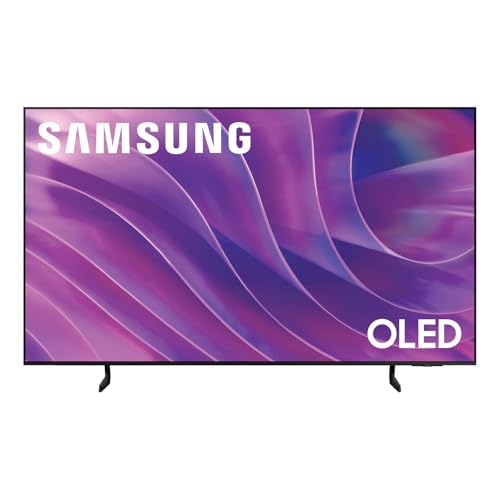 Samsung 77-Inch Class OLED S84F Series Samsung Vision77-Inch13 x 67.8 x 41.7 inches63.5 PoundsCheck on Amazon


Top 3 picks at a glance
Quick comparison: 77-inch TVs worth watching for deals
| Pick | Best for | Key specs | Typical sale price |
|---|---|---|---|
| LG C-series 77″ OLED (C4/C5 class) | Best overall | 4K WOLED, 4× HDMI 2.1 (48 Gbps), 4K120 native / up to 144 Hz, VRR + ALLM, Dolby Vision | Check on Amazon |
| Samsung 77″ QD-OLED (S90F/S95F class) | Best for bright rooms | 4K QD-OLED, 4× HDMI 2.1, up to 4K144, VRR + ALLM, HDR10+ (no Dolby Vision) | Check on Amazon |
| Sony Bravia 8 77″ OLED | Best for movie accuracy | 4K WOLED, 2 of 4 HDMI inputs are 2.1, 4K120, VRR + ALLM, Dolby Vision | Check on Amazon |
| LG B-series 77″ OLED (B4/B5 class) | Best budget 77″ | 4K WOLED, 2× HDMI 2.1, 4K120, Dolby Vision, lower peak brightness | Check on Amazon |
| LG G-series 77″ OLED (G4/G5 class) | Best for wall mounting | Brightest OLED panel of its generation, 4× HDMI 2.1, up to 4K144, Dolby Vision | Check on Amazon |
Best overall: LG C-series 77-inch OLED (C4/C5 class)
This is the default recommendation because it gets the fundamentals right at a price the QD-OLEDs rarely reach. Per LG’s spec sheet, the 77-inch C-series carries four full-bandwidth HDMI 2.1 inputs at 48 Gbps each, so a PS5, an Xbox Series X, an eARC soundbar and a 4K120 PC can all be connected without shuffling cables. It supports 4K120 natively and up to 144 Hz on the C4/C5 generation, plus HDMI VRR, AMD FreeSync Premium and G-Sync Compatible certification, and it handles Dolby Vision — which Samsung sets do not.
Who it suits: a dark-to-moderately-lit living room used for a mix of streaming, Blu-ray and consoles. Main trade-off: WOLED panels are dimmer in small highlights than QD-OLED, landing in roughly the 800–1,300 nit range on a 10% window depending on generation and picture mode, so in a room with direct afternoon sun, specular highlights flatten out.
Best for bright rooms: Samsung 77-inch QD-OLED (S90F/S95F class)
QD-OLED adds a quantum-dot conversion layer, so color brightness doesn’t collapse as overall luminance rises. Samsung’s published figures for the flagship tier claim peak brightness in the 1,500–2,000+ nit range on small windows — well above what 77-inch WOLEDs manage — and color volume is visibly richer on saturated HDR content. It also has four HDMI 2.1 ports and 4K144 support, matching LG on gaming connectivity.
Main trade-off: no Dolby Vision. Samsung backs HDR10+ instead, so Dolby Vision discs and Dolby Vision streams fall back to HDR10. If most of your library is Dolby Vision, that’s a real downgrade, not a footnote.
Best for movie accuracy: Sony Bravia 8 77-inch OLED
Sony’s out-of-box picture modes and processing tend to be the closest to reference among mainstream brands, which matters if you don’t want to pay for a calibration. It supports Dolby Vision, 4K120, VRR and ALLM.
Main trade-off: only two of its four HDMI inputs are HDMI 2.1, per Sony’s spec sheet. Connect a PS5, an Xbox and a gaming PC and one of them is stuck at 4K60. It’s also dimmer than the QD-OLEDs, so it’s a poor fit for a sun-drenched room.
Best budget 77-inch: LG B-series OLED (B4/B5 class)
The B-series keeps the panel basics — 4K120, VRR, ALLM, Dolby Vision — and cuts the brightness, the processor and two HDMI 2.1 ports.
Main trade-off: weaker image processing means more visible banding in gradients and softer upscaling of 1080p sports, and the lower peak brightness hurts HDR impact.
Best for wall mounting: LG G-series 77-inch OLED
The G-series uses the brightest OLED panel technology of its generation — MLA on the G4, a four-layer tandem panel on the G5, per LG’s announcements — and ships with a flush wall bracket instead of a stand. Four HDMI 2.1 ports, 4K144, Dolby Vision.
Main trade-off:
Why 77 inches is almost always an OLED — and what that means for your budget
TCL and Hisense build flagship 75-inchAt a normal 8–10 foot seating distance, a two-inch diagonal difference is essentially imperceptible. So if you’re shopping 77-inch deals purely to get the biggest screen for the least money, a 75-inch mini-LED is the honest alternative: you trade contrast, black level and off-angle performance for brightness and price. If your room is bright and you watch a lot of daytime sports, that trade is often the right one.
How to choose: the numbers that actually matter
Viewing distance: run the math before you buy
A 77-inch 16:9 screen measures about 67 inches wide and 38 inches tall (roughly 170 × 96 cm). To fill a 30° horizontal viewing angle — a common cinema target — sit at half-width ÷ tan(15°), or 33.5 ÷ 0.268 ≈ 125 inches, about 10.4 feet. For a more immersive 40° angle: 33.5 ÷ 0.364 ≈ 92 inches, about 7.7 feet. Practical band: 8–10.5 feet.
Second number worth knowing: 4K on a 77-inch panel gives a pixel pitch of about 0.017 inch (0.44 mm), which human acuity resolves at roughly 5 feet. At 9–10 feet, most viewers cannot distinguish native 4K from well-upscaled 1440p — meaning HDR performance and motion handling will shape your impression of the picture far more than the resolution label.
HDMI bandwidth: count the 2.1 ports, not the ports
Worked example: 4K at 120 Hz with 10-bit color and full 4:4:4 chroma = 3840 × 2160 × 120 × 30 bits ≈ 29.9 Gbps of raw pixel data. HDMI 2.1’s 16/18b encoding pushes that to about 33.6 Gbps, which fits inside HDMI 2.1’s 48 Gbps link (42.6 Gbps payload) but is far beyond HDMI 2.0’s 18 Gbps. At 4K144 you’re near 40 Gbps — still inside the envelope. The consequence: a console or PC plugged into an HDMI 2.0 port drops to 4K60 or forces chroma subsampling. LG’s C- and G-series and Samsung’s S90F-class have four HDMI 2.1 inputs; Sony’s Bravia 8 has two.
HDR: format support and peak brightness
Check both halves. Format: Dolby Vision is common on streaming services and Ultra HD Blu-ray, while HDR10+ is rarer in practice — so a Dolby Vision-capable set is generally the safer pick unless you specifically need HDR10+. Brightness: peak nits matter most in a bright room; contrast and black level matter most in a dark one. QD-OLED wins on color volume; WOLED wins on price at 77 inches.
Day-one settings that change the picture more than any upgrade
- Turn on the high-bandwidth HDMI mode for the console port. LG calls it “HDMI Deep Color,” Samsung “Input Signal Plus,” Sony “Enhanced format.” Left off, the port caps at 4K60 8-bit — the usual reason a “4K120 TV” feels like it isn’t.
- Rename that input “PC” or “Game Console.” It unlocks 4:4:4 chroma and the lowest-latency processing path.
- Filmmaker Mode for movies. Disables motion smoothing, oversharpening and dynamic contrast in one step.
- Color temperature: Warm 50 (Sony) or Warm 2 (LG, Samsung). Closest to the D65 / 6500K standard; the “Standard” preset is visibly blue by comparison.
- OLED light / pixel brightness: 50–70 for SDR in a dark room, leave HDR at 100. HDR grades are absolute — lowering brightness compresses highlights instead of dimming the whole image.
- Switch off energy-saving and ambient-light dimming. These can cut HDR brightness by 20–30% in a dim room without you noticing why.
- Enable VRR on both ends. PS5: Settings › Screen and Video › VRR = Automatic. Xbox: allow variable refresh rate, then set 120 Hz.
Price history: when 77-inch TV deals actually appear
General market ranges for a current-generation 77-inch OLED:
| Window | Typical street price | What’s driving it |
|---|---|---|
| January–March (new-model announcements) | Check on Amazon | Previous-generation clearance; best window for last year’s flagship |
| April–June (new models ship) | Check on Amazon | New sets at or near MSRP; last-gen stock thins and prices can rebound |
| July–September | Check on Amazon |