
The best power supply for an RTX 5070 is a 750W ATX 3.1 unit with a native 12V-2×6 connector, and the “750W” number matters less than how well that unit handles millisecond-long transient spikes well above the card’s rated 250W. Nvidia’s own spec sheet lists a 650W system recommendation, but that figure assumes a generic CPU and ignores the spike behavior that actually trips PSU protection circuits. Here’s how to size and shop correctly.
To check the wattage for your own RTX 5070 build, run your CPU and parts through our PSU calculator.
As an Amazon Associate we earn from qualifying purchases at no extra cost to you.



Our Top Picks
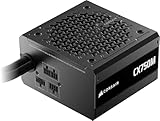
 CORSAIR RM750e ATX 3.1 PCIe 5.1 Ready 750W750 watts5.91 x 5.51 x 3.35 inches3.3 poundsCheck on Amazon


Top 3 picks at a glance
Verdict at a glance
- Best overall: CORSAIR RM750x (ATX 3.1). A 750W, fully modular unit with a native 12V-2×6 cable and a long warranty; the right size for nearly every RTX 5070 build.
- Best value: be quiet! Pure Power 13 M 750W. ATX 3.1, native 12V-2×6, a Cybenetics Platinum efficiency result despite its 80 Plus Gold label, near-silent operation and a 10-year warranty at the mid-range tier.
- Best budget: CORSAIR CX750M (2025). Cybenetics Bronze, semi-modular, but still ATX 3.1 with a native 12V-2×6 cable.
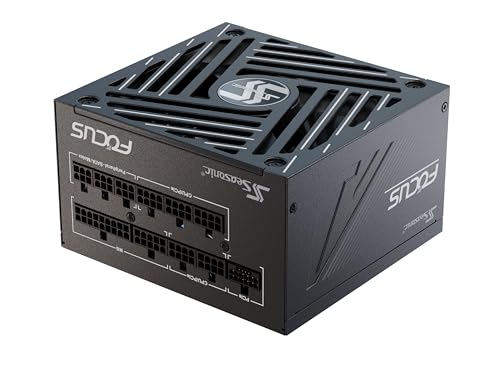
- Best for high-draw CPUs or a future GPU upgrade (premium): Seasonic Focus GX-850 (ATX 3.1), a compact 140mm-deep 850W unit with Cybenetics Platinum efficiency.
- Best for small-form-factor cases: CORSAIR SF750 (2024), an SFX unit with Cybenetics Platinum efficiency and a native 600W 12V-2×6 cable.
Why the box recommendation undersells the real headroom you need
The RTX 5070 has a 250W TGP (total graphics power), and Nvidia recommends a 650W PSU. That number works fine on paper, but it’s built around average draw, not the transient spikes that GPUs throw during load changes – a frame that suddenly needs more rasterization work, a scene cut, a ray-traced reflection popping into view. Independent power-monitoring data on Ada and Blackwell-class GPUs has consistently shown spikes 1.5x to 1.8x above rated board power, lasting under a millisecond but still long enough to sag a marginal 12V rail and trigger an over-current shutdown or a hard reset.
For a 250W card, that means realistic spike peaks in the 375-450W range, not 250W. Your PSU doesn’t need to sustain that continuously, but it needs enough rail capacity and capacitance to absorb it without the protection circuit panicking.
A worked power budget, not just a GPU number
Here’s the math for a typical RTX 5070 gaming build, using sustained draw plus a spike allowance:
| Component | Sustained draw | Transient peak |
|---|---|---|
| RTX 5070 (250W TGP) | 250W | ~440W (1.75x) |
| Mid-range CPU (65-105W, e.g. Ryzen 7 / Core i5-i7 class) | 90W | ~130W |
| Motherboard, RAM, fans | 40W | ~55W |
| NVMe SSD(s), AIO pump | 15W | ~20W |
| Total system | 395W | ~645W |
Sustained load sits just under 400W, which is why a 550W unit “runs” the system fine on a bench and why box-side recommendations look conservative. But the combined transient peak – CPU and GPU spiking at a similar moment, which happens constantly in actual gameplay – lands around 650W. A quality PSU rated at 750W is operating at roughly 85% load during that spike, which is within its best efficiency and voltage-regulation window. A 550W unit is being asked to hit nearly 120% of its label for a few milliseconds, and that’s exactly the scenario where cheaper units with weak transient response either shut down or let the 12V rail sag enough to crash the system.
Takeaway: 750W is the practical floor for an RTX 5070 build, not because the card needs it on average, but because it buys spike headroom. Go to 850W only if you’re pairing it with a high-draw CPU (an overclocked chip or a Core Ultra 9 / Ryzen 9 class part) or adding multiple drives and heavy RGB/fan loads.
ATX 3.1 and native 12V-2×6: what actually changes
ATX 3.1 tightens the spec that ATX 3.0 introduced, specifically around transient response testing on the 12V rail and the connector itself, now called 12V-2×6 (the revised, more robust version of 12VHPWR). The RTX 5070 uses this connector directly on reference and most partner boards. Two sourcing paths exist:
- Native 12V-2×6 cable: one cable running from the PSU to the GPU, no adapter. Cleaner routing, one fewer failure point, and it’s the only way to get full ATX 3.1 sense-pin behavior end to end.
- 12VHPWR/2×6 adapter from 2x 8-pin PCIe: works, and is standard on non-ATX 3.0/3.1 units, but adds a connector joint and typically forces an awkward cable bend near the GPU, which is the single biggest contributor to the connector damage reports that circulated around the 12VHPWR standard.
If you’re buying new in 2026, there’s little reason to settle for the adapter path. ATX 3.1 units with a native 12V-2×6 cable are now the mainstream offering across most 750W+ product lines from major PSU makers, and pricing parity with ATX 3.0 units means you’re not paying a premium for it.
ATX 3.1 and PCIe 5.1 Explained
The labels on PSU boxes refer to two separate specifications, and it helps to know which does what.
- ATX 3.1 (Intel’s power supply design guide) defines how the whole PSU behaves. It keeps ATX 3.0’s requirement that a unit survive short GPU power excursions well above its rated output, adopts the revised 12V-2×6 connector in place of the original 12VHPWR, and relaxes the minimum hold-up time from 17ms to 12ms. That last change is why some high-quality ATX 3.1 units list hold-up times below the old 17ms figure without being faulty.
- PCIe 5.1 (the PCI-SIG card electromechanical spec) covers the graphics card side: the 12V-2×6 connector, its power limits and how the card reads the cable’s sense pins to know how much power it is allowed to draw.
- 12V-2×6 vs 12VHPWR: the plug on the cable is physically compatible, but the 12V-2×6 header uses longer power contacts and shorter sense pins. If the connector is not fully seated, the sense pins lose contact first and the card limits its power instead of drawing a full load through a half-inserted plug.
Native 12V-2×6 vs 8-pin Adapter: Quick Checklist
| Question | Native 12V-2×6 cable | 8-pin to 16-pin adapter |
|---|---|---|
| Connector joints between PSU and GPU | One cable, no extra joint | An extra joint at the adapter |
| PSU cables needed for an RTX 5070 | One | Two 8-pin PCIe cables, depending on the card’s adapter |
| Sense-pin signalling | Set by the PSU for its rated GPU power | Set by the adapter based on how many 8-pin plugs are connected |
| Cable routing | Usually cleaner, easier to avoid a tight bend | Bulkier, often forces a bend near the card |
| Best for | Any new PSU purchase | Reusing a sound older PSU |
Whichever route you use, push the plug in until it clicks with no visible gap, and leave at least a few centimetres of straight cable before any bend.
Cable length and PSU depth: the two specs the GPU box doesn’t tell you
These matter more than people expect once the PSU is actually in the case.
Native cable length
Measure the distance from your PSU’s modular panel to the GPU’s power connector before buying. In a standard mid-tower with a bottom-mounted PSU, that run is usually 45-65cm depending on cable routing (behind the motherboard tray vs. direct). Many native 12V-2×6 cables ship at 60-65cm, which is comfortable for mid-towers but can be tight in cases where the PSU mounts facing away from the GPU, or in SFX-to-ATX shroud conversions. If a cable is too short, you’re back to zip-tying tension onto the connector, which is the exact strain pattern that damages 12V-2×6 pins over time.
PSU depth for small cases
Full ATX units in the 750-850W range typically run 150-160mm deep. That’s irrelevant in a standard mid-tower but becomes the limiting factor in compact and SFF-adjacent builds, where PSU shrouds, front-panel radiators, or cable routing channels eat into clearance. If your case spec sheet lists a maximum PSU length under 160mm, check it against the exact unit, not the product family – depth varies between wattage tiers from the same series.
Wattage by CPU and GPU Pairing
Nvidia’s official specification lists the RTX 5070 at 250W total graphics power with a 650W system recommendation, and the RTX 5070 Ti at 300W with a 750W recommendation. The table below adds typical CPU gaming draw and the spike headroom discussed above to suggest a practical PSU size for common pairings. It assumes one or two NVMe drives, a handful of fans and no overclocking.
| CPU | GPU | Nvidia minimum | Recommended PSU | Notes |
|---|---|---|---|---|
| Ryzen 5 7600 / 9600X, Core Ultra 5 245K / 250K Plus | RTX 5070 | 650W | 750W | 650W quality unit works; 750W adds spike margin |
| Ryzen 7 7800X3D / 9800X3D / 9850X3D | RTX 5070 | 650W | 750W | X3D chips draw modest power in games |
| Core Ultra 7 265K / 270K Plus, Ryzen 9 9900X | RTX 5070 | 650W | 750W to 850W | Heavy all-core loads push combined draw higher |
| Core Ultra 9 285K, Ryzen 9 9950X / 9950X3D | RTX 5070 | 650W | 850W | High multi-threaded power; leave headroom |
| Any 6- or 8-core chip | RTX 5070 Ti | 750W | 750W to 850W | Ti adds about 50W of board power |
| Core Ultra 9 / Ryzen 9 | RTX 5070 Ti | 750W | 850W | Also sensible if you plan a later GPU upgrade |
If you plan to upgrade to a higher-tier card within the PSU’s warranty period, size for that card now. An 850W ATX 3.1 unit covers an RTX 5080 class card with most CPUs.
Decision matrix: matching the PSU to your build
| Your situation | Recommended spec class | Why |
|---|---|---|
| Mid-tower, mainstream CPU, no overclocking | 750W ATX 3.1, native 12V-2×6 | Covers the ~650W transient budget with margin, standard depth fits any mid-tower |
| Mid-tower, high-draw CPU (overclocked or HEDT) or multiple drives/RGB | 850W ATX 3.1, native 12V-2×6 | Pushes combined transient peak past 700W; extra headroom keeps load percentage in the efficient zone |
| Compact/SFF case, PSU clearance under 160mm | 750W SFX-L or compact-depth ATX 3.1 unit | Standard ATX units may not physically fit; check case spec against the exact PSU model’s depth |
| Reusing an existing ATX 3.0 PSU rated 750W+ | Keep it, add a 12VHPWR/2×6 adapter if not already native | ATX 3.0 already meets the transient-response bar; no need to replace a sound unit |
| Reusing a pre-ATX 3.0 PSU under 650W | Replace | Lacks both the wattage headroom and the transient-response spec the spikes above are measured against |
Warranty length as a durability signal
PSU internals (capacitor grade, transient filtering, protection circuit quality) aren’t listed on any spec sheet, but warranty length is a reasonable public proxy for how much a manufacturer trusts its own components. In 2026, the market splits fairly cleanly:
- 10-year warranty: typically higher-tier units using premium (often Japanese) capacitors and more robust transient filtering. This is the range most 750-850W ATX 3.1 units aimed at RTX 5070-class builds fall into from established PSU makers.
- 5-7 year warranty: common on budget and mid-range lines. Not necessarily unreliable, but usually a sign of lower-grade capacitors or less rigorous protection circuit tuning. Fine for a secondary build, less ideal as the sole PSU behind a mid-range or better GPU.
- 3 years or less: avoid for this build regardless of listed wattage. These units rarely carry genuine ATX 3.1 transient certification even when the label says ATX 3.0/3.1 compliant.
Treat the warranty length as a tiebreaker between two units with similar wattage and connector specs, not as the primary filter – but given two 750W ATX 3.1 units at similar prices, the one with the longer warranty is the safer bet.
More Power Supplies Worth Shortlisting
The four units at the top of this page, the CORSAIR RM750x, RM750e and CX750M plus the MSI MAG A750GL PCIE5 (fully modular, 80+ Gold, ATX 3.1, native 12V-2×6 cable, 10-year warranty), cover most builds. These alternatives fill specific gaps: lower noise, more headroom, a smaller case or a different brand preference.
be quiet! Pure Power 13 M 750W

Label: Best value. be quiet! sells the Pure Power 13 M as an 80 Plus Gold unit, but Cybenetics’ independent evaluation measured average efficiency of about 90.8% at 115V, which meets its Platinum criteria, and it earned Cybenetics’ top A++ noise rating. It is ATX 3.1 compliant, fully modular, and on the 750W model the native 12V-2×6 cable is rated for the full 600W. There are also four 6+2-pin PCIe connectors, a single 62.5A 12V rail and a semi-passive 120mm fan that stays off at light loads.
Who it is for: RTX 5070 builders who want a quiet, efficient 750W unit with a long warranty without stepping up to the premium tier. Hardware Busters’ review highlighted its very low noise output, delivery of full power at 46°C and a hold-up time above 17ms.
Strengths: near-silent operation, Platinum-level efficiency for a mid-range unit, 10-year manufacturer warranty, and a native 12V-2×6 cable.
Drawbacks: the same review flagged that over-current protection on the minor 3.3V rail is set too loosely and that rail’s transient response could be better; neither affects the GPU directly, but it kept the unit from a top recommendation. At 160mm deep, it is standard ATX length, not compact.
How it compares: it competes directly with the CORSAIR RM750x above. Hardware Busters found overall performance similar, with the be quiet! unit quieter. It is a stronger buy than the CX750M if your budget stretches.
Seasonic Focus GX-850 (ATX 3.1)

Label: Best high-headroom pick (premium). The latest Focus GX-850 is ATX 3.1 and PCIe 5.1 ready, with a native 600W 12V-2×6 cable, three 6+2-pin PCIe connectors and a single 70A 12V rail. Cybenetics rates the 750W and 850W models Platinum for efficiency and A- for noise. It is also unusually short at 140mm deep while still using a 135mm fluid dynamic bearing fan with hybrid fan control, and it uses 105°C Japanese capacitors.
Who it is for: RTX 5070 or 5070 Ti builds with a Core Ultra 9 or Ryzen 9 CPU, multiple drives and heavy fan loads, or anyone planning to move to a bigger GPU within the PSU’s lifetime. The compact depth also helps in mid-towers with crowded PSU shrouds.
Strengths: a 10-year warranty (registration with Seasonic is required for the full term), compact depth, Cybenetics Platinum efficiency and a reputable OEM.
Drawbacks: Hardware Busters’ review was lukewarm, noting larger 12V voltage drops in its ATX 3.1 transient tests than some rivals and high inrush current, and judging it slightly behind the previous generation overall. It sits at a higher tier than the 750W picks for capacity an RTX 5070 rarely uses.
How it compares: take it over the 750W units only if your CPU or upgrade plan justifies 850W, as covered in the pairing table above.
CORSAIR SF750 (2024)

Label: Best for small-form-factor builds. The 2024 SF750 is an SFX unit that is also ATX 3.1 compliant, so it fits mini-ITX cases that cannot take a full ATX supply while keeping a native 12V-2×6 cable rated for 600W. Cybenetics rates it Platinum for efficiency and A- for noise, and Corsair now uses Cybenetics ratings across its range.
Who it is for: compact RTX 5070 builds, including the SFF-Ready partner cards that fit cases under 15 litres.
Strengths: Hardware Busters measured excellent transient response on the 12V rail in its ATX 3.1 testing and full power delivery at 47°C. Tom’s Hardware measured average efficiency above 91% at 115V. It is silent at light and moderate loads, and the fully modular cables suit tight spaces.
Drawbacks: a 7-year warranty, shorter than the 10 years on several ATX units here, hold-up time below 17ms (still within ATX 3.1’s 12ms minimum), and a premium tier typical of SFX units. The small fan gets louder than a 135mm ATX fan under sustained heavy load.
How it compares: the SFX answer to the 750W ATX units above. If your case accepts ATX, an ATX unit is quieter and better value; if not, this is the one to buy.
NZXT C850 Gold (ATX 3.1)

Label: Best 850W value. The 2024 C850 Gold is a fully modular ATX 3.1 unit with Cybenetics Gold efficiency, a 135mm fan with a zero-RPM mode, Japanese capacitors, one native 12V-2×6 connector plus three 8-pin PCIe connectors, and a 10-year warranty. It measures 150 x 86 x 160mm.
Who it is for: builders who want 850W of headroom for a high-draw CPU or a future GPU upgrade without paying for a premium-tier unit.
Strengths: long warranty, quiet zero-RPM operation at light loads, and Hardware Busters noted it performed notably better in most areas than the pricier Focus GX-850 when both were tested.
Drawbacks: Gold rather than Platinum efficiency, standard 160mm depth, and NZXT sells several similarly named C850 models (Gold, Gold Core and SFX Gold) with different ratings, so check the exact model before buying.
How it compares: the value alternative to the Seasonic for 850W builds; for a standard RTX 5070 build, the 750W units remain the better fit.
Comparison Table: Cybenetics Ratings and Key Specs
| PSU | Label | Form factor | Cybenetics efficiency | Native 12V-2×6 | Warranty | Tier |
|---|---|---|---|---|---|---|
| be quiet! Pure Power 13 M 750W | Best value | ATX, 160mm | Platinum (sold as 80 Plus Gold) | Yes, 600W | 10 years | Mid-range |
| Seasonic Focus GX-850 | High headroom | ATX, 140mm | Platinum | Yes, 600W | 10 years (registration) | Premium |
| CORSAIR SF750 (2024) | Best SFF | SFX | Platinum | Yes, 600W | 7 years | Premium |
| NZXT C850 Gold | 850W value | ATX, 160mm | Gold | Yes | 10 years | Mid-range |
| CORSAIR RM750e | Mainstream 750W | ATX | Gold | Yes | Check listing | Mid-range |
| CORSAIR CX750M (2025) | Best budget | ATX | Bronze | Yes | Check listing | Budget |
Why Cybenetics matters: 80 Plus tests efficiency at only a few load points, while Cybenetics measures efficiency across more than a thousand load combinations and also rates noise. Its results are a more reliable guide to how a unit behaves in a real gaming PC, which is why several manufacturers now list Cybenetics ratings first.
What to buy, by budget
| Budget tier | Spec target | Price tier |
|---|---|---|
| Value | 750W, 80 Plus Gold, ATX 3.0 with 12VHPWR adapter or ATX 3.1 native | Budget to mid-range |
| Recommended | 750W-850W, 80 Plus Gold/Platinum, ATX 3.1 native 12V-2×6, 10-year warranty | Mid-range |
| High headroom | 850W-1000W, 80 Plus Platinum, ATX 3.1 native 12V-2×6, 10-year warranty | Premium |
For most RTX 5070 builds, the “Recommended” tier is the right stopping point. Going to 1000W+ doesn’t improve anything for this specific GPU – the extra capacity sits unused since even the transient peak tops out around 600-700W in realistic builds – but it’s a reasonable choice if you plan to upgrade the GPU within the PSU’s warranty window.
How We Compared
We did not bench-test these power supplies ourselves. Recommendations draw on manufacturer specifications, Cybenetics efficiency and noise evaluations, independent PSU reviews from Hardware Busters, Tom’s Hardware and KitGuru, Nvidia’s official RTX 5070 and 5070 Ti power guidance, and owner reports on noise, coil whine and cable fit. We weighted ATX 3.1 compliance, native 12V-2×6 support, transient behaviour, efficiency, noise, warranty length and price tier. Models reflect availability as of October 2026.
Frequently asked questions
Can a 550W PSU run an RTX 5070?
A 550W unit may run an RTX 5070 under sustained load, but it is not the practical choice for this build. The worked budget above reaches about 645W during combined CPU and GPU transients, compared with roughly 395W sustained. A quality 750W PSU provides the headroom needed for those short spikes and reduces the risk of protection shutdowns or crashes.
Do I need to replace a good 750W ATX 3.0 PSU?
No, a sound 750W or larger ATX 3.0 PSU does not need replacement solely because you are installing an RTX 5070. ATX 3.0 already meets the relevant transient-response requirement. If the unit lacks a native cable, you can use a 12VHPWR or 12V-2×6 adapter from 2x 8-pin PCIe connectors, provided the existing PSU is otherwise suitable.
Is an adapter safe if my PSU lacks a native GPU cable?
An adapter can work, but a native 12V-2×6 cable is preferable when buying a new PSU. The adapter adds a connector joint and can create an awkward bend near the GPU. Cable tension and bending near the connector are important contributors to damage reports, so route the cable without strain and avoid forcing a sharp bend.
What CPU makes an 850W PSU worthwhile?
An 850W PSU is worthwhile when pairing the RTX 5070 with a high-draw CPU, particularly an overclocked processor or a Core Ultra 9 / Ryzen 9 class CPU. Multiple drives and heavy RGB or fan loads are additional reasons to step up. For a mainstream CPU without overclocking, a quality 750W ATX 3.1 unit is the better fit.
Will a 1000W PSU improve RTX 5070 performance?
No, moving to a 1000W PSU does not improve performance for an RTX 5070 by itself. Realistic combined transient peaks land around 650W to 700W in typical builds, so additional capacity generally remains unused. A 1000W unit can still make sense if you plan to upgrade the GPU within the PSU’s warranty window.
Is a Cybenetics rating better than an 80 Plus rating?
It is more informative. Cybenetics tests efficiency across a wide range of loads at both 115V and 230V and adds a separate noise rating, while 80 Plus checks only a few load points. Some units, such as the be quiet! Pure Power 13 M, are sold as 80 Plus Gold but reach Cybenetics Platinum.
Does an RTX 5070 Ti change the PSU recommendation?
Slightly. Nvidia recommends 750W for the RTX 5070 Ti because it is rated at 300W rather than 250W. A quality 750W ATX 3.1 unit still covers it with a mainstream CPU; step to 850W with a Core Ultra 9 or Ryzen 9.
Can I use an SFX power supply in a normal ATX case?
Yes, with an SFX-to-ATX mounting bracket, which some units include. Check that the cables are long enough to reach the GPU and motherboard in a larger case.









