The best 750W power supply for a gaming PC in this lineup is the be quiet! Pure Power 13 M. It is a fully modular, 80 Plus Gold unit with a native 12V-2×6 graphics connector, a semi-passive 120mm fan that stops at low loads, and a long manufacturer warranty, which makes it the most complete package for a quiet modern build. The Corsair RM750e and the ASUS Prime 750W Gold are close behind and are excellent choices if you prefer those brands or want a white version, while the ARESGAME AGV is the Bronze-rated option for builders who accept fewer features. A 750W unit comfortably powers a mid-to-high-end gaming PC with a graphics card in the 250W to 320W class, and this guide explains exactly where that limit sits and how to connect it safely.
Our Top Picks
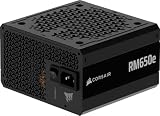
 CORSAIR RM750e ATX 3.1 PCIe 5.1 Ready 750W750 watts5.91 x 5.51 x 3.35 inches3.3 poundsCheck on Amazon
 ASUS Prime 750W Gold Power Supply750W Gold|2 in 1 Color5.9 x 5.9 x 3.3 inches3.2 PoundsCheck on Amazon
 Thermaltake GF1 Fully Modular ATX 750W Power Supply750W5.9 x 5.5 x 3.4 inches3.37 PoundsCheck on Amazon


Top 3 picks at a glance

Top 3 Picks
Best overall: be quiet! Pure Power 13 M. Full modularity, 80 Plus Gold with a Cybenetics Platinum efficiency rating stated in the listing, ATX 3.1 compliance and a native 12V-2×6 cable. Its semi-passive fan design keeps it silent at idle and light load, which suits desks and home offices as well as gaming rooms.
Best value for a mainstream build: Corsair RM750e. A fully modular, 80 Plus Gold, ATX 3.1 unit from a brand with a long track record in power supplies. It is offered in black and white listings with the same electrical specification, so you can match your case.
Best compact and feature-rich: MSI MAG A750GL PCIE5. A fully modular, compact 80 Plus Gold unit with a native dual-color 12V-2×6 cable. The shorter body helps in small cases and makes cable routing easier.
Quick Comparison
| Product | Best for | Key specs (from the listing) |
|---|---|---|
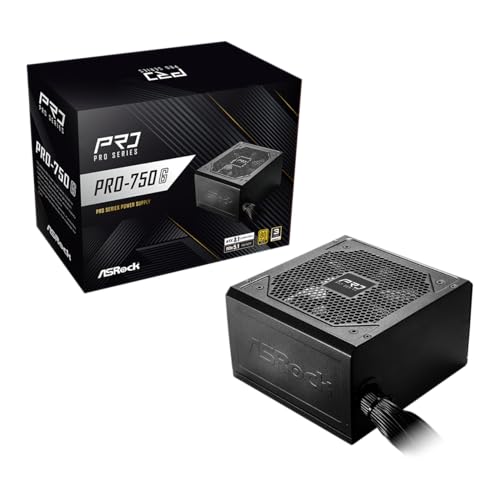
| 1. ASRock PRO 750G | Straightforward Gold unit with native 12V-2×6 | 750W, 80 Plus Gold, ATX 3.1, PCIe 5.1, native 12V-2×6, 120mm low-noise fan, 3-year warranty |
| 2. MSI MAG A750GL PCIE5 | Compact cases and clean routing | 750W, fully modular, compact, 80 Plus Gold, ATX 3.1, native dual-color 12V-2×6 cable |
| 3. Corsair RM750e (Black) | Reliable mainstream pick | 750W, ATX 3.1, PCIe 5.1 ready, fully modular, 80 Plus Gold |
| 4. ARESGAME AGV 750W | Lowest-spec option for older or modest builds | 750W, 80 Plus Bronze, semi-modular, 5-year warranty |
| 5. Corsair RM750e (White) | White-themed builds | Same electrical specification as the black version, white finish |
| 6. ASUS Prime 750W Gold | Fully modular unit with two color options | 750W, 80 Plus Gold, fully modular, ATX 3.1, PCIe 5.1, 12V-2×6 cable, dual-ball fan bearings |
| 7. Thermaltake GF1 750W | Quiet operation with zero RPM mode | 750W, 80 Plus Gold, fully modular, zero RPM fan mode |
| 8. be quiet! Pure Power 13 M | Quiet, efficient all-rounder | 750W, 80 Plus Gold, Cybenetics Platinum rating, ATX 3.1, modular |
| 9. MSI MAG A750GLS PCIE5 | Compact build with an embossed cable option | 750W, fully modular, compact, 80 Plus Gold, ATX 3.1, PCIe 5.1, native dual-color 12V-2×6 |
| 10. be quiet! Pure Power 12 750W | Quiet Gold unit for standard builds | 750W, 80 Plus Gold, ATX 3.1, single 12V rail |
How We Chose
We selected and ranked these units through research rather than lab measurement. We started with each listing’s stated capacity, efficiency certification, ATX and PCIe standard, connector set, modularity, fan design and warranty. We then cross-checked those claims with manufacturer information, standards documentation and widely published specifications. The criteria that carried the most weight were safety-related: a modern ATX 3.1 design, a native 12V-2×6 connector for current graphics cards, protection circuits and a credible warranty. Next came efficiency rating, noise behavior, cable quality and case-fit. Where a listing leaves out a detail, such as modularity or the connector count, we say so and recommend confirming it on the product page. We do not claim to have operated or measured any of these power supplies, and we do not quote ripple, noise or hold-up figures that we cannot verify.
1. ASRock PRO 750G – Best for a Straightforward Gold Unit with Native 12V-2×6
As an Amazon Associate we earn from qualifying purchases at no extra cost to you.

The ASRock PRO 750G is a no-nonsense 750W power supply that checks the modern boxes. Its listing states 80 Plus Gold certification, ATX 3.1 and PCIe 5.1 readiness, a native 12V-2×6 connector, a 120mm low-noise fan and a three-year warranty. For a builder with an RTX-class graphics card that uses the newer 16-pin connector, a native cable is a real benefit because it avoids a bulky adapter with extra connection points.
ASRock is better known for motherboards than power supplies, and its warranty of three years is shorter than the seven or ten years offered by Corsair and be quiet!. That does not mean the unit is poor, but a shorter warranty is a reasonable signal that the manufacturer expects a shorter service life, or at least is not willing to promise more. The listing does not state whether the unit is fully modular, semi-modular or fixed-cable, so check that on the product page before you order. Cable management and case fit depend on it.
An ATX 3.1 design means the unit is built to cope with the short power spikes that modern graphics cards produce, and that the 12V-2×6 connector includes sense pins that tell the graphics card how much power the cable can safely deliver. A card that does not detect a proper connection should limit its power draw, which is a built-in safety measure.
Key specs
- Capacity: 750W
- Efficiency: 80 Plus Gold
- Standard: ATX 3.1, PCIe 5.1 ready
- GPU connector: native 12V-2×6
- Fan: 120mm, low-noise
- Warranty: three years (per the listing)
Pros
- Native 12V-2×6 cable avoids adapters.
- Modern ATX 3.1 standard.
- Gold efficiency keeps heat and wall power down.
Cons
- Three-year warranty is shorter than rivals.
- Modularity is not stated in the title.
- Less established as a power supply brand.
Safety reminder: Never open a power supply case. Internal capacitors can hold a dangerous charge even after the unit is unplugged. Switch off the supply, unplug it from the wall and press the case power button for a few seconds to discharge the system before reaching into the computer.
What a 750W build looks like in practice: A typical pairing is a graphics card that draws around 250W to 300W under gaming load and a processor that peaks near 125W, plus roughly 75W for the motherboard, memory, drives and fans. That adds up to a peak of about 450W to 500W, which is only 60 to 67 percent of this unit’s rating. Power supplies tend to run most efficiently and quietly in the middle of their load range, so this is a comfortable fit. If you plan to overclock heavily or use a card above 350W, step up to a larger unit instead.
Versus the nearest alternative: The MSI MAG A750GL offers a similar specification with a compact, fully modular design and a stronger known brand in this category. The ASRock is a fair choice if it is the better offer in your area and the product page confirms the connectors you need.
2. MSI MAG A750GL PCIE5 – Best for Compact Cases and Clean Routing

The MSI MAG A750GL PCIE5 is described as a fully modular, compact gaming power supply with 80 Plus Gold efficiency, ATX 3.1 and PCIe 5.1 readiness, and a native dual-color 12V-2×6 cable. The compact body is the highlight. Many standard ATX power supplies are 160mm or more in length, and a shorter unit leaves room for cable bends and large radiators or drive cages, which makes it easier to build in small and mid-size cases.
Full modularity means every cable detaches from the power supply, so you connect only the cables you need. Fewer cables in the case mean better airflow and a tidier build. The native 12V-2×6 cable connects the power supply directly to a modern graphics card. The dual-color treatment on the cable is a styling feature, and it can also help you see at a glance which cable is which.
Do not mix modular cables between different brands or models. The pinouts on the power-supply end of modular cables are not standardized, and using a cable from another unit can send the wrong voltage to your components and destroy them. Use only the cables supplied with this specific power supply, or cables sold by the manufacturer for this exact model.
Key specs
- Capacity: 750W
- Efficiency: 80 Plus Gold
- Design: fully modular, compact body
- Standard: ATX 3.1, PCIe 5.1 ready
- GPU connector: native dual-color 12V-2×6 cable
Pros
- Compact size helps with cable clearance in small cases.
- Full modularity for tidy builds.
- Established PC hardware brand.
Cons
- Fan size and warranty length are not clear in the truncated title.
- Compact designs can leave less thermal room.
- Styling features add nothing to electrical performance.
Installation tip: Insert the 12V-2×6 connector fully until it clicks and sits flush, and avoid bending the cable sharply within about 35mm of the connector. A partially seated or sharply bent high-power connector is the most common cause of overheating problems on modern graphics cards.
Case-fit checklist: Before ordering any power supply, measure the space behind the motherboard tray and under the shroud. A compact unit saves length, but the cables still need room: allow at least 30mm to 35mm behind the 24-pin and 12V-2×6 connectors for a gentle bend. Check that the power supply fan can draw air from a ventilated area, not from a sealed bottom plate against a carpet. If your case has a dust filter under the power supply, clean it regularly, because a blocked intake raises the temperature inside the unit and shortens its life.
Versus the nearest alternative: The MSI MAG A750GLS (number 9) is nearly identical on paper, so compare their specification tables and cable details. Against the Corsair RM750e, the MSI is shorter and the Corsair carries a longer-known warranty.
3. Corsair RM750e (Black) – Best Reliable Mainstream Pick
The Corsair RM750e in this listing is a 750W, fully modular, 80 Plus Gold power supply with ATX 3.1 and PCIe 5.1 readiness. Corsair has sold RM-series supplies for many years, and the RMe line is the more affordable branch of the family, aimed at mainstream gaming builds that need dependable output and quiet operation. Published specifications for the 2025 revision describe a 120mm fan, a hybrid mode that keeps the fan off at low load, a 140mm body length and a single 12V-2×6 cable, and Corsair offers a long manufacturer warranty on this series. Confirm the exact warranty term on the product page.
A 750W RM750e has enough output for a system built around a 250W to 300W graphics card and a modern 65W to 125W processor. The connector set includes the main 24-pin, dual 8-pin processor connectors, several 8-pin PCIe connectors and SATA and Molex peripheral connectors, so it handles typical gaming and workstation builds without adapters.
Corsair’s modular cables use a keyed connector system that is specific to Corsair supplies. Use only Corsair-supplied cables for this unit, and do not move cables between a Corsair power supply and any other brand. If you upgrade your power supply later, replace all cables with the new unit’s cables.
Key specs
- Capacity: 750W
- Efficiency: 80 Plus Gold
- Design: fully modular
- Standard: ATX 3.1, PCIe 5.1 ready
- Finish: black
Pros
- Fully modular with a modern ATX 3.1 design.
- Reputable brand with strong support and a long warranty.
- Hybrid fan mode for quiet low-load operation.
Cons
- Not the most efficient unit in the group; Gold, not Platinum.
- Components are good rather than premium.
- Fan bearing type is a basic design.
Who it suits: A builder who wants a sensible default from a well-known brand and has no special needs for size or acoustics.
Cables you get and cables you need: Count what your build requires: one 24-pin for the motherboard, one or two 8-pin processor cables, one to three PCIe cables for the graphics card and SATA or Molex cables for drives. Check the connector counts on the product page against that list. If you have several SATA drives, confirm that enough SATA connectors are included, because the cables with many drops are easy to forget. Missing cables should be ordered from the manufacturer for this specific model, never from a third-party seller who cannot confirm compatibility.
Versus the nearest alternative: The white RM750e (number 5) is electrically identical, so choose by color. The be quiet! Pure Power 13 M is quieter in typical use and has a higher efficiency rating on its listing, which is why it edges ahead.
4. ARESGAME AGV 750W – Best for Modest or Older Builds

The ARESGAME AGV Series 750W is the entry-level model in this group. The listing states 80 Plus Bronze certification, a semi-modular design and a five-year warranty. Bronze efficiency means the unit wastes more power as heat than a Gold unit, and a semi-modular design means the main cables, usually the 24-pin and processor connectors, are permanently attached, while the PCIe, SATA and Molex cables detach.
The listing does not mention ATX 3.1, PCIe 5.1 or a native 12V-2×6 connector. That matters if you are buying a recent high-power graphics card, because it will likely need an adapter, and adapters are the least reliable part of a power chain. If your graphics card uses standard 8-pin PCIe connectors, as most cards below the high end still do, then the missing 12V-2×6 cable does not matter. Confirm the connector set on the product page and compare it with your graphics card’s requirement.
ARESGAME is a lesser-known brand, so check the warranty terms and how claims are handled. A five-year warranty is reasonable on paper, but its value depends on who supports it. For a spare machine, a first build on a tight budget or an older gaming PC with an 8-pin graphics card, it can do the job. For an expensive new graphics card, we would choose a Gold unit with a native cable.
Key specs
- Capacity: 750W
- Efficiency: 80 Plus Bronze
- Design: semi-modular
- Warranty: five years (per the listing)
Pros
- Lowest entry point in the group.
- Semi-modular design simplifies cable management.
- Five-year warranty stated.
Cons
- Bronze efficiency means more waste heat and wall power.
- No stated ATX 3.1 or native 12V-2×6 support.
- Less established brand and service network.
Safety note: With a lower-cost unit, be extra careful about the graphics card connection. Use dedicated cables for each 8-pin connector instead of a single daisy-chained cable, and do not use unmarked or modified adapters.
Efficiency in real numbers: Bronze certification requires about 85 percent efficiency at 50 percent load on 115V power, compared with about 90 percent for Gold. At a 400W load, a Bronze unit draws roughly 470W from the wall while a Gold unit draws about 444W. The difference of about 26W turns into heat in the case and the room. For a PC used four hours a day, that is around 38 kilowatt-hours a year. It is not a large amount, but it is a real running cost and a real heat load, and it is why Gold units are the common recommendation.
Versus the nearest alternative: The Corsair RM750e is Gold-rated, fully modular and ATX 3.1, so it is the natural step up if the extra features matter to you.
5. Corsair RM750e (White) – Best for White-Themed Builds

The white Corsair RM750e shares its internals and specifications with the black version in number 3: a 750W, fully modular, 80 Plus Gold power supply with ATX 3.1 and PCIe 5.1 readiness. The only meaningful difference in the listing is the finish. In a white case with a white graphics card and white memory, a matching power supply with white-sleeved or white-flat cables makes a cleaner-looking build.
Because the cables are the visible part of the build, check what color they come in. Some “white” power supplies ship with black cables and a white shroud, while others include white cables. The product images and description on the listing will tell you. If you want a matching look, confirm this before you buy.
All of the advice for the black version applies here. The unit is meant for a mainstream gaming PC, it has the headroom for a graphics card of around 300W with a modern processor, and it should be paired with Corsair’s own cables only. As with any power supply, make sure your case’s power-supply shroud can accommodate a 140mm-deep unit, which is typical but not universal in compact cases.
Key specs
- Capacity: 750W
- Efficiency: 80 Plus Gold
- Design: fully modular
- Standard: ATX 3.1, PCIe 5.1 ready
- Finish: white
Pros
- Same dependable specification as the black version.
- Matches white cases and components.
- Modern connector and standard support.
Cons
- Color is the only difference from number 3.
- Cable color may not match the white shroud.
- White finishes show dust and marks more easily.
Maintenance tip: Every six months, power the system off, unplug it and clean dust from the power supply’s intake and exhaust grills with compressed air or a soft brush. Do not insert tools into the case.
Matching the look without hurting airflow: White builds often use flat cables, cable combs or sleeved extensions to hide wiring. These accessories are fine if they are designed for your exact power supply and graphics card. Avoid extensions that add extra connectors in the 12V-2×6 path, because every additional connection raises resistance and heat. Keep cables away from fans and sharp edges, and use the case’s tie-down points instead of bending cables tightly around other components.
Before you order: Confirm that the listing you are viewing is the white version, check that the cable set is complete for your build, and read the warranty terms on the manufacturer’s page so you know what is covered and for how long.
Versus the nearest alternative: The ASUS Prime 750W Gold also comes in two colors and has a similar specification, so it is the closest alternative if white is the priority. Choose between them on cable color, warranty details and which offer is better where you live.
6. ASUS Prime 750W Gold – Best Fully Modular Unit with Two Color Options

The ASUS Prime 750W Gold is a fully modular 80 Plus Gold power supply with ATX 3.1 and PCIe 5.1 support, a 12V-2×6 cable and dual-ball fan bearings. The listing says it comes in two color options, which suggests black and white versions. Prime is ASUS’s mainstream power supply line, positioned below the ROG and TUF Gaming models, but it still delivers a modern, complete feature set.
The dual-ball fan bearings are the most interesting detail. Ball bearings usually last longer than sleeve bearings, especially in warm environments, but they can be slightly louder at certain speeds. The fan in a power supply is the part most likely to wear out first, so a longer-lived bearing can extend the life of the unit. ASUS also generally supports its products through a large service network, which is an advantage if you ever need to make a warranty claim.
Fully modular cabling and a native 12V-2×6 connector make installation simple. As with all high-current graphics connectors, insert the plug fully, avoid sharp bends close to the connector and check that it sits flush at both ends. If you are replacing an older power supply, never reuse the old modular cables, even if they look the same.
Key specs
- Capacity: 750W
- Efficiency: 80 Plus Gold
- Design: fully modular
- Standard: ATX 3.1, PCIe 5.1 ready
- GPU connector: 12V-2×6 cable
- Fan: dual-ball bearings
Pros
- Ball bearings can extend fan life.
- Fully modular, modern standard and native 12V-2×6 cable.
- Two color options for black or white builds.
Cons
- Fan noise can be a little higher than sleeve-bearing designs at some speeds.
- Warranty length is not shown in the truncated title.
- Basic aesthetics compared with ASUS’s ROG range.
Who it suits: Builders with an ASUS motherboard or graphics card who want a matching, dependable unit, or anyone who values a ball-bearing fan.
Check your connector needs: The listing mentions a 12V-2×6 cable, so a modern graphics card with the 16-pin connector plugs in directly. If your card instead uses standard 8-pin connectors, confirm the number of PCIe 6+2-pin cables supplied. Power supplies also include an EPS connector for the processor, and some motherboards need two. Matching these counts before ordering prevents the common frustration of a missing cable when the build is half finished.
Warranty and support: Look up the exact warranty length for this model on the manufacturer’s site, and keep your proof of purchase. A power supply warranty is only useful if you can show when and where you bought it, so save the receipt and the serial number photo.
Versus the nearest alternative: The Corsair RM750e has a very similar specification; the ASUS has the more durable fan bearing, while the Corsair has a long-established warranty and wide availability of replacement cables.
7. Thermaltake GF1 750W – Best for Quiet Operation with Zero RPM Mode

The Thermaltake GF1 is a fully modular, 80 Plus Gold, 750W power supply that advertises ultra-quiet operation and a zero RPM fan mode. The model number in the listing, PS-TPD-0750FNFAGU-P, corresponds to the 2024 version of the Toughpower GF1 line. Zero RPM, also called semi-passive, means the fan stays off at low loads and only starts when the unit warms up or the load rises, which makes the PC silent during web browsing and light work.
One important point is that published retailer specifications for this model list four 6+2-pin PCIe connectors and do not list a native 12V-2×6 or 12VHPWR cable. If your graphics card uses the 16-pin connector, you will need the adapter that comes with the card, and you should confirm whether this unit supports your card’s power needs. Many mid-range cards use standard 8-pin connectors and work perfectly well with this supply. Check the connector list on the product page against your graphics card’s manual before you buy.
If you do use a 16-pin adapter that splits into several 8-pin plugs, connect each plug to a separate PCIe cable on the power supply rather than chaining them. Seat the adapter fully, route it without sharp bends and make sure it does not press against the side panel. A poorly seated high-power connector is a fire risk.
Key specs
- Capacity: 750W
- Efficiency: 80 Plus Gold
- Design: fully modular
- Fan: zero RPM mode, advertised as ultra quiet
- Standard: ATX 3.1 not stated in the listing; confirm on the product page
Pros
- Zero RPM mode for silent low-load operation.
- Fully modular with Gold efficiency.
- Established brand in cases and power supplies.
Cons
- Retail specifications do not list a native 12V-2×6 cable.
- ATX 3.x compliance is not stated in the title.
- A quiet fan profile means the unit can run warmer under load.
Who it suits: Builders who prioritize low noise and use a graphics card with standard 8-pin PCIe power connectors.
Temperature and zero RPM: In a zero RPM design, the fan starts when the internal temperature or the load crosses a threshold. In a well-ventilated case, the fan will remain off during office work and light gaming, then spin up smoothly when needed. In a hot, cramped case it may run more often. Mounting the power supply fan-down with an open intake, or fan-up with enough free space above it, helps. Keep the dust filter clean and avoid placing the PC in an enclosed cabinet with little airflow.
Versus the nearest alternative: The be quiet! Pure Power 13 M also features a semi-passive fan and adds a native 12V-2×6 cable, so it is the better pick if you have a newer graphics card.
8. be quiet! Pure Power 13 M – Best Quiet and Efficient All-Rounder

The be quiet! Pure Power 13 M 750W is our top pick. The listing states 80 Plus Gold certification with a Cybenetics Platinum efficiency rating, which is a separate lab test that measures efficiency and noise. Published specifications describe a fully modular design, ATX 3.1 compliance, a single high-current 12V rail, a native 12V-2×6 connector rated for 600W, four 6+2-pin PCIe connectors and a semi-passive 120mm fan. The manufacturer’s warranty is among the longest in this category.
Efficiency matters for more than electricity bills. A more efficient supply converts a larger share of wall power into usable DC power and wastes less as heat. At a 450W load, a unit that is 92 percent efficient draws about 489W from the wall, while one that is 85 percent efficient draws about 529W. That is a difference of 40W, which becomes heat in the room and in the power supply, and it means the fan has less work to do.
A single 12V rail means all 12V output is available to any connector, which simplifies power planning. The four PCIe connectors leave room for a card that uses standard 8-pin plugs if you move your build to a different graphics card in the future, and the native 12V-2×6 cable means a current high-power card connects without an adapter.
Key specs
- Capacity: 750W
- Efficiency: 80 Plus Gold, Cybenetics Platinum (per the listing)
- Design: fully modular
- Standard: ATX 3.1, PCIe 5.1
- GPU connector: native 12V-2×6
- Fan: semi-passive 120mm
Pros
- High efficiency rating and a quiet fan profile.
- Native 12V-2×6 cable plus four standard PCIe connectors.
- Long warranty and a strong reputation for quiet products.
Cons
- Cable finish is plain.
- Black finish only in this listing.
- Sits at the upper end of the group in spending terms.
Who it suits: Almost any gaming build, but especially one in a quiet room where fan noise is noticeable.
Sizing for a modern graphics card: Manufacturers publish recommended system power ratings for their cards. NVIDIA, for example, has published a 750W recommendation for cards in the RTX 5070 Ti class and higher figures for faster cards, so check the exact requirement for your model. A 750W unit like this one suits cards up to about that class paired with a typical gaming processor, and it is not the right choice for the very highest-power cards, which need a larger unit. Always check your graphics card maker’s current guidance.
Versus the nearest alternative: The Corsair RM750e has a similar feature set at a more mainstream level, while the Pure Power 13 M gives better efficiency and a longer warranty.
9. MSI MAG A750GLS PCIE5 – Best Compact Build with an Embossed Cable Option
The MSI MAG A750GLS is closely related to the A750GL in number 2. The listing describes a fully modular, compact 750W power supply with 80 Plus Gold efficiency, ATX 3.1 and PCIe 5.1 readiness, and a native dual-color 12V-2×6 cable that appears to be embossed, though the text is cut off. The extra “S” in the model name usually indicates a variation in cabling or finish, so read the product page to understand the difference.
Compact power supplies are popular in mid-tower and small-form-factor builds where space matters. Shorter bodies leave more room for cables, which means fewer sharp bends, a more open airflow path and easier access to the motherboard connectors. They are also forgiving in cases with a tight power supply shroud. The trade-off is that the internal components sit closer together, so the cooling design has to work harder.
An embossed or textured cable is a cosmetic choice, but it can also be a practical one: some builders find textured flat cables easier to bend and route than thicker sleeved cables. Whatever the finish, the electrical rules stay the same. Seat every connector fully, do not force a plug that does not fit, and never use a cable from another unit.
Key specs
- Capacity: 750W
- Efficiency: 80 Plus Gold
- Design: fully modular, compact
- Standard: ATX 3.1, PCIe 5.1 ready
- GPU connector: native dual-color 12V-2×6 cable
Pros
- Compact size helps in small and crowded cases.
- Full modularity and a native 12V-2×6 cable.
- Clearer cable styling for easier identification.
Cons
- Differences from the A750GL are not clear in the title.
- Fan details are truncated in the listing.
- Compact designs have less thermal margin.
Who it suits: Builders in smaller cases who want a modern, fully modular supply from a known hardware brand.
Keeping the 12V-2×6 connection safe: The 16-pin connector carries up to 600W, which at 12 volts is 50 amps spread across six power pins, or about 8.3 amps per pin at the maximum. That is why a partial insertion is dangerous: if only some pins make good contact, current concentrates on them and they heat up. Push the plug in until it is fully seated, look at the latch to confirm that it is flush, avoid bending the cable close to the plug, and recheck the connection after moving the PC.
Fan and noise: Compact units often use smaller or faster fans, so check the product page for the fan size and any zero-RPM or semi-passive mode, and read owner feedback about noise at load before choosing between this and a full-size unit.
Versus the nearest alternative: It is nearly the same as number 2. Compare the two pages for cable finish, warranty and any listed fan or efficiency differences, then pick the one that suits your case and look.
10. be quiet! Pure Power 12 750W – Best Quiet Gold Unit for Standard Builds

The be quiet! Pure Power 12 750W in this listing is an 80 Plus Gold, ATX 3.1 power supply with a 12V rail design. Note that be quiet! also sells a modular “M” version called the Pure Power 12 M, and published comparison data indicates that the model without the M is non-modular. Because the listing title does not say, confirm the cabling type on the product page before ordering.
A fixed-cable power supply has every cable permanently attached. That keeps the electrical path short and simple and reduces the number of connection points, which is a minor reliability benefit, but it also means that unused cables must be tucked away in the case. In a case with a roomy back panel, this is not a problem. In a small case, the extra bundle of cables can obstruct airflow and make cable management difficult.
Published data for this model lists three 6+2-pin PCIe connectors. That is enough for a graphics card with up to three 8-pin connectors, but make sure your card’s power requirement matches the connectors that come with the unit. If your card uses the 16-pin connector, check whether a native cable or an adapter is provided.
Key specs
- Capacity: 750W
- Efficiency: 80 Plus Gold
- Standard: ATX 3.1
- Rail design: 12V rail (single rail per the title)
- Cabling: appears non-modular; confirm on the product page
Pros
- Quiet-focused brand with Gold efficiency.
- Modern ATX 3.1 standard.
- Simple fixed-cable design with fewer connection points.
Cons
- Fixed cables are harder to manage in small cases.
- Connector set may be more limited than modular rivals.
- Title does not state cabling type or native 12V-2×6 support.
Who it suits: Builders in roomy cases who want quiet, efficient power and are happy with a fixed-cable design.
Reading a listing carefully: The difference between a Pure Power 12 and a Pure Power 12 M comes down to a single letter that is easy to miss. The same applies across many power supply families, where suffixes can change modularity, wattage, connector set or even the standard. Open the product page, find the model number printed in the specification table, and compare it with the manufacturer’s page. If the details do not agree, ask the seller before buying and avoid listings that do not show a clear model number.
Upgrade thinking: If you expect to move to a higher-power graphics card within a couple of years, a modular unit with a native 12V-2×6 cable is the safer long-term choice than a fixed-cable one.
Versus the nearest alternative: The Pure Power 13 M is fully modular, has a native 12V-2×6 cable and a semi-passive fan, so it is the better choice if both are available and the difference in spending is small.
How to Choose a 750W Power Supply for a Gaming PC
A power supply is the one component that can damage every other part when it fails, so choose it on safety and quality first and on extras second. These are the decisions that matter, in the order we would make them.
Step 1: Add up your real power draw
Do a quick calculation using the maximum power ratings of your parts. Take a graphics card with a 300W board power rating, a processor with a 125W power rating (many modern processors briefly exceed this) and about 75W for the motherboard, memory, a couple of SSDs and fans. The total is 300 plus 125 plus 75, which is 500W at the DC side. Dividing by a safe loading target of 60 to 70 percent gives a power supply size of roughly 715W to 835W, so a 750W unit is a sensible choice. If the card were a 360W model and the processor a 150W chip, the total would be 585W, which is 78 percent of a 750W unit. That is workable but leaves little room for power spikes, and an 850W unit would be better.
NVIDIA and AMD publish recommended system power figures for each card, and those include allowances for spikes. Use the maker’s figure for your exact graphics card as a minimum and add headroom if you overclock or plan to upgrade.
Step 2: Check the connectors against your graphics card
Count what you need. Modern high-power cards use the 16-pin 12V-2×6 connector, which is rated for up to 600W: at 12 volts that is 50 amps across six power pins, about 8.3 amps each. Older and mid-range cards use two or three 8-pin PCIe connectors, each rated for 150W. A power supply with a native 12V-2×6 cable avoids an adapter. If your card needs an adapter, use the one supplied with the card, plug each 8-pin branch into its own PCIe cable and fully seat both ends.
Step 3: Understand efficiency tiers
The 80 Plus program certifies minimum efficiency at 20, 50 and 100 percent load. On 115V power, Bronze requires 82, 85 and 82 percent, and Gold requires 87, 90 and 87 percent. For a 450W DC load, a Gold unit at 90 percent draws 500W from the wall, and a Bronze unit at 85 percent draws about 529W. The Cybenetics rating listed for the be quiet! Pure Power 13 M is a separate lab program that also grades noise. Higher efficiency means less heat inside the case and a longer-lasting unit.
Step 4: Look at standards and protections
ATX 3.1 is the current standard for gaming power supplies. It sets rules for handling short power excursions from high-end graphics cards and for the 12V-2×6 connector, which is the improved successor to 12VHPWR. Look for protection features such as over-voltage, under-voltage, over-current, over-power, short-circuit and over-temperature protection. Reputable makers list these in the specifications. Avoid units that do not name their protections.
Step 5: Pick modularity and size
Fully modular supplies let you attach only the cables you need. Semi-modular units have the main cables attached. Fixed-cable units are simple but harder to route. Measure your case for the unit’s length, which is commonly 140mm to 160mm, and leave room behind the connectors for bends.
Step 6: Weigh warranty and brand support
A long warranty is a signal about how long the maker expects the unit to last. Corsair and be quiet! publish warranties of seven to ten years on their mainstream lines, while some brands offer three to five years. Check how claims are handled, whether the maker ships a replacement in advance and whether the warranty transfers if you sell the PC. Register the product if the maker offers it, and keep the purchase record.
Decision matrix
| Your situation | Best pick | Why |
|---|---|---|
| Quiet room, modern graphics card | be quiet! Pure Power 13 M | Semi-passive fan, native 12V-2×6, high efficiency |
| Mainstream gaming build, trusted brand | Corsair RM750e | Fully modular, ATX 3.1, long warranty |
| White-themed build | Corsair RM750e (White) or ASUS Prime 750W Gold | Matching color options |
| Small or crowded case | MSI MAG A750GL or A750GLS | Compact fully modular bodies |
| Long-life fan preference | ASUS Prime 750W Gold | Dual-ball fan bearings |
| Quiet build with 8-pin graphics cards | Thermaltake GF1 | Zero RPM mode, fully modular |
| Spare, older or very modest build | ARESGAME AGV 750W | Bronze, semi-modular, simple |
| Roomy case, fixed cables acceptable | be quiet! Pure Power 12 750W | Quiet, Gold, ATX 3.1 |
Installation and electrical safety
- Switch the supply off and unplug it from the wall before opening the PC. Hold the power button for a few seconds to drain the system.
- Never open the power supply itself. It contains capacitors that can hold a dangerous charge, and there are no user-serviceable parts.
- Use only the cables supplied with that power supply. Modular connectors on the supply end look alike across brands but can be wired differently, and mixing them can destroy components.
- The 8-pin sockets on the power supply for PCIe and for the processor look similar. Match the labels on the cable and the socket.
- Seat the 12V-2×6 plug fully, avoid bending the cable within about 35mm of the plug, and recheck after moving the PC.
- Plug the PC into a grounded outlet, preferably through a quality surge protector, and do not use damaged power cords.
- Keep the intake and exhaust clear of dust and blockages. Do not place the PC on thick carpet or in a closed cabinet.
- If you smell burning, see smoke or hear loud buzzing, switch off, unplug and stop using the unit.
When to replace a power supply
Quality power supplies often last seven to ten years, and manufacturers back them with warranties of that length. Components age, and fans wear out. Consider replacing a unit after eight to ten years, after a major upgrade to a much more power-hungry graphics card or after any sign of failure such as random restarts, coil whine that gets worse or a failing fan.
Frequently Asked Questions
Is 750W enough for a gaming PC?
For most gaming PCs, yes. A system with a 250W to 320W graphics card and a typical processor peaks around 450W to 550W, which sits well within a 750W unit. Very high-end cards and heavily overclocked processors need more.
What does 80 Plus Gold mean?
It means the power supply passed a test showing at least 87, 90 and 87 percent efficiency at 20, 50 and 100 percent load on 115V power. It tells you about efficiency, not about the quality of the internal parts, so it should be one factor among several.
What is the difference between ATX 3.0 and ATX 3.1?
ATX 3.1 is an update that refines the requirements for handling power spikes and introduces the 12V-2×6 connector, which has shorter sense pins than the earlier 12VHPWR design to help detect a poorly seated plug. Cards and cables are generally cross-compatible.
Do I need a native 12V-2×6 cable?
Only if your graphics card has the 16-pin connector. A native cable avoids an adapter and one set of extra connections. If your card uses 8-pin connectors, you do not need it.
Can I use cables from my old power supply?
No. Modular cable pinouts at the power supply end are not standardized, and using another unit’s cables can send the wrong voltages to your components. Always use the cables that came with the new unit.
What does a semi-passive or zero RPM fan do?
The fan stays off at low loads and starts when the unit warms up or the load rises. That makes the PC silent in light use. In a hot, poorly ventilated case, the fan may start earlier and run more often.
Is a Bronze power supply safe?
Efficiency rating and safety are separate. A well-made Bronze unit with proper protections can be safe, but you should check that it lists those protections and a reasonable warranty. Gold units typically waste less energy and run cooler.
Will a larger power supply use more electricity?
No. A power supply only provides what the components draw. A larger unit running at a low percentage of its capacity may be slightly less efficient, but the difference is small, and extra headroom can help with upgrades and power spikes.
Our Recommendation by Situation
For most gaming builds, the be quiet! Pure Power 13 M is the one to buy, with the Corsair RM750e and ASUS Prime 750W Gold as strong alternatives from well-known brands. Choose an MSI MAG A750GL or A750GLS if case space is tight, pick the Thermaltake GF1 if you want silence and have an 8-pin graphics card, and consider the ARESGAME AGV only for a modest or secondary build. Whichever unit you pick, confirm the connector list and the warranty on the product page, match them to your graphics card, and follow the safety steps above during installation.