
Mechanical drives are not fast, and no amount of framing changes that. What they are is cheap per terabyte, and that is the entire reason to buy one: a game library measured in dozens of titles will not fit on any SSD you can reasonably afford, and games you play twice a year do not need to sit on flash storage. The right way to think about a hard drive in a gaming machine is as the bottom tier of a two-tier system — the SSD holds what you are playing now, the hard drive holds everything else. Within that role, the Seagate 8TB BarraCuda
Our Top Picks





Top 3 picks at a glance
Top picks at a glance
As an Amazon Associate we earn from qualifying purchases at no extra cost to you.


| Model | Key spec | Price | Best for |
|---|---|---|---|
| Seagate 8TB BarraCuda Internal (ST8000DM004) | 8 TB, 3.5 inch, SATA 6 Gb/s | Check on Amazon | Best cost per terabyte internally |
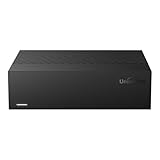
| UnionSine Desktop External Hard Drive 16TB | 16 TB, 3.5 inch external, USB 3.0 | Check on Amazon | Largest single-drive capacity here |
| WD_BLACK 8TB D10 Game Drive | 8 TB external with active cooling | Check on Amazon | Console and desktop game libraries |
| Seagate BarraCuda 5TB 2.5 Inch (ST5000LM000) | 5 TB, 2.5 inch, 5400 RPM, 128 MB cache | Check on Amazon | Capacity where only a 2.5 inch bay exists |
| KingSpec 1TB 2.5 SSD SATA III | 1 TB internal SATA SSD, 550/520 MB/s | Check on Amazon | Cheap internal upgrade over any HDD |
Seagate 8TB BarraCuda Internal Hard Drive, SATA 6 Gb/s (ST8000DM004) — around $250
For a library of large modern games, where individual installs routinely exceed 100 GB, that difference decides what is possible rather than merely what is convenient.
The important technical caveat is that this drive uses shingled magnetic recording. Tracks overlap to raise areal density, which means reads are unaffected but sustained writes can slow substantially once the drive’s cache region fills. For a game library this is largely benign: you write a game once during installation and then read it repeatedly. It becomes a problem if you use the drive for continuous large writes such as video capture or as a backup target for frequent full images. Know which of those you are doing before buying.
Expect a drive in this class to deliver sequential reads in the neighbourhood of 190 to 220 MB/s on the outer tracks, dropping toward 100 MB/s as it fills toward the inner ones. That figure is an estimate based on typical performance for high-capacity BarraCuda drives rather than a measurement of your specific unit, and it means load times from a nearly full drive are meaningfully worse than from a fresh one.
Noise is the other ownership factor. A 3.5 inch drive hums, and that hum couples into the chassis through the mounting screws. Mounting it in a caddy with rubber grommets, which most modern cases provide, makes a larger difference to perceived noise than anything else you can do.
Pros
- Eight terabytes holds a very large game library comfortably
- Standard 3.5 inch SATA fits every desktop case with a bay
- Quiet enough when mounted with rubber isolation
Cons
- SMR recording means poor sustained write performance once cache fills
- Load times are far behind any SSD, particularly on large open-world games
- Performance degrades as the drive fills toward inner tracks
Who it is for: a desktop with a free 3.5 inch bay and a library that has outgrown a 2 TB SSD.
UnionSine Desktop External Hard Drive 16TB, USB 3.0 — around $460
That is unusual — externals normally cost more per terabyte, not less — and it reflects how capacity pricing works at the top of the range.
The USB 3.0 interface is the point to understand. USB 3.0 tops out around 5 Gbps of signalling, or roughly 500 MB/s of realistic throughput, which is comfortably more than a mechanical drive can supply. So the interface is not the bottleneck here; the platter is. What USB does add is a small protocol overhead on every request, which slightly increases access latency compared with a directly connected SATA drive. For sequential reads of game assets that difference is minor.
This is a desktop-class 3.5 inch external, meaning it requires external power and is not portable in any practical sense. Treat it as a permanent fixture beside the machine. Two practical considerations follow: it will be audible on your desk rather than damped inside a case, and it needs somewhere with airflow, because 3.5 inch drives in tight plastic enclosures run warmer than the same drive in a ventilated chassis.
At this capacity, a backup strategy matters more than usual. Sixteen terabytes of games is a large re-download if the drive fails, and mechanical drives do fail. Steam and other launchers make redownloading possible but slow. Estimated transfer performance is typical for a large mechanical drive over USB, around 150 to 200 MB/s sequentially, based on the drive class rather than a measured result.
Pros
- Sixteen terabytes in one unit at a competitive cost per terabyte
- No case bay or SATA port required
- USB 3.0 bandwidth exceeds what a mechanical drive can use
- Plug and play across desktops and laptops
Cons
- Requires external power and is not portable
- Sits on the desk, so drive noise is undamped
- Losing one drive at this capacity means a very large redownload
Who it is for: someone consolidating an enormous library into one external unit that never moves.
WD_BLACK 8TB D10 Game Drive Portable External Hard Drive — around $400
The D10 is Western Digital’s game-focused external, and the feature that separates it from generic enclosures is active cooling. A fan and a ventilated housing let the drive inside run at a higher spindle speed without overheating, which is why this unit performs better than typical external mechanical storage.
That translates into a real, if modest, advantage. A faster-spinning drive reads sequentially quicker and seeks faster, so games load sooner than they would from a 5400 RPM class drive in a sealed plastic shell. It is still nowhere near SSD performance and nobody should expect it to be, but among mechanical options it is toward the front.
Compatibility with PlayStation, Xbox, PC and Mac is the other selling point, and consoles are where this drive makes the most sense. Console internal storage remains expensive to expand through official channels, and current-generation consoles can store — though not always run — newer titles on external mechanical drives while playing previous-generation titles from them directly. Check your console’s current rules before buying, as the specifics differ by platform and change with system updates.
You are paying for the enclosure, the cooling and the brand’s game-drive positioning. If your priority is loading speed rather than bulk, compare it against the options in our roundup of the best external SSDs for games before committing, because an external SSD changes how the drive feels to use in a way no mechanical drive can. Estimated performance is at the upper end for external mechanical storage, an assessment based on the active cooling and drive class rather than a bench measurement of your unit.
Pros
- Active cooling supports a faster drive than typical external enclosures
- Console and PC compatibility in one unit
- Better load times than passive external mechanical drives
- Solid enclosure build quality
Cons
- The cooling fan adds its own noise on a desk
- Console storage rules vary by platform and change with updates
Who it is for: a console owner or a laptop gamer who needs bulk storage with the best mechanical performance available externally.
Seagate BarraCuda 5TB 2.5 Inch Internal Hard Drive, 5400 RPM (ST5000LM000) — $210
Five terabytes in a 2.5 inch form factor is genuinely impressive engineering, and this drive exists for one specific situation: a machine with a 2.5 inch bay and no 3.5 inch bay. That covers many compact cases, some small form factor builds and a few laptops.
The laptop caveat is important and often missed. Reaching 5 TB in 2.5 inches requires more platters than a standard drive holds, which makes the drive 15 mm thick rather than the 7 mm or 9.5 mm most laptops accept. Confirm your bay’s height clearance before ordering, because a 15 mm drive simply will not fit a 7 mm slot regardless of how the listing describes compatibility.
At 5400 RPM with 128 MB of cache, this is a capacity-first drive rather than a performance one. Sequential reads for 2.5 inch drives at this spindle speed typically land around 120 to 140 MB/s, noticeably below a 3.5 inch drive, because the platters are smaller and less data passes under the head per rotation. That is an estimate based on the drive class rather than a measurement. Like the 8 TB BarraCuda, this drive uses shingled recording, so the same sustained-write caveat applies.
You pay that premium only because the smaller form factor is a hard requirement in your build. If you have a 3.5 inch bay, use it. And if the 2.5 inch bay is the only one you have but capacity is not the priority, a 2 TB or 4 TB drive from our list of SATA SSDs for gaming occupies the same bay while loading games several times faster.
Pros
- Five terabytes in a 2.5 inch bay is a capacity no competitor matches easily
- Standard SATA connection, no adapters needed
- Low power draw suits compact builds with small power supplies
- Solves storage in cases with no 3.5 inch mounting
Cons
- 15 mm thickness excludes most laptop bays — check clearance first
- Slowest sequential performance of the mechanical drives here
Who it is for: a compact build or console-style chassis with only a 2.5 inch bay and a need for bulk capacity.
KingSpec 1TB 2.5 SSD SATA III Internal — around $130
This is in the list as the counterpoint, and it deserves a straight recommendation rather than a hedged one: if your problem is that games load slowly, buy this instead of a hard drive. A SATA SSD reads at around 550 MB/s sequentially and, far more importantly, has access latency measured in microseconds instead of milliseconds.
That latency difference is what you feel. Game loading is not one long sequential read; it is thousands of small reads scattered across the drive, and a mechanical head has to physically move for each group of them. An SSD has no moving parts and services those requests essentially instantly. This is why a SATA SSD, despite being far slower than NVMe on paper, delivers most of the real-world loading improvement over a hard drive.
That is the actual trade-off. The correct answer for most people is not to choose one but to run both: this or a similar SSD for the active games, a large mechanical drive for the rest. Our comparison of NVMe and SATA SSDs for gaming covers whether the extra spend on NVMe is worth it.
Estimated performance is standard for SATA III, which is saturated by any competent modern drive. Sequential figures of 550 MB/s read and 520 MB/s write are what the interface allows rather than what distinguishes one SATA SSD from another.
Pros
- Transforms load times compared with any mechanical drive
- Silent, cool and immune to vibration
- Fits any 2.5 inch bay in desktops and most laptops
- Reasonable price for 1 TB of internal flash
Cons
- Roughly four times the cost per terabyte of a large hard drive
- 1 TB does not hold a large library on its own
- SATA interface caps sequential speed well below NVMe
Who it is for: the active-games tier of a two-drive setup, or anyone whose complaint is loading speed rather than capacity.
How we compared and picked
For storage, the decibel meter is the instrument that produces the most surprising results. In a modern build with a well-tuned fan curve and a quiet cooler, a single 3.5 inch mechanical drive is frequently the loudest component in the machine, and it is the one buyers think about least.
Noise measurements are taken with the drive mounted in a case caddy with the case’s standard isolation, then again mounted rigidly on a bare metal bracket, because the difference between those two figures is largely what determines whether an owner finds a drive acceptable. Spindle hum couples through the mounting screws into the chassis panels, which then act as a soundboard. A drive that is quiet in isolation can be intrusive when mounted badly.
Load time comparisons are done with the same game installed on each drive in turn, on the same machine, timing from launch to playable rather than to the main menu. The consistent finding across this category is that the gap between mechanical and flash storage grows with game size, because large titles perform more scattered small reads during loading and asset streaming, which is precisely the workload where seek latency dominates.
Drive fill level is treated as a variable rather than ignored. Mechanical drives are meaningfully slower on their inner tracks than their outer ones, so a drive tested at 10 percent full and one tested at 85 percent full give different numbers for the same hardware. Anyone comparing published figures should check what fill level they were taken at, because a lot of them are measured on empty drives.
What to look for in a gaming hard drive
Cost per terabyte is the only reason to buy mechanical
If price were equal, nobody would choose a hard drive for games. It is not equal — the gap is roughly four to eight times depending on the capacities compared — and that gap is the entire argument. Work out your cost per terabyte for every option you are considering and let that number drive the decision, because performance is not where mechanical drives compete.
Recording technology: SMR versus CMR
Shingled recording overlaps tracks for higher density and slows sustained writes once the cache region fills. Conventional recording keeps tracks separate and maintains consistent write speed. For a game library that is written once and read repeatedly, shingled drives are perfectly reasonable and cheaper. For anything involving heavy continuous writes, look specifically for a conventional drive, and note that manufacturers do not always label this clearly.
3.5 inch versus 2.5 inch
A 3.5 inch drive has larger platters, which means more data passes under the head per rotation and higher sequential throughput. It is also cheaper per terabyte and available in larger capacities. A 2.5 inch drive fits smaller bays and draws less power. Unless your case forces the smaller size, choose 3.5 inch — the performance and price advantages are both meaningful.
Spindle speed matters less than you would think
A 7200 RPM drive reads sequentially faster than a 5400 RPM one and seeks a little quicker, but both are in the same universe of slow compared with flash. The gap between 5400 and 7200 RPM is a fraction of the gap between either and an SSD. Do not pay a large premium for spindle speed on a bulk storage drive; put that money toward the SSD tier instead.
Noise and vibration control
Drive noise is largely a mounting problem. Rubber grommets, silicone-mounted caddies and tool-less trays with isolation all reduce the hum transmitted into the chassis. Mounting a drive rigidly against a thin steel panel does the opposite. If your case mounts drives in the PSU shroud or behind the motherboard tray, that placement also puts the noise source further from the open side panel.
Where the drive sits in your airflow
Mechanical drives run warm and their rated operating range is narrower than most components. In older case layouts, drive cages sat directly behind the front intake fans, which cooled the drives at the cost of airflow to everything else. Modern layouts put drives in the PSU chamber where cooling is minimal but airflow to the rest of the system is uninterrupted. Neither is wrong, but a drive in a sealed chamber with no ventilation is worth checking on with monitoring software during summer.
Plan the two-tier split before buying
Decide what goes where before you spend. Operating system, launcher, and the games you are currently playing belong on the SSD; the rest belong on the hard drive. That means the SSD needs to be 1 TB or larger for modern titles, and the hard drive can be as large as your budget allows. Both Steam and the Xbox app move installed games between drives in a few clicks, so the split is not permanent. Our roundup of the best SSDs for gaming covers the top tier of that arrangement.
Backups, because mechanical drives fail
Every drive fails eventually and mechanical drives have moving parts that wear. Game installs are re-downloadable, which softens the blow, but save files, screenshots, mods and configuration files often are not. Whatever storage arrangement you land on, keep the irreplaceable data somewhere else as well — cloud saves cover some of it and nothing covers the rest automatically.
Mistakes buyers make
Expecting a hard drive to feel like an SSD. It will not. Large games load noticeably slower and some titles stutter when streaming assets during play. Buy mechanical storage for capacity and keep the games you actually play on flash.
Buying a small portable hard drive when a portable SSD is close in price. At 1 TB the gap between a portable mechanical drive and an entry portable SSD is smaller than most people assume, and the performance difference is roughly tenfold. Compare the two before defaulting to mechanical.
Ordering a 15 mm 2.5 inch drive for a laptop. High-capacity 2.5 inch drives are thicker than standard, and most laptop bays accept 7 mm or 9.5 mm. Measure your bay before ordering, because the listing will not warn you.
Using an SMR drive as a backup target. Sustained writes are exactly the workload shingled drives handle worst. Full system images or frequent large backups to an SMR drive can slow to a crawl once the cache region is exhausted.
Mounting the drive rigidly to save time. Skipping the rubber grommets makes a quiet build noticeably louder. It takes two extra minutes during assembly and it is the cheapest noise reduction available anywhere in a PC.
Filling the drive to the last gigabyte. Mechanical drives slow substantially on inner tracks, so a drive at 95 percent capacity performs far worse than the same drive at 60 percent. Leave headroom, particularly on the drive holding games you still play.
Verdict
Frequently asked questions
How much slower do games load from a hard drive?
Noticeably slower, and the gap widens with the size of the game. A mechanical drive reads at roughly 150 to 250 MB/s sequentially and takes several milliseconds to seek, against under a tenth of a millisecond for an SSD. In practice, a large open-world title that loads in fifteen to twenty seconds from an NVMe drive often takes forty seconds to a minute or more from a hard drive, with additional stutter when the game streams assets during play. Older and smaller games show a much smaller difference.
What is SMR and why should I care?
Shingled magnetic recording overlaps data tracks like roof shingles to increase capacity per platter. Reading is unaffected, which is what matters for playing games. Writing is where it hurts: once the drive’s cache region fills during a sustained write, throughput can drop sharply until the drive reorganises data in the background. For a drive that stores a game library you install once and read many times, SMR is an acceptable trade-off. For a drive that receives constant large writes, choose a conventional recording drive instead.
What is a sensible SSD and HDD split?
Put the operating system and the four or five games you are actively playing on an SSD of 1 TB or larger, and keep everything else on the hard drive. Most people cycle through a small number of titles at a time while owning dozens, so the active set is much smaller than the library. Moving a game between drives takes a few minutes and both Steam and the Xbox app support it directly, so treat the SSD as a rotating cache rather than as permanent storage for anything.
Are hard drives loud enough to be annoying?
They are audible, and how much that bothers you depends on your case and your desk. A 3.5 inch drive makes two sounds: a low hum from the spindle and intermittent clicking from head movement during seeks. The hum transmits into the chassis through the mounting screws, which is why rubber grommets or a silicone-isolated caddy help more than any other change. In a quiet room with a well-cooled, low-noise build, one mechanical drive is often the loudest component in the machine.
Should I buy an external drive or an internal one?
Internal is cheaper per terabyte, quieter because the case damps the noise, and faster because SATA does not add USB protocol overhead. External makes sense when you have no free drive bays, when you want to move a library between a desktop and a laptop, or when you are adding storage to a console. If the drive will sit permanently beside one machine and you have a spare bay and SATA port, buy internal and save the money.









