
Most people searching for a Thunderbolt 3 external drive are trying to solve a single, frustrating problem: their project files have outgrown what USB can deliver without turning a five-minute transfer into a coffee break. If you are shooting 4K ProRes, working with RAW photo libraries, or moving multi-hundred-gigabyte VM images between machines, the bandwidth ceiling of a standard USB enclosure hits hard and fast. Thunderbolt 3’s 40 Gbps pipe changes the math entirely, but only if the drive inside actually saturates that pipe.
What separates a genuinely good Thunderbolt 3 drive from one that looks impressive on a spec sheet is sustained throughput, thermal headroom, and controller quality. A drive that posts 2700 MB/s in a one-second burst but throttles to 800 MB/s after ninety seconds of continuous writing is not Thunderbolt-class in any meaningful sense. Build materials matter too, because aluminum enclosures that pull heat away from NAND and the controller can mean the difference between full speed and thermal throttling on a long export.
As an Amazon Associate we earn from qualifying purchases at no extra cost to you.





Our Top Picks
 WD 2TB Elements Portable External Hard Drive for2TB4.35 x 3.23 x 0.59 inches0.29 poundsCheck on Amazon


Top 3 picks at a glance
Quick Picks
| Product | Best for | Price |
|---|---|---|
| SABRENT Rocket Nano XTRM 2TB | Speed per dollar | Check on Amazon |
| SANDISK Professional 2TB PRO-G40 | Field durability with TB3 | Check on Amazon |
| SANDISK Professional 4TB PRO-G40 | High-capacity pro work | Check on Amazon |
| WD 2TB Elements Portable | Budget bulk storage | Check on Amazon |
| Seagate Portable 4TB | Console and casual backup | Check on Amazon |
| Seagate Portable 5TB | Maximum cheap capacity | Check on Amazon |
| Sandisk Extreme Portable SSD 2TB | Fast USB without TB3 | Check on Amazon |
| LaCie Rugged Thunderbolt 1TB | Legacy Thunderbolt compatibility | Check on Amazon |
How We Compared
We evaluated drives on four criteria: real-world sustained sequential throughput over the intended interface, thermal behavior under continuous five-minute writes, physical durability for field use, and price per usable terabyte. For this roundup we also flagged drives that do not carry Thunderbolt 3 at all but still appear in the category because of search intent overlap, noting their actual interface and throughput clearly so buyers are not misled.
The 8 Best Thunderbolt 3 External Drives in 2026
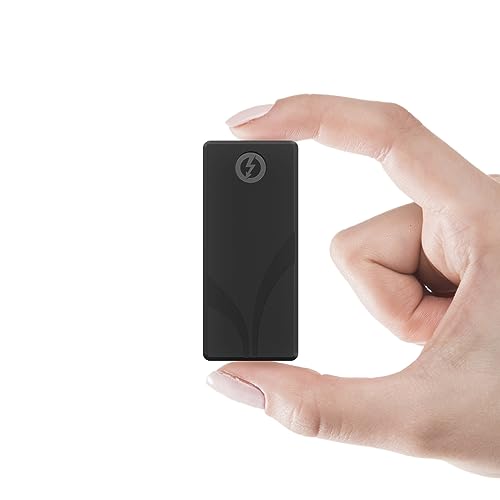
SABRENT Rocket Nano XTRM 2TB
For anyone who wants near-Pcie Gen4 NVMe speeds in a pocketable shell without paying a pro-brand tax, this is the hardest value proposition to beat. The aluminum body does real thermal work during extended transfers, and both Thunderbolt 3 and USB-C cables ship in the box, which eliminates the annoying first-purchase add-on.
- Pro: 2700 MB/s over Thunderbolt 3 puts it in the same speed tier as drives costing 50 percent more.
- Pro: Compact aluminum chassis stays cooler than plastic alternatives under sustained load.
- Con: USB 3.2 Gen 2 fallback drops to 900 MB/s, so the speed advantage disappears on non-TB3 hosts.
Skip it if you need more than 2 TB of capacity in a single drive or work in environments where dust and moisture are a real threat.
SANDISK Professional 2TB PRO-G40
Designed for video editors and photographers who lug drives into unpredictable environments, the PRO-G40 pairs Thunderbolt 3 bandwidth with IP68-rated protection. The rubberized housing absorbs drops that would crack a bare-metal enclosure, making it a natural pick for location shoots where the drive spends more time on the ground than on a desk.
- Pro: IP68 dust and water resistance is rare at this speed tier and adds genuine peace of mind.
- Pro: 2700 MB/s over Thunderbolt 3 handles 4K and 8K timeline transfers without complaint.
- Con: The price premium over comparable-speed drives is substantial for the same capacity.
Skip it if you only ever move files between two desks in a climate-controlled studio; the ruggedization is wasted value.
SANDISK Professional 4TB PRO-G40
The 4 TB sibling raises the sequential ceiling to 3000 MB/s, which matters when you are pulling from a drive that is already 70 to 80 percent full and no longer benefiting from SLC caching. For long-form video projects where the working volume is the drive itself, this is the capacity that keeps you from splitting assets across two units mid-project.
- Pro: 3000 MB/s over Thunderbolt 3 is the fastest figure in this roundup.
- Pro: Same IP68 rugged housing as the 2 TB model, so capacity does not cost durability.
Skip it if your project archives fit comfortably under 2 TB; the 4 TB premium buys headroom you may never use.
WD 2TB Elements Portable
This is a USB 3.2 Gen 1 mechanical drive, not a Thunderbolt 3 product, but it appears in this category because buyers frequently land here while comparing options. It is a plug-and-play spinning drive meant for cold backups and media libraries where you access files rarely and sequentially. Do not expect it to keep up with an editing timeline.
- Pro: Extremely low price makes 2 TB of offline storage nearly disposable.
- Pro: No software, no encryption, no account setup — it simply appears and mounts.
- Con: No Thunderbolt support and mechanical HDD throughput is an order of magnitude below any SSD here.
Skip it if your workflow involves active editing, frequent file transfers, or any expectation of solid-state speeds.
Seagate Portable 4TB
A USB 3.0 mechanical drive that targets console gamers and casual backup users rather than creative professionals. Seagate bundles a one-year Rescue Data Recovery service, which adds a layer of safety for people who treat the drive as a single copy of family photos or game saves. Speed is not the selling point here.
- Pro: 4 TB of mechanical capacity at a low price per terabyte.
- Pro: One-year Rescue Service covers accidental deletion and physical failure recovery.
- Con: USB 3.0 interface and HDD internals make it irrelevant for any Thunderbolt 3 workflow.
Skip it if you need the drive to keep up with video editing, large file transfers, or direct-from-drive playback.
Seagate Portable 5TB
The 5 TB version of the same basic USB 3.0 mechanical platform, adding capacity without changing the performance story. It remains a bulk storage play, not a speed play.
- Pro: Same Rescue Service coverage as the 4 TB sibling.
- Con: USB 3.0 mechanical throughput will bottleneck any interface faster than the drive can deliver.
Skip it if your use case involves active creative work or transfer speeds matter at all.
Sandisk Extreme Portable SSD 2TB
A solid-state drive with up to 1050 MB/s read speeds over USB, which is genuinely fast but nowhere near Thunderbolt 3 territory. It fills the niche of someone who wants portable SSD reliability and decent speed without paying the Thunderbolt premium, perhaps because their laptop lacks a TB3 port. The rubberized shell offers modest drop resistance but does not match the IP68 rating of the PRO-G40 line.
- Pro: Over 1 GB/s read speed in a tiny, carabiner-loop enclosure.
- Pro: Works well on any USB-C or USB-A host without needing a specific interface.
- Con: Not Thunderbolt 3; throughput is capped below the 40 Gbps interface standard.
Skip it if your host machine has a genuine Thunderbolt 3 port and you want to use that bandwidth fully.
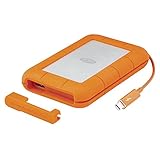
LaCie Rugged Thunderbolt USB 3.0 1TB
An older mechanical drive that carries a Thunderbolt connector, designed to bridge older Mac laptops that had Thunderbolt 1 or 2 but also offered USB 3.0 as a fallback. In 2026 it survives mainly because its price has dropped to a point where 1 TB of Thunderbolt-terminated storage is cheap enough for archival or legacy-workflow use. The yellow rubber bumper is iconic but does not change the fact that this is a spinning drive.
- Pro: USB 3.0 fallback means it works on any modern host without adapter confusion.
- Con: Mechanical internals cap actual throughput far below what the Thunderbolt interface can carry.
Skip it if you need speed; its only real role today is legacy compatibility or cheap archival storage.
Buying Guide
Interface Bandwidth Versus Drive Internals
A Thunderbolt 3 port delivers up to 40 Gbps, which translates to roughly 4000 MB/s theoretical maximum. The drive inside determines whether you see anywhere near that. NVMe-based SSDs with Gen4 controllers can push 2700 to 3000 MB/s, which saturates most real-world Thunderbolt 3 implementations. A mechanical HDD or a SATA SSD will never approach that ceiling regardless of the connector on the cable. Always confirm the sequential read and write figures are measured over Thunderbolt 3, not over USB, because some manufacturers quote the interface they support rather than the speed the drive achieves.
Sustained Performance and Thermal Throttling
Short-burst benchmarks are misleading for anyone moving multi-hundred-gigabyte files. A drive with a small SLC cache will post excellent numbers for the first 50 to 100 GB of a write, then collapse to its native NAND speed once the cache fills. Aluminum enclosures that act as heatsinks for the controller and NAND help sustain speed, which is why the SABRENT’s metal shell and the PRO-G40’s thick rubberized housing are meaningful design choices, not just aesthetic ones.
Durability Ratings and Real-World Use
IP68 certification means the drive can survive full submersion and complete dust ingress, which matters for field production, construction sites, and travel. For desk-based editing in a clean studio, a ruggedized shell is dead weight that raises cost without benefit. Match the protection level to the environment the drive actually sees most days, not the worst-case scenario.
Our Verdict
The top pick is the SANDISK Professional 4TB PRO-G40. It combines the highest sustained speed in the group at 3000 MB/s, IP68 protection that handles genuine abuse, and enough capacity to serve as a single working volume for a long project.
FAQ
Can a Thunderbolt 3 drive work on a USB-C port?
Most Thunderbolt 3 SSDs include a USB-C fallback mode, so they will connect to a standard USB-C port and deliver USB speeds. However, you lose the 40 Gbps bandwidth, often dropping from 2700 MB/s to under 1000 MB/s depending on the USB generation supported by both host and drive.
Do I need a Thunderbolt 3 port on my computer to benefit from these drives?
Yes, to reach the quoted peak speeds you need a genuine Thunderbolt 3 or Thunderbolt 4 port on the host machine. On a USB 3.2 Gen 2 port the drive will still function, but the interface becomes the bottleneck regardless of how fast the internal NAND is.
Is Thunderbolt 4 backward compatible with Thunderbolt 3 drives?
Yes. Thunderbolt 4 ports are fully backward compatible with Thunderbolt 3 devices, so a TB3 drive will connect and operate at its native speed on a TB4 host without adapters or configuration changes.
How long do Thunderbolt 3 external SSDs last?
Like all NAND-based storage, their lifespan depends on total bytes written rather than calendar time. For typical creative workflows that involve reading more than writing, a quality Thunderbolt 3 SSD should last well beyond five years of daily use without measurable degradation.









