
Building a storage-heavy rig with eight, twelve, or even sixteen SATA drives looks simple until the power side gets messy. With so many hard drives, SSDs, and optical bays to feed, it is tempting to grab the cheapest splitter pack and daisy-chain everything together. That is where most SATA heavy builds run into trouble. The common mistakes are overloading a single power rail, mixing cables between modular power supply brands, using thin-gauge wires that run hot, and creating a rat’s nest of loose connectors that blocks airflow and stresses drive ports.
A good SATA power setup is not about buying the most cables, it is about delivering stable, safe power to every drive with room for airflow and future expansion. As of 2026, high-capacity NAS and home lab builds are more common than ever, and understanding wire gauge, connector limits, and power supply compatibility will save you from random drive dropouts, melted connectors, and data loss.
As an Amazon Associate we earn from qualifying purchases at no extra cost to you.
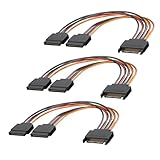

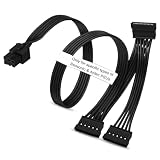
Our Top Picks
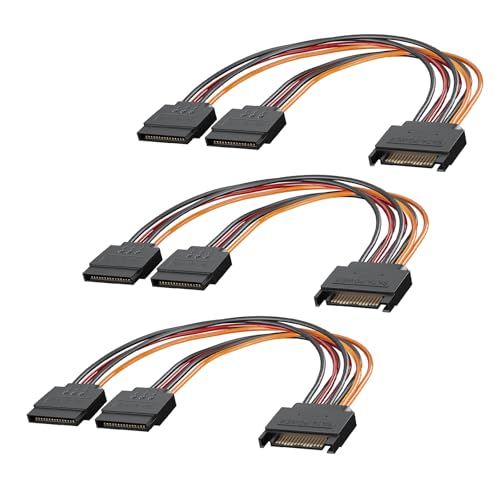


Top 3 picks at a glance
Decide These 3 Things First
Before you compare any specific cable, lock in these three decisions. They determine everything else you buy.
1. How many SATA devices will you power, now and later? Count every 3.5-inch HDD, 2.5-inch SSD, and optical drive. A 6-bay NAS needs at least 6 connectors, but most builders should plan for 8 to 10 to leave two spare ports for expansion. A 12-bay server chassis or mining rig with risers can need 12 to 16 SATA power connections. This count tells you whether you need simple 1-to-2 splitters or a multi-way harness.
2. Is your power supply modular, and what brand is it? With a non-modular PSU, you are limited to extending or splitting the existing SATA leads. With a fully or semi-modular PSU, you can add dedicated SATA cables directly from the PSU, which provides cleaner power distribution. Crucially, modular cables are not universal. A 6-pin to SATA cable wired for Seasonic may not be pin-compatible with Corsair, EVGA, or Thermaltake. Always match the PSU-side connector to your exact PSU model or series.
3. What is your case layout and cable run distance? Measure the distance from your PSU to the farthest drive cage. In a compact mid-tower, 8 to 12 inches (20 to 30 cm) may be enough for a splitter. In a full tower or 4U rack case, you often need 20 inches (50 cm) or longer to reach stacked drive cages without pulling connectors at an angle. Planning length first prevents you from buying cables that are too short or excessively long.
Size, Length, and Gauge: Getting Fit Right
Physical fit and electrical capacity both come down to size. Three numbers matter most: length, wire gauge (AWG), and connector count.
Length is about reach and airflow. SATA power splitter cables typically range from 4 inches (10 cm) for tight SSD stacks to 20 inches (50 cm) for running from a bottom-mounted PSU to top drive bays. For most ATX cases, 8-inch splitters work well for splitting one lead into two drives in the same cage, while 18 to 20-inch cables are better for reaching a separate cage. Avoid excess slack; every extra 6 inches of cable in a drive bay traps heat and disrupts front-to-back airflow.
Wire gauge determines how much current the cable can safely carry. For SATA power, look for 18 AWG as the standard for main runs and 20 AWG as acceptable for short splitters under 12 inches. Avoid 22 AWG or thinner for any build with more than four drives on a single chain, as thinner wire has higher resistance and heats up faster under load. A typical 3.5-inch 7200 RPM HDD draws 6 to 12 watts at idle and 20 to 30 watts at spin-up, while a 2.5-inch SATA SSD draws only 2 to 5 watts. A chain of four spinning HDDs can briefly pull 80 to 120 watts at startup, so thicker copper matters.
Connector spacing also counts. On a multi-connector harness, look for 4 to 6 inches (10 to 15 cm) between SATA connectors so you can reach staggered drive slots without bending the cable sharply. Tight spacing forces you to bend wires at the connector base, which loosens pins over time.
Material and Conductor Quality
Not all cables that look the same are built the same. The conductor material and insulation define durability and safety.
Conductor should be bare copper or tinned copper. Copper-clad aluminum (CCA) is cheaper but has about 60 percent higher resistance than pure copper and is more prone to breakage when bent. Product listings that do not specify copper or that list unusually low weight for the length are often CCA. A quality 20-inch 18 AWG SATA cable with three connectors should weigh roughly 45 to 65 grams; significantly lighter often means thinner conductors.
Insulation should be flexible PVC or silicone with a temperature rating of at least 80 degrees Celsius, ideally 105 degrees. This prevents softening near warm drive cages. The SATA 15-pin connector housing itself should be made from UL94 V-0 rated plastic, which resists melting if a pin overheats. Look for solid, one-piece molded connectors rather than two-piece snap-together housings, which can separate and expose pins.
Terminal plating matters for long-term reliability. Nickel or gold-flashed terminals resist corrosion better than bare tin, especially in a NAS that runs 24/7 in a garage or basement. Corroded pins increase resistance and create hot spots.
Construction and Connector Design
How the cable is built affects both safety and ease of installation.
First, check the wiring configuration. A standard SATA power connector supplies three voltages: 3.3V (orange), 5V (red), and 12V (yellow), plus ground (black). For HDDs and SSDs, the 5V and 12V rails are critical; some cheap splitters omit the 3.3V wire entirely, which is acceptable for most modern drives but should be clearly stated. All five wires should be present and fully seated in the PSU-side connector. Loose or recessed pins are a major failure point.
Second, consider straight versus right-angle connectors. Straight connectors are universal, while right-angle or 90-degree connectors save 0.5 to 0.8 inches of clearance behind drives in tight hot-swap bays. Low-profile right-angle connectors are especially useful when drive cages sit within 1 inch of a side panel.
Third, evaluate strain relief. Good cables have a reinforced collar where the wire enters the connector, preventing the wire from flexing and fraying. Flat ribbon-style SATA power cables are easier to route and cable-manage, while braided or round bundles offer slightly better protection against abrasion. For heavy builds, flat cables that can be folded neatly along the chassis wall usually improve airflow more than thick braided bundles.
Finally, avoid excessive daisy-chaining. Most PSU manufacturers rate a single SATA power rail for 54 watts (4.5 amps at 12V) to 72 watts. That translates to three to four 3.5-inch HDDs per PSU port safely. A 6-way splitter plugged into a single PSU lead may physically connect six drives, but it does not increase the rail’s power limit and can overload the PSU-side 6-pin connector, which is often rated for 75 watts maximum.
Performance, Power Stability, and Thermal Headroom
SATA heavy builds fail not with a bang but with intermittent drive disconnects, SMART errors, and slow rebuilds. Stable voltage is the goal.
Use dedicated rails where possible. If your modular PSU has two or three SATA/peripheral outputs, spread the load instead of chaining everything from one port. For example, power 4 drives from rail A and 4 drives from rail B rather than 8 from rail A. This keeps each connector well under its 54 to 75 watt design limit and reduces voltage drop along the chain.
Watch for voltage drop on long runs. An 18 AWG copper wire loses roughly 0.02 to 0.03 volts per foot at 3 amps, which is negligible for a 20-inch run but becomes relevant if you chain two splitters together to reach 30 to 36 inches. If you must extend, use a single longer purpose-built cable rather than connecting a splitter to a splitter.
Thermal headroom is simple: if a connector or wire feels warm to the touch after 30 minutes of load, it is overloaded. SATA power contacts are rated for 1.5 amps per pin, with three 12V pins providing up to 4.5 amps total. Staying under 80 percent of that rating, or about 3.6 amps per connector chain, leaves a safety margin for spin-up surges. For a 12-drive array of NAS HDDs, that typically means using at least three separate PSU SATA outputs.
For mixed builds that include powered risers or adapters, verify power requirements carefully. Some riser cards can draw 30 to 75 watts through SATA, which quickly saturates a cable meant for storage. In those cases, direct PCIe power is safer than SATA.
Price Tiers: What You Actually Get
Pricing for SATA power cables is narrow, but the tiers reflect materials and safety margins.
Premium Tier: $17 to $30. Premium cables offer 16 to 18 AWG heavy-duty wiring, capacitor filtering on some modular cables, braided sleeves, and brand-matched compatibility for Seasonic, Corsair, Antec, and similar. You also get individually sleeved wires for easier routing in show builds and server-grade latching connectors that click firmly. Choose this tier when you run 12 drives or more continuously or need exact PSU model compatibility with documentation.
Spending more does not increase power output; it buys safer materials, correct pinouts, and longer service life. For storage you care about, the mid tier is usually the best value.
Warranty and Brand Support
Cables are inexpensive, but warranty coverage signals how much testing the manufacturer does.
Generic splitter packs often offer 30 days to 1 year of limited warranty and limited support if a connector arrives loose. Mid-tier brands typically provide 1 to 2 years, while PSU makers and their certified cable partners often offer 2 to 5 years when the cable is sold as an accessory for a specific PSU model.
Before buying, confirm the listing states the compatible PSU series by name, not just the connector type. A responsible listing will say, for example, compatible with Seasonic Focus, Prime, Antec HCG, or similar, and will show a pinout diagram. If a modular cable claims universal compatibility, treat it as a red flag. Keep packaging and order numbers until you have tested every drive bay, since pinout issues often appear only under full load.
Delivery, Packaging, and Assembly
Delivery and assembly are practical concerns that affect build time and cable management.
Most SATA power cables ship as small parcels weighing 2 to 8 ounces, often in simple anti-static bags with no retail box. Multi-packs may arrive in a zip bag with no instructions, which is normal. Check immediately for bent pins, incomplete molding, or wires that pull free with light tension. Any of those defects warrants a return before installation.
For assembly, plan your routing before powering on. Route SATA power along the back of the drive cage or along the chassis floor, not across fans or over hot components. Use hook-and-loop ties every 6 to 8 inches rather than zip ties pulled tight, which can crimp wires. Leave a gentle service loop of 1 to 1.5 inches near each drive so you can slide a drive out without yanking the connector sideways.
When connecting, push SATA power straight in until the latch clicks; do not rock the connector. SATA data and power connectors are L-shaped and only fit one way, but excessive force can crack the drive’s plastic tongue. If a connector requires unusual force, check alignment rather than pushing harder. After assembly, run all drives for 15 to 20 minutes and inspect each power connector with an infrared thermometer if you have one; anything above 45 degrees Celsius at ambient room temperature deserves a closer look at load distribution.
Spec Checklist
| Spec | Budget | Mid | Premium |
|---|---|---|---|
| Wire Gauge | 20 to 22 AWG, CCA or thin copper | 18 AWG pure copper or tinned copper | 16 to 18 AWG pure copper, low resistance |
| Length Options | 4 to 12 inches (10 to 30 cm) | 8 to 20 inches (20 to 50 cm) | 12 to 28 inches (30 to 70 cm), custom sleeved |
| Connectors per Cable | 2 to 6, molded plastic | 3 to 4, reinforced strain relief | 3 to 6, latching, V-0 rated housing |
| Max Safe Load per PSU Port | Up to 54 watts, 2 to 3 HDDs | 54 to 75 watts, 3 to 4 HDDs | 75 watts+, filtered, 4 HDDs with headroom |
| Temperature Rating | 80C PVC | 80 to 105C flexible PVC | 105C silicone or high-grade PVC |
| Compatibility | Universal splitter (PSU-agnostic) | PSU series-specific 6-pin to SATA | Model-specific with pinout diagram |
| Price Range | Check on Amazon | Check on Amazon | Check on Amazon |
| Warranty | 30 days to 1 year | 1 to 2 years | 2 to 5 years |
Red Flags
Watch for these warning signs before you click buy.
- No wire gauge listed. If the listing does not state 18, 20, or 22 AWG, assume the thinnest and most resistive option.
- Claims of universal modular compatibility. A 6-pin PSU cable wired for one brand can damage another brand’s PSU or drives if the pinout is mirrored.
- 6-way or 8-way harness with no power limit warning. Any cable that suggests powering six HDDs from one PSU port without load guidance is ignoring the 54 to 75 watt rail limit.
- Ultra-light weight or extremely low price for a long cable. An 18-inch cable weighing under 30 grams often uses CCA or skips wires.
- Two-piece or glued connector housings that separate when flexed. Quality connectors are injection-molded as a single piece around the pins.
- Adapter chains recommended in the listing photos. Images showing a splitter plugged into a splitter plugged into an extension signal unsafe installation practice.
- Missing 12V or 5V wires. Some 4-wire SATA splitters drop the 3.3V line, which is acceptable, but any cable missing red (5V) or yellow (12V) wires will not reliably power 3.5-inch drives.
FAQ
How many SATA drives can I safely power from one PSU cable?
For 3.5-inch hard drives, limit one PSU SATA/peripheral port to three to four drives, staying under 54 to 75 watts per chain. For 2.5-inch SSDs at 2 to 5 watts each, you can safely power six to eight per chain because total draw is lower. Always split heavy HDD loads across two or more PSU ports rather than maxing out a single 6-way splitter.
Can I use any 6-pin to SATA cable with my modular power supply?
No. The PSU-side 6-pin layout is not standardized between brands, and sometimes not even between series from the same brand. Using a Seasonic-wired cable on a Corsair PSU, or vice versa, can send 12V down a 5V pin and damage drives instantly. Only use cables explicitly listed as compatible with your exact PSU model or series, and compare the pinout diagram in the manual before powering on.
Do I need 3.3V on my SATA power cable?
Most modern 3.5-inch HDDs and 2.5-inch SATA SSDs do not require 3.3V and will operate normally on four-wire cables that carry only 5V, 12V, and ground. Some enterprise drives and newer SATA 3.3 spec devices use 3.3V for power disable features, so if you run enterprise or shingled archival drives, use a full five-wire cable with the orange 3.3V wire included. When in doubt, use a five-wire cable for full compatibility.
Should I use SATA power splitters or a dedicated PSU SATA cable for a 12-drive build?
Use dedicated PSU SATA cables wherever possible and reserve splitters for short hops inside a cage. For 12 drives, the cleanest approach is three separate PSU SATA cables with three to four connectors each, each on its own PSU port. This balances current, reduces voltage drop, keeps connector temperatures lower, and leaves cleaner airflow than one overloaded port feeding a chain of splitters.









