The best soundbar for a PC or gaming desk is a short bar that connects over USB, sits under the monitor without blocking it and is paired with a small subwoofer if you want bass. In 2026 the Creative Sound Blaster Katana V2X and the Razer Leviathan V2 lead for gaming desks, the Katana SE is the compact RGB option, and the Yamaha SR-C20A and JBL Bar 2.0 are good for a desk that doubles as a TV stand. This guide compares seven current bars, explains the connections that matter and gives the measuring steps that prevent a returned soundbar.
As an Amazon Associate we earn from qualifying purchases at no extra cost to you.
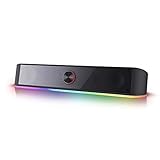
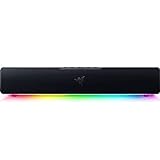


Our Top Picks
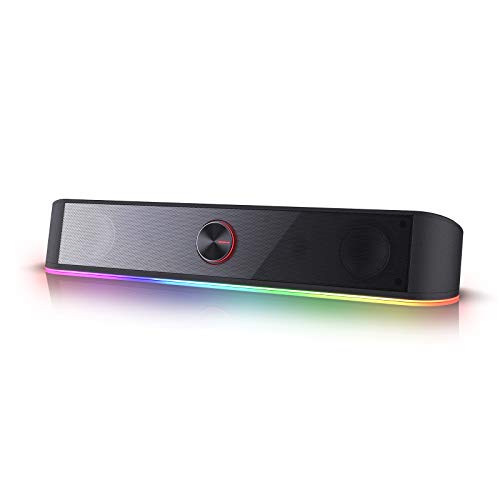

Top 3 picks at a glance
What makes a soundbar a good desk soundbar
A TV soundbar is designed for a listening distance of 2 to 3 meters. A desk bar is heard from 0.6 to 0.9 meters, so it needs less power, tighter dispersion and, ideally, a design that fires slightly upward. It should also be short enough to sit under a monitor, accept USB or analog audio from a PC and avoid HDMI-only designs that need a TV.
| Trait | Desk soundbar target | TV soundbar typical |
|---|---|---|
| Width | 35 to 60 cm | 80 to 120 cm |
| Height | 5 to 8 cm | 6 to 10 cm |
| Power | 10 to 40 W RMS, with or without sub | 50 to 300 W |
| PC input | USB, 3.5 mm or optical | HDMI ARC, optical |
| Listening distance | 0.6 to 0.9 m | 2 to 3 m |
Quick comparison of seven bars
Specs and prices positions reflect manufacturer listings and 2026 roundups. Confirm the exact version of each bar before buying, since vendors revise firmware and accessories.
| Bar | Layout | PC-friendly inputs | Best for | Price tier |
|---|---|---|---|---|
| Creative Sound Blaster Katana V2X | Bar plus compact subwoofer | USB audio, optical, 3.5 mm, Bluetooth | Best desktop bar for PC plus console | Mid |
| Razer Leviathan V2 | Bar plus subwoofer, THX Spatial Audio | USB-C, optical, Bluetooth | Gaming with strong bass and surround effect | Mid to premium |
| Creative Sound Blaster Katana SE | Compact bar with RGB | USB-C, 3.5 mm, optical, HDMI ARC, Bluetooth 5.0 | Small gaming desks | Mid |
| Edifier Hecate G1500 Bar | Compact gaming bar | USB, 3.5 mm, Bluetooth | Budget gaming bar | Entry |
| Yamaha SR-C20A | Compact bar with built-in bass | 3.5 mm, optical or HDMI ARC, Bluetooth | Desk that doubles as a TV stand | Mid |
| JBL Bar 2.0 All-in-One (MK2) | 2.0 bar, about 80 W class | HDMI ARC, optical, Bluetooth | Larger monitors or a TV | Mid |
| Bose Solo Soundbar Series II | Single bar with dialogue mode | Optical, 3.5 mm, Bluetooth | Voices and calm, clear sound | Mid to premium |
Creative Sound Blaster Katana V2X: best desktop bar overall
Spec line: desktop soundbar with a compact subwoofer, USB audio input, optical and 3.5 mm inputs, Bluetooth and software EQ, per Creative’s listing and 2026 roundups.
Best for: PC plus console gaming from one bar. The sub gives weight to effects and music that standalone bars lack.
Skip if: you want a plain bar with no sub, or have no space for the sub on the floor.
- Pro: bar and sub deliver fuller sound than a bar alone.
- Pro: USB audio gives low latency for games.
- Pro: multiple inputs let a console share the bar.
- Con: an extra box and cable for the sub.
- Con: software is needed to unlock all EQ options.
Razer Leviathan V2: best for gaming bass and spatial effect
Spec line: soundbar with a separate subwoofer, THX Spatial Audio processing, USB-C and Bluetooth connectivity, RGB lighting, Razer software.
Best for: gamers who want a wide, bass-rich sound with positional cues from a single bar.
Skip if: you want a simple setup without software.
- Pro: strong bass from the subwoofer.
- Pro: wider soundstage than most bars in its class.
- Pro: simple USB-C connection to a PC or console.
- Con: costs more than basic bars.
- Con: lighting and software are tied to Razer’s ecosystem.
Creative Sound Blaster Katana SE: best compact bar with more inputs
Spec line: compact gaming bar with RGB lighting, 3.5 mm, USB-C, optical, HDMI ARC and Bluetooth 5.0 inputs, per Tom’s Hardware’s 2026 list.
Best for: small gaming desks that need a mix of inputs: PC by USB, a console by HDMI ARC or optical.
Skip if: you need a subwoofer for strong bass.
- Pro: many inputs in a small body.
- Pro: tidy RGB integration.
- Pro: good control over EQ and presets.
- Con: bass is limited without a sub.
- Con: higher cost for a compact bar.
Edifier Hecate G1500 Bar: best budget gaming bar
Spec line: compact 2.0 gaming bar with USB, 3.5 mm and Bluetooth inputs and RGB lighting, as listed by Edifier.
Best for: first gaming setups and secondary desks.
Skip if: you want deeper bass or premium build.
- Pro: low entry cost.
- Pro: easy USB connection.
- Pro: compact enough for 24 to 27-inch monitors.
- Con: thin bass and limited volume.
- Con: gamer styling is not for everyone.
Yamaha SR-C20A: best for a desk that doubles as a TV stand
Spec line: compact bar with built-in bass reproduction, HDMI ARC, optical, 3.5 mm and Bluetooth, per Yamaha’s listing.
Best for: a living-room desk or a TV and PC shared setup where a single bar handles both.
Skip if: you need USB audio or RGB.
- Pro: clean, refined sound for movies and music.
- Pro: HDMI ARC for a TV and optical for a PC or console.
- Pro: understated design.
- Con: no dedicated USB audio.
- Con: less gaming-oriented tuning.
JBL Bar 2.0 All-in-One (MK2): best for large monitors and TVs
Spec line: 2.0 all-in-one bar of roughly 80 W, HDMI ARC, optical and Bluetooth, per JBL’s listing.
Best for: 34-inch ultrawide or TV-sized displays where the bar can run the full width.
Skip if: your monitor is 27 inches or smaller, as the bar may not fit under it.
- Pro: strong, clear sound for a bar with no sub.
- Pro: simple setup through HDMI ARC.
- Pro: balanced tuning for video and music.
- Con: longer than typical desk bars.
- Con: no USB audio input.
Bose Solo Soundbar Series II: best for dialogue and calm sound
Spec line: single-box bar with a dialogue mode, optical and 3.5 mm inputs, Bluetooth.
Best for: people who want clear voices and a fuss-free setup for video and calls.
Skip if: you want RGB, USB audio or a gaming sound profile.
- Pro: clear, natural voices.
- Pro: simple, quiet design.
- Pro: easy to connect to PC with an optical or analog cable.
- Con: premium price for the features.
- Con: no USB or HDMI.
Will the bar fit? Measure these four things
| Check | How to measure | Rule of thumb |
|---|---|---|
| Stand gap | Desk surface to lower bezel edge | Gap must exceed bar height by at least 1 cm |
| Stand feet width | Distance between the feet of the monitor stand | A bar can sit in front of the feet if it is not blocked by the stand neck |
| Bar width vs. monitor width | Bar width divided by monitor width | Between 60 and 100 percent looks balanced; 24-inch is about 54 cm, 27-inch about 61 cm, 34-inch ultrawide about 80 cm |
| Desk depth | Wall to front edge | Leave 10 cm behind a bar with rear ports |
If the gap is too small, raise the monitor 5 to 10 cm on a riser or an arm, or place the bar on the desk in front of the stand and tilt it up. Do not block the monitor’s sensors or power button.
How to connect a soundbar to a PC: input guide
| Connection | Latency and quality | Use when |
|---|---|---|
| USB audio | Lowest latency, digital, powered by USB on some bars | PC gaming, best default |
| 3.5 mm analog | Low latency, analog noise risk | Any PC or console controller headset jack |
| Optical (TOSLINK) | Digital stereo or compressed surround, no hum | Console or PC with an optical output |
| HDMI ARC or eARC | Digital, passes through the monitor or TV | When the bar connects to a TV or display with ARC |
| Bluetooth | 150 ms or more delay | Phones and music, not games |
A PC does not normally send audio over HDMI ARC to a bar, because ARC returns sound from a display to the bar. If you want the PC’s sound on an ARC bar, use the monitor’s or TV’s ARC port and make sure the display passes through the PC’s audio.
Power and loudness for a desk bar
A 20 W RMS bar at 0.7 m is plenty loud. Each doubling of power adds 3 dB, so going from 20 W to 40 W adds only a small step, and each doubling of distance cuts about 6 dB. A bar at 2 m would need about four times the power to match its level at 1 m. That is why a bar made for a TV 3 m away is overpowered at a desk, while the compact 10 to 30 W desk bars are a good match.
Common soundbar mistakes on a desk
- Buying a TV bar that is wider than the monitor and then fighting for space.
- Choosing Bluetooth only and noticing delay in games.
- Pushing a subwoofer into a corner, which boosts bass by up to 6 dB and makes it boomy.
- Leaving virtual surround on for music, which colors the tone and narrows the center image.
- Forgetting the bar is a single speaker. Stereo separation is limited at 0.7 m compared with a pair spaced 1 m apart.
Which soundbar should you buy?
For PC plus console, the Katana V2X is the all-rounder. For gaming bass and effects, the Razer Leviathan V2 is the stronger choice, and for a small desk with many inputs, the Katana SE fits. Choose the Yamaha SR-C20A or JBL Bar if the desk is also a TV stand, the Bose Solo II if clear voices matter most, and the Edifier Hecate G1500 Bar when the budget is tight.
Set up a desk soundbar in six steps
- Place it first, tune second. Centre the bar under the monitor, with its front edge flush with the monitor’s stand or slightly forward so the sound is not trapped behind the bezel.
- Angle it upward by 10 to 15 degrees with a wedge or the bar’s feet if the drivers fire forward. At 0.7 m, an upward tilt aims the highs at your ears rather than your chest.
- Connect by USB first. In Windows Sound settings, choose the bar as the default device and set the format to 24-bit, 48 kHz.
- Place the sub on the floor to the side of the desk, 20 to 30 cm from the wall, and set its level about 2 to 3 dB below where the bass sounds exciting. Bass that is slightly low sounds cleaner than bass that is slightly high.
- Turn off virtual surround for music and calls and switch it on only for games and films where the extra width helps.
- Use the bar’s volume dial for loudness and leave Windows near 80 to 100 percent so the signal stays strong over background noise.
Soundbar or speaker pair: a quick decision table
| Your priority | Choose a bar when | Choose a pair when |
|---|---|---|
| Desk space | The desk is under 120 cm wide or the monitor is on an arm | You have 20 cm free on each side of the monitor |
| Music accuracy | Music is background listening | You listen closely or edit audio |
| Gaming | You want a simple wide effect and bass from a sub | You want precise left and right placement |
| Cables | A single USB cable is the goal | You accept a power cable and speaker wire |
| TV sharing | A desk and TV share the same space | The PC is the only source |
Who each bar suits
The student with a small desk and a console
The Katana SE or the Edifier Hecate G1500 Bar. Both fit under 24 to 27-inch monitors, take USB from a PC, and the Katana SE adds optical and HDMI ARC for the console.
The PC gamer who wants impact
The Razer Leviathan V2 or the Katana V2X. Both bring a subwoofer, so explosions and engine rumble are felt instead of just heard, and USB audio keeps latency low.
The worker with a media corner
The Yamaha SR-C20A or the Bose Solo Soundbar Series II. Both are tuned for speech and film and prefer optical or analog connections.
The ultrawide owner
The JBL Bar 2.0 All-in-One, whose width suits a 34-inch ultrawide that is about 80 cm across, provided the stand gap is tall enough.
Frequently Asked Questions
What is the best soundbar for a PC?
The Creative Sound Blaster Katana V2X is a common top pick because it combines USB audio, a subwoofer and multiple inputs. The Razer Leviathan V2 is stronger for gaming bass, and the Yamaha SR-C20A is better for a mixed TV and PC setup.
Can I use a TV soundbar with my computer?
Yes, via optical, 3.5 mm or HDMI ARC. TV bars are wider and sit farther from the listener, so they may not fit under a monitor and can be too loud at desk distance.
Is a soundbar better than desktop speakers?
For space, yes. For stereo separation and music, a pair of speakers is better. A bar gives a centered sound and saves desk width, while speakers spread the image.
Do I need a subwoofer with a PC soundbar?
No, but it helps. Bars alone reach about 90 to 120 Hz. A small sub extends that to about 45 to 60 Hz, which improves films and games.
How do I connect a soundbar to a PC without USB?
Use a 3.5 mm cable from the PC’s headphone or line-out jack, or optical from a PC with a TOSLINK port. For HDMI ARC bars, route the PC’s audio through the display’s ARC port.
Related guides
- Best Small Computer Speakers for 2026: Compact Pairs Ranked by Footprint and Bass Reach: 4 Compared
- Best RGB Speakers for PC in 2026: Seven Lit Sets, Software Sync and Lighting Power Draw: 4 Compared
- Best PC Speakers for Gaming in 2026: Seven Sets Matched to Desk Size and Game Type: 4 Compared
- Best 5.1 and 7.1 Surround Sound PC Speakers in 2026: What Actually Works at a Desk: 4 Compared
More from Amazon
Programs that pair well with the guide above. Offers and eligibility are set by Amazon and may change.
Free shipping on eligible items, Prime Video and more. Eligible new members can start with a free trial.
Start a Prime free trialAd-free music streaming. Eligible new subscribers can start with a free trial.
Try Music Unlimited freeA Prime membership for ages 18-24 with a trial period. Eligibility is set by Amazon.
See Prime for Young AdultsAudiobooks and podcasts to listen to on the go. Eligible new members can start with a free trial.
Try Audible freeAs an Amazon Associate we earn from qualifying purchases.